1. Introduzzjoni
Thank you for choosing the EDUP Mini USB WiFi 6 Adapter Bluetooth 5.3 Dongle. This device provides ultra-fast dual-band Wi-Fi 6 (802.11ax) connectivity and Bluetooth 5.3 capabilities for your Windows 11/10 desktop or laptop PC. It is designed to offer stable, high-speed data transfer and low-energy connectivity, enhancing your network and peripheral experience.
This manual will guide you through the installation, operation, and maintenance of your new adapter, ensuring optimal performance.
2. Informazzjoni dwar is-Sigurtà
- Keep the device away from water, fire, excessive humidity, or hot environments.
- Tippruvax iżarma, isewwi jew timmodifika l-apparat.
- Use the device within its specified operating temperature and humidity ranges.
- Kun żgur li jkun hemm ventilazzjoni xierqa madwar l-apparat meta jkun qed jintuża.
3. Kontenut tal-Pakkett
Jekk jogħġbok iċċekkja l-kontenut tal-pakkett bir-reqqa. Jekk xi oġġett ikun nieqes jew bil-ħsara, ikkuntattja lill-bejjiegħ tiegħek.
- 1 x USB Bluetooth WiFi Adapter
- 1 x Manwal għall-utent
4. Prodott Aktarview
The EDUP Mini USB WiFi 6 Adapter is a compact and portable device designed for seamless integration with your computer. Its small form factor allows it to remain discreetly plugged into a USB port.

Figure 4.1: EDUP Mini USB WiFi 6 Adapter Bluetooth 5.3 Dongle
This image shows the compact black USB adapter with the EDUP logo and a blue indicator light. It features a standard USB-A connector.

Figura 4.2: Karatteristiċi Ewlenin Aktar minnview
This graphic highlights the adapter's main features: AX900, 900Mbps, USB 2.0 interface, Bluetooth 5.3, Wi-Fi 6, 2.4G/5G Dual Band, 802.11AX standard, Windows 10/11 compatibility, and easy driver installation.
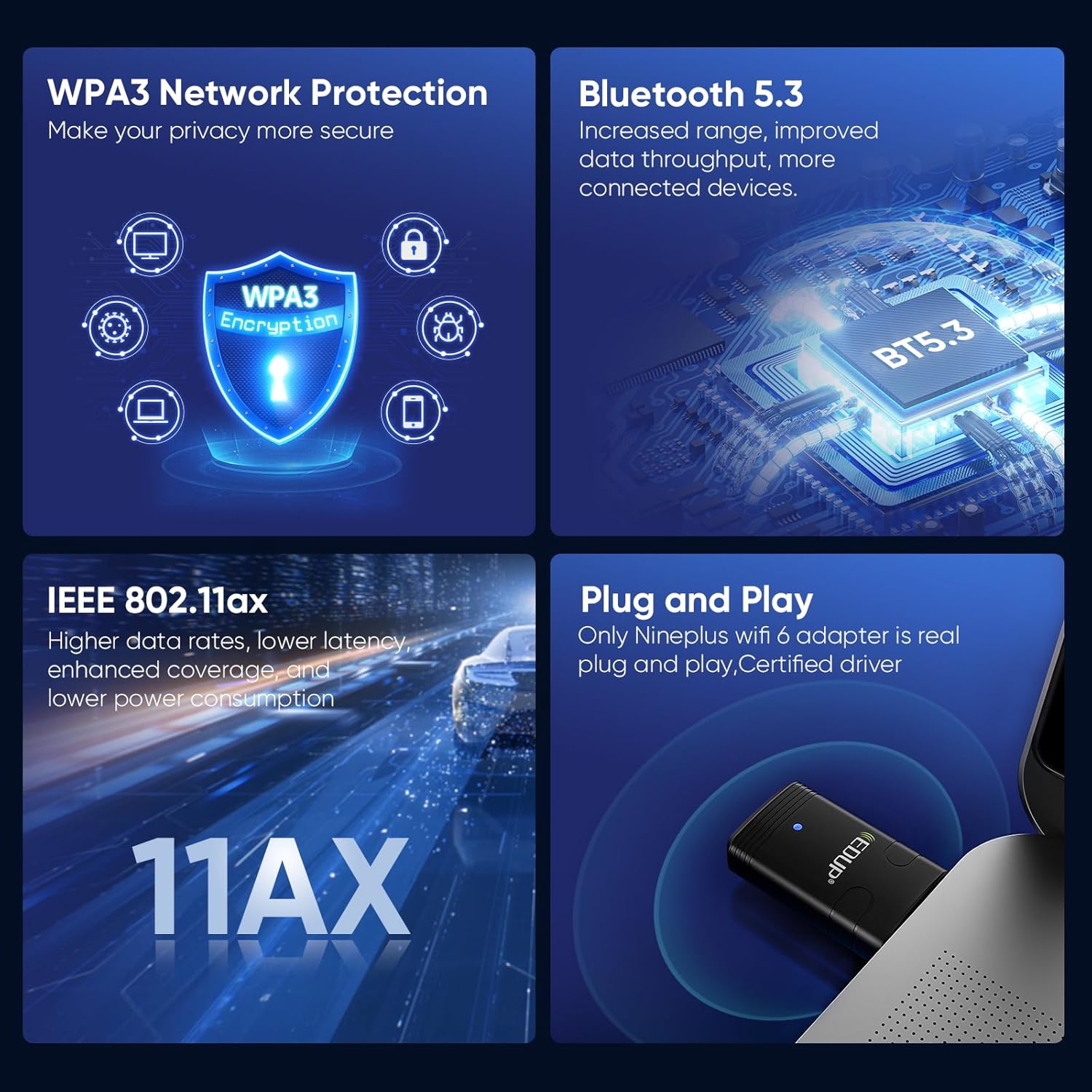
Figure 4.3: Convenient and Portable Design
This image illustrates the adapter's small dimensions (20mm width, 44mm length) when plugged into a laptop, emphasizing its portability.
5. Gwida ta' Setup
5.1 Rekwiżiti tas-Sistema
- Operating System: Windows 11 or Windows 10 (64-bit recommended).
- Port USB 2.0 jew 3.0 disponibbli.

Figura 5.1: Sistemi Operattivi Appoġġjati
This image displays the logos for Windows 10 and Windows 11, indicating compatibility with these operating systems.
5.2 Installazzjoni tas-sewwieq
The EDUP Mini USB WiFi 6 Adapter requires driver installation for full functionality. Drivers are provided on a U disk included with your purchase, or can be downloaded from the official EDUP websit.
- Daħħal l-Adapter: Plug the EDUP Mini USB WiFi 6 Adapter into an available USB port on your desktop or laptop PC.
- Installa Sewwieqa:
- Option A (U Disk): Insert the provided U disk into a USB port. Navigate to the U disk drive in File Explorer and run the driver setup executable (e.g., "autorun.exe" or similar).
- Option B (Online Download - Recommended for latest drivers):
- Iftaħ tiegħek web browser and go to the EDUP websit: szedup.com/usb-adapters/EPAX910.html.
- Navigate to the "Download Center" or "Support" section.
- Locate and download the latest drivers for model EP-AX910 (or EP-AX900/910 Driver) compatible with Windows 10/11. The file will likely be a compressed ZIP file.
- Oħroġ il-ZIP imniżżel file għal folder fuq il-kompjuter tiegħek.
- Run the setup executable (e.g., "setup.exe" or "autorun.exe") from the extracted folder and follow the on-screen instructions.
- Installazzjoni kompluta: Follow the prompts in the installation wizard. You may be asked to restart your computer after installation is complete.
Video 5.1: EDUP USB WiFi 6 Adapter Bluetooth 5.3 Dongle Driver Installation Guide
This video demonstrates the process of downloading and installing the drivers for the EDUP USB WiFi 6 Adapter from the official EDUP website. It shows navigating to the download center, selecting the correct driver, downloading the file, and running the installation wizard.

Figure 5.2: Adapter Connected to a Mini PC
This image shows the compact EDUP USB WiFi 6 Adapter plugged into a USB port on a mini PC, illustrating its discreet integration.
6. Istruzzjonijiet Operattivi
6.1 Konnessjoni mal-Wi-Fi
Once the drivers are successfully installed, your computer will recognize the Wi-Fi capabilities of the adapter.
- Click on the Wi-Fi icon in your system tray (usually in the bottom-right corner of your screen).
- Agħżel in-netwerk Wi-Fi mixtieq tiegħek mil-lista ta' netwerks disponibbli.
- Daħħal iċ-ċavetta tas-sigurtà tan-netwerk (password) jekk tintalab.
- Click "Connect". Your computer should now be connected to the internet via the EDUP adapter.

Figure 6.1: Wi-Fi 6 Speed Capabilities
This image illustrates the potential Wi-Fi 6 speeds: up to 600 Mbps on the 5GHz band and up to 286 Mbps on the 2.4GHz band, offering faster performance compared to previous Wi-Fi generations.
6.2 Konnessjoni ta' Apparati Bluetooth
The adapter also enables Bluetooth 5.3 connectivity for various peripherals.
- Mur fis-Settings tal-Windows > Apparati > Bluetooth u apparati oħra.
- Kun żgur li l-Bluetooth huwa mixgħul.
- Ikklikkja "Żid Bluetooth jew apparat ieħor" u agħżel "Bluetooth".
- Poġġi l-apparat Bluetooth tiegħek (eż. headphones, tastiera, maws) fil-modalità ta' tqabbil.
- Agħżel it-tagħmir tiegħek mil-lista u segwi kwalunkwe struzzjonijiet fuq l-iskrin biex tlesti l-proċess ta' tqabbil.

Figura 6.2: Konnettività Bluetooth 5.3
This diagram illustrates how the EDUP adapter facilitates connections to various Bluetooth devices, including keyboards, mice, printers, audio devices, and earphones, from a desktop, PC, or laptop.
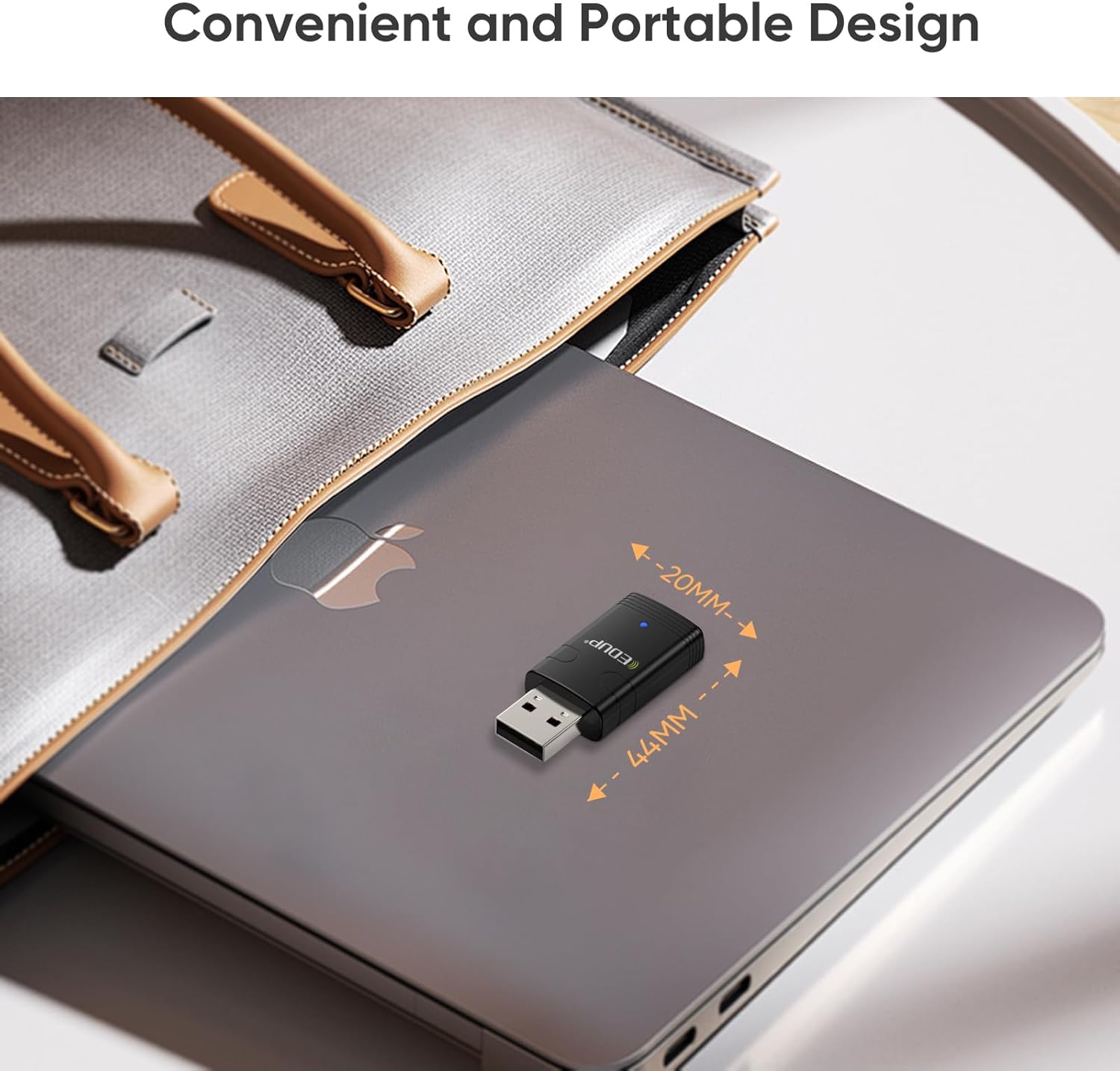
Figura 6.3: Karatteristiċi Avvanzati
This image highlights key features such as WPA3 Network Protection for enhanced security, Bluetooth 5.3 for increased range and throughput, IEEE 802.11ax for higher data rates and lower latency, and the plug-and-play nature with certified drivers.
7. Manutenzjoni
- Żomm l-adapter nadif billi timsaħ b'ċarruta ratba u niexfa.
- Avoid exposing the adapter to extreme temperatures or direct sunlight.
- When transporting a laptop, it is advisable to remove the dongle to prevent accidental damage.
- Periodically check the EDUP websit għal sewwieqa aġġornati biex tiġi żgurata prestazzjoni u kompatibilità ottimali.
8 Issolvi l-problemi
8.1 Adapter Not Detected or Not Working
- Iċċekkja l-Port tal-USB: Ipprova daħħal l-adapter f'port USB differenti fuq il-kompjuter tiegħek.
- Installazzjoni tas-sewwieq: Ensure that the drivers are correctly installed. If you used the U disk, consider downloading the latest drivers from the EDUP websit (szedup.com/usb-adapters/EPAX910.html) as they may be more up-to-date.
- Ibda mill-ġdid il-Kompjuter: A system restart can often resolve detection issues after driver installation.
- Maniġer tal-Apparat: Open Device Manager (search for it in Windows) and check if the adapter is listed under "Network adapters" and "Bluetooth". Look for any yellow exclamation marks, which indicate a driver issue. Right-click and select "Update driver" or "Uninstall device" and then reinstall the driver.
8.2 Kwistjonijiet ta' Konnessjoni tal-Wi-Fi
- Qawwa tas-Sinjal: Kun żgur li tinsab fil-firxa tar-router Wi-Fi tiegħek.
- Password Mhux Korretta: Iċċekkja l-password tal-Wi-Fi darbtejn.
- Reboot tar-router: Ipprova erġa' ibda r-router Wi-Fi tiegħek.
- Banda tan-Netwerk: Confirm your router is broadcasting on 2.4GHz or 5GHz. The adapter supports both.
8.3 Bluetooth Pairing Problems
- Modalità ta' Tqabbil tal-Apparat: Ensure your Bluetooth device is in proper pairing mode. Refer to your device's manual.
- Distanza: Keep the Bluetooth device close to the adapter during pairing.
- Interferenza: Tbiegħed minn apparati bla fili oħra li jistgħu jikkawżaw interferenza.
- Neħħi l-Koppji Eżistenti: If the device was previously paired with another computer or phone, unpair it first.
9. Speċifikazzjonijiet
| Karatteristika | Speċifikazzjoni |
|---|---|
| Numru tal-Mudell | EP-AX910 |
| Dimensjonijiet tal-Prodott | 0.7 x 0.3 x 1.65 pulzieri (0.7"T x 0.3"W x 1.65"Għ) |
| Piż tal-oġġett | 1.44 uqija |
| Interface tal-Ħardwer | USB 2.0 |
| Kulur | Iswed |
| Apparati Kompatibbli | Laptop, Desktop, Pillola |
| Sistema Operattiva Kompatibbli | Windows 11, Windows 10 |
| Protokoll tal-Kollegament tad-Data | Ethernet, IEEE 802.11ax (Wi-Fi 6) |
| Rata ta' Trasferiment tad-Data | Up to 900 Mbps (2.4G ax: 286Mbps; 5G ax: 600Mbps) |
| Verżjoni Bluetooth | Bluetooth 5.3 |
| Protokoll ta 'Sigurtà | WPA3 |
10. Garanzija u Appoġġ
EDUP provides a 3-year manufacturer replacement warranty for this product. Additionally, a 90-day no-questions-asked return policy is offered.
For any assistance, technical support, or warranty claims, please feel free to contact us via Amazon message. Our support team is ready to help you with any inquiries or issues you may encounter.


