1. Informazzjoni Importanti dwar is-Sigurtà
Please read this manual carefully before assembly and use to ensure safe and correct operation of your MAIDeSITe EL2 Pro Art adjustable height desk frame.
- Twissija ta' tagħbija żejda: Teċċedix il-kapaċità massima tat-tagħbija ta' 180 kg (396 lbs). Overloading can cause damage to the frame and potential injury.
- Aġġustament Għoli: Avoid adjusting the height while objects are unstable on the desktop or if there is a risk of collision with surrounding furniture or walls.
- Tfal u Pets: Keep children and pets away from the desk during operation. The anti-collision system helps prevent accidents, but supervision is recommended.
- Provvista tal-Enerġija: Ensure the power cable is properly connected and not damaged. Do not operate the desk with a damaged cable or plug.
- Manutenzjoni: Tippruvax tiżżarma jew issewwi l-mutur jew is-sistema ta' kontroll int stess. Ikkuntattja l-appoġġ għall-klijenti għall-għajnuna.
2. Prodott Aktarview
The MAIDeSITe EL2 Pro Art is an electric adjustable height desk frame designed for ergonomic workspaces. It features a robust dual-motor system, a wide height adjustment range, and an elegant oval leg design.

The unique oval-shaped legs provide both stability and a distinctive aesthetic, setting it apart from conventional desk frames.

3. Kontenut tal-Pakkett
Before assembly, ensure all components are present and undamaged. Refer to the included assembly instructions for a detailed parts list.
- Desk Frame Components (legs, crossbars, feet)
- Panel tal-Kontroll b'Display LCD
- Adapter tal-Enerġija u Cable
- Mounting Hardware (screws, Allen keys)
- Cable Management Tray (metal)
- 4 Lockable Universal Casters (optional installation)
- Manwal għall-Utent (dan id-dokument)
4. Setup u Assemblea
The MAIDeSITe EL2 Pro Art frame is designed for straightforward assembly, typically taking around 20 minutes. Detailed instructions are provided in a separate guide in 5 languages.

4.1 Passi tal-Assemblaġġ (Ġenerali Fuqview)
- Ħoll il-Komponenti: Neħħi l-partijiet kollha mill-imballaġġ bir-reqqa u poġġihom fuq wiċċ nadif u artab biex tevita l-grif.
- Assemble Legs and Crossbars: Follow the specific instructions to connect the lifting columns to the crossbars.
- Waħħal is-Saqajn: Secure the feet to the bottom of the lifting columns. You may choose to install the optional lockable casters at this stage for mobility.
- Installa l-Panel tal-Kontroll: Mount the control panel to the underside of the desktop frame.
- Waħħal id-Desktop: Place your chosen desktop onto the assembled frame. The frame is extensible and supports tabletops from 100-220 cm (39.4-86.6 inches) in length and 60-100 cm (23.6-39.4 inches) in width. Secure the desktop using appropriate screws (not always included, depending on desktop purchase).
- Qabbad Kejbils: Connect the motor cables to the control box and then connect the control box to the power adapter.
- Ġestjoni tal-Kejbil: Utilize the included metal cable management tray (39 x 12 x 10 cm) to organize cables neatly.
4.2 Desktop Compatibility
The EL2 Pro Art frame features an extensible width from 100 cm to 180 cm (39.4 to 70.9 inches), accommodating a wide range of desktop sizes. Ensure your desktop meets the following dimensions:
- Desktop Length: 100 ċm sa 220 ċm (39.4 sa 86.6 pulzieri)
- Wisa' tad-Desktop: 60 ċm sa 100 ċm (23.6 sa 39.4 pulzieri)

5. Istruzzjonijiet Operattivi
The EL2 Pro Art features an intelligent control panel for easy height adjustment and personalized settings.

5.1 Funzjonijiet tal-Panew tal-Kontroll
- Display LCD: Juri l-għoli attwali tal-iskrivanija f'ċentimetri.
- Buttuni 'l fuq/'l isfel (▲ / ▼): Agħfas u żomm biex taġġusta kontinwament l-għoli tal-iskrivanija. Itlaq biex twaqqaf.
- Presets tal-Memorja (1, 2, 3, 4): Store and recall your preferred sitting and standing heights.
- Buttuna SET: Used to save memory presets.
- Sit-Stand Reminder (0.5h, 1h, 2h): Set a timer to remind you to change your working posture.
- Serratura tas-Sikurezza tat-Tfal: Prevents unintentional adjustments.
- Port tal-Iċċarġjar tal-USB: Conveniently charge your devices.
5.2 Issettjar ta' Presets tal-Memorja
- Aġġusta l-iskrivanija għall-għoli mixtieq tiegħek billi tuża l-buttuni 'l fuq/'l isfel.
- Agħfas il- SET buttuna. Il-wiri se jteptep.
- Within 3 seconds, press one of the memory buttons (1, 2, 3, jew 4) to save the current height to that position. The display will show 'S-' followed by the number to confirm.
5.3 L-Użu tal-Presets tal-Memorja
Sempliċement agħfas il-buttuna tal-memorja mixtieqa (1, 2, 3, jew 4). L-iskrivanija tiċċaqlaq awtomatikament għall-għoli ssejvjat.
5.4 Sit-Stand Reminder
To activate the reminder, press the timer button (often labeled with a clock icon or 'M' for memory/mode, then cycle through 0.5h, 1h, 2h). The desk will beep or display a reminder after the set time to encourage posture changes.
5.5 Lock tas-Sigurtà tat-Tfal
To engage or disengage the child safety lock, refer to the specific instructions in your detailed assembly guide. This feature prevents accidental height adjustments.
5.6 Sistema Kontra l-Ħabtiet
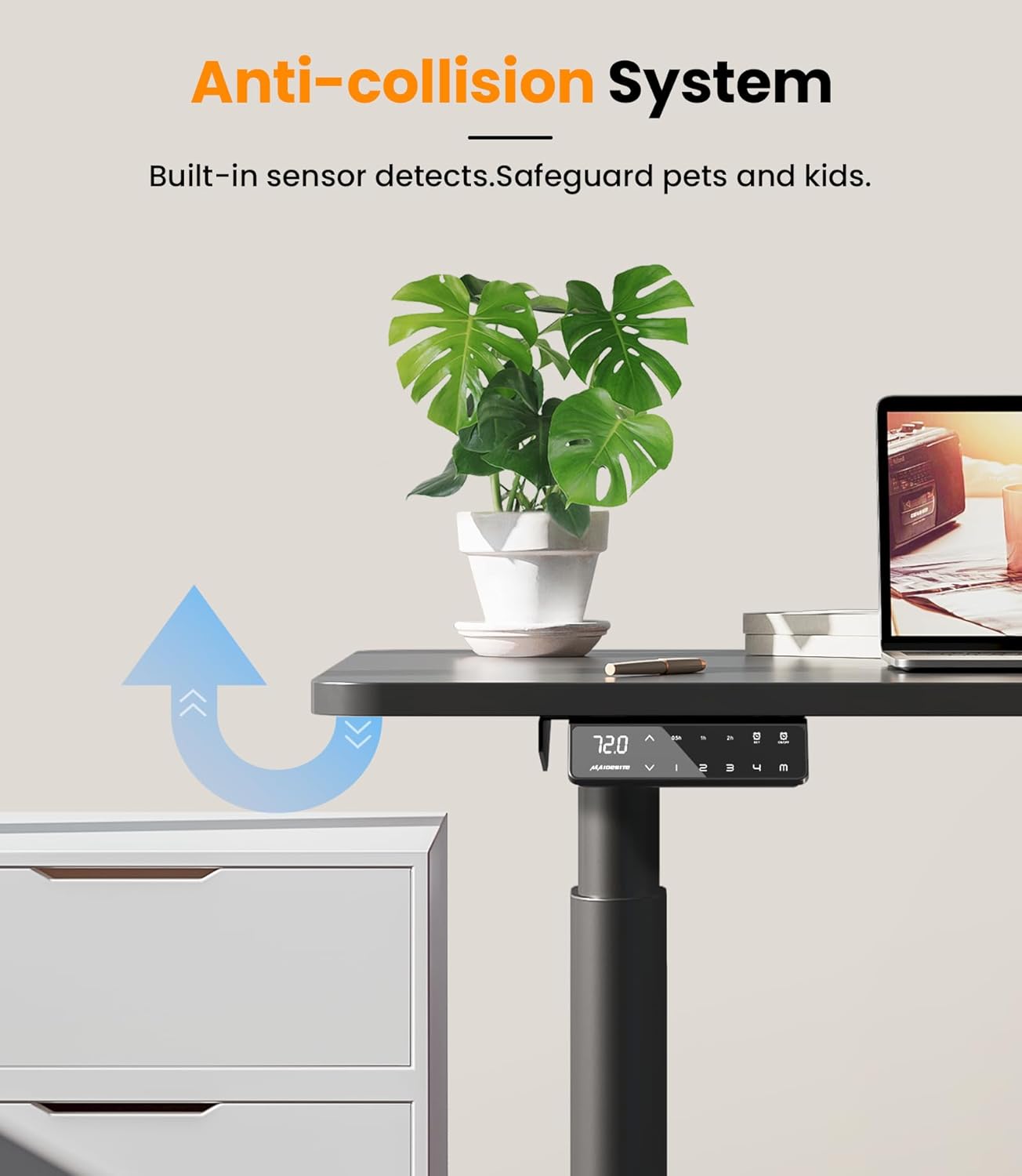
The EL2 Pro Art is equipped with a built-in anti-collision system. If the desk encounters an obstacle during height adjustment, it will automatically stop and reverse slightly to prevent damage or injury.
6. Manutenzjoni
Manutenzjoni regolari tiżgura l-lonġevità u l-prestazzjoni ottimali tal-qafas tal-iskrivanija tiegħek.
- Tindif: Imsaħ il-qafas tal-iskrivanija b'ċarruta ratba u damp drapp. Evita li tuża kimiċi ħarxa jew prodotti tat-tindif li joborxu, li jistgħu jagħmlu ħsara lill-finitura.
- Ġestjoni tal-Kejbil: Periodically check and reorganize cables to prevent tangles and ensure they do not interfere with the desk's movement.
- Qafliet: Iċċekkja l-viti u l-boltijiet kollha minn żmien għal żmien biex tiżgura li huma ssikkati sew. Erġa' ssikkahom jekk meħtieġ.
- Tneħħija tal-Ostakli: Ensure the area around the desk is clear of obstacles before adjusting height to allow the anti-collision system to function effectively.
7 Issolvi l-problemi
If you encounter issues with your desk frame, refer to the following common problems and solutions:
| Problema | Kawża Possibbli | Soluzzjoni |
|---|---|---|
| L-iskrivanija ma tiċċaqlaqx jew ma tirrispondix għall-kontrolli. | Power disconnected, cable loose, child lock engaged. | Check power cable connection. Ensure all motor cables are securely plugged into the control box. Disengage child safety lock if active. |
| L-iskrivanija tiċċaqlaq b'mod irregolari jew tagħmel ħoss mhux tas-soltu. | Overload, loose connections, uneven weight distribution. | Reduce load on the desk (ensure it's below 180 kg). Check all assembly screws for tightness. Redistribute weight evenly on the desktop. |
| Kodiċi ta' żball muri fuq il-pannell tal-kontroll. | Ħsara speċifika tas-sistema. | Refer to the detailed assembly manual for specific error code meanings and troubleshooting steps. Often, a power cycle (unplug for 30 seconds, then replug) can resolve minor errors. |
| Anti-collision system triggers too easily or not at all. | Sensitivity setting, sensor obstruction. | Ensure no objects are near the sensors. Some models allow sensitivity adjustment; refer to your detailed manual. |
If the problem persists after attempting these solutions, please contact MAIDeSITe customer support.
8. Speċifikazzjonijiet
Key technical specifications for the MAIDeSITe EL2 Pro Art adjustable height desk frame:
| Karatteristika | Speċifikazzjoni |
|---|---|
| Brand | MAIDeSITe |
| Numru tal-Mudell | EL2 Pro Art |
| Kulur | Iswed |
| Tip ta' Mutur | Mutur Doppju |
| Kapaċità tat-Tagħbija (Massima) | 180 kg (396 lbs) |
| Medda ta 'Aġġustament Għoli | 72 ċm - 120 ċm (28.3 pulzieri - 47.2 pulzieri) |
| Frame Width Adjustment Range | 100 ċm - 180 ċm (39.4 pulzieri - 70.9 pulzieri) |
| Compatible Desktop Length | 100 ċm - 220 ċm (39.4 pulzieri - 86.6 pulzieri) |
| Compatible Desktop Width | 60 ċm - 100 ċm (23.6 pulzieri - 39.4 pulzieri) |
| Veloċità ta 'rfigħ | 35 mm/s |
| Livell ta' Storbju | < 45 dB |
| Panel tal-Kontroll | Smart panel with LCD, 4 memory presets, sit-stand reminder, child safety lock, USB charging. |
| Dimensjonijiet tal-Prodott (L x W x H) | 60 x 180 x 120 cm (approximate maximum extended dimensions) |
| Piż tal-oġġett | 24 Kilogrammi |


9. Garanzija u Appoġġ
MAIDeSITe is committed to providing high-quality products and excellent customer service.
9.1 Garanzija tal-Prodott
Your MAIDeSITe EL2 Pro Art desk frame comes with a garanzija ta 'sena, ensuring peace of mind regarding its quality and durability. Please retain your proof of purchase for warranty claims.
9.2 Appoġġ għall-Klijent
For any questions, technical assistance, or warranty claims, please contact MAIDeSITe customer support. Our team is available to provide support and ensure your satisfaction.
You can find contact information on the official MAIDeSITe webis-sit jew permezz tal-pjattaforma tax-xiri tiegħek.


