1. Introduzzjoni
Thank you for choosing the AutoSky Portable Tire Inflator, Model AAC-301. This device is designed to provide convenient and efficient inflation for various items, including car tires, motorcycle tires, bicycle tires, and sports balls. It also features an integrated power bank and an emergency LED flashlight for added utility. Please read this manual thoroughly before use to ensure proper operation and to maximize the product's lifespan.
2. Informazzjoni dwar is-Sigurtà
- Żomm fejn ma jintlaħaqx mit-tfal.
- Tħaddimx l-inflator f'kundizzjonijiet imxarrbin jew ħdejn likwidi jew gassijiet fjammabbli.
- Evita tħaddim kontinwu għal żmien twil biex tevita s-sħana żejda. Ħalli l-apparat jiksaħ bejn l-użi jekk meħtieġ.
- Kun żgur li l-pressjoni hija ssettjata sew għall-oġġett li qed jintefaħ biex tevita nefħa żejda u ħsara jew korriment potenzjali.
- Do not point the inflation nozzle at people or animals.
- Aħżen l-apparat f'post frisk u niexef meta ma jkunx qed jintuża.
- Uża biss l-aċċessorji u l-kejbil tal-iċċarġjar provduti.
3. Kontenut tal-Pakkett

Image: Contents of the AutoSky Portable Tire Inflator package, including the inflator unit, air hose, charging cable, needle, nozzle, and carry bag.
The AutoSky Portable Tire Inflator package includes the following items:
- AutoSky Portable Inflator Unit (Model AAC-301)
- Manka tal-Ajru
- Kejbil tal-Iċċarġjar (USB)
- 1 Needle (for balls)
- 1 Nozzle (for bicycle valves)
- Wettaq Bag
- Manwal għall-Utent (dan id-dokument)
4. Karatteristiċi tal-prodott

Immaġni: Quddiem view of the AutoSky Portable Tire Inflator, showing the digital display, control buttons, and inflation port.
- Fast & Reliable Inflation: Efficiently inflates various items with automatic shut-off at preset pressure.
- Bank tal-Enerġija Integrat: Charges smartphones, tablets, and other USB-powered devices.
- Emergency LED Flashlight: Features steady, strobe, and SOS modes for illumination and signaling.
- Digital Display & Easy Controls: Intuitive interface for setting desired pressure and selecting inflation modes.
- Disinn kompatt u portabbli: Lightweight and easy to store and carry.
- Kompatibilità versatili: Suitable for cars, motorcycles, bicycles, and balls.
5. Setup
5.1 Iċċarġjar inizjali
Before first use, fully charge the inflator. Connect the provided USB charging cable to the charging port on the device and to a suitable USB power adapter (not included). The battery indicator on the digital display will show charging progress. A full charge typically takes several hours.
5.2 Attaching the Air Hose and Nozzles
Screw one end of the air hose securely onto the inflator's air outlet. For different inflation needs, attach the appropriate nozzle or needle to the other end of the air hose.
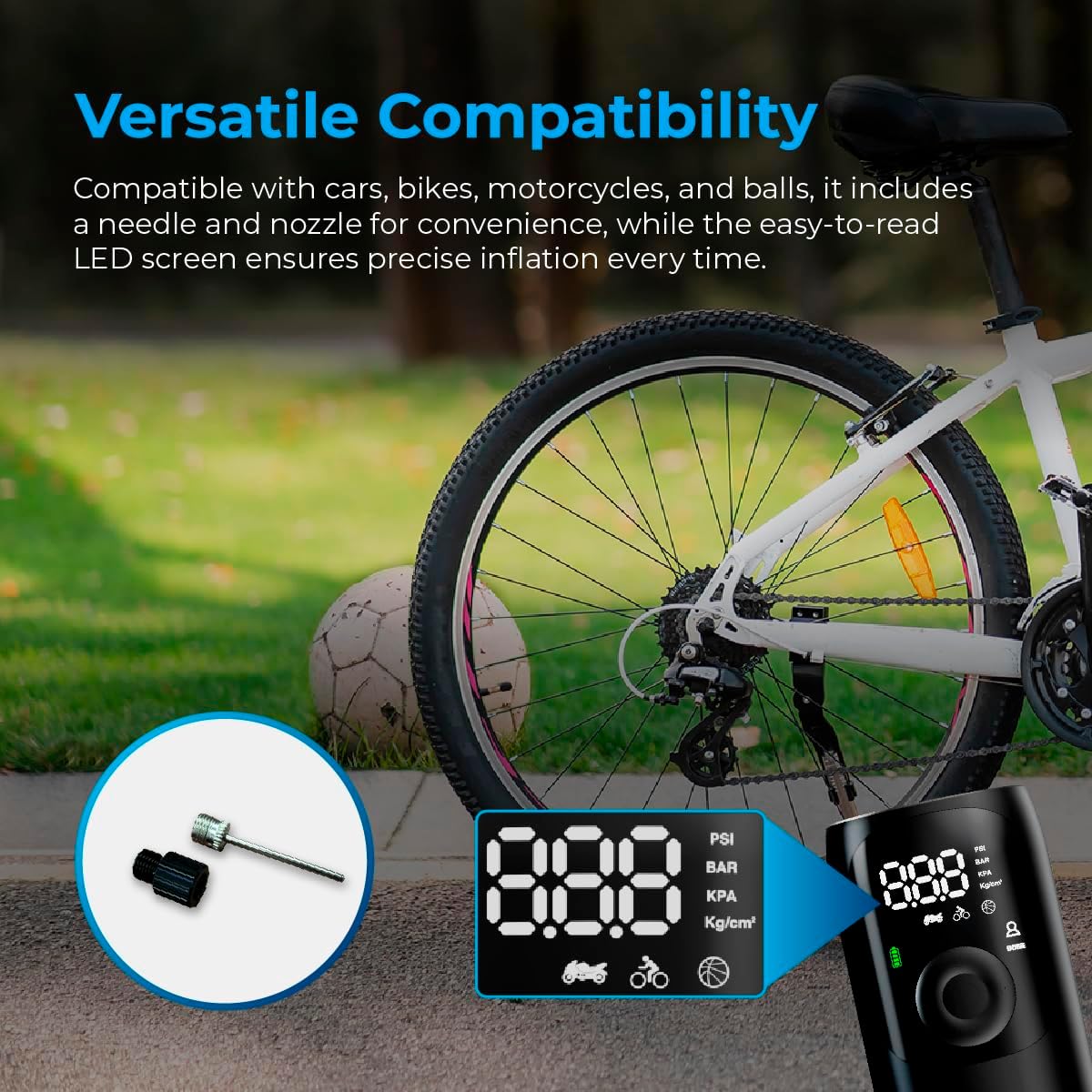
Image: Close-up of the AutoSky Portable Tire Inflator showing the included needle and nozzle accessories for different inflation types.
6. Istruzzjonijiet Operattivi
6.1 Tixgħel/Jitfi
Press and hold the power button for 3 seconds to turn the compressor on or off.
6.2 Proċess ta' Inflazzjoni
- Qabbad: Connect one end of the air hose to the inflator and the other end to the valve of the item you wish to inflate. Attach the appropriate nozzle or needle if required.
- Ixgħel u Agħżel il-Modalità: Press and hold the power button for 3 seconds to turn on the compressor. Press the 'M' button to cycle through the inflation modes (Car, Motorcycle, Bicycle, Ball) until the desired mode is selected. The display will show the recommended pressure range for each mode.
- Issettja Pressjoni: Uża l-buttuni '+' u '-' biex taġġusta l-valur tal-pressjoni fil-mira. Irreferi għar-rakkomandazzjonijiet tal-manifattur tal-oġġett għall-pressjoni korretta.
- Ibda l-Inflazzjoni: Press the power button again to start the inflation process. The compressor will automatically stop once the preset pressure is reached.
- Skonnettja: Carefully disconnect the air hose from the item and the inflator.

Image: Visual guide demonstrating the three main steps for using the inflator: connecting the hose, setting the pressure, and starting inflation.

Image: Display of the AutoSky Portable Tire Inflator highlighting different inflation modes (car, motorcycle, bicycle, ball) and their respective pressure ranges (PSI).
6.3 Użu bħala Power Bank
To use the inflator as a power bank, connect your USB-powered device (e.g., smartphone, tablet) to the USB output port on the inflator using your device's charging cable. The inflator will automatically begin charging your device.

Image: The AutoSky Portable Tire Inflator functioning as both a power bank, charging a smartphone, and an LED flashlight illuminating a dark area.
6.4 L-Użu tat-Torċa LED
With the device powered on, press the flashlight button (usually indicated by a light bulb icon) to cycle through the flashlight modes: Steady On, Strobe, and SOS. Press again to turn off the flashlight.
7. Manutenzjoni
- Tindif: Imsaħ il-barra tal-inflator b'ċarruta ratba u niexfa. Tużax kimiċi ħarxa jew prodotti tat-tindif li joborxu.
- Ħażna: Store the device and its accessories in the provided carry bag in a cool, dry place, away from direct sunlight and extreme temperatures.
- Kura tal-batterija: Biex iżżomm il-batterija f'kundizzjoni tajba, iċċarġja l-apparat mill-inqas darba kull tliet xhur, anke jekk ma tkunx qed tużah.
- Spezzjoni tal-pajp: Regularly inspect the air hose for any signs of wear, cracks, or damage. Replace if necessary.
8 Issolvi l-problemi
| Problema | Kawża Possibbli | Soluzzjoni |
|---|---|---|
| L-inflator ma jixgħelx. | Batterija baxxa jew mhux iċċarġjata. | Charge the device fully. Ensure the power button is held for 3 seconds. |
| Inflation is slow or not working. | Air hose not securely connected; incorrect nozzle; leak in hose/valve. | Ensure all connections are tight. Check for leaks. Verify correct nozzle is used. |
| L-apparat jisħon iżżejjed u jintefa. | Tħaddim kontinwu fit-tul. | Allow the inflator to cool down for at least 15-20 minutes before resuming use. |
| Qari tal-pressjoni mhux preċiż. | Valve connection not secure. | Ensure the air hose is firmly attached to the item's valve. |
9. Speċifikazzjonijiet
- Mudell: AAC-301
- Dimensjonijiet tal-Prodott: 6 x 3 x 15.7 ċm
- Piż tal-oġġett: 572 gramma (0.57 kg)
- Sors tal-Enerġija: Li jaħdem bil-batterija (batterija tal-jone tal-litju inkluża)
- Pressjoni massima: Up to 150 PSI (as indicated by device modes)
- Kulur: Iswed
- Manifattur: Promaster Electronic LLC

Image: The AutoSky Portable Tire Inflator next to a car tire, emphasizing its portability, power bank function, auto shut-off, and preset pressure capabilities.
10. Garanzija u Appoġġ
For warranty information and customer support, please refer to the warranty card included in your product packaging or contact AutoSky customer service directly. Contact details can typically be found on the official AutoSky webis-sit jew fuq l-imballaġġ tal-prodott.
Manifattur: Promaster Electronic LLC
Data L-Ewwel Disponibbli: 3 ta’ Awwissu, 2024


