1. Introduzzjoni
The SEHMUA 3rd Cellular Trail Camera is an advanced outdoor surveillance device designed for monitoring wildlife, securing property, or observing remote areas. It features live streaming capabilities, built-in 4G LTE connectivity, and is solar-powered for continuous operation. With a rapid 0.2-second trigger time and low-light night vision, it captures high-quality 2K images and videos, providing real-time alerts directly to your smartphone.

Figure 1: SEHMUA 3rd Cellular Trail Camera with integrated solar panel and 4G LTE SIM card.
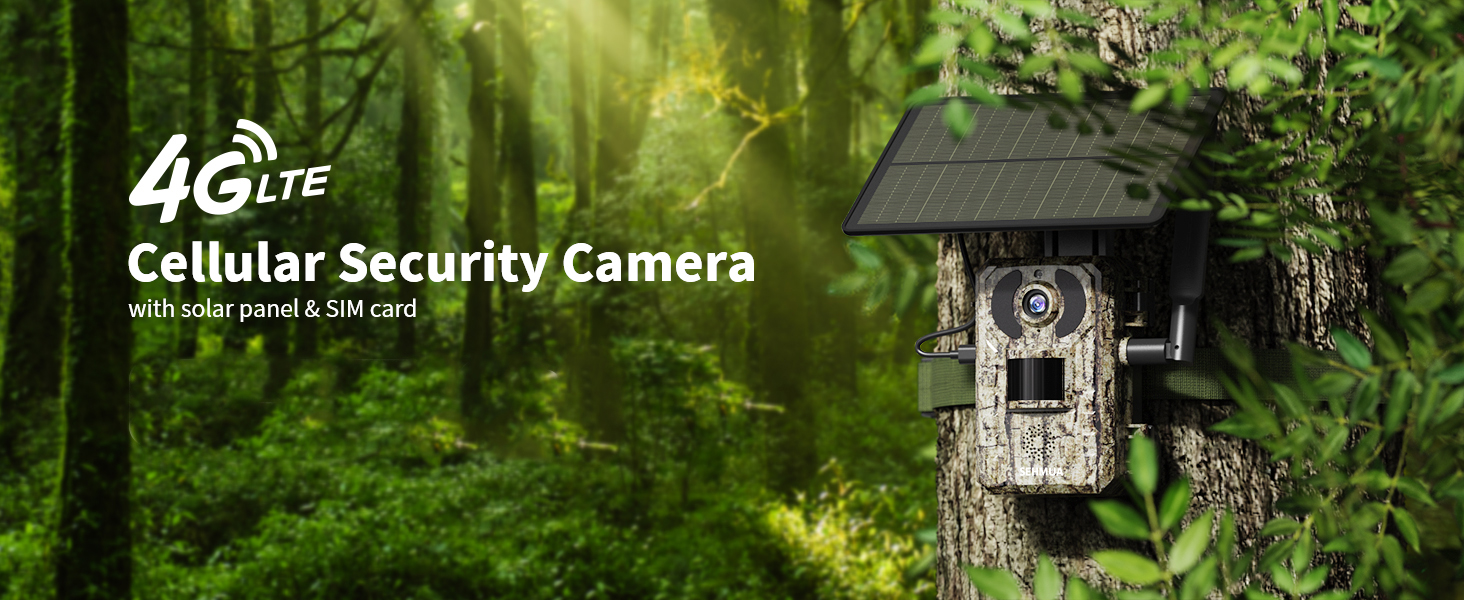
Figure 2: The SEHMUA Cellular Security Camera deployed in a natural environment.
2. Gwida ta' Setup
2.1 Kontenut tal-Pakkett
Ensure all components are present before proceeding with setup. The package typically includes the trail camera unit with integrated solar panel, a pre-installed 4G LTE SIM card, and mounting accessories. A memory card is le inklużi u għandhom jinxtraw separatament.
2.2 SIM Card and Memory Card Installation
- Locate the SIM card slot and memory card slot on the camera.
- Insert the provided 4G LTE SIM card into its designated slot. Ensure it is properly seated.
- Insert a compatible memory card (e.g., SD card, not included) into the memory card slot.
- Attach the external antenna to the camera for optimal cellular signal reception.

Figure 3: Location of SIM card slot and details on data plans.
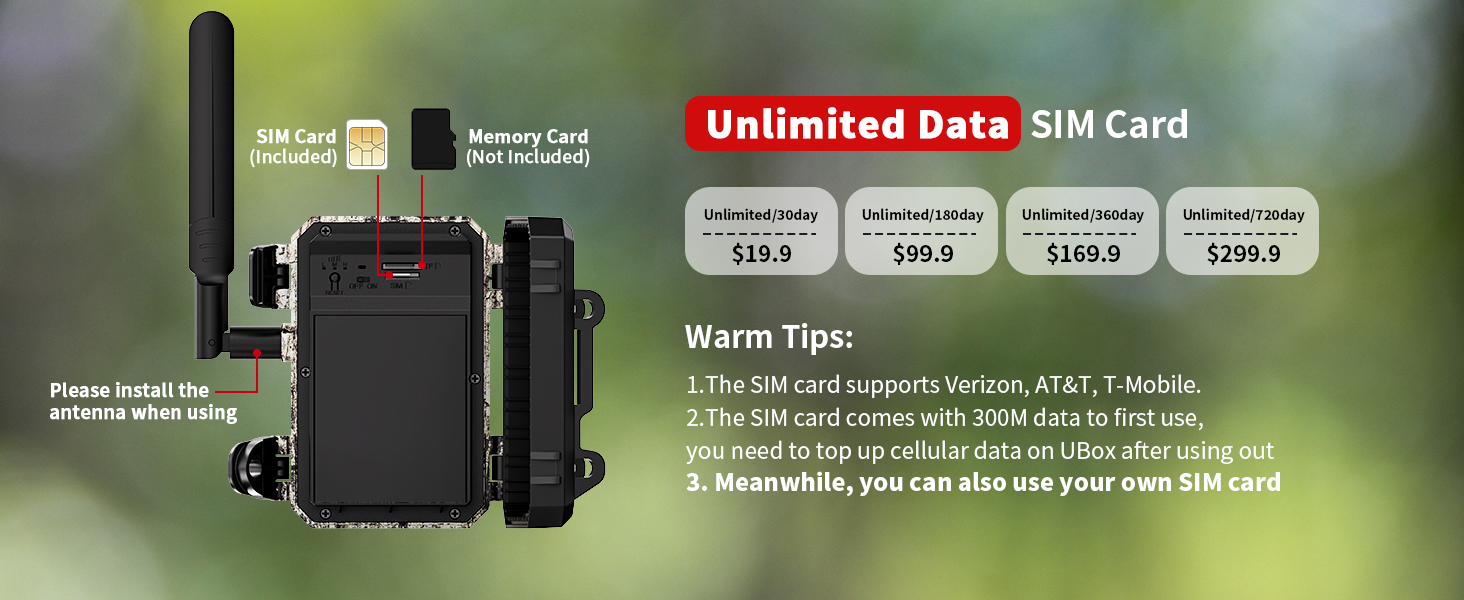
Figura 4: Dettaljat view of SIM card and memory card insertion points, and antenna installation.
2.3 Tniżżil u Attivazzjoni tal-App
To utilize the camera's remote access features, download the official SEHMUA application (e.g., Ucon app) on your smartphone. Follow the in-app instructions to activate the camera and its cellular data plan. New users typically receive 300MB of trial data upon activation. Data plans can be renewed monthly or yearly within the app. The camera is designed for use within the US cellular networks (Verizon, T-Mobile, AT&T).
3. Istruzzjonijiet Operattivi
3.1 Live Streaming and Remote Access
The SEHMUA trail camera allows for live streaming directly to your smartphone via the dedicated app. This feature enables real-time monitoring of the camera's surroundings from any location with cellular coverage. You can also share recorded videos with family members through the app.

Figure 5: Live video streaming from the trail camera to a smartphone.

Figure 6: Remote access to live video feed via smartphone.
3.2 Motion Detection and Trigger Time
The camera features a rapid 0.2-second trigger time, ensuring quick capture of images and videos upon motion detection. This minimizes the chance of missing fast-moving subjects. Alerts are sent to your phone when activity is detected.

Figure 7: Illustration of the camera's fast 0.2-second trigger speed.

Figura 8: Eżample of a deer captured instantly due to the 0.2-second trigger speed.

Figure 9: The smartphone application displaying motion detection alerts and captured snapshots.

Figure 10: A bear triggering the camera's motion sensor, resulting in an immediate alert to the phone.

Figure 11: Horses captured by the trail camera, with the event visible on the phone app.
3.3 Viżjoni bil-lejl
Equipped with 940nm LED low-light infrared night vision, the camera provides clear images and videos in low-light conditions without disturbing wildlife. This ensures discreet monitoring during nighttime hours.
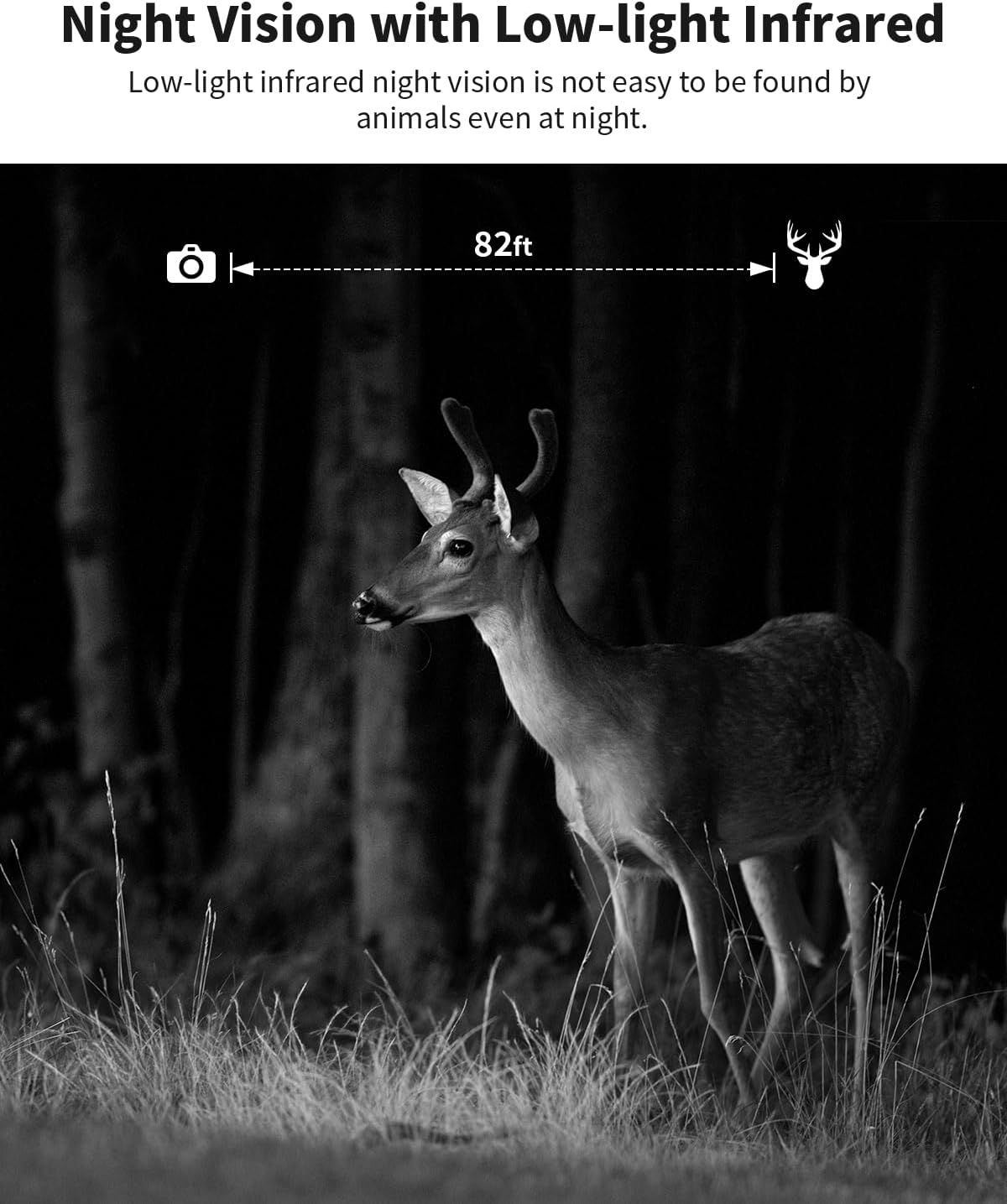
Figure 12: Night vision capability demonstrated with a deer in a forest setting.
3.4 Għażliet ta' Ħażna
Recorded photos and videos can be stored on a local memory card (not included) or uploaded to cloud storage. New users are eligible for a 30-day free trial of cloud storage. Content can be downloaded or played back directly from the phone app.

Figura 13: Aktarview of available storage options: cloud storage and local memory card.
4. Manutenzjoni
4.1 Ġestjoni tal-Enerġija
The camera is equipped with a solar panel and a built-in battery, providing continuous power and eliminating the need for frequent battery replacement. Ensure the solar panel is positioned to receive adequate sunlight for optimal charging.

Figure 14: The solar panel actively charging the camera's internal battery.
4.2 Durabilità u Reżistenza għat-Temp
The camera features an IP66 waterproof rating and a sturdy body, making it suitable for various outdoor environments, including forests, farms, ranches, and construction sites. Regular inspection for debris or obstructions on the lens and solar panel is recommended to ensure optimal performance.

Figure 15: The camera's IP66 waterproof design allows it to operate effectively in rainy conditions.
5 Issolvi l-problemi
| Problema | Kawża Possibbli | Soluzzjoni |
|---|---|---|
| No Live Stream/Connectivity Issues |
|
|
| Camera not capturing images/videos |
|
|
| Kwalità fqira tal-immaġni/vidjow |
|
|
6. Speċifikazzjonijiet
| Karatteristika | Dettall |
|---|---|
| Brand | SEHMUA |
| Mudell | 3rd Cellular Trail Camera |
| Sors tal-Enerġija | Solar Powered (with built-in battery) |
| Protokoll tal-Konnettività | Ċellulari (4G LTE) |
| Netwerks Appoġġjati | Verizon, AT&T, T-Mobile (US only) |
| Riżoluzzjoni tal-Qbid tal-Vidjo | 2K |
| Ħin tal-attivazzjoni | 0.2 sekonda |
| Viżjoni bil-lejl | 940nm LED Low-light Infrared |
| Klassifikazzjoni li ma jgħaddix ilma minnha | IP66 |
| Ħażna | Memory Card (not included), Cloud Storage |
| Apparati Kompatibbli | Smartphone (via dedicated app) |
| Piż tal-oġġett | 1.96 liri |
| Dimensjonijiet tal-Pakkett | 7.68 x 6.3 x 4.25 pulzieri |
7. Garanzija u Appoġġ
For specific warranty details, please refer to the product packaging or contact SEHMUA customer service directly. SEHMUA is committed to providing excellent customer support for their products.
If you encounter any issues or have questions regarding your SEHMUA 3rd Cellular Trail Camera, please reach out to the manufacturer's support channels. Contact information can typically be found on the official SEHMUA website or within the product's packaging.


