1. Introduzzjoni
Grazzi tax-xiriasing the Yottamaster PF20 Portable SSD. This device is designed to provide high-speed, reliable external storage for a wide range of devices, including smartphones, tablets, and computers. Its compact, magnetic design makes it ideal for on-the-go use, especially for high-resolution video recording.
Karatteristiċi ewlenin:
- Trasferiment tad-Dejta b'Veloċità Għolja: Achieves up to 2000MB/s transfer speeds with USB 3.2 Gen 2x2 compatible interfaces.
- 4K ProRes Video Recording: Directly supports 4K ProRes video recording for compatible iPhone models (iPhone 16/17 Pro/Max).
- Disinn manjetiku: Features a strong magnetic attachment, compatible with MagSafe-enabled devices, and includes a magnetic ring for other devices.
- Multiple Capacity Options: Available in 512GB, 1TB, and 2TB to suit various storage needs.
- Kompatibilità Wiesgħa: Supports Windows, macOS, Android, Xbox, PS5, Steam Deck, and other devices.
2. Kontenut tal-Pakkett
Jekk jogħġbok iċċekkja l-pakkett biex tiżgura li l-oġġetti kollha huma preżenti:
- Yottamaster PF20 Portable SSD
- Kejbil tad-Data USB Type-C
- Magnetic Ring (for non-MagSafe devices)
- Manwal għall-Utent
3. Prodott Aktarview
The Yottamaster PF20 is a compact and lightweight external solid-state drive. Its sleek design integrates seamlessly with modern devices.
Karatteristiċi Fiżiċi:
- Dimensjonijiet: Madwar 15 x 10.8 x 2.1 ċm
- Piż: Madwar 90 g
- Interface: Port USB Type-C
- Karatteristiċi Speċjali: Magnetic attachment for secure mounting.

Figure 3.1: Yottamaster PF20 Portable SSD with its USB-C cable.
4. Setup
4.1 Konnessjoni ma 'Tagħmir
The Yottamaster PF20 Portable SSD is designed for plug-and-play functionality. Simply connect the provided USB Type-C data cable to the SSD and then to your compatible device.
- Għal Smartphones/Tablets: Connect the USB Type-C cable to your device's USB-C port. The SSD should be recognized automatically.
- Għal PCs/Laptops: Connect the USB Type-C cable to an available USB-C port on your computer.

Figure 4.1: Connecting the Yottamaster PF20 Portable SSD to a laptop.
4.2 Twaħħil Manjetiku
The PF20 features a magnetic design for secure attachment to compatible devices.
- MagSafe Compatible Devices: The SSD can be directly attached to the back of MagSafe-enabled iPhones (e.g., iPhone 16/17 Pro/Max).
- Non-MagSafe Devices: For devices without MagSafe, use the included magnetic ring. Attach the magnetic ring to the back of your device or phone case, then attach the SSD to the ring.
Attenzjoni:
- If using a phone case, ensure the magnetic attraction is strong enough to prevent accidental detachment. It is recommended to use the included magnetic ring for added security.
- The PF20 Portable SSD is not compatible with iPhone 14 and earlier models.
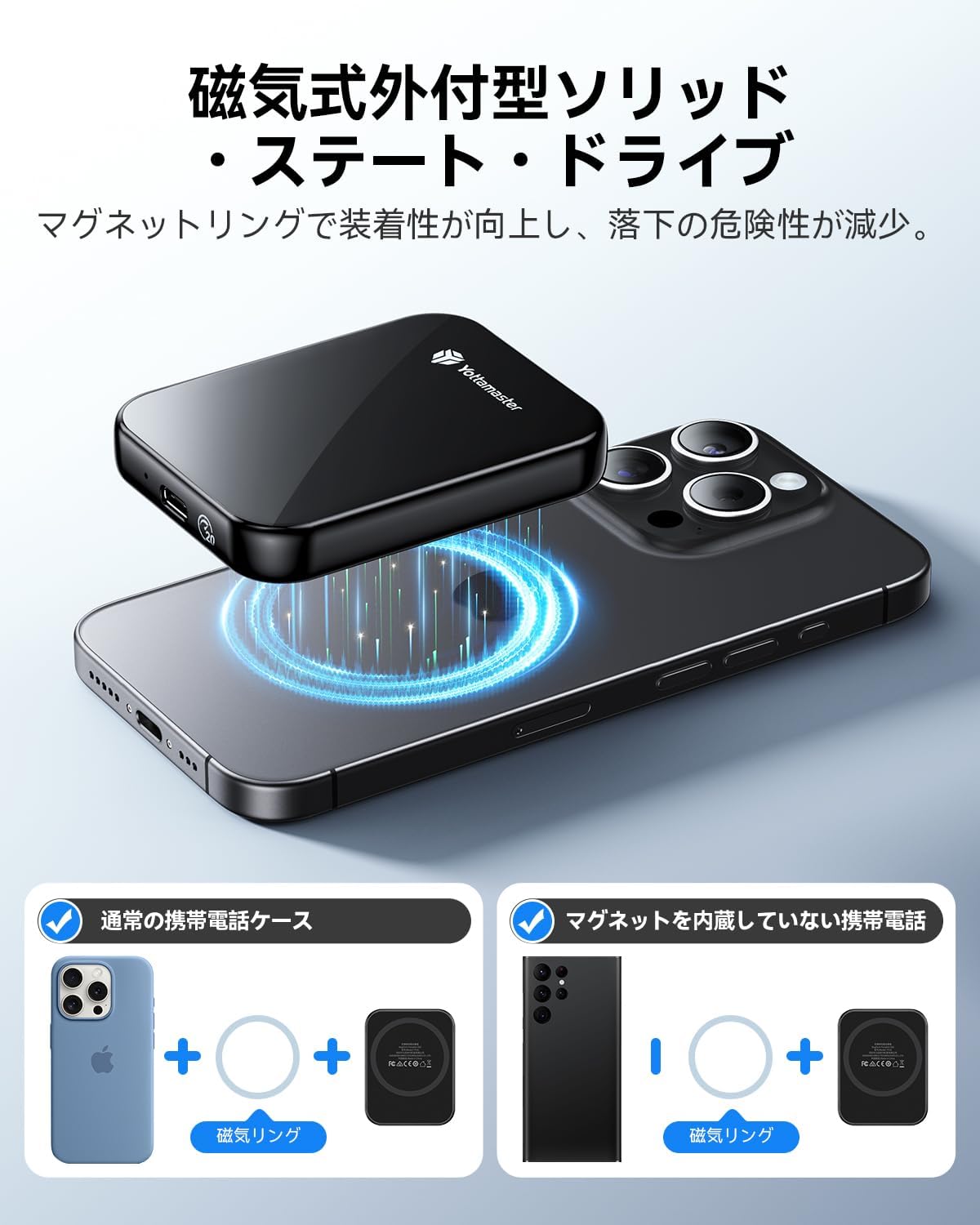
Figure 4.2: Magnetic attachment of the SSD to an iPhone.
4.3 Formattjar Inizjali
The SSD comes pre-formatted, typically with exFAT, for broad compatibility across Windows, macOS, and Android systems. If you need to reformat the drive for specific use cases (e.g., APFS for macOS, NTFS for Windows), please use your operating system's disk utility tool.
5. Istruzzjonijiet Operattivi
5.1 Trasferiment tad-Data
To achieve the maximum transfer speed of 2000MB/s (20Gbps), ensure your device supports USB 3.2 Gen 2x2 and you are using a compatible 20Gbps data cable. The connected device's interface must also be capable of read/write speeds of 2000MB/s.
- Note for Apple Devices: Due to compatibility considerations with Apple's Thunderbolt interface, the maximum transfer speed when using the external SSD with Apple devices is limited to 10Gbps.
- For iPhone 16/16 Plus: Transfer speed is limited to 480 Mbps (USB 2.0).
Sempliċement drag u qiegħed files between your device and the SSD, or use your device's file management system to copy and paste data.
Video 5.1: Demonstration of the Yottamaster PF20 Portable SSD's features, including magnetic attachment and data transfer.
5.2 4K ProRes Video Recording (iPhone)
The Yottamaster PF20 Portable SSD supports direct 4K ProRes video recording and saving from compatible iPhone models (iPhone 17/16 Pro/Max). This allows for real-time recording and storage without needing to transfer files later, significantly expanding your device's recording capabilities.
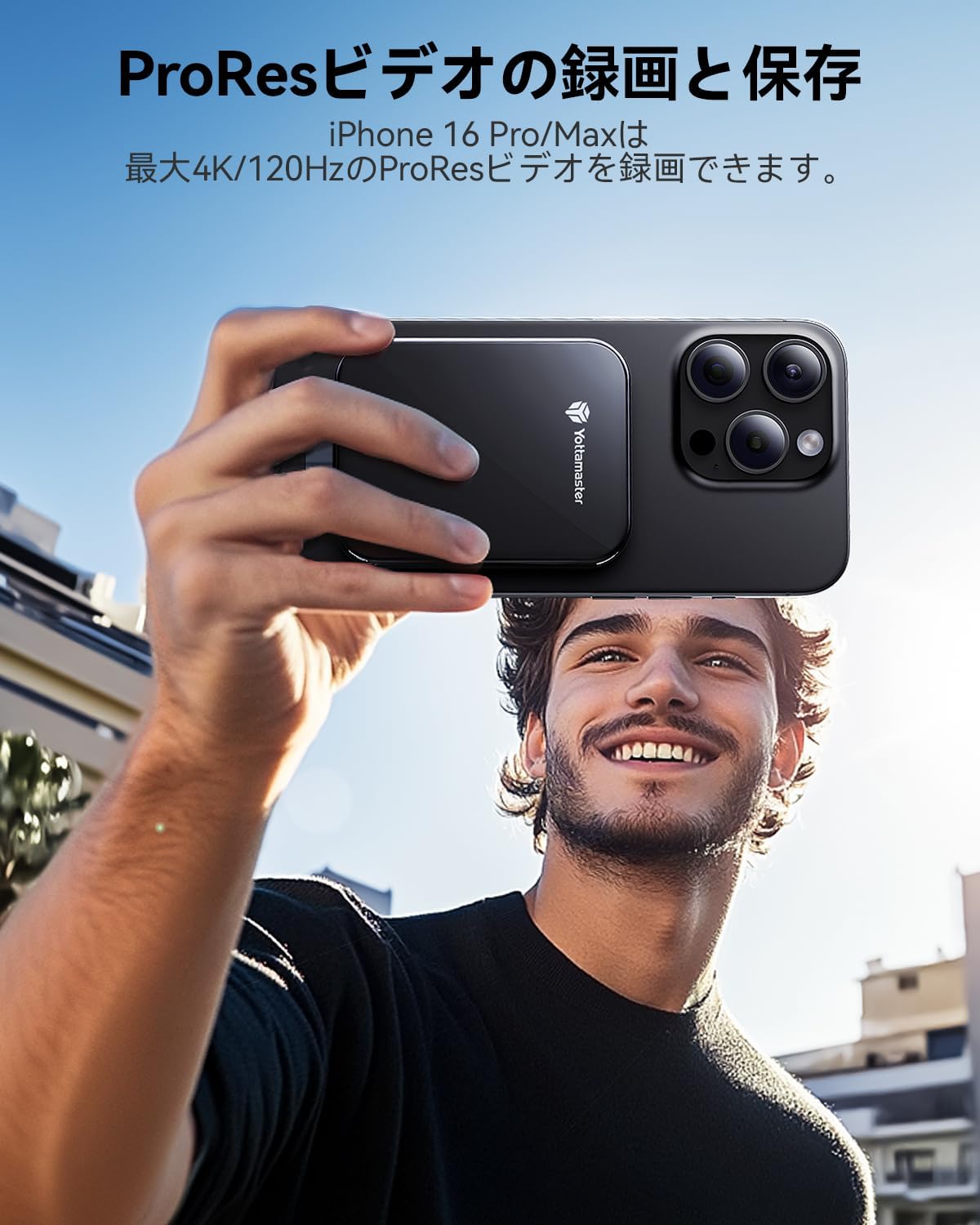
Figure 5.2: Recording 4K ProRes video directly to the SSD with an iPhone.
5.3 Using with Various Platforms
The PF20 Portable SSD offers broad compatibility:
- Sistemi Operattivi: Windows, macOS, Android, Linux.
- Apparati: Smartphones, MacBooks, Xbox, PS5, Steam Deck, Tablets, Laptops, Desktop PCs.

Figure 5.3: The SSD's compatibility with various devices and platforms.
6. Manutenzjoni
6.1 Kura u Immaniġġjar
- Avoid dropping or subjecting the SSD to strong impacts.
- Keep the SSD away from extreme temperatures, direct sunlight, and moisture.
- Naddaf l-apparat b'ċarruta ratba u niexfa. Tużax prodotti tat-tindif likwidi.
- Ensure the USB port is free from dust and debris before connecting the cable.
6.2 Safe Disconnection
Always safely eject the SSD from your operating system before physically disconnecting it to prevent data corruption. This typically involves right-clicking the drive icon and selecting 'Eject' or 'Safely Remove Hardware'.
7 Issolvi l-problemi
7.1 SSD Mhux Rikonoxxut
- Iċċekkja l-Konnessjoni tal-Cable: Ensure the USB Type-C cable is securely connected to both the SSD and your device.
- Ipprova Port/Kejbil Ieħor: Test with a different USB-C port on your device or a different USB-C cable to rule out port or cable issues.
- Irristartja l-Apparat: Sometimes a simple restart of your computer or smartphone can resolve recognition issues.
- Check Disk Management (Windows) / Disk Utility (macOS): Verify if the drive appears in your operating system's disk management tools. If it appears but is unallocated, you may need to initialize and format it.
7.2 Veloċitajiet ta' Trasferiment Baxxi
- Verify USB Standard: Ensure your device's USB-C port supports USB 3.2 Gen 2x2 (20Gbps) for maximum speed. Older USB standards (e.g., USB 3.0/3.1 Gen 1 at 5Gbps, USB 3.1/3.2 Gen 2 at 10Gbps, USB 2.0 at 480Mbps) will result in lower speeds.
- Uża l-Kejbil Provdut: Always use the high-speed USB Type-C cable provided with the SSD.
- Agħlaq l-Applikazzjonijiet tal-Isfond: Other applications or processes running in the background can consume system resources and affect transfer speeds.
- File Tip: Trasferiment ta' ħafna intrapriżi żgħar files is generally slower than transferring a few large files.
7.3 Kwistjonijiet ta' Twaħħil Manjetiku
- Phone Case Thickness: Thick phone cases can weaken the magnetic connection. Consider using the included magnetic ring for better adhesion.
- Kompatibbiltà tal-Apparat: Ensure your device is MagSafe compatible or that the magnetic ring is properly applied to a non-MagSafe device.
8. Speċifikazzjonijiet
| Karatteristika | Speċifikazzjoni |
|---|---|
| Brand | Yottamaster |
| Mudell | PF20 |
| Kapaċità tal-Ħażna Diġitali | 1 TB (also available in 512GB, 2TB) |
| Tip ta' Hard Drive | Solid State Drive (SSD) |
| Teknoloġija tal-Konnettività | USB Tip-Ċ |
| Interface | USB 3.2 Ġenerazzjoni 2x2 |
| Veloċità Massima tal-Qari | Sa 2000 MB/s |
| Karatteristiċi Speċjali | Portable, Magnetic Attachment |
| Apparati Kompatibbli | iPhone 16 Pro Max, iPhone 17 Pro Max, Tablets, Desktop PCs, Laptops, Smartphones (USB-C enabled) |
| Dimensjonijiet | 15 x 10.8 x 2.1 ċm |
| Piż tal-oġġett | 90 g |
9. Garanzija u Appoġġ
9.1 Informazzjoni dwar Garanzija
Yottamaster products come with a standard manufacturer's warranty. Please refer to the warranty card included in your package or visit the official Yottamaster websit għal termini u kundizzjonijiet dettaljati tal-garanzija.
9.2 Appoġġ għall-Klijent
If you encounter any issues or have questions regarding your Yottamaster PF20 Portable SSD, please contact our customer support team:
- Email: support@yottamaster.com (Eżample)
- Websit: www.yottamaster.com (Eżample)
Jekk jogħġbok żomm il-mudell tal-prodott tiegħek u l-informazzjoni tax-xiri lesti meta tikkuntattja l-appoġġ.


