1. Introduzzjoni
The Nitecore HC60 UHE is a high-performance headlamp designed for various activities including night running, camping, hiking, hunting, and industrial work. It features a powerful 1600 lumen output, USB-C rechargeable functionality, and both white and red light beams. Constructed from durable aero-grade aluminum alloy, it is rated IP68 waterproof and impact resistant up to 2 meters.
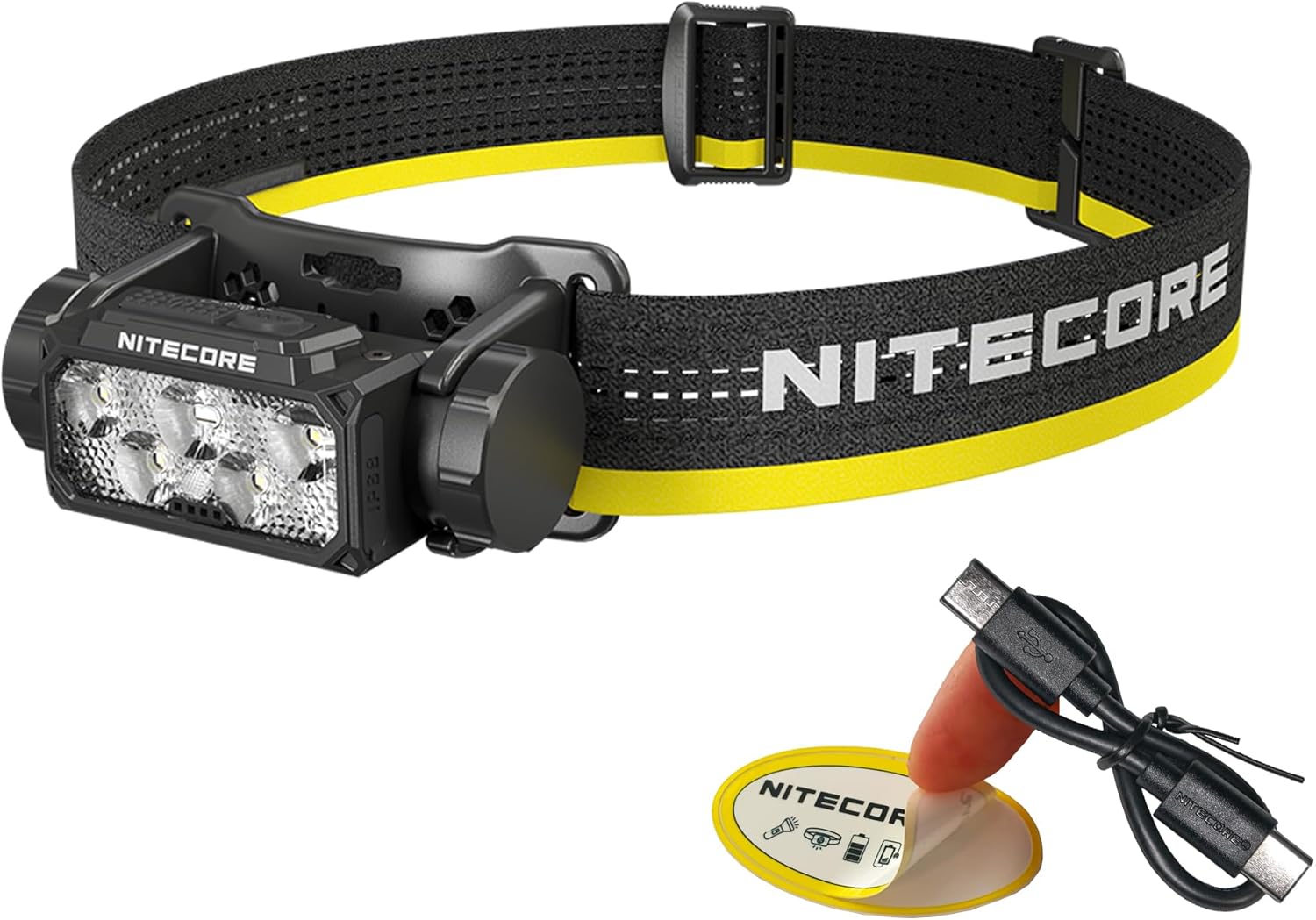
Image 1.1: Nitecore HC60 UHE Headlamp bl-aċċessorji inklużi.
2. Kontenut tal-Pakkett
Ivverifika li l-oġġetti kollha huma preżenti fil-pakkett tiegħek:
- Nitecore HC60 UHE Headlamp
- Nitecore NL1840 18650 Li-ion Battery (pre-installed)
- USB-C għal USB-C Charging Cable
- Faxxa tar-ras
- Ċinga ta 'fuq
- Kawża tal-Ħażna
- Stiker tan-Nitecore
3. Prodott Aktarview
Familiarize yourself with the components of your HC60 UHE headlamp.

Stampa 3.1: Quddiem view of the HC60 UHE headlamp, highlighting the primary white and auxiliary red LED lenses.
Immaġni 3.2: Fuq view illustrating the dual button interface: Power Button (left) and Mode Button (right).
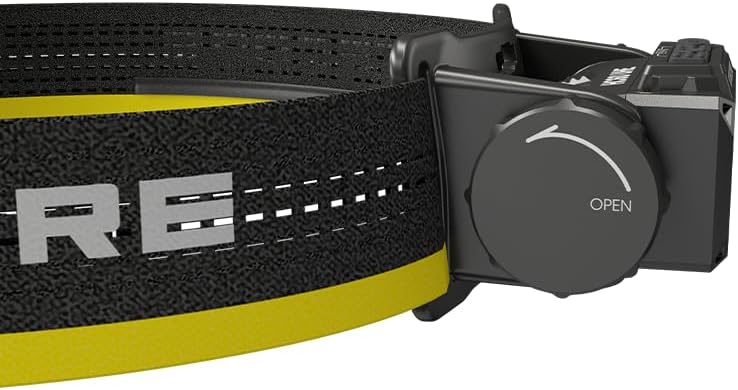
Immaġni 3.3: Ġenb view showing the battery compartment cap with 'OPEN' indicator for battery access.
4. Setup
4.1. Installazzjoni tal-batterija
The Nitecore NL1840 18650 Li-ion battery is pre-installed in the HC60 UHE headlamp. To access or replace the battery:
- Unscrew the battery compartment cap located on the side of the headlamp by rotating it counter-clockwise (refer to Image 3.3).
- Insert the 18650 Li-ion battery with the positive (+) terminal facing inwards.
- Carefully screw the cap back on clockwise until secure. Ensure proper alignment to avoid cross-threading.
4.2. Iċċarġjar
The HC60 UHE features a waterproof USB-C charging port. It is recommended to fully charge the battery before first use.
- Sib il-port tal-iċċarġjar USB-C fuq ir-rasamp.
- Connect the included USB-C charging cable to the headlamp's port and to a USB power source (e.g., wall adapter, power bank, computer).
- During charging, the power indicators will illuminate to show the charging status.
- Charging is complete when all power indicators are steadily lit. A full charge typically takes approximately 2 hours.

Image 4.1: The HC60 UHE headlamp being charged via its USB-C port.
4.3. Assemblaġġ tal-Faxxa tar-ras
Attach the headband and optional top strap for secure and comfortable wear.
- Thread the main headband through the bracket slots on the headlamp.
- Adjust the length of the headband for a snug fit around your head.
- For added stability, especially during active use, attach the top strap to the designated loops on the main headband.
5. Istruzzjonijiet Operattivi
5.1. Power On/Off
- Biex Tixgħel: Long press the Power Button for 1 second. The headlamp will turn on in the last used white light brightness level.
- Biex Tintefa: While the light is on, long press either the Power Button or the Mode Button until the light turns off.
5.2. White Light Brightness Levels
When the white light is on, short press the Power Button to cycle through the following brightness levels: ULTRALOW (8 lumens) → LOW (100 lumens) → MID (400 lumens) → HIGH (1000 lumens).
- Accessing ULTRALOW: Meta l-headlamp is off, double press the Power Button.
- Accessing TURBO (1600 lumens): When the white light is on, double press the Power Button. The headlamp will temporarily activate TURBO mode.

Immaġni 5.1: Fuqview of white light brightness levels and special modes.
5.3. Tħaddim tad-Dawl Aħmar
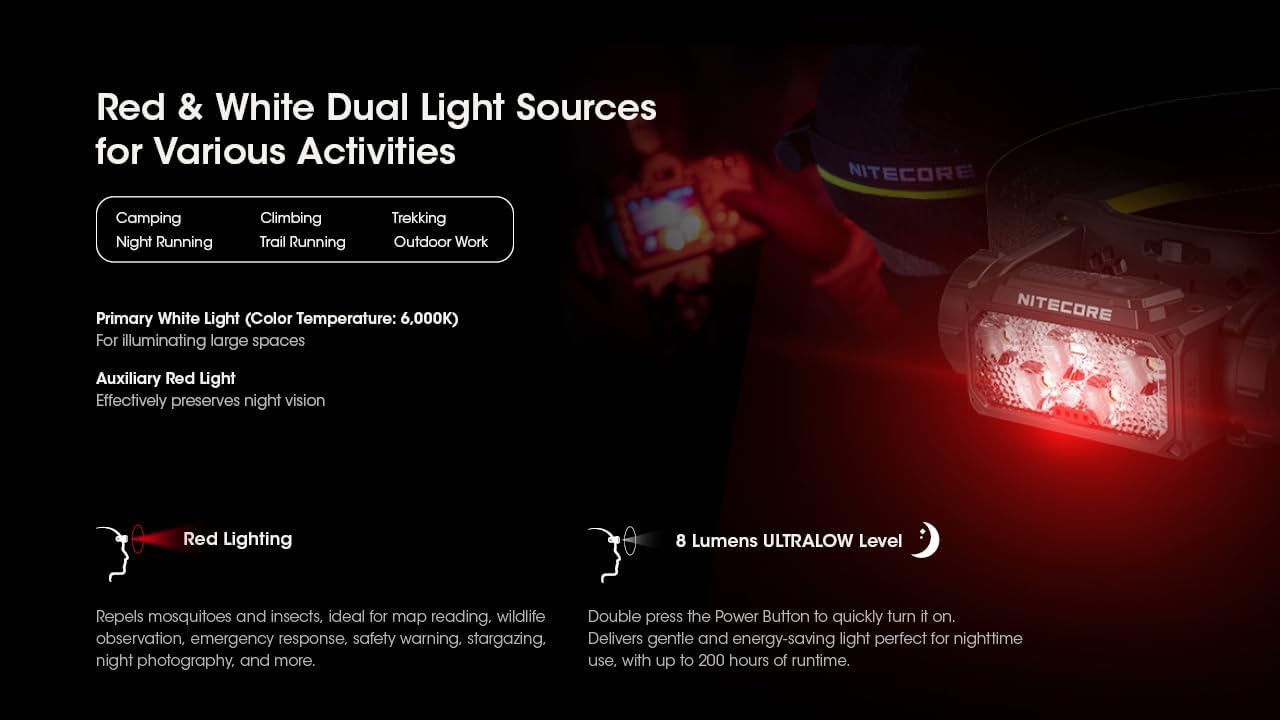
The HC60 UHE features an auxiliary red light, useful for preserving night vision and other specific tasks.
- To Turn On Red Light: Meta l-headlamp is off, long press the Mode Button for 1 second. The red light will turn on in LOW mode.
- To Cycle Red Light Modes: While the red light is on, short press the Mode Button to cycle through LOW → HIGH → SLOW FLASHING.
- To Turn Off Red Light: While the red light is on, long press the Mode Button until the light turns off.

Image 5.2: The HC60 UHE offers both primary white light and auxiliary red light for diverse applications.
5.4. Special Modes (SOS, Beacon)
These modes are accessible from the white light settings.
- Accessing SOS/Beacon: When the white light is on, long press the Mode Button for 1 second to activate SOS mode. Short press the Mode Button again to switch to BEACON mode.
- Exiting Special Modes: Long press the Mode Button to turn off the light, or short press the Power Button to return to the last used white light brightness level.
5.5. Indikazzjoni tal-Enerġija
Il-kapamp features intuitive power indicators to display the remaining battery power.
- Meta l-headlamp is off, short press the Mode Button. The blue indicators will light up to show battery status:
- 4 constant-on indicators: 75% - 100%
- 3 constant-on indicators: 50% - 75%
- 2 constant-on indicators: 25% - 50%
- 1 constant-on indicator: 0% - 25% (Recharge or replace the battery promptly)

Image 5.3: The blue power indicators display the remaining battery charge.
6. Manutenzjoni
6.1. Tindif
- Imsaħ il-headlamp b'ċarruta nadifa u ratba.
- Għal ħmieġ iebsa, uża ftit damp drapp. Evita kimiċi ħarxa jew materjali li joborxu.
- Kun żgur li l-għatu tal-port USB-C ikun magħluq sew biex iżomm il-klassifikazzjoni tiegħu kontra l-ilma.
6.2. Ħażna
- Aħżen il-headlamp f'post frisk u niexef 'il bogħod mix-xemx diretta.
- If storing for an extended period, it is recommended to remove the battery to prevent potential leakage.
- Recharge the battery every three months to maintain optimal battery health.
7 Issolvi l-problemi
If you encounter issues with your Nitecore HC60 UHE, refer to the following common problems and solutions:
- Kapamp ma jixgħelx:
- Ensure the battery is correctly installed with the positive (+) terminal facing inwards.
- Iċċekkja jekk il-batterija hijiex iċċarġjata. Qabbad ir-rasamp to a power source using the USB-C cable. If it turns on when plugged in but not otherwise, the battery may be depleted or faulty.
- Verify that the battery compartment cap is fully and correctly screwed on to ensure proper electrical contact.
- Light output is dim or flickers:
- Il-batterija tista’ tkun baxxa. Erġa’ ċċarġja l-batterija.
- Ensure the battery contacts are clean. Clean them with a cotton swab if necessary.
- Kapamp ma jiċċarġjax:
- Ensure the USB-C cable is securely connected to both the headlamp u s-sors tal-enerġija.
- Try a different USB-C cable or power adapter to rule out cable/adapter issues.
- Check the charging port for any debris that might obstruct the connection.
If the problem persists after attempting these solutions, please contact Nitecore customer support.
8. Speċifikazzjonijiet
| Karatteristika | Dawl Abjad Primarju | Dawl Aħmar Awżiljarju |
|---|---|---|
| Luminożità (Lumens) | TURBO: 1600, HIGH: 1000, MID: 400, LOW: 100, ULTRALOW: 8 | HIGH: 15, LOW: 5, SLOW FLASHING: 15 |
| Runtime (Sigħat) | TURBO: 3h 30m, HIGH: 5h, MID: 14h, LOW: 36h, ULTRALOW: 200h | HIGH: 95h, LOW: 150h, SLOW FLASHING: 95h |
| Distanza tar-raġġ | TURBO: 157m, HIGH: 129m, MID: 81m, LOW: 41m, ULTRALOW: 7m | N/A |
| Reżistenza għall-Impatt | 2-il metru | |
| Klassifikazzjoni tal-IP | IP68 (Waterproof and Submersible) | |
- Materjal: Aero-grade Aluminum Alloy with HA III hard-anodized finish
- Dimensjonijiet: 1.91"D x 3.15"W x 1.65"Għ (48.5mm x 80mm x 41.9mm)
- Piż: 4.94 ounces (140g, including battery, bracket, and headband)
- Batterija: 1 x Nitecore NL1840 18650 Li-ion Battery (included)
- Tip ta' Sors tad-Dawl: LED
- Color Temperature (White Light): 6,000K
Note: The stated data is measured using 1 x 18650 battery (4,000mAh) under laboratory conditions. This data may vary in real-world use due to different battery usage or environmental conditions.
9. Informazzjoni dwar Garanzija
The Nitecore HC60 UHE Headlamp comes with a limited warranty. For detailed information regarding warranty terms, conditions, and duration, please refer to the official Nitecore webis-sit jew ikkuntattja lid-distributur lokali tiegħek. Żomm l-irċevuta tax-xiri tiegħek bħala prova tax-xiri għal talbiet ta' garanzija.
10. Appoġġ għall-Klijent
For further assistance, technical support, or inquiries regarding your Nitecore HC60 UHE Headlamp, please visit the official Nitecore websit fuq www.nitecore.com or contact your authorized Nitecore dealer.


