1. Introduzzjoni
Thank you for choosing the SHARP 55GL4060E 55-inch 4K Ultra HD Google TV. This manual provides essential information for setting up, operating, and maintaining your new television. Please read this manual thoroughly before using the product to ensure safe and optimal performance. This television features a 4K Ultra HD display, Google TV operating system, HDMI 2.1 with eARC, Dolby Vision HDR, Dolby Atmos immersive sound, integrated Google Assistant, and Chromecast built-in.
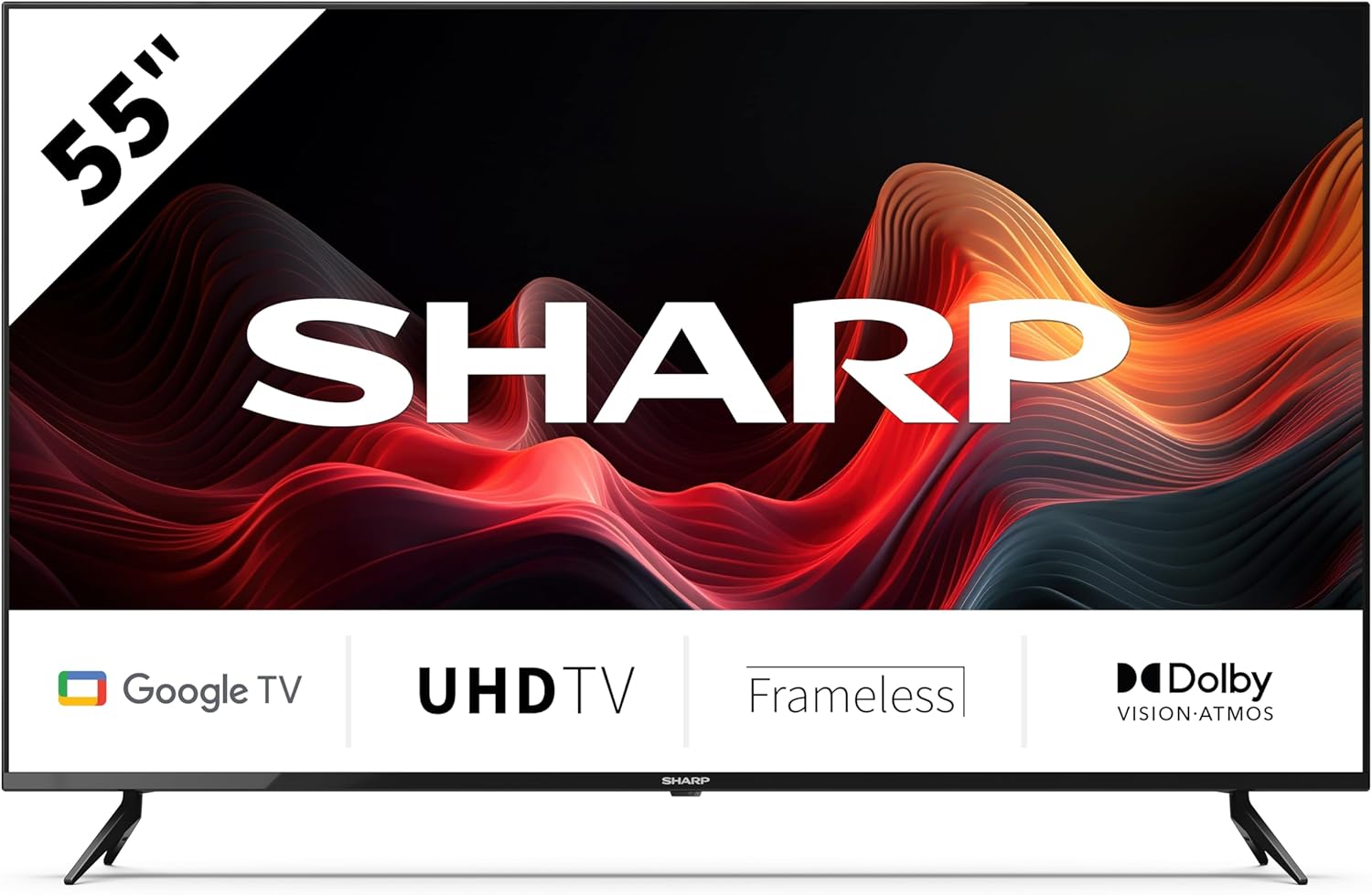
This image displays the SHARP 55GL4060E television from the front, showcasing its 55-inch frameless screen, the SHARP logo at the bottom center, and the two V-shaped stands. The screen shows a vibrant abstract red and orange waveform design. Below the screen, icons indicate 'Google TV', 'UHD TV', 'Frameless', and 'Dolby Vision Atmos'.
2. Informazzjoni dwar is-Sigurtà
Osserva l-prekawzjonijiet ta' sigurtà li ġejjin biex tevita l-ħsara u tiżgura tħaddim sikur:
- Provvista tal-Enerġija: Qabbad it-TV biss ma' sokit tal-enerġija AC bil-volum korretttage. Tgħabbix iżżejjed is-sokits tal-elettriku.
- Ventilazzjoni: Aċċerta ruħek li jkun hemm ventilazzjoni adegwata madwar it-TV. Timblokkax il-fetħiet tal-ventilazzjoni. Evita li tpoġġi t-TV fuq uċuħ rotob jew fi spazji magħluqa.
- Tindif: Skonnettja t-TV qabel ma tnaddaf. Uża drapp artab u niexef. Tużax prodotti tat-tindif likwidi jew aerosol.
- Ilma u Umdità: Tesponix it-TV għax-xita jew għall-umdità. Tpoġġix oġġetti mimlija b'likwidi, bħal vażuni, fuq it-TV.
- Pjazzament: Place the TV on a stable, level surface. If wall-mounting, use a VESA-compatible mount and ensure it is securely installed. Keep the TV away from direct sunlight, heat sources, and strong magnetic fields.
- Tfal: Issorvelja lit-tfal biex tevita li jitilgħu fuq it-TV jew l-istand.
3. Kontenut tal-Pakkett
Iċċekkja li l-oġġetti kollha huma preżenti fl-imballaġġ:
- SHARP 55GL4060E 55-inch 4K Ultra HD Google TV
- Kontroll mill-bogħod
- Batteriji AAA (x2)
- Gwida Quick Start
- TV Stands (x2) and Screws
4. Setup
4.1 Twaħħil tal-Istands tat-TV
- Poġġi l-iskrin tat-TV b'attenzjoni 'l isfel fuq wiċċ artab u ċatt biex tevita l-ħsara.
- Allinja kull stand mat-toqob tal-viti korrispondenti fil-qiegħ tat-TV.
- Waħħal l-istands billi tuża l-viti pprovduti. Kun żgur li huma ssikkati sew.
4.2 Immuntar tal-ħajt
If you choose to wall-mount your TV, ensure you use a VESA-compatible wall mount. The VESA mounting dimensions for this model are 400 x 300 mm. Consult a professional for wall mounting installation to ensure safety and proper attachment.
4.3 Konnessjoni ta' Apparati Esterni
- HDMI: Connect devices such as Blu-ray players, game consoles, or set-top boxes to the HDMI ports. This TV features 4 HDMI 2.1 ports with eARC support.
- USB: Connect USB storage devices for media playback or software updates to the 2 USB ports.
- Ethernet: Għal konnessjoni tal-internet stabbli, qabbad kejbil Ethernet mir-router tiegħek mal-port LAN tat-TV.
- Wi-Fi: Connect to your wireless network for internet access and smart TV features.
- Bluetooth: Pair Bluetooth-enabled devices like headphones or soundbars.
4.4 Setup Inizjali
- Ipplaggja l-korda tad-dawl fi żbokk tal-elettriku.
- Agħfas il-buttuna tal-qawwa fuq il-kontroll remot biex tixgħel it-TV.
- Follow the on-screen instructions to complete the initial setup, including language selection, network connection, and Google account sign-in.
5. It-tħaddim tat-TV
5.1 Kontroll mill-bogħod fuqview
The remote control allows you to navigate the Google TV interface, adjust settings, and control playback. Insert the two AAA batteries into the remote control, ensuring correct polarity.
5.2 Funzjonijiet Bażiċi
- Qawwa: Agħfas biex tixgħel jew tintefa t-TV.
- Volum: Uża l-buttuni tal-volum biex taġġusta l-livell tal-ħoss.
- Input: Select the desired input source (HDMI 1, HDMI 2, USB, etc.).
- Navigazzjoni: Use the directional pad and OK button to move through menus and make selections.
- Dar: Return to the Google TV home screen.
5.3 Karatteristiċi tat-TV tal-Google
- Google Assistent: Press the Google Assistant button on your remote and speak into the microphone to search for content, control smart home devices, or get information.
- Chromecast inkorporat: Itfa’ kontenut mill-ismartphone, tablet, jew kompjuter kompatibbli tiegħek direttament għat-TV tiegħek.
- Apps: Access a wide range of streaming services and applications from the Google Play Store.
6. Manutenzjoni
6.1 Tindif tat-TV
- Skrin: Imsaħ l-iskrin bil-mod b'ċarruta ratba u mingħajr suf. Għal marki persistenti, nixxef ftit.ampen the cloth with water (do not spray directly on the screen).
- Korp: Imsaħ il-qafas u l-istand tat-TV b'ċarruta ratba u niexfa.
- Attenzjoni: Do not use abrasive cleaners, alcohol, benzene, or thinners, as these can damage the TV's surface.
6.2 Aġġornamenti tas-Software
Your Google TV may receive automatic software updates. You can also manually check for updates through the TV's settings menu to ensure you have the latest features and security patches.
7 Issolvi l-problemi
Jekk tiltaqa' ma' problemi bit-TV tiegħek, irreferi għall-problemi u s-soluzzjonijiet komuni li ġejjin:
- Ebda Qawwa: Ensure the power cord is securely plugged into both the TV and the electrical outlet. Try a different outlet.
- Ebda Stampa/Ħoss: Verify the correct input source is selected. Check all cable connections (HDMI, etc.). Restart connected devices.
- Il-Kontroll mill-bogħod Mhux Jaħdem: Iċċekkja l-batteriji u ibdelhom jekk meħtieġ. Kun żgur li m'hemm l-ebda ostaklu bejn ir-remote u s-senser IR tat-TV.
- Kwistjonijiet ta' Konnessjoni man-Netwerk: Restart your router and modem. Check Wi-Fi password. If using Ethernet, ensure the cable is connected properly.
- Kwistjonijiet ta' Kwalità tal-Istampa: Adjust picture settings (brightness, contrast, color). Ensure the content source is high quality.
For persistent issues, consult the online support resources or contact customer service.
8. Speċifikazzjonijiet
| Karatteristika | Speċifikazzjoni |
|---|---|
| Brand | Sharp |
| Numru tal-Mudell | 55GL4060E |
| Daqs tal-Iskrin | 55 Pulzier |
| Teknoloġija tal-Wiri | LED |
| Riżoluzzjoni | 4K Ultra HD |
| Riffriskar Rata | 60 Hz |
| Sistema Operattiva | Google TV |
| Karatteristiċi Speċjali | Google Assistant and Chromecast built-in, Dolby Vision, Dolby Atmos |
| Teknoloġija tal-Konnettività | Bluetooth, Ethernet, HDMI (4x HDMI 2.1 with eARC), USB (2x), Wi-Fi |
| Kulur | Iswed |
| Dimensjonijiet tal-Prodott (bl-istand) | 1116.4 x 692.9 x 264.7 mm (W x H x P) |
| Dimensjonijiet tal-Prodott (mingħajr stand) | 1116.4 x 651.3 x 91.5 mm (W x H x P) |
| Distance between stands | 1095 mm |
| Piż Nett | 11 kg |
| VESA Wall Mount Support | 400 x 300 mm |
| Apparati Kompatibbli | Laptop, smartphone, tablet, game console |
| Kompożizzjoni tal-batterija | Alkaline (2 AAA included) |
9. Garanzija u Appoġġ
Għal informazzjoni dwar il-garanzija, jekk jogħġbok irreferi għall-karta tal-garanzija inkluża mal-prodott tiegħek jew żur is-sit uffiċjali ta' Sharp. website. For technical support, troubleshooting assistance, or service inquiries, please contact Sharp customer support through their official channels. Keep your purchase receipt as proof of purchase.


