1. Prodott Aktarview
The Eufy Security Motion Sensor is designed to detect movement within its coverage area, providing enhanced security for your home. This device integrates with your Eufy Security HomeBase system to alert you to detected activity.
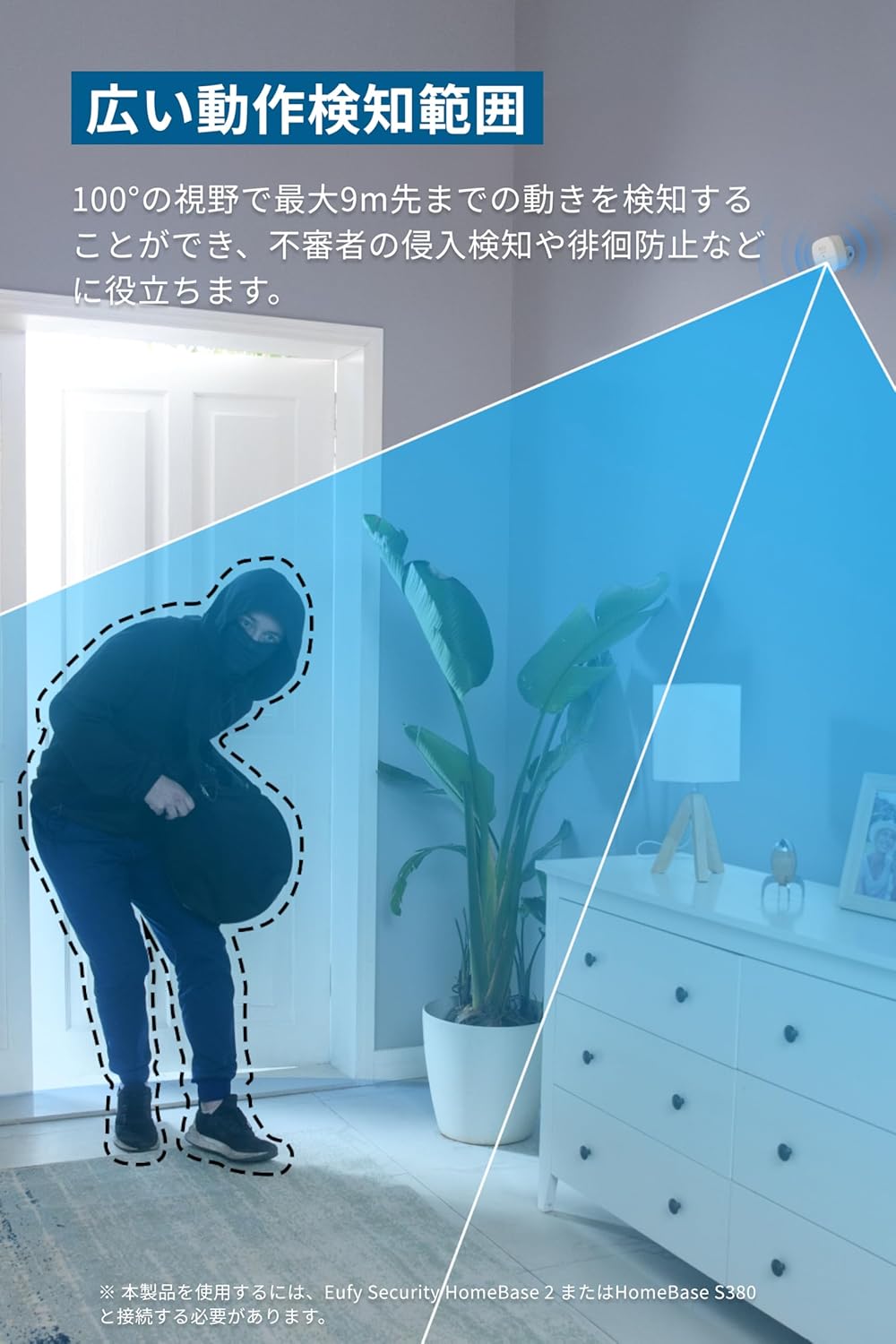
Image: The Eufy Security Motion Sensor detecting a person entering a room, highlighting its wide detection range.
2. Kontenut tal-Pakkett
- Motion Sensor Body
- Viti tal-Immuntar (x3)
- Batterija tal-litju CR123A
- Anti-theft Sticker
- Tejp b'żewġ naħat 3M
- Bracket tal-Immuntar
- Gwida Quick Start
- Karta ta' Appoġġ għall-Klijent
3. Setup u Installazzjoni
Important Note: HomeBase Connection Required
To use this product, it must be connected to a separately sold Eufy Security HomeBase 2 or HomeBase S380. The motion sensor cannot function independently.

Image: The Eufy Security Motion Sensor shown next to a Eufy HomeBase, illustrating the required connection.
Installazzjoni faċli
The motion sensor is designed for simple, tool-free installation. Attach the included double-sided tape to the back of the mounting bracket and place it in your desired location. Alternatively, use the provided screws for a more permanent fixture.
Warning: This product is not waterproof. Please use it indoors only.

Image: A user applying double-sided tape to the mounting bracket and then installing the sensor on a wall, demonstrating easy setup.
4. Istruzzjonijiet Operattivi
Wide Motion Detection Range
The sensor offers a 100° field of view and can detect movement up to 9 meters away. This wide coverage is effective for detecting intruders and preventing unauthorized access.

Image: A visual representation of the motion sensor's wide detection range, covering a 100-degree angle up to 9 meters.
Adjustable Detection Sensitivity
You can adjust the detection sensitivity of the sensor through the Eufy Security app to suit your specific environment and needs.

Image: A close-up of the Eufy Security Motion Sensor, highlighting its compact design and indicating adjustable sensitivity.
Funzjoni ta' Allarm
When motion is detected, the connected HomeBase will sound an alarm of up to 100dB, and you will receive notifications via the Eufy Security app. You can configure notification and alarm settings for 'Home' and 'Away' modes within the app's security mode settings.
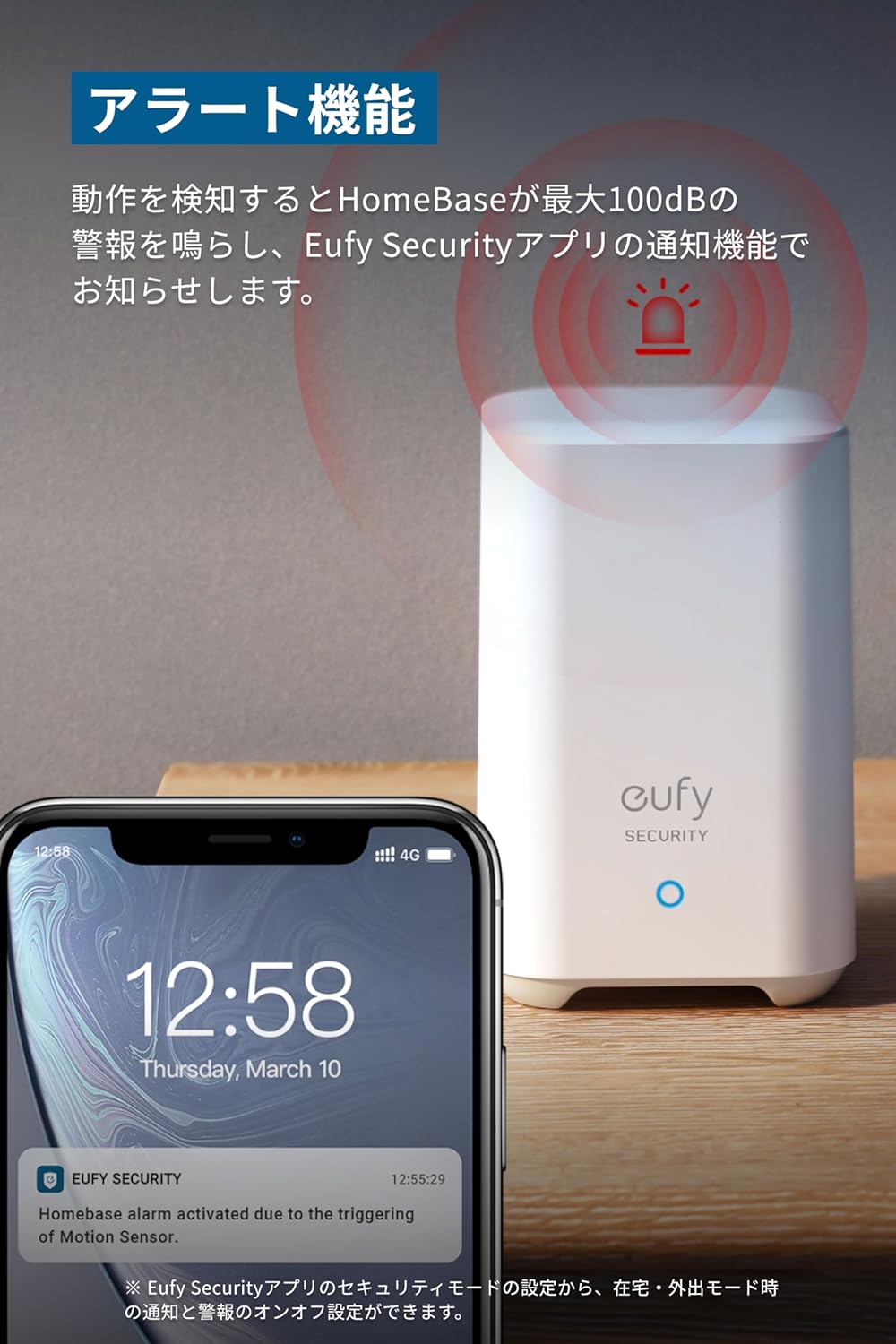
Image: The Eufy HomeBase emitting an alarm sound, with a smartphone showing a notification for motion detection, demonstrating the alarm feature.
5. Ħajja tal-Batterija u Sostituzzjoni
The included CR123A lithium battery provides up to 2 years of battery life. Battery life may vary depending on usage environment and methods.
To replace the battery, carefully open the sensor casing, remove the old CR123A battery, and insert a new one, ensuring correct polarity. Close the casing b'mod sigur.
6 Issolvi l-problemi
- Is-senser mhux qed jiskopri moviment: Check battery level in the Eufy Security app. Ensure the sensor is placed within its effective detection range and not obstructed. Adjust sensitivity settings if necessary.
- L-ebda notifika: Verify the sensor is connected to the HomeBase and the HomeBase is online. Check app notification settings and your smartphone's notification permissions for the Eufy Security app.
- Allarmi foloz: Adjust the detection sensitivity in the Eufy Security app. Ensure the sensor is not placed in an area with frequent environmental changes (e.g., direct sunlight, drafts, moving curtains).
- Kwistjonijiet ta' konnessjoni: Ensure the HomeBase is powered on and connected to your network. Try restarting both the sensor and the HomeBase. If issues persist, re-pair the sensor with the HomeBase via the Eufy Security app.
7. Speċifikazzjonijiet
| Brand | Eufy |
| Numru tal-Mudell | T8910 |
| Dimensjonijiet tal-Prodott | 5.5 x 2 x 5.5 ċm |
| Piż tal-oġġett | 32 g |
| Kulur | Abjad |
| Tip ta 'batterija | CR123A Lithium |
| Medda ta 'Sejbien Max | 9 metru (30 pied) |
| Qasam ta View | 100° |
| Tip ta 'Immuntar | Mount Wall |
8. Garanzija u Appoġġ
This product comes with a 12-month warranty from the date of purchase. For technical support, warranty claims, or further assistance, please contact Eufy customer support through the Eufy Security app or visit the official Eufy websit.
Jekk jogħġbok żomm il-prova tax-xiri tiegħek għal skopijiet ta' garanzija.


