Introduzzjoni
The Laney FRFR 412 is a 2600W Full Range, Flat Response (FRFR) powered cabinet designed to deliver accurate and uncolored amplification for digital guitar and bass modeling rigs. Its advanced features, including Laney's LA·IR Impulse Response technology, ensure a consistent and high-fidelity sound reproduction across various performance environments. This manual provides essential information for the safe and effective operation of your FRFR 412 cabinet.
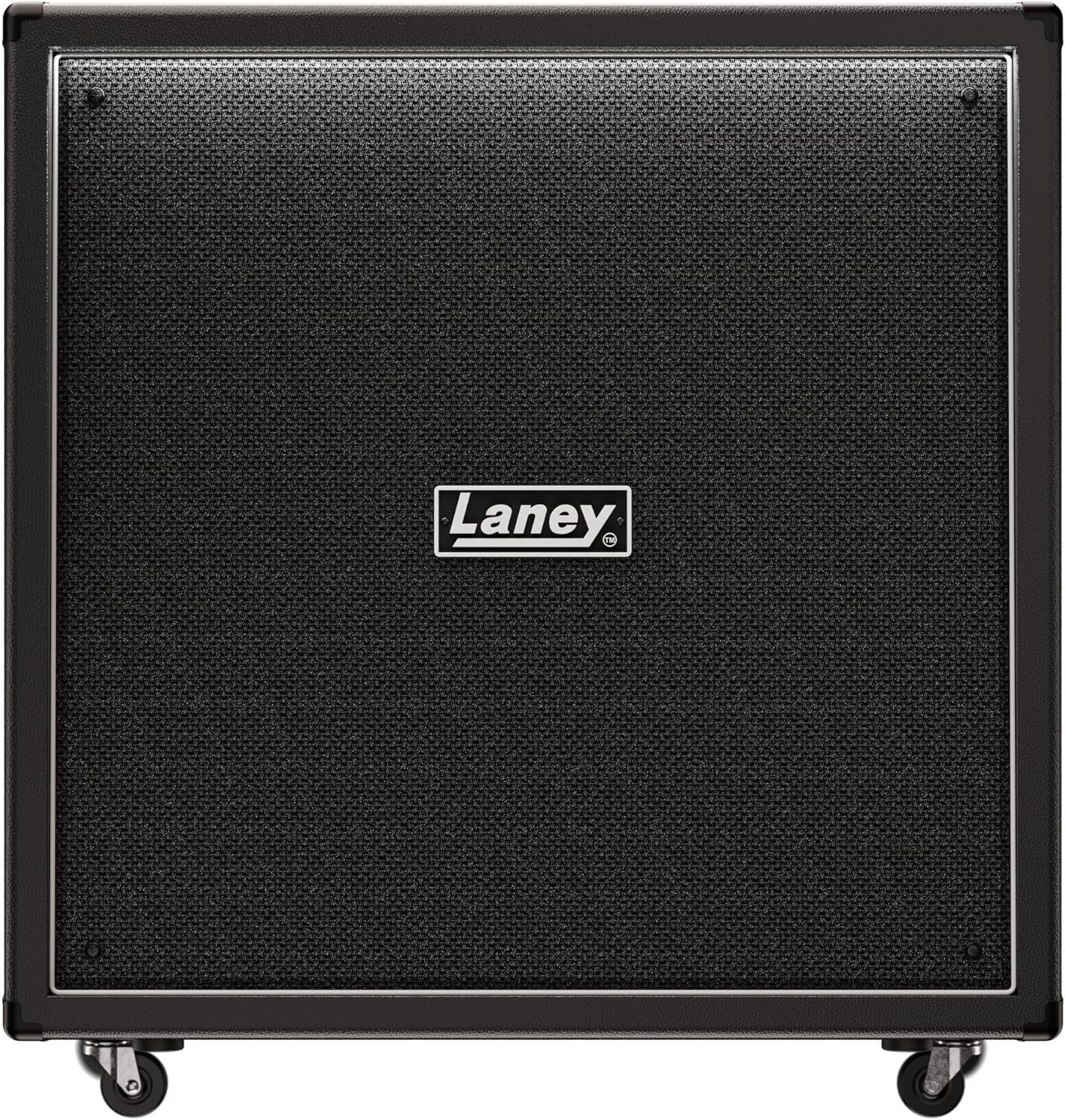
Figura 1: Quddiem view of the Laney FRFR 412 Powered Cabinet, showcasing its robust grille and Laney logo.
Istruzzjonijiet Importanti dwar is-Sigurtà
- Aqra dawn l-istruzzjonijiet bir-reqqa qabel ma tħaddem l-unità.
- Żomm dawn l-istruzzjonijiet għal referenza futura.
- Oqgħod attent għat-twissijiet kollha fuq il-prodott u f’dan il-manwal.
- Segwi l-istruzzjonijiet kollha.
- Tużax dan l-apparat ħdejn l-ilma.
- Naddaf biss b'ċarruta niexfa.
- Timblokkax il-fetħiet tal-ventilazzjoni. Installa skont l-istruzzjonijiet tal-manifattur.
- Tinstallax ħdejn xi sorsi tas-sħana bħal radjaturi, reġistri tas-sħana, stufi, jew apparat ieħor (inkluż amplifiers) li jipproduċu sħana.
- M'għandekx tegħleb l-iskop tas-sigurtà tal-plagg polarizzat jew tat-tip ta 'l-ert. Plagg polarizzat għandu żewġ xfafar b'waħda usa 'mill-oħra. Plagg tat-tip ta 'l-ert għandu żewġ xfafar u t-tielet prong ta' l-ert. Ix-xafra wiesgħa jew it-tielet prong huma pprovduti għas-sigurtà tiegħek. Jekk il-plagg ipprovdut ma jidħolx fl-iżbokk tiegħek, ikkonsulta elettriċista għas-sostituzzjoni tal-iżbokk skadut.
- Ipproteġi l-korda tad-dawl milli timxi fuqha jew maqrusa, partikolarment fil-plakek, ir-reċipjenti tal-konvenjenza, u l-punt fejn joħorġu mill-apparat.
- Uża biss aċċessorji/aċċessorji speċifikati mill-manifattur.
- Aqla’ dan l-apparat waqt maltempati tas-sajjetti jew meta ma jintużax għal perjodi twal ta’ żmien.
- Irreferi l-manutenzjoni kollha lil persunal tas-servizz kwalifikat. Is-servizz huwa meħtieġ meta l-apparat ikun ġie bil-ħsara b'xi mod, bħal korda tal-provvista tal-enerġija jew plagg ikun bil-ħsara, likwidu jkun inxtered jew oġġetti jkunu waqgħu fl-apparat, l-apparat ikun ġie espost għax-xita jew umdità, ma jaħdimx b'mod normali , jew twaqqgħet.
Kontenut tal-Pakkett
Jekk jogħġbok immarka l-kaxxa għall-oġġetti li ġejjin:
- Laney FRFR 412 Powered Cabinet
- Kejbil tal-Enerġija
- Manwal għall-Utent (dan id-dokument)
Setup
1 Tqegħid
Position the FRFR 412 cabinet on a stable, level surface. Ensure adequate ventilation around the unit. The cabinet is equipped with casters for easy movement; ensure they are locked when the cabinet is in its final position to prevent accidental movement.

Figura 2: Ġenb view illustrating the integrated handles and casters for transport.
2. Qawwa tal-Konnessjoni
Connect the supplied power cable to the AC input on the rear panel of the FRFR 412 and then to a suitable grounded power outlet. Ensure the power switch is in the OFF position before connecting.
3. Konnessjonijiet tal-Awdjo
The FRFR 412 offers various input and output options for integration with your modeling rig or other audio equipment.

Figura 3: Rear panel connections including Input, Line Out, and Emulated DI Out.
- Input: Connect your modeling amplifier's output or other audio source to the XLR/TRS combo input. This input accepts both balanced and unbalanced signals.
- Line Out: Use the Line Out (XLR) to send the cabinet's signal to a mixing console, audio interface, or another powered speaker.
- Emulated DI Out: The Emulated DI Out (XLR) provides a signal with Laney's LA·IR cabinet emulation applied, ideal for direct recording or front-of-house mixing.
- USB: The USB port allows for connection to a computer for firmware updates and potential future features.
Operating the FRFR 412
1. Tixgħil / Mitfi
After all connections are made, switch on your modeling rig or audio source first, then switch on the FRFR 412 using the power switch on the rear panel. When powering down, switch off the FRFR 412 first, then your audio source.
2. Kontrolli u Indikaturi
- Volum: Adjusts the overall output level of the cabinet. Start with a low volume setting and gradually increase to your desired level.
- LA·IR (Laney Advance Impulse Response): This technology utilizes 56-bit FIR filters for high-quality cabinet emulation. The FRFR 412 features dual selectable digital IRs for both the cabinet output and the Emulated DI Out, allowing for versatile tonal shaping.
- Indikatur tal-Klip: An LED indicator will illuminate if the input signal is too hot, indicating potential clipping. Reduce the input level from your source if this occurs.
3. Optimizing Sound
The FRFR 412 is designed to provide a transparent amplification of your digital rig's tone. Experiment with the volume control and the settings on your modeling unit to achieve the desired sound. Utilize the LA·IR features to fine-tune the cabinet's response to your preference.
Manutenzjoni
- Tindif: Disconnect the power before cleaning. Use a soft, dry cloth to wipe down the exterior of the cabinet. Do not use abrasive cleaners, solvents, or waxes.
- Ħażna: When not in use for extended periods, store the cabinet in a dry, cool environment, away from direct sunlight and extreme temperatures.
- Trasport: Use the integrated handles and casters for transport. Ensure the cabinet is secured during transit to prevent damage.
Issolvi l-problemi
| Problema | Kawża Possibbli | Soluzzjoni |
|---|---|---|
| Ebda output tal-ħoss. |
|
|
| Distorted or clipping sound. |
|
|
| Ħum jew storbju. |
|
|
Speċifikazzjonijiet
| Karatteristika | Dettall |
|---|---|
| Mudell | FRFR 412 (Model Number: 84340) |
| Output ta 'Qawwa | 2600 Watts (Higher Power Asymmetric Class-D Power Ampaktar ħaj) |
| Konfigurazzjoni tal-Ispeaker | Four 12-inch speakers |
| Teknoloġija | LA·IR (Laney Advance Impulse Response) with 56-bit FIR filters, Dual Selectable Digital IR for CABINET and EMULATED DI OUT |
| Inputs | XLR/TRS Combo Input |
| Outputs | XLR Line Out, XLR Emulated DI Out |
| Konnettività | USB (for firmware updates) |
| Dimensjonijiet (L x W x H) | 37.01 x 35.43 x 19.69 pulzieri |
| Piż | 113.1 liri |
| Kulur | Iswed |
| Pajjiż ta' Oriġini | Ir-Renju Unit |
Garanzija u Appoġġ
Laney products are designed and manufactured to the highest standards. For warranty information and technical support, please refer to the warranty card included with your product or visit the official Laney Amplifikazzjoni websit. Żomm il-prova tax-xiri tiegħek għal talbiet ta' garanzija.
For customer support regarding this product, you may also refer to the seller's support options, which typically include a 30-day easy return policy and customer support services.
Riżorsi onlajn: For the latest drivers, firmware updates, and additional product information, please visit the official Laney websit.


