1. Introduzzjoni
The OLIGHT Perun 3 is a high-performance rechargeable headlamp and right-angle flashlight designed for versatility and durability. It features a powerful LED with a maximum output of 3,000 lumens, a red light function, and a robust aluminum alloy construction. This manual provides essential information for the safe and effective use of your Perun 3.

Image 1: OLIGHT Perun 3 Headlamp Flashlight with Headband
2. X'hemm fil-Kaxxa
- Perun 3 Flashlight
- Head Band
- Lanyard
- MCC3 Charging Cable
- Manwal għall-Utent

Image 2: Package contents of the OLIGHT Perun 3.
3. Karatteristiċi tal-prodott
- Prestazzjoni Għolja: Max output of 3,000 lumens with a runtime of up to 20 days.
- Sors tad-Dawl Doppju: Equipped with white light and two brightness levels of red light, plus a flashing mode for signaling.
- Affidabilità Mtejba: A proximity sensor automatically reduces output power when objects are detected within 0.5 seconds in Turbo mode.
- Operazzjoni faċli: Features a large, concave metal side button for glove-friendly use and to prevent accidental activation.
- Disinn versatili: Detachable from the headband for use as a right-angle flashlight, with a magnetic tailcap for hands-free attachment to metal surfaces.
- Kostruzzjoni Durabbli: Made from 6061-T6 Aluminum Alloy with an IP68 waterproof and dustproof rating.

Image 3: The OLIGHT Perun 3 offers versatile lighting options.

Image 4: Unmatched lighting for wide spaces with 3000 lumens.

Image 5: Enduring light for extended tasks with a 20-day runtime.

Image 6: The Perun 3 can be worn as a headlamp for hands-free illumination.

Image 7: The Perun 3 can also be used as a powerful handheld flashlight.

Image 8: Removable tail cap for easy battery replacement.
4. Setup
4.1 Installazzjoni tal-batterija
- Unscrew the tailcap of the flashlight.
- Remove the insulating film from within the battery compartment.
- Ensure the negative end of the new battery faces the flashlight head when inserting it.
- Invita l-tailcap lura sewwa.
4.2 Iċċarġjar inizjali
Before first use, fully charge the flashlight. Connect the provided MCC3 magnetic charging cable to the magnetic tailcap of the Perun 3 and a USB power source. The indicator on the charging cable will show red while charging and turn green when fully charged.
4.3 Attaching to Headband
The Perun 3 can be easily attached to the included headband for hands-free use. Align the flashlight with the mount on the headband and push it firmly until it clicks into place. The mount allows for angle adjustment of the light.

Image 9: Multiple carrying options for the Perun 3.
5. Istruzzjonijiet Operattivi
5.1 Basic Operation (White Light)
- Ixgħel/Itfi: Single press the side button.
- Ibdel il-luminożità: When the light is on, press and hold the side button to cycle through Moonlight, Low, Medium, and High modes. Release the button to select the desired brightness.
- Modalità Turbo: Double press the side button. The proximity sensor will automatically reduce output if an object is detected too close.
- Modalità Moonlight: When the light is off, press and hold the side button for approximately one second.
5.2 Red Light Operation
- Activate Red Light: From the off state, quickly triple-press the side button to activate the red light.
- Change Red Light Modes: While red light is on, press and hold the side button to cycle between Low Red, High Red, and Red Flash modes.
5.3 SOS Mode
Quickly triple-press the side button from any mode (except locked mode) to activate the SOS mode. This will emit a flashing white light signal.
5.4 Lockout/Unlock
- Lockout: When the light is off, press and hold the side button for approximately two seconds until the light briefly flashes Moonlight mode and then turns off. The light is now locked.
- Nisfruttaw: Press and hold the side button for approximately two seconds until the light briefly flashes Moonlight mode. The light is now unlocked and will turn on in Moonlight mode.

Image 10: Ease in the dark with steady red light to preserve night vision.
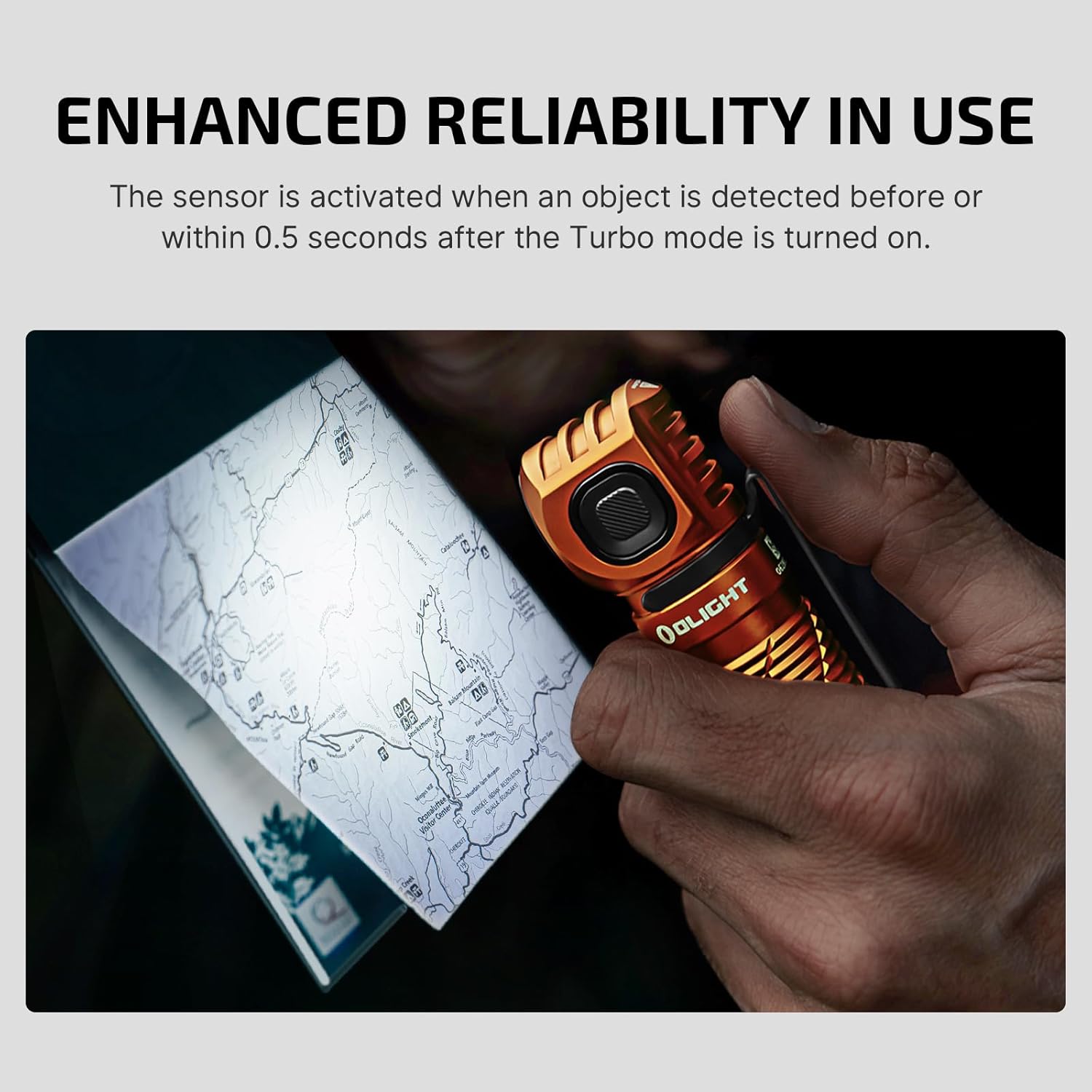
Image 11: Enhanced reliability in use with the proximity sensor.

Image 12: Ergonomic button design for easy and secure operation.
5.5 Vidjo Uffiċjali tal-Prodott
Vidjo 1: Il-prodott uffiċjali spiċċaview of the OLIGHT Perun 3 Rechargeable Headlamp, demonstrating its features and versatility.
6. Iċċarġjar
The Perun 3 utilizes a magnetic charging system. Connect the MCC3 magnetic charging cable to the magnetic tailcap of the flashlight. The LED indicator on the charging cable will glow red during charging and turn green once the battery is fully charged. A full charge typically takes a few hours.
7. Manutenzjoni
- Tindif: Keep the lens clean to ensure optimal light output. Use a soft, clean cloth to wipe the lens and body.
- Li ma jgħaddix ilma / trab: The Perun 3 has an IP68 rating, making it resistant to dust and submersion in water up to 2 meters. Ensure the tailcap is tightly screwed on before exposing to water.
- Kura tal-batterija: Store the flashlight with a partially charged battery if not used for extended periods. Recharge regularly to maintain battery health.

Image 13: The Perun 3 is built to withstand the elements with IP68 rating.
8 Issolvi l-problemi
- Id-dawl ma jixgħelx: Ensure the battery's insulating film has been removed and the tailcap is screwed on tightly. Check if the battery is charged.
- Reduced Output in Turbo Mode: The proximity sensor may be active. Ensure there are no obstructions near the lens.
- Kwistjonijiet ta' Iċċarġjar: Verify the MCC3 cable is properly connected to both the flashlight and a working USB power source. Check the charging cable indicator light.
9. Speċifikazzjonijiet
| Karatteristika | Speċifikazzjoni |
|---|---|
| Output Max | 3000 Lumens |
| Max Runtime | 20 Days (Moonlight Mode) |
| Tip ta' Sors tad-Dawl | LED (White & Red) |
| Materjal | 6061-T6 Liga tal-Aluminju |
| Livell ta 'Reżistenza għall-Ilma | IP68 (Li ma jgħaddix ilma) |
| Batterija | 1 x 5000mAh 21700 Lithium Ion (included) |
| Dimensjonijiet tal-Prodott | 4.59"D x 1"W x 1.1"H |
| Piż tal-oġġett | 5.3 uqija |
| Karatteristiċi Speċjali | Adjustable Light Modes, Adjustable Strap, Portable, Rechargeable, With Red Light, Proximity Sensor |

Image 14: White and Red Light Output and Runtime Chart.
10. Garanzija u Appoġġ
The OLIGHT Perun 3 comes with a Garanzija tul il-ħajja. For any support or warranty claims, please contact OLIGHT customer service directly or visit their official websit.


