1. Prodott Aktarview
The Glocusent Star Projector is a versatile 5-in-1 device designed to enhance your sleep environment and provide relaxation. It combines a star projector, a white noise sound machine, a HiFi Bluetooth speaker, a gentle night light, and a built-in clock. This device can be controlled via a mobile application for comprehensive customization.

Image 1.1: The Glocusent Star Projector in use, illustrating its projection capabilities and app control.
2. Kontenut tal-Pakkett
Malli tiftaħ il-pakkett, jekk jogħġbok kun żgur li l-oġġetti kollha li ġejjin huma preżenti:
- Glocusent Sleeping Pod Starry Lamp (Star Projector Unit)
- Manwal għall-Utent (dan id-dokument)
- 20° Angle Lamp Stand
- Adapter tal-enerġija bil-kejbil
3. Gwida ta' Setup
3.1 Konnessjoni tal-Enerġija
Connect the provided power adapter cable to the Glocusent Star Projector's power input port. Plug the adapter into a standard electrical outlet. The device will power on automatically.
3.2 Tniżżil u Tqabbil tal-App
For full functionality and customization, it is recommended to use the Glocusent mobile application. The app allows for advanced control over projection, sounds, scheduling, and more.
- Download the 'Glo Sleep' app from your device's app store.
- Ensure your Wi-Fi network is a 2.4 GHz network. The device requires a secure 2.4 GHz or 5 GHz compatible Wi-Fi connection for app integration.
- Open the app and follow the on-screen instructions to pair your Glocusent Star Projector. This typically involves selecting the device type and entering your Wi-Fi credentials.
- Ensure the Star Projector's Wi-Fi setting in the Glo Sleep App matches your smartphone's network.
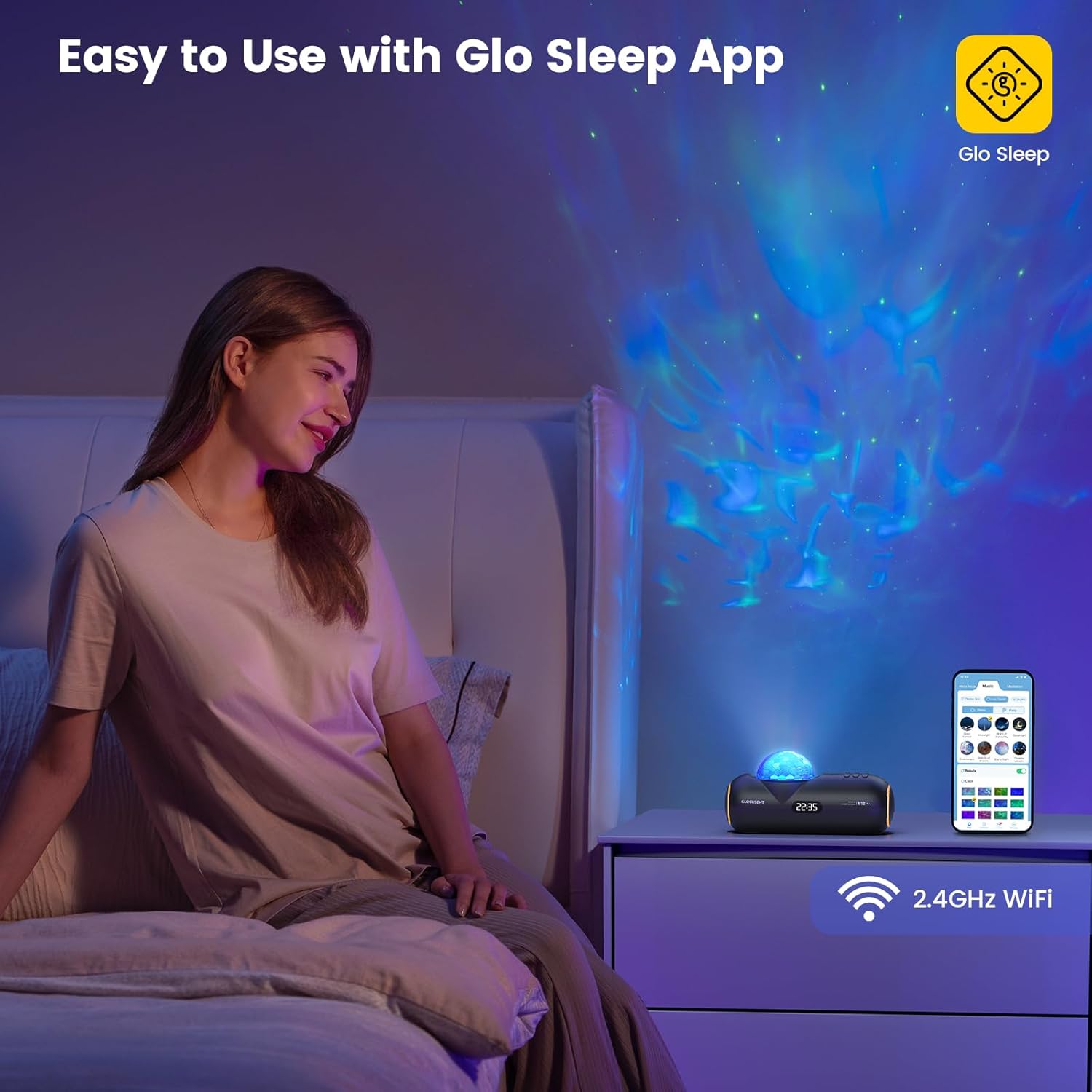
Image 3.1: Controlling the Glocusent Star Projector using the Glo Sleep App on a smartphone.
4. Istruzzjonijiet Operattivi
4.1 Star Projector Functions
The projector can display 16 sleep-aid celestial nebulas across an area of up to 538 square feet. Adjustments can be made via the app or physical buttons:
- Kuluri: Choose from 16 different color options for the nebula projection.
- Veloċitajiet: Adjust the nebula movement speed with 10 available levels.
- Luminożità: Select from 5 brightness levels to set the desired ambiance.

Image 4.1: Visual representation of the star projector's adjustable features.
4.2 Funzjonijiet tal-Magna tal-Ħoss
The device includes a comprehensive sound library to aid relaxation and sleep:
- Ħsejjes bojod: 23 distinct white noise options.
- Sleep-Enhancing Melodies: 27 curated melodies.
- Meditation Guides: 10 guided meditation voices.

Immaġni 4.2: Fuqview of the sound machine's extensive sound library.
4.3 Speaker Bluetooth
The integrated HiFi Bluetooth speaker allows you to play your own audio content:
- Attiva l-Bluetooth fuq l-ismartphone jew l-apparat awdjo tiegħek.
- Select the Glocusent Star Projector from the list of available Bluetooth devices to pair.
- Once connected, you can stream music, podcasts, or other audio through the projector's speaker.

Image 4.3: Internal components illustrating the HiFi Bluetooth speaker.
4.4 Time-for-Bed & Time-to-Rise Scheduling
Utilize the mobile app to set up automated routines for sleep and wake-up:
- Bedtime Routine: Program the device to begin nebula display and soothing sounds at a set bedtime, gradually dimming to ease you into sleep.
- Wake-up Routine: Schedule an energizing track to start at your desired wake-up time, helping you to wake up refreshed.
- The built-in Sleep Calculator in the app can assist in determining ideal sleep and wake times for optimal rest.

Image 4.4: App interface for setting automatic sleep and wake-up schedules.
4.5 Night Light and Clock
The device also functions as a gentle night light and features a built-in clock display.
5. Manutenzjoni u Sigurtà
5.1 Tindif u Kura
To maintain your Glocusent Star Projector in optimal condition:
- Dejjem aqla’ l-apparat mis-sors tal-enerġija qabel ma tnaddaf.
- Uża drapp artab u niexef biex timsaħ l-uċuħ ta’ barra.
- Tużax prodotti tat-tindif likwidi, aerosols, jew materjali li joborxu, għax dawn jistgħu jagħmlu ħsara lill-apparat.
5.2 Linji Gwida dwar is-Sigurtà
Adhere to the following safety precautions to prevent injury or damage to the device:
- Do not use the device in a bathtub or near water.
- This device is not a toy; keep it away from children under 3 years of age.
- To prevent hearing damage, avoid playing sounds at excessive volumes.
- Tħaddimx l-apparat jekk jidher li hu bil-ħsara.
- Dan l-apparat huwa maħsub għall-użu fuq ġewwa biss.
- Tużax b'korda jew plagg bil-ħsara.
- Always follow local regulations regarding electrical devices.
6 Issolvi l-problemi
If you encounter issues with your Glocusent Star Projector, refer to the following common solutions:
| Problema | Kawża Possibbli | Soluzzjoni |
|---|---|---|
| L-apparat ma jixgħelx. | L-adapter tal-enerġija mhux imqabbad jew is-sokit difettuż. | Kun żgur li l-adapter tal-enerġija huwa konness sew mat-tagħmir u ma' sokit elettriku li jaħdem. Ipprova sokit ieħor. |
| Ma nistax nikkonnettja mal-Wi-Fi jew mal-app. | Incorrect Wi-Fi frequency (not 2.4 GHz) or network issues. | Verify your Wi-Fi network is 2.4 GHz. Ensure the device and your smartphone are on the same Wi-Fi network during pairing. Restart your router and the projector. |
| L-ebda ħoss mill-ispiker. | Bluetooth not connected or volume too low. | Ensure your device is successfully paired via Bluetooth. Increase the volume on both the projector and your connected audio device. |
| Il-projezzjoni hija mċajpra jew mhux ċara. | Brightness setting too low or lens obstructed. | Adjust the brightness level via the app or device controls. Ensure the projection lens is clean and unobstructed. |
| App features (e.g., scheduling) not working. | Device not fully paired with app or app requires update. | Confirm the device is fully paired and connected in the Glo Sleep app. Check for app updates in your app store. |
If the issue persists after attempting these solutions, please contact Glocusent Customer Experience Team for further assistance.
7. Speċifikazzjonijiet tal-Prodott
| Karatteristika | Speċifikazzjoni |
|---|---|
| Brand | Glocusent |
| Numru tal-Mudell | N12 |
| Numru tal-Parti | GLCSNTN1201 |
| Piż tal-oġġett | 1.9 liri |
| Dimensjonijiet tal-Pakkett | 12.95 x 5.71 x 4.49 pulzieri |
| Materjal | Acrylonitrile Butadiene Styrene (ABS) |
| Sors tal-Enerġija | Corded Elettriku |
| Voltage | 12 Volts (DC) |
| Tip ta 'Bozza | LED |
| Fluss Luminuż | 50 Lumen |
| Temperatura tal-Kulur | 2000 Kelvin |
| Karatteristiċi Speċjali | Dimmable, Hands Free, Memory Function |
| Konnettività | Bluetooth 5.1, 2.4GHz Wi-Fi |
8. Garanzija u Appoġġ
8.1 Informazzjoni dwar Garanzija
Glocusent offers a 60-day return service and a 24-month warranty for this product. Please retain your proof of purchase for warranty claims.
8.2 Ċertifikazzjonijiet
The Glocusent Star Projector is certified by FCC, CE, RoHS, PSE, and C-TICK, ensuring compliance with relevant safety and quality standards.
8.3 Appoġġ għall-Klijent
The Glocusent Customer Experience Team is available 24/7 to assist you with any inquiries or issues. For support, please refer to the contact information provided on the product packaging or the official Glocusent websit.


