1. Introduzzjoni
This manual provides instructions for the operation and maintenance of your RadioShack Universal Smart Battery Charger, Model 2309355. This charger is designed to charge various rechargeable battery types, including Li-ion, NiMH, AA, AAA, C, D, and 9V batteries, with automatic detection and current adjustment for efficient charging.
2. Informazzjoni dwar is-Sigurtà
Please read and understand all safety instructions before using the charger. Failure to follow these instructions may result in electric shock, fire, or personal injury.
- Use this charger only for rechargeable batteries specified in this manual. Attempting to charge non-rechargeable batteries may cause them to leak, rupture, or explode.
- Tesponix il-ċarġer għax-xita jew l-umdità.
- Tiżżarmax jew timmodifikax il-ċarġer. Irreferi kull manutenzjoni lil persunal kwalifikat.
- Kun żgur li jkun hemm ventilazzjoni xierqa waqt l-iċċarġjar. Tgħattix il-ċarġer.
- Żomm iċ-ċarġer 'il bogħod mit-tfal u l-annimali domestiċi.
- Aqla 'l-ċarġer mis-sors tal-enerġija meta ma tkunx qed tintuża.
3. Kontenut tal-Pakkett
Ivverifika li l-oġġetti kollha huma preżenti fil-pakkett:
- RadioShack Universal Smart Battery Charger
- Kejbil tal-Enerġija USB

Image: The package includes the smart battery charger and a USB power cable.
4. Prodott Aktarview
The RadioShack Universal Smart Battery Charger features multiple charging bays and a digital display for monitoring battery status.
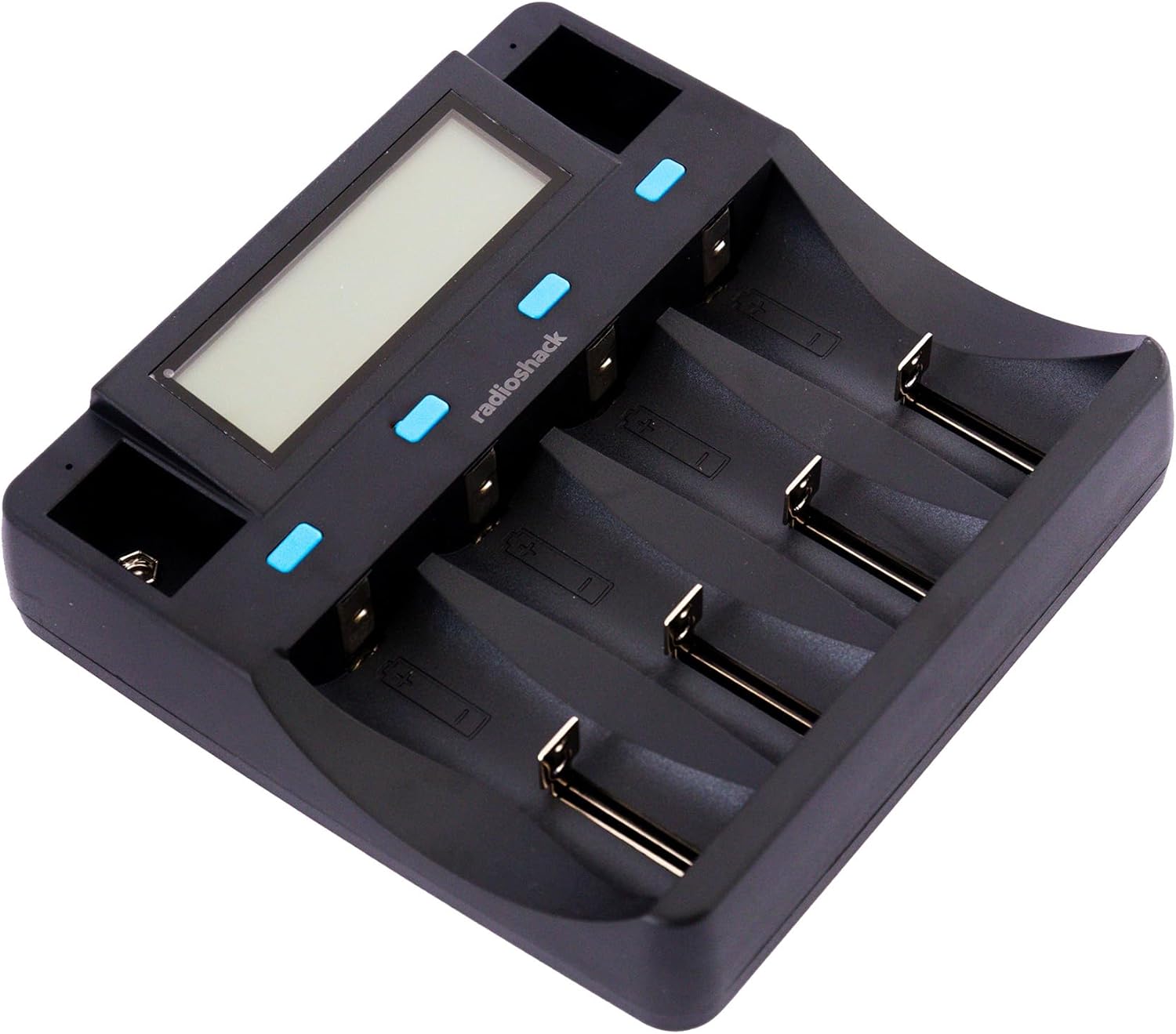
Immaġni: Minn fuq għal isfel view of the charger, showing the digital display and four main charging bays, plus two 9V slots.
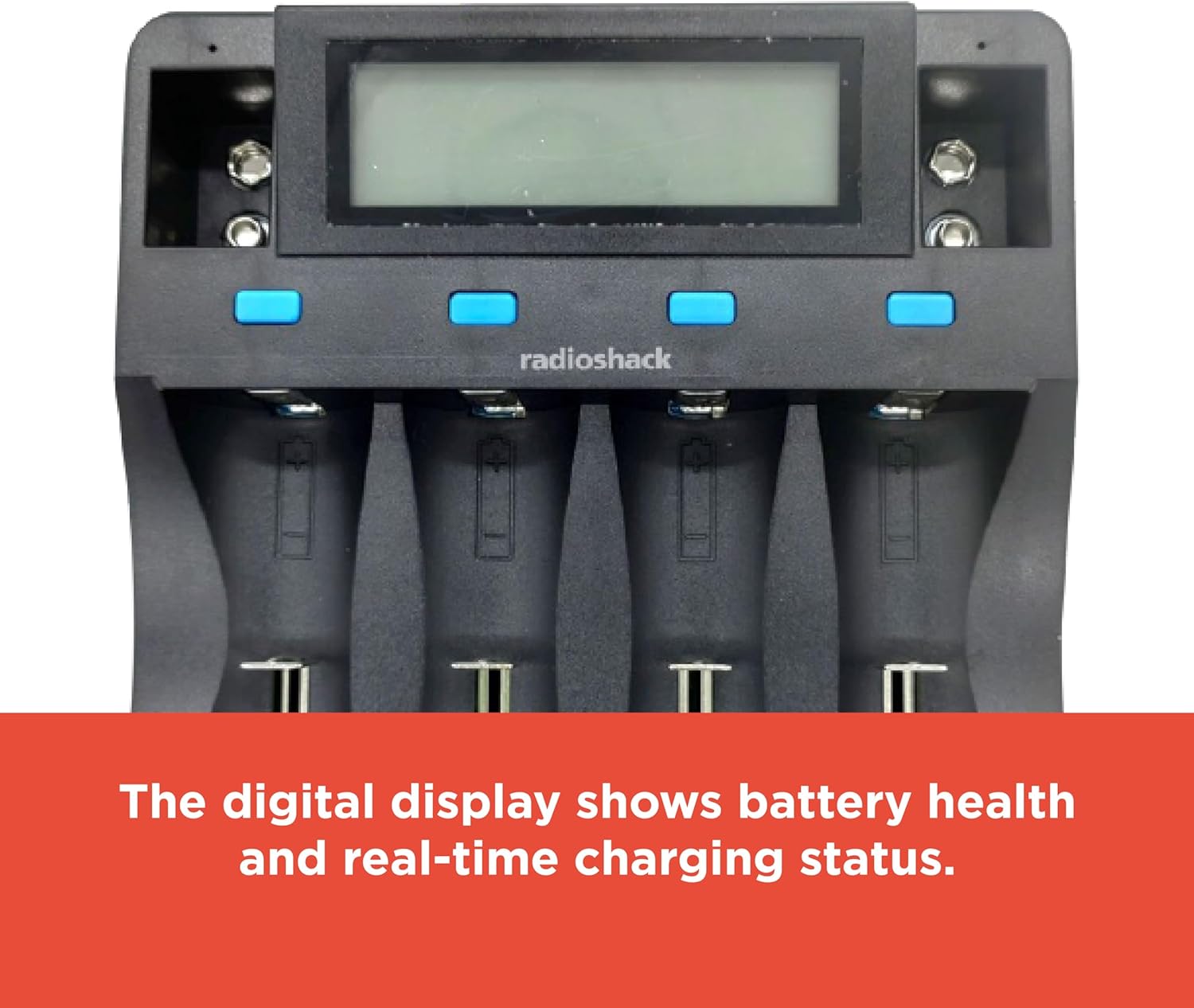
Image: The digital display provides real-time information on battery health and charging status.

Image: The charging slots are designed for safe, universal charging with automatic battery detection.

Immaġni: Ġenb view of the charger, highlighting the USB input ports for power.
5. Setup
Segwi dawn il-passi biex twaqqaf il-ċarġer tal-batterija tiegħek:
- Qabbad l-Enerġija: Use the provided USB cable to connect the charger to a compatible USB power source (e.g., a USB wall adapter, computer USB port, or power bank). The charger requires a DC 5V 2A input.
- Qawwa Mixgħul: Once connected, the charger's digital display will illuminate, indicating it is ready for use.

Image: The included USB cable allows for connection to various USB power outlets, making the charger portable.
6. Istruzzjonijiet Operattivi
6.1 Daħħal Batteriji
Carefully insert rechargeable batteries into the appropriate charging bays. The charger supports various sizes and chemistries. Ensure correct polarity (+ and -) when inserting batteries. For 9V batteries, use the dedicated 9V slots.
6.2 Automatic Battery Detection
The charger automatically detects the battery type (Li-ion, NiMH, etc.) and adjusts the charging current accordingly. This ensures optimal and safe charging for each battery.
6.3 Nifhmu d-Displej Diġitali
The digital display provides real-time information for each of the four main charging bays. Information typically includes:
- Kimika tal-batterija: Indicates Li-ion, NiMH, etc.
- Voltage: Vol kurrentitage tal-batterija.
- Kurrenti: Charging current being applied.
- Kapaċità: Estimated charged capacity.
- Ħin li għadda: Tul tal-proċess tal-iċċarġjar.
For 9V batteries, a small indicator light typically shows the charging status, but detailed information may not be displayed on the main screen.
6.4 Proċess tal-Iċċarġjar
Once batteries are inserted and detected, the charging process begins automatically. The display will update with charging progress. When a battery is fully charged, the display will indicate completion, and the charger will stop supplying current to prevent overcharging.
7. Compatible Battery Types
The charger supports a wide range of rechargeable battery types and sizes:
| Kimika tal-batterija | Daqsijiet Kompatibbli |
|---|---|
| Li-ion / Li-Fe | 26700, 26650, 18650, 18500, 17670, 17500, 14500, 10440, 16340 (CR123A), 6F22 (9V) |
| Ni-MH / Ni-Cd | D, C, SC, AA, AAA, 6F22 (9V) |

Image: The bottom label of the charger lists detailed input, output, and compatible battery specifications.
8 Issolvi l-problemi
Jekk tiltaqa' ma' problemi bil-ċarġer tiegħek, irreferi għall-problemi u s-soluzzjonijiet komuni li ġejjin:
- Il-Ċarġer Mhux Qed Jixgħel:
- Ensure the USB cable is securely connected to both the charger and a functional USB power source.
- Verify that the USB power source provides at least DC 5V 2A.
- Ipprova kejbil USB differenti jew adapter tal-enerġija.
- Batteriji Mhux Jiċċarġjaw:
- Check that batteries are inserted with correct polarity.
- Ensure the batteries are rechargeable and compatible with the charger (refer to Section 7).
- Clean battery contacts on both the charger and batteries if they appear dirty.
- Some batteries, particularly certain CR123A types, may not fit securely in the slots despite being listed as compatible. Ensure a proper physical connection.
- "ERR" Display Message:
- This typically indicates a problem with the battery, such as being non-rechargeable, damaged, or incorrectly inserted.
- Remove and reinsert the battery. If the error persists, the battery may be faulty.
- Iċċarġjar bil-mod:
- Charging speed can vary based on the battery's capacity, current charge level, and the number of batteries being charged simultaneously.
- Ensure your USB power source provides sufficient current (DC 5V 2A) for optimal charging speed.
9. Speċifikazzjonijiet
| Karatteristika | Dettall |
|---|---|
| Numru tal-Mudell | 2309355 |
| Input | DC 5V 2A |
| Output (Li-ion) | DC 4.2V 1000mA (2pcs), 500mA (4pcs) |
| Output (Li-Fe) | DC 3.7V 1000mA (2pcs), 500mA (4pcs) |
| Output (Ni-MH/Ni-Cd) | DC 1.48V 500mA (4pcs) |
| Ħruġ (9V) | DC 9V 85mA (2pcs) |
| Tipi ta' Batteriji Kompatibbli | Li-ion/Li-Fe: 26700, 26650, 18650, 18500, 17670, 17500, 14500, 10440, 16340 (CR123A), 6F22 (9V) Ni-MH/Ni-Cd: D, C, SC, AA, AAA, 6F22 (9V) |
| Dimensjonijiet tal-Prodott | 11.02 x 7.64 x 1.97 pulzieri (28 x 19.4 x 5 ċm) |
| Piż tal-oġġett | 12.2-il uqija (0.34 kg) |
| Kulur | Iswed |
| Ċertifikazzjonijiet | FCC, RoHS |
10. Kura u Manutenzjoni
Biex tiżgura l-lonġevità tal-ċarġer tiegħek:
- Naddaf il-ċarġer b'ċarruta ratba u niexfa. Tużax prodotti tat-tindif jew solventi li joborxu.
- Keep the charging contacts free from dust and debris.
- Aħżen il-ċarġer f'post frisk u niexef meta ma tkunx qed tuża.
- Evita li twaqqa’ l-ċarġer jew li tissottomettih għal impatti qawwija.
11. Garanzija u Appoġġ
For warranty information or technical support, please refer to the documentation included with your purchase or contact RadioShack customer service. Keep your proof of purchase for warranty claims.


