1. Introduzzjoni
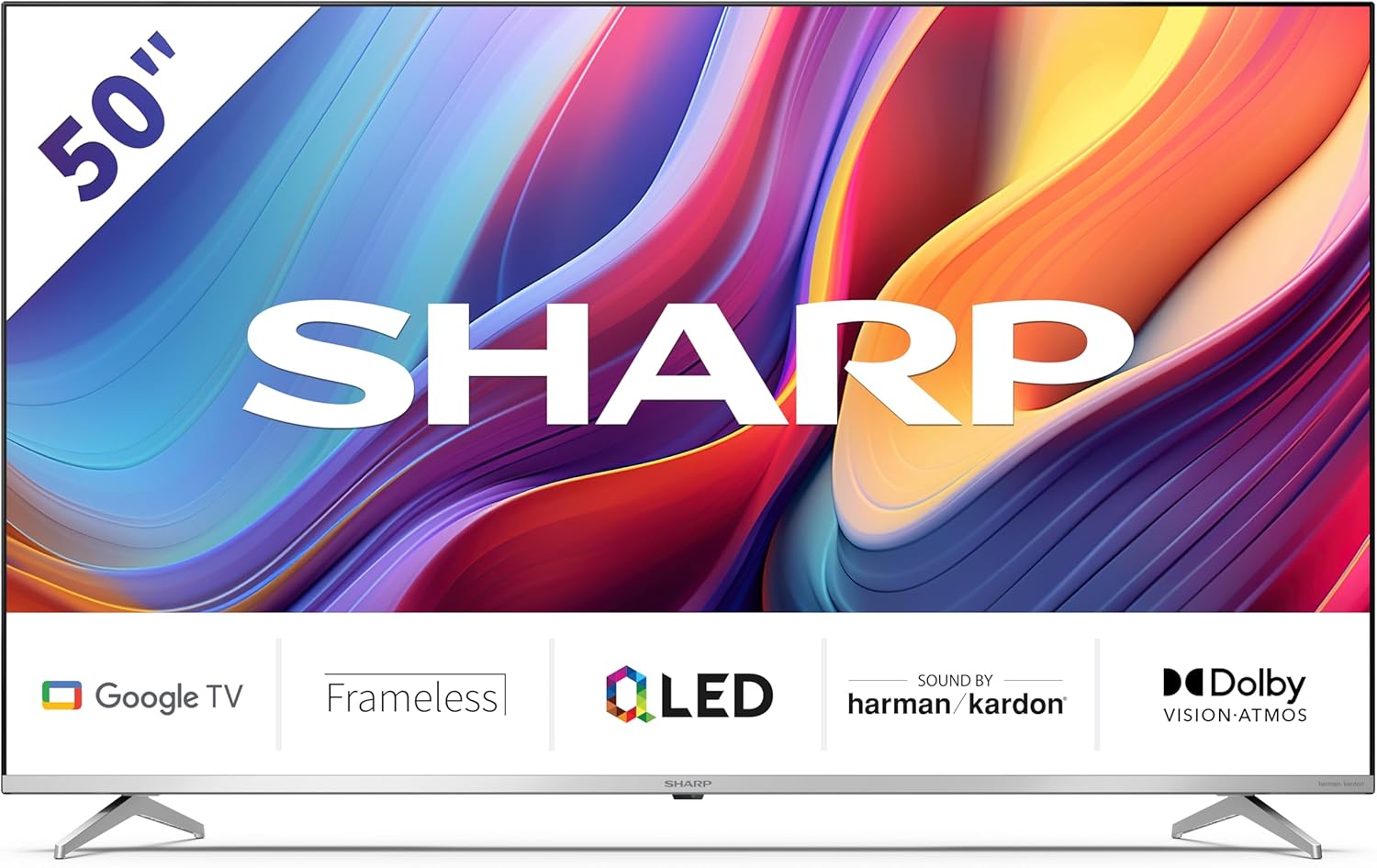
Welcome to the user manual for your new Sharp 50GP6265E 50-inch QLED 4K Ultra HD Google TV. This manual provides essential information for the safe and efficient use of your television. Please read it thoroughly before operating the device and retain it for future reference.
Informazzjoni Importanti dwar is-Sigurtà
- Ensure the television is placed on a stable surface to prevent it from falling.
- Do not block ventilation openings. Proper airflow is crucial to prevent overheating.
- Ipproteġi l-korda tad-dawl milli jimxi fuqu jew maqrusa.
- Do not expose the TV to rain or moisture to reduce the risk of fire or electric shock.
- Irreferi l-manutenzjoni kollha lil persunal tas-servizz kwalifikat.
2. X'hemm fil-Kaxxa
Meta tiftaħ il-pakkett, jekk jogħġbok ivverifika li l-komponenti kollha li ġejjin huma inklużi:
- Sharp 50GP6265E 50-inch QLED 4K Ultra HD Google TV
- Kontroll mill-bogħod
- 2 x AAA batteries (for remote control)
- Gwida tal-bidu ta 'malajr
- TV stands (if not wall-mounted)
- Kejbil tal-enerġija
3. Setup
3.1 Disimballaġġ
Carefully remove the television from its packaging. It is recommended to keep the original packaging for potential future transport or servicing.
3.2 Installazzjoni ta' Stand
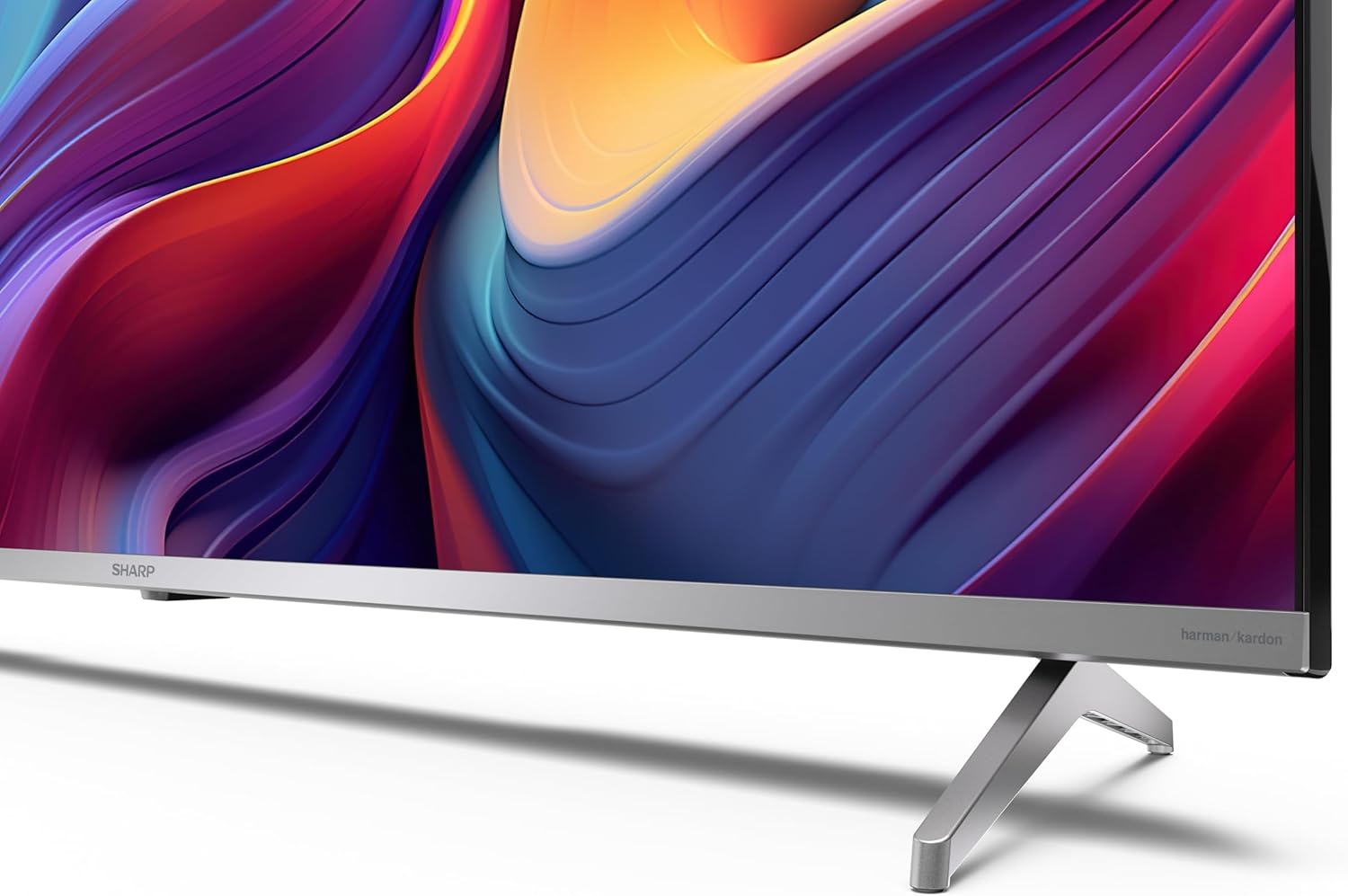
If you are not wall-mounting the television, attach the included stands to the bottom of the TV. Ensure the screws are securely fastened. Refer to the quick start guide for detailed diagrams.
3.3 Immuntar tal-ħajt
For wall mounting, the VESA dimensions required are 400 x 300 mm. Use a compatible wall mount bracket (sold separately) and follow the instructions provided with the bracket. Ensure the wall can support the weight of the television (9.7 kg net weight).

3.4 Konnessjoni tal-Periferali
Your Sharp TV offers various connectivity options:
- HDMI: Connect external devices such as Blu-ray players, gaming consoles, or set-top boxes using the 4 HDMI 2.1 ports. One port supports eARC for enhanced audio return channel functionality.
- USB: Use the 2 USB ports for connecting external storage devices to play media or for service updates.
- Ethernet: Għal konnessjoni stabbli tal-internet bil-fili.
- Wi-Fi: Għal konnettività tal-internet mingħajr fili.
- Bluetooth: Qabbad headphones mingħajr fili, soundbars, jew aċċessorji oħra li jaħdmu bil-Bluetooth.

3.5 L-Ewwel Setup
After connecting the power cable and turning on the TV, follow the on-screen instructions to complete the initial setup. This typically includes language selection, network connection, and Google account sign-in for Google TV features.
4. Tħaddem it-TV tiegħek
4.1 Kontroll mill-Bogħod
The included remote control allows you to navigate the TV's interface, adjust volume, change channels, and access smart features. Insert the 2 AAA batteries into the remote control, ensuring correct polarity.
4.2 L-Interfaċċja tat-TV tal-Google
Your Sharp TV runs on Google TV, which organizes movies, shows, and live TV from all your apps and subscriptions. The home screen provides personalized recommendations and quick access to your favorite content.

Supported internet services include Netflix, Amazon Prime Video, HBO, Disney+, Movistar+, DAZN, Atresmedia, KODI, IPTV, Steamlink, Twitch, VLC, YouTube, Puffin TV Browser, Spotify, Deezer, TuneIn Radio, and many more available on Google Play for Google TV.
4.3 Settings tal-Istampa
Experience stunning visuals with 4K Ultra HD resolution and Quantum Dot technology for vibrant colors. The TV supports Dolby Vision and HDR10 for enhanced contrast and brightness. Access picture settings through the TV menu to customize brightness, contrast, color, and sharpness to your preference. AQUOS Smooth Motion technology provides image interpolation for smoother motion.
4.4 Settings tal-Ħoss
The integrated Harman/Kardon speaker system (2 x 12 W) delivers immersive audio. With Dolby Atmos support, you can enjoy a rich, multi-dimensional sound experience. Adjust sound modes and equalizer settings in the audio menu.
4.5 Karatteristiċi Smart
- Google Assistent: Uża kmandi bil-vuċi biex tfittex kontenut, tikkontrolla apparati tad-dar intelliġenti, u tikseb informazzjoni.
- Chromecast inkorporat: Cast content from your smartphone, tablet, or computer directly to your TV screen.
5. Manutenzjoni
5.1 Tindif tat-TV
- Dejjem aqla’ t-TV qabel ma tnaddaf.
- Uża drapp artab u niexef biex timsaħ l-iskrin u l-kabinett. Għal marki persistenti, nixxef bil-mod.ampNaddaf id-drapp bl-ilma jew b'prodott speċjalizzat għat-tindif tal-iskrin.
- Evita li tuża cleaners li joborxu, xama', jew solventi.
5.2 Aġġornamenti tas-Software
It-TV tiegħek jista' jirċievi aġġornamenti tas-softwer biex itejjeb il-prestazzjoni u jżid karatteristiċi ġodda. Kun żgur li t-TV tiegħek huwa konness mal-internet biex jirċievi dawn l-aġġornamenti awtomatikament jew iċċekkjahom manwalment fil-menu tas-settings.
6 Issolvi l-problemi
Jekk tiltaqa' ma' problemi bit-TV tiegħek, irreferi għall-problemi u s-soluzzjonijiet komuni li ġejjin:
| Problema | Soluzzjoni Possibbli |
|---|---|
| Ebda qawwa | Iċċekkja jekk il-kejbil tal-enerġija huwiex imqabbad sew mat-TV u mas-sokit tal-enerġija. Kun żgur li s-sokit jaħdem sew. |
| L-ebda stampa, iżda l-ħoss huwa preżenti | Iċċekkja li s-sors tad-dħul korrett huwa magħżul. Iċċekkja l-konnessjonijiet tal-apparat estern. |
| L-ebda ħoss, iżda l-istampa hija preżenti | Check the volume level and mute status. Ensure audio cables are correctly connected for external devices. |
| Il-kontroll mill-bogħod ma jaħdimx | Replace the AAA batteries. Ensure there are no obstructions between the remote and the TV's IR sensor. |
| Kwistjonijiet ta 'konnessjoni Wi-Fi | Restart your router and the TV. Re-enter the Wi-Fi password. Ensure the TV is within range of your Wi-Fi network. |
7. Speċifikazzjonijiet
| Karatteristika | Dettall |
|---|---|
| Brand | Sharp |
| Numru tal-Mudell | 50GP6265E |
| Daqs tal-Iskrin | 50 Pulzier |
| Teknoloġija tal-Wiri | QLED, Quantum Dot |
| Riżoluzzjoni | 4K Ultra HD (3840 x 2160 pixels) |
| Riffriskar Rata | 60 Hz |
| Sistema Operattiva | Google TV |
| Appoġġ HDR | Viżjoni Dolby, HDR10 |
| Sistema Awdjo | Harman/Kardon (2 x 12 W), Dolby Atmos |
| Konnettività | 4x HDMI 2.1 (with eARC), 2x USB, Wi-Fi, Bluetooth, Ethernet |
| Karatteristiċi Speċjali | Google Assistant, Chromecast built-in, AQUOS Smooth Motion |
| VESA Wall Mount | 400 x 300 mm |
| Dimensjonijiet (bl-istand) | 111.6P x 26.5l x 69.3H cm (1116.4 x 692.9 x 264.7 mm) |
| Dimensjonijiet (mingħajr stand) | 111.6P x 9.2l x 65.1H cm (1116.4 x 651.3 x 91.5 mm) |
| Piż Nett | 9.7 kg |
| Klassi tal-Effiċjenza tal-Enerġija (SDR) | G (69 kWh/1000h) |
| Klassi tal-Effiċjenza tal-Enerġija (HDR) | G (98 kWh/1000h) |

Għal informazzjoni dettaljata dwar il-prodott u dejta dwar l-effiċjenza enerġetika, jekk jogħġbok irreferi għad-database tal-EPREL: https://eprel.ec.europa.eu/qr/1942440
8. Garanzija u Appoġġ
Information regarding spare parts availability and software updates is not explicitly provided for a guaranteed period. Please refer to the manufacturer's official website for the most up-to-date warranty terms and support information.
Manifattur: SHARP
Uffiċjali Websit: www.sharpconsumer.com
For customer service inquiries, please visit the Sharp consumer website or contact their support channels as listed on their official site.


