X9 Full-Size Bluetooth Keyboard with Phone Holder
Model: X9RBBLKBDOCKS | Brand: X9 Performance
Introduzzjoni
The X9 Full-Size Bluetooth Keyboard with Phone Holder is a versatile input device designed for enhanced productivity across multiple platforms. It features a full 110-key layout, integrated phone/tablet holder, and multi-device connectivity via 2.4G wireless and Bluetooth. This manual provides detailed instructions for setting up, operating, maintaining, and troubleshooting your keyboard.
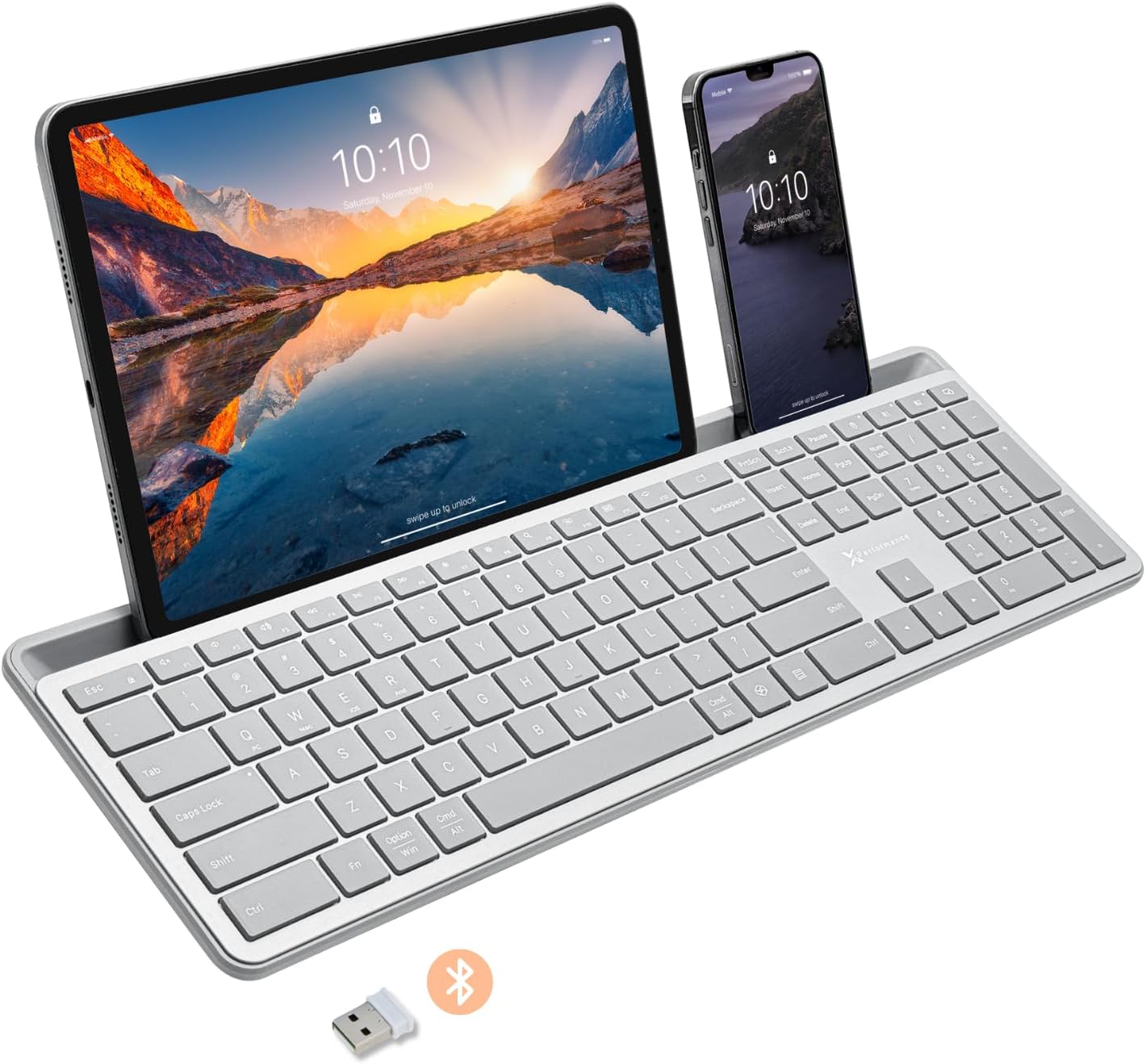
Image: The X9 Full-Size Bluetooth Keyboard in silver, featuring an integrated dock holding a tablet and a smartphone. A USB dongle and Bluetooth symbol are visible below the keyboard.
Karatteristiċi Ewlenin
- Konnettività bi Tliet Modi: Seamlessly connect up to three devices using 2.4G wireless (via included USB dongle) and two independent Bluetooth channels.
- Integrated Device Dock: An extra-long dock (16.75" long x 0.45" wide) securely holds your smartphone and tablet simultaneously, allowing for easy transitions between devices. Note: May not fit devices with thick cases.
- Ċwievet retroilluminati: Crisp white LED backlighting with 3 adjustable brightness levels for comfortable typing in various lighting conditions.
- Batterija rikarikabbli: Equipped with a 1000 mAh rechargeable battery for extended use, with a USB-C charging cable included.
- Layout ta' Daqs sħiħ: A complete 110-key layout including a numeric keypad for efficient data entry and productivity.
- Kompatibilità Multi-OS: Designed for Windows and Mac users, with seamless compatibility across macOS, iOS, and Android operating systems.
- Ċwievet Kwieti: Keys are designed for a quiet typing experience.

Image: Diagram illustrating the keyboard's ability to pair with up to three devices: a smartphone via Bluetooth (channel 1), a desktop monitor via 2.4GHz wireless (channel 2), and a laptop via Bluetooth (channel 3).

Immaġni: Close-up view of the keyboard's integrated dock, highlighting its extra-long design and a note indicating its dimensions (0.45" width) and potential incompatibility with thick device cases.

Image: A close-up of the keyboard's side, showing a USB-C cable plugged into the charging port, with text indicating a 1000mAh rechargeable battery.
Kontenut tal-Pakkett
Jekk jogħġbok kun żgur li l-oġġetti kollha huma preżenti fil-pakkett:
- X9 Full-Size Bluetooth Keyboard
- Cable tal-Iċċarġjar tal-USB-C
- 2.4G USB Wireless Dongle
Gwida ta' Setup
1. Iċċarġjar tat-Tastiera
Before first use, fully charge the keyboard. Connect the included USB-C charging cable to the keyboard's charging port and the other end to a USB power source (e.g., computer USB port, USB wall adapter). The charging indicator light will show charging status and turn off when fully charged.
2. Konnessjoni ma' Apparati
The X9 keyboard supports three connection channels: one 2.4G wireless channel and two Bluetooth channels (B1 and B2).
2.1. Konnessjoni bla fili 2.4G
- Locate the 2.4G USB wireless dongle, typically stored in a compartment on the keyboard.
- Ipplaggja l-USB dongle f'port USB disponibbli fuq il-kompjuter tiegħek.
- Turn on the keyboard. The keyboard should automatically connect to your computer via the 2.4G dongle.
2.2. Bluetooth Connection (B1 / B2)
- Ixgħel it-tastiera.
- Agħfas u żomm il- B1 or B2 key for 3-5 seconds until the corresponding indicator light (B1 or B2) starts blinking rapidly. This indicates the keyboard is in pairing mode.
- Fuq l-apparat tiegħek (smartphone, tablet, kompjuter), mur fis-settings tal-Bluetooth u attiva l-Bluetooth.
- Fittex għal new devices. The keyboard should appear as "X9 Keyboard" or similar.
- Select the keyboard from the list to pair. Follow any on-screen prompts to complete the pairing process. The indicator light will stop blinking and remain solid for a few seconds, then turn off, indicating successful connection.
- Repeat these steps for the second Bluetooth channel (B2) if you wish to connect another device.
Istruzzjonijiet Operattivi
1. Tibdil bejn Apparati Konnessi
To switch between your connected devices, simply press the corresponding connection key:
- Agħfas 2.4G key to switch to the device connected via the USB dongle.
- Agħfas B1 key to switch to the device connected via Bluetooth Channel 1.
- Agħfas B2 key to switch to the device connected via Bluetooth Channel 2.
2. Adjusting Backlight Brightness
The keyboard features three levels of backlight brightness. To adjust:
- Agħfas il- Fn ċavetta + Bozza tad-Dawl key (usually located near the F12 key) repeatedly to cycle through the brightness levels (Low, Medium, High, Off).

Image: A close-up of the keyboard in a dark setting, showcasing its clear backlit keys. Indicators for Low, Medium, and High brightness levels are shown below the keyboard.
3. Using the Copilot AI Key
The keyboard includes a dedicated Copilot AI key for quick access to AI functionalities on compatible systems. Press this key to activate Copilot or similar AI features.
4. Operating System Specific Functions
The keyboard is optimized for various operating systems. Some function keys may behave differently or require the Fn key to access secondary functions depending on your OS (Windows, macOS, iOS, Android).
- For optimal compatibility, ensure your device's operating system is updated.
- Some systems may require specific key combinations (e.g., Fn + Option + R for Android, as mentioned in customer reviews for specific app compatibility). Refer to your device's documentation for advanced keyboard settings.
Manutenzjoni
To ensure the longevity and optimal performance of your X9 keyboard, follow these maintenance guidelines:
- Tindif: Uża drapp ratba u mingħajr ħelu ftit dampImsaħ il-wiċċ tat-tastiera b'ilma jew b'soluzzjoni ħafifa tat-tindif. Evita umdità eċċessiva. Għat-tindif bejn iċ-ċwievet, uża arja kkompressata.
- Ħażna: Aħżen it-tastiera f'post frisk u niexef 'il bogħod mix-xemx diretta u minn temperaturi estremi.
- Kura tal-batterija: Evita li tiċċarġja l-batterija kompletament ta' spiss. Għal ħażna fit-tul, iċċarġja l-batterija sa madwar 50% biex tippreserva l-ħajja tagħha.
- Evita t-tixrid: Żomm il-likwidi 'l bogħod mit-tastiera biex tevita ħsara lill-komponenti interni.
Issolvi l-problemi
If you encounter issues with your X9 keyboard, refer to the following common problems and solutions:
| Problema | Kawża / Soluzzjoni Possibbli |
|---|---|
| It-tastiera ma tixgħelx. | Battery is depleted. Connect the keyboard to a power source using the USB-C cable and allow it to charge. |
| It-tastiera ma tikkonnettjax permezz tal-Bluetooth. |
|
| 2.4G wireless connection not working. |
|
| Iċ-ċwievet mhux qed jirrispondu jew qed jittajpjaw ħażin. |
|
| Id-dawl ta' wara mhux qed jaħdem. |
|
Speċifikazzjonijiet
| Karatteristika | Dettall |
|---|---|
| Numru tal-Mudell | X9RBBLKBDOCKS |
| Teknoloġija tal-Konnettività | 2.4G bla fili, Bluetooth |
| Apparati Kompatibbli | Laptop, PC, Mac, iOS, Android (Smartphone, Tablet) |
| Layout tat-Tastiera | Full-Size, 110-key |
| Backlighting | Single Color (White), 3 Brightness Levels |
| Kapaċità tal-batterija | 1000 mAh (Rikarikabbli) |
| Dimensjonijiet tal-Prodott (L x W x H) | 17.33" x 5.56" x 0.89" (44.02 ċm x 14.12 ċm x 2.26 ċm) |
| Piż tal-oġġett | 2.25 liri (1.02 kg) |
| Device Dock Dimensions (L x W) | 16.75" x 0.45" |
| Manifattur | X9 Prestazzjoni |

Immaġni: Ritratt minn fuq view of the X9 keyboard with measurements indicating its length (17.3"), width (5.55"), and height (0.89").
Informazzjoni dwar Garanzija
X9 Performance products are designed for reliability and performance. For specific warranty terms and conditions, please refer to the warranty card included with your product or visit the official X9 Performance websit. Tipikament, il-prodotti huma koperti kontra difetti fil-materjali u x-xogħol għal perjodu speċifikat mid-data tax-xiri.
Appoġġ
For further assistance, technical support, or to inquire about replacement parts, please contact X9 Performance customer support:
- Websit: Visit the official X9 Performance websit għal FAQs, sewwieqa, u riżorsi ta' appoġġ.
- Kuntatt: Irreferi għall-informazzjoni ta' kuntatt ipprovduta fuq l-imballaġġ tal-prodott jew fuq l-informazzjoni uffiċjali websit għal appoġġ bit-telefon jew bl-email.
Please have your product model number (X9RBBLKBDOCKS) and purchase details ready when contacting support.


