1. Introduzzjoni
Welcome to the user manual for your KTC 24 Inch 1500R Curved Gaming Monitor. This document provides essential information for setting up, operating, maintaining, and troubleshooting your new monitor. Please read through these instructions carefully to ensure optimal performance and longevity of your device.

Figure 1: KTC 24 Inch 1500R Curved Gaming Monitor
2. Kontenut tal-Pakkett
Jekk jogħġbok ivverifika li l-oġġetti kollha elenkati hawn taħt huma inklużi fil-pakkett tiegħek:
- 24 inch Curved Gaming Monitor (x1)
- HDMI 2.0 Signal Cable (x1)
- Adapter tal-Enerġija (x1)
- Korda tal-Enerġija (x1)
- Tornavit (x1)
- Karta tal-Garanzija (x1)
- Bażi (x1)
3. Prodott Aktarview
3.1 Karatteristiċi ewlenin
- Immersive 1500R Curvature & High Refresh Rate: Experience an enveloping visual field with the 1500R curved screen, paired with a 165Hz refresh rate for exceptionally smooth motion.
- Wirja tal-Kulur Vibranti: Enjoy rich and accurate colors with 250cd/m2 brightness, 8-bit color depth, 16.7 million colors, a 3000:1 dynamic contrast ratio, and 90% DCI-P3 color gamut coverage.
- Teknoloġija ta' Sinkronizzazzjoni Adattiva: Eliminates screen tearing and stuttering, providing fluid and artifact-free gameplay.
- Ultra-Fast 1ms Response Time: Minimizes motion blur and ghosting, ensuring clear and responsive visuals in fast-paced scenes.
- Versatile Connectivity & Ergonomics: Equipped with 2x HDMI 2.0 ports, 1x DisplayPort 1.4, and an audio out jack. The monitor supports VESA 100x100mm mounting and offers tilt adjustment from -5 degrees to -20 degrees for comfortable viewing.
- Karatteristiċi tal-Kumdità tal-Għajnejn: Integrated Flicker-Free technology and a Blue Light Filter help reduce eye strain during extended use.
3.2 Portijiet u Kontrolli
Familiarize yourself with the monitor's connection ports and control interface.

Figure 2: Monitor Dimensions and Port Layout
- Input ta' Enerġija DC: Qabbad l-adapter tal-enerġija hawn.
- Portijiet HDMI 2.0 (x2): Connect to devices such as PCs, gaming consoles (e.g., PS5), or other HDMI-compatible media players.
- DisplayPort 1.4 (x1): Connect to devices with DisplayPort output for high-resolution and high-refresh-rate signals.
- Out tal-Awdjo: Qabbad headphones jew speakers esterni.
- OSD Rocker Switch: Located on the rear, this joystick-like control is used to navigate the On-Screen Display (OSD) menu and adjust monitor settings.
4. Istruzzjonijiet ta' Setup
4.1 Armar tal-Istand
- Carefully remove the monitor and its base components from the packaging.
- Attach the monitor stand base to the stand neck using the provided screws and screwdriver.
- Align the assembled stand with the mounting points on the back of the monitor. Securely fasten the stand to the monitor.
4.2 Konnessjoni mal-Enerġija
- Qabbad il-korda tal-enerġija mal-adapter tal-enerġija.
- Plug the power adapter into the DC power input port on the monitor.
- Ipplaggja t-tarf l-ieħor tal-korda tad-dawl ġo żbokk tal-ħajt.
4.3 Connecting to a Source Device
Use the appropriate cable (HDMI or DisplayPort) to connect your computer, gaming console, or other video source to the monitor.
- Connect one end of the HDMI or DisplayPort cable to the corresponding port on your source device.
- Qabbad it-tarf l-ieħor tal-kejbil ma' input HDMI jew DisplayPort disponibbli fuq il-monitor.
- If using external audio, connect your headphones or speakers to the Audio Out port.
4.4 Qawwa Inizjali
Press the power button (often integrated into the OSD rocker switch) to turn on the monitor. The monitor should automatically detect the active input source. If not, you may need to manually select the input source via the OSD menu.
5. Istruzzjonijiet Operattivi
5.1 Navigazzjoni tal-Menù tal-OSD
The On-Screen Display (OSD) menu allows you to adjust various monitor settings. Use the OSD rocker switch on the back of the monitor to navigate:
- Press the switch inward to enter the OSD menu or confirm a selection.
- Move the switch up/down/left/right to navigate through menu options.
- Move the switch left to exit a submenu or the OSD menu.
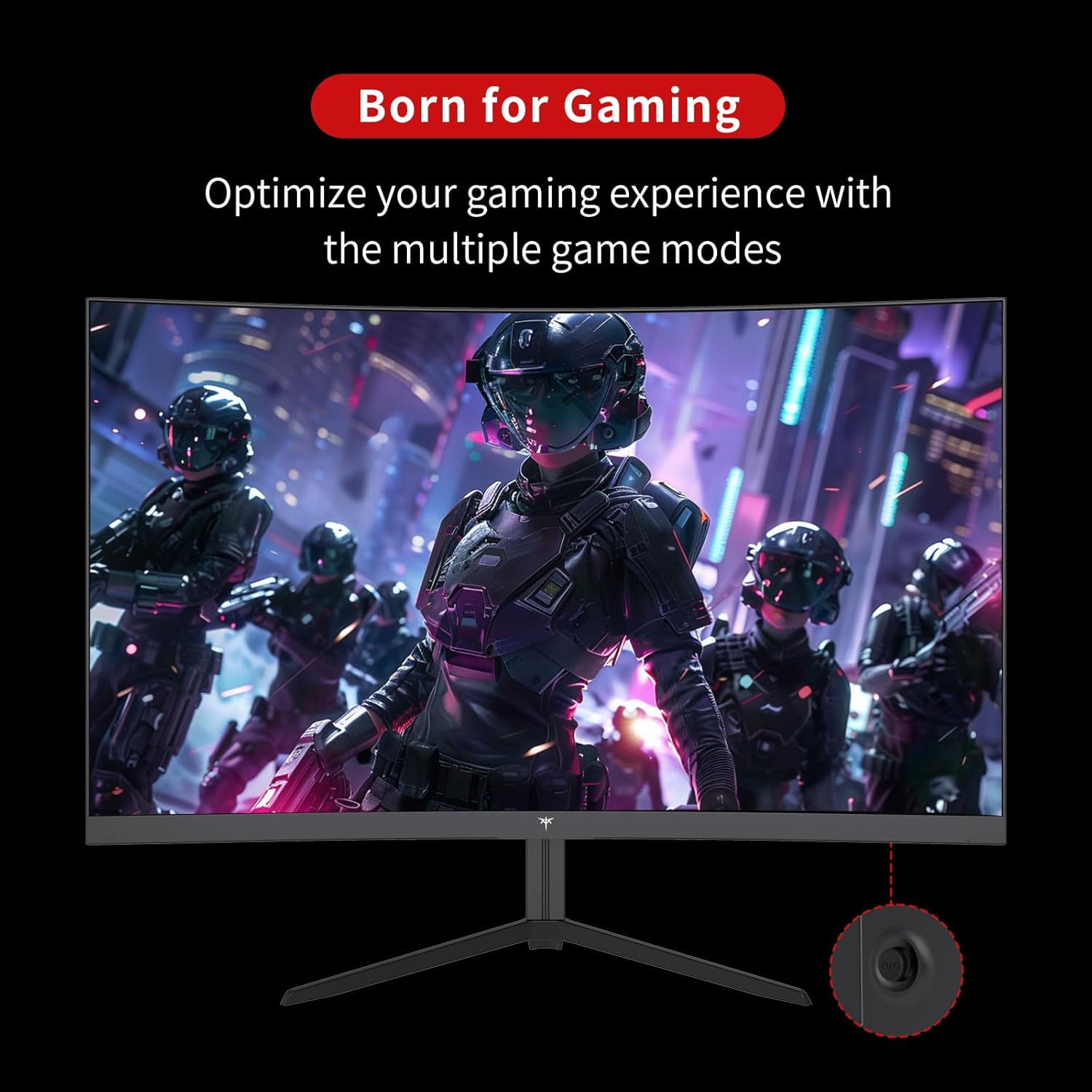
Figure 3: OSD Rocker Switch for Menu Navigation
5.2 Settings tal-wiri
Within the OSD menu, you can adjust:
- Luminożità/Kuntrast: Aġġusta l-livelli ġenerali ta' luminanza u kuntrast.
- Settings tal-Kulur: Irfina t-temperatura tal-kulur, il-lewn, u s-saturazzjoni.
- Proporzjon tal-aspett: Agħżel bejn diversi modi ta' proporzjon tal-aspett (eż., Sħiħ, 1:1).
5.3 Karatteristiċi tal-Logħob
Enhance your gaming experience with these dedicated features:
- Adaptive Sync (FreeSync): Enable this feature in the OSD menu and on your graphics card settings to synchronize the monitor's refresh rate with your GPU's frame rate, eliminating screen tearing.

Figure 4: FreeSync ON vs. FreeSync OFF Visual Comparison
- Game Assists: Access features like customizable crosshairs, a black stabilizer to enhance visibility in dark game areas, and an on-screen game timer.

Figure 5: In-Game Assist Features
5.4 Karatteristiċi tal-Kura tal-Għajnejn
To reduce eye strain during prolonged use:
- Teknoloġija Ħieles Flikkjaturi: This monitor is designed to eliminate screen flickering, which can cause eye fatigue.
- Filtru tad-Dawl Blu: Activate the low blue light mode in the OSD menu to reduce harmful blue light emissions.

Figure 6: Eye Comfort Features in Action
5.5 Vidjo Uffiċjali tal-Prodott
Watch this official product video for a visual guide to the monitor's features and capabilities:
Video 1: Official KTC product video showcasing the 24-inch curved gaming monitor's features, including its 165Hz refresh rate, 1ms response time, and 1500R curvature, with dynamic visuals.
6. Manutenzjoni
Manutenzjoni xierqa tiżgura l-lonġevità u l-prestazzjoni ottimali tal-monitor tiegħek:
- Tindif tal-Iskrin: Uża ċarruta ratba u mingħajr ħelu dampened with water or a specialized screen cleaner. Avoid using alcohol-based cleaners or abrasive materials.
- Kura Ġenerali: Keep the monitor in a clean, dry environment. Avoid exposing it to direct sunlight, extreme temperatures, or high humidity. Do not block ventilation openings.
- Qawwa Mitfi meta ma tkunx qed tintuża: Itfi l-monitor meta ma jkunx qed jintuża għal perjodi twal biex tiffranka l-enerġija u ttawwal il-ħajja tiegħu.
7 Issolvi l-problemi
Jekk tiltaqa' ma' problemi bil-monitor tiegħek, irreferi għall-passi komuni li ġejjin għas-soluzzjoni tal-problemi:
| Problema | Kawża Possibbli | Soluzzjoni |
|---|---|---|
| L-ebda immaġni fuq l-iskrin | Kejbil tal-enerġija skonnettjat; Kejbil tal-vidjo skonnettjat; Sors ta' input mhux korrett magħżul. | Kun żgur li l-kejbils tal-enerġija u tal-vidjo huma konnessi sew. Agħżel is-sors tad-dħul korrett permezz tal-menù OSD. |
| Image flickering | Video cable issue; Graphics card driver outdated; Refresh rate mismatch. | Check video cable connection. Update graphics card drivers. Ensure refresh rate is set correctly in your system settings. |
| Il-kuluri jidhru mhux korretti | Color settings misconfigured; Faulty video cable. | Aġġusta s-settings tal-kulur fil-menù tal-OSD. Ipprova kejbil tal-vidjo differenti. |
| Il-monitor ma jixgħelx | Kejbil tal-enerġija skonnettjat; Is-sokket tal-enerġija mhux qed jaħdem. | Verify power cable connection to both monitor and outlet. Test the outlet with another device. |
8. Speċifikazzjonijiet
Detailed technical specifications for the KTC 24 Inch 1500R Curved Gaming Monitor:
| Speċifikazzjoni | Valur |
|---|---|
| Numru tal-Mudell | 99 Null 5 |
| Daqs tal-Iskrin | 24 Pulzier |
| Kurvatura | 1500R |
| Riżoluzzjoni | FHD 1080p (1920 x 1080 Pixel) |
| Riffriskar Rata | 165Hz (up to 180Hz as per product title) |
| Ħin ta' Rispons | 1ms |
| Tip ta' Panel | VA |
| Proporzjon ta' l-aspett | 16:9 |
| Luminożità tal-Immaġni | 250 Candela (cd/m2) |
| Gamut tal-Kulur | 90% DCI-P3, 110% sRGB |
| Proporzjon ta' Kuntrast Dinamika | 3000:1 |
| Appoġġ HDR | Iva |
| Konnettività | 2x HDMI 2.0, 1x DisplayPort 1.4, Ħruġ tal-Awdjo |
| Kompatibilità VESA | 100x100mm |
| Aġġustament tal-Mejjel | -5 degrees to -20 degrees |
| Dimensjonijiet tal-Prodott | 24 x 18 x 5 pulzieri |
| Piż tal-oġġett | 6.17 liri |
| Voltage | 12 Volts (DC) |
| Deskrizzjoni tal-wiċċ tal-iskrin | Matte |
9. Garanzija u Appoġġ
Your KTC 24 Inch 1500R Curved Gaming Monitor comes with a warranty. Please refer to the included Warranty Card in your package for detailed information regarding warranty terms, conditions, and duration.
For technical support, service inquiries, or any questions not covered in this manual, please contact KTC customer support through the official channels provided on your warranty card or the KTC websit.


