1. Introduzzjoni u Fuqview
The miisso 6000mAh Ultra Slim Power Bank is a compact and portable external battery designed to provide on-the-go charging for your mobile devices. Its ultra-slim, card-sized design, combined with built-in charging cables, makes it an ideal companion for daily use and travel. This manual provides detailed instructions for safe and efficient operation of your power bank.

Figure 1.1: miisso 6000mAh Ultra Slim Power Bank.
2. Karatteristiċi tal-prodott
- Kejbils Integrati: Features built-in Type-C and other compatible cables, eliminating the need to carry separate charging cords.
- Disinn kompatt u ħafif: With dimensions of 4.13 x 2.6 x 0.51 inches and weighing only 4.3 ounces, it is designed to be card-sized and easily fit into pockets or handbags.
- Kapaċità Għolja ta' 6000mAh: Provides sufficient power for multiple charges, capable of fully charging an iPhone 16 or nearly a full charge for an iPhone 15.
- Iċċarġjar simultanju ta' Multi-Apparat: Equipped with two built-in cables and one USB output port, allowing you to charge up to three devices concurrently.
- Iċċarġjar Mgħaġġel: The power bank itself can be fully recharged in approximately 2.5-3 hours using a 2A charger.
- Kostruzzjoni Durabbli: Made of eco-conscious ABS material, designed for long-term use and tested for high-altitude and multi-angle drops.
- Linja tal-Ajru Approvata: Suitable for travel and can be carried on flights.

Figure 2.1: Compact, card-sized design for easy portability.

Figure 2.2: Charging up to three devices at once.
3. Kontenut tal-Pakkett
Jekk jogħġbok ivverifika li l-oġġetti kollha huma preżenti fil-pakkett tiegħek:
- miisso 6000mAh Power Bank (Plum Red) x 1
- Cable tal-Iċċarġjar tal-USB x 1
- Gwida għall-Utent x 1
4. Setup
4.1 L-Iċċarġjar Inizjali tal-Power Bank
Before first use, it is recommended to fully charge your miisso Power Bank.
- Connect the provided USB charging cable to the power bank's input port.
- Connect the other end of the USB cable to a compatible USB wall adapter (not included) or a computer's USB port.
- The LED indicator on the power bank will illuminate to show charging status. Allow approximately 2.5-3 hours for a full charge.
- Once fully charged, the LED indicator will show a steady light, indicating it's ready for use.
4.2 Iċċekkjar tal-Livell tal-Batterija
Press the power button once to check the remaining battery level indicated by the LED light. The light will show the approximate charge remaining.
5. Istruzzjonijiet Operattivi
5.1 Iċċarġjar tat-Tagħmir Tiegħek
The miisso Power Bank offers versatile charging options with its built-in cables and an additional USB-A output port.
- Użu ta' Kejbils Integrati:
- Locate the appropriate built-in cable (Type-C or other compatible cable) for your device.
- Gently pull out the desired cable from its storage slot on the power bank.
- Connect the cable directly to your smartphone, tablet, or other compatible device.
- Using the USB Output Port:
- Connect your device's original USB charging cable (not included) to the USB-A output port on the power bank.
- Connect the other end of your device's cable to your device.
- The power bank will automatically begin charging your device(s). The LED indicator will remain lit during charging.
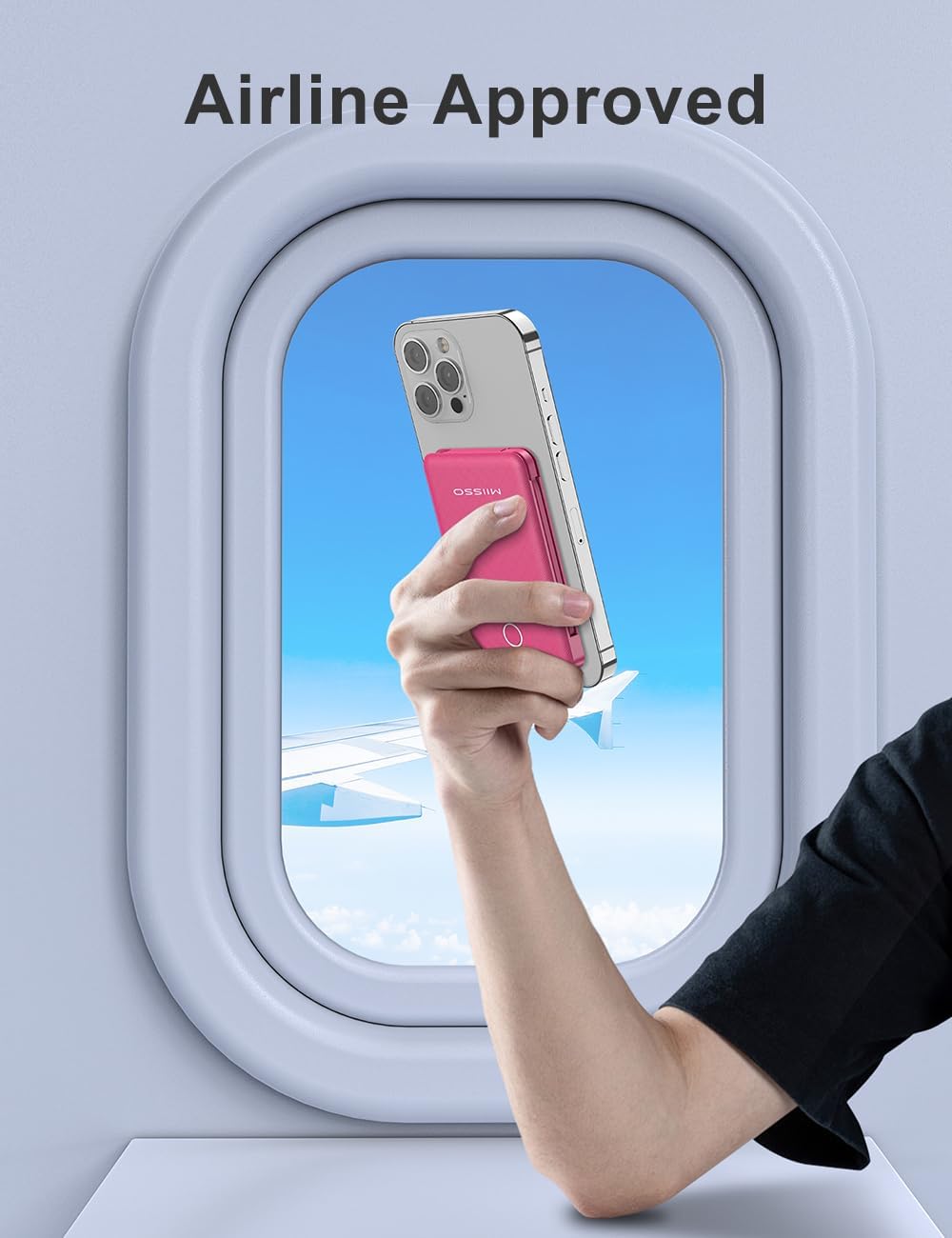
Figure 5.1: Detail of the integrated Type-C cable.
6. Manutenzjoni
- Tindif: Uża drapp artab u niexef biex tnaddaf il-wiċċ tal-power bank. Tużax kimiċi ħarxa jew materjali li joborxu.
- Ħażna: Aħżen il-power bank f'post frisk u niexef 'il bogħod mix-xemx diretta u minn temperaturi estremi.
- Kura tal-batterija: Biex ittawwal il-ħajja tal-batterija, iċċarġja l-power bank kompletament mill-inqas darba kull tliet xhur, anke jekk ma tkunx qed tużah regolarment.
- Immaniġġjar: Avoid dropping or subjecting the power bank to strong impacts. Do not attempt to disassemble or modify the device.
7 Issolvi l-problemi
| Ħruġ | Kawża Possibbli | Soluzzjoni |
|---|---|---|
| Il-power bank mhux qed jiċċarġja. | Charging cable is faulty or not properly connected. Wall adapter is not working. | Check cable connections. Try a different USB cable or wall adapter. Ensure the adapter is 2A for optimal charging. |
| L-apparat mhux qed jiċċarġja mill-power bank. | Power bank battery is depleted. Device cable is faulty or not properly connected. Device is incompatible. | Recharge the power bank. Ensure cables are securely connected. Verify device compatibility with the power bank's output ports. |
| Iċċarġjar bil-mod. | Using a low-power adapter for recharging. Charging multiple devices simultaneously. | Use a 2A wall adapter for faster power bank recharging. Charging multiple devices may reduce individual charging speed. |
| Indikatur LED ma jaħdimx. | Minor internal error. | Try fully discharging and then recharging the power bank. If the issue persists, contact customer support. |
8. Speċifikazzjonijiet
| Karatteristika | Dettall |
|---|---|
| Dimensjonijiet tal-Prodott | 4.13 x 2.6 x 0.51 pulzieri |
| Piż tal-oġġett | 4.3 uqija |
| Numru tal-Mudell tal-Oġġett | 5K95 |
| Tip ta 'batterija | Polimer tal-litju (inkluż) |
| Kapaċità tal-batterija | 6000 Milliamp Sigħat |
| Karatteristiċi Speċjali | Kejbils Inkorporati |
| Kulur | 6000mah Plum Red |
| Manifattur | Shenzhen Weilaishenniao Technology Co., Ltd. |
| Tip ta' Konnettur | USB Type C (built-in), other built-in cables, USB-A output |
9. Garanzija u Appoġġ
For warranty information and customer support, please refer to the contact details provided on the product packaging or visit the official miisso websit. Żomm l-irċevuta tax-xiri tiegħek bħala prova tax-xiri għal kwalunkwe talba ta' garanzija.