Introduzzjoni
This manual provides detailed instructions for the installation, operation, and maintenance of your Herdio 4-Channel Bluetooth 5.0 Amplifier Receiver. Please read this manual thoroughly before using the product to ensure proper function and longevity.
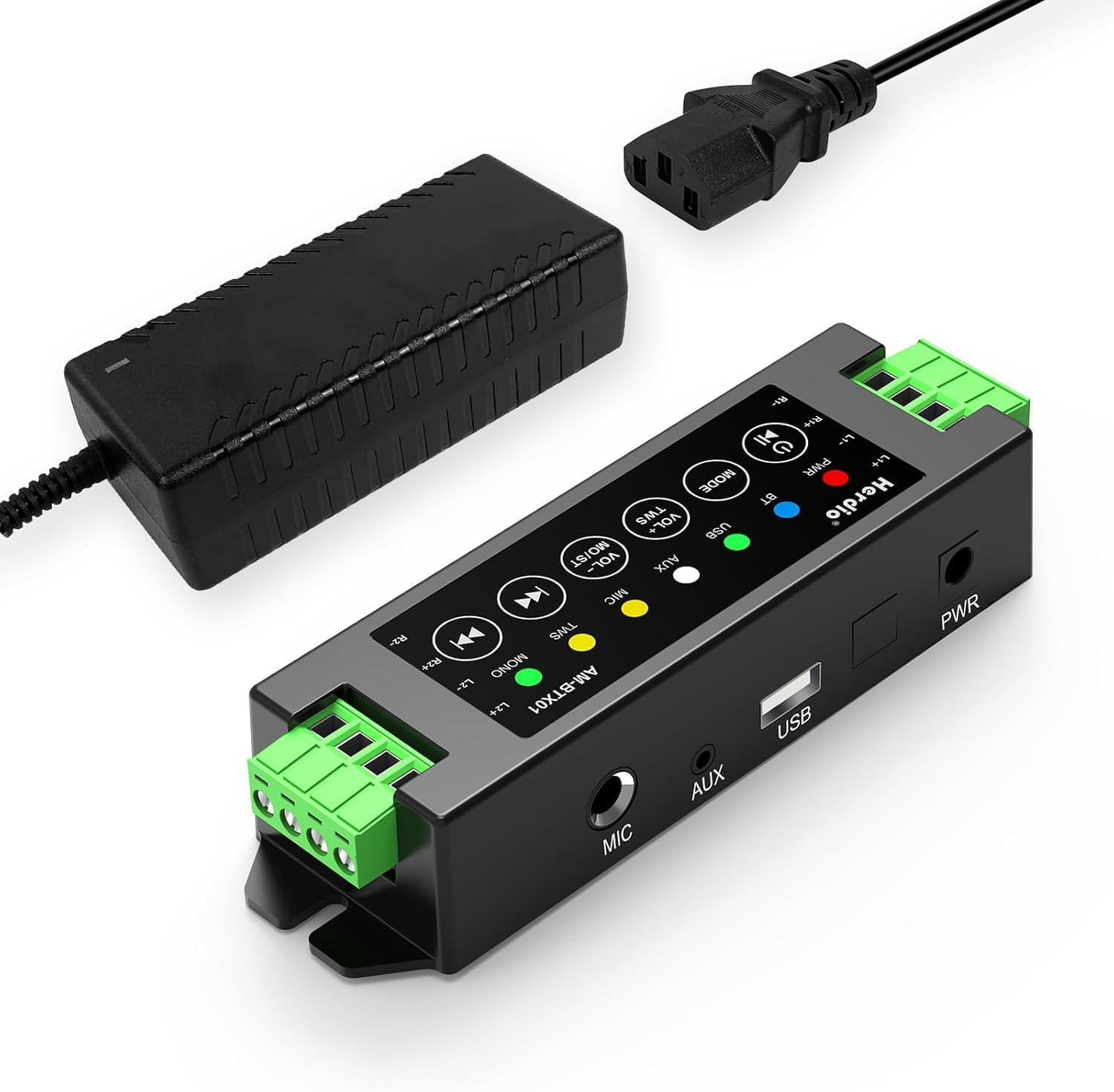
Image: The Herdio 4-Channel Bluetooth Amplifier Receiver, shown with its power supply unit. This compact amplifier is designed for various audio setups.
Kontenut tal-Pakkett
Iċċekkja li l-oġġetti kollha elenkati hawn taħt huma inklużi fil-pakkett tiegħek:
- 1 x Herdio 4-Channel Ampaktar ħaj
- 1 x 24V5A AC-DC Power Supply
- 2 x Screws for Mounting
- 1 x Screwdriver for Mounting
- 1 x Manwal għall-Utent

Image: A visual representation of the items included in the package: the amplifier, power supply, screwdriver, screws, and user manual.
Speċifikazzjonijiet
| Brand | Herdio |
| Numru tal-Mudell | HE-68-24V5A-DE |
| Tip ta 'Immuntar | Mount Wall |
| Sors tal-Enerġija | Corded Electric (24V5A AC-DC Power Supply) |
| Tip ta' Konnettur | USB |
| Materjal | Acrylonitrile Butadiene Styrene (ABS) |
| Numru ta 'Kanali | 4 |
| Input Awdjo | USB, MIC, AUX, TWS (True Wireless Stereo) |
| Dimensjonijiet tal-Prodott (L x W x H) | 1.18 x 6.3 x 1.96 pulzieri |
| Piż tal-oġġett | 1.17 liri |
| Teknoloġija tal-Konnettività | Bluetooth 5.0 |
| Kulur | Iswed |
| Apparati Kompatibbli | Computers, Home Theatre, CD Players, PC, Laptops, Phone |
| Output ta 'Qawwa | 200W (40W per channel) |
| Reżistenza għat-Tagħbija Minima | 4 Ohm |

Image: Diagram illustrating the amplifier's specifications, including Bluetooth version 5.0, dynamic mic input, stereo Class-D amp type, and 4 Ohm minimum load resistance, alongside a basic connection setup.
Setup u Installazzjoni
1. Konnessjoni tal-Ispeaker
Il- amplifier supports up to four passive speakers. Ensure proper polarity when connecting speaker wires.
- Identifika t-terminals pożittivi (+) u negattivi (-) fuq l-ispikers tiegħek u fuq ampaktar ħaj.
- Using the provided screwdriver, loosen the terminal screws on the ampaktar ħaj.
- Insert the positive wire from a speaker into the corresponding positive terminal (L1+, R1+, L2+, R2+) on the ampaktar ħaj.
- Insert the negative wire from the same speaker into the corresponding negative terminal (L1-, R1-, L2-, R2-) on the ampaktar ħaj.
- Issikka l-viti tat-terminal biex tassigura l-wajers.
- Repeat for all four speakers.

Image: A clear diagram illustrating the connection of four passive speakers to the amplifier, highlighting positive and negative terminals for correct wiring.

Immaġni: Close-up view demonstrating the use of the provided screwdriver to connect speaker wires into the amplifier's green terminal blocks.
2. Konnessjoni tal-Enerġija
Connect the provided 24V5A AC-DC power supply to the amplifier's power input port, then plug the power supply into a standard electrical outlet.

Image: A hand connecting the power adapter's barrel jack into the power input port of the Herdio ampaktar ħaj.
3. Input Source Connection (Optional)
Il- amplifier supports multiple input methods:
- Input AUX: Connect devices like CD players or PCs using a 3.5mm audio cable to the AUX port.
- Input USB: Connect a USB drive for audio playback.
- Input MIC: Connect a microphone to the MIC port for voice input.

Immaġni: L- amplifier displaying its various input options: AUX, USB, and MIC, with corresponding cables connected to illustrate usage.
4. Immuntar (Mhux obbligatorju)
Il- amplifier can be wall-mounted using the provided screws. Ensure the mounting location is suitable and consider cable lengths.

Immaġni: Żewġ eksamples tal- amplifier mounted on a wall, one showing a close-up of the unit and another showing it integrated into a living room setting.
Important: Estimate the distance to speakers and power outlet before installation. This amplifier is not waterproof; avoid installation in uncovered or wet areas.
Istruzzjonijiet Operattivi

Image: A detailed diagram of the amplifier's control panel, labeling each button and its corresponding function for easy operation.
1. Power On/Off
- Power On/Off: Agħfas fit-tul il- Qawwa / Logħob / Pause buttuna.
- Play/Pawsa: Agħfas qasir il- Qawwa / Logħob / Pause buttuna waqt daqq.
2. Għażla tal-Mod
- Modalità Swiċċ: Agħfas qasir il- MODALITÀ button to cycle through Bluetooth (BT), USB, AUX, and MIC input modes.
- Irrisettja: Agħfas fit-tul il- MODALITÀ button to reset the ampaktar ħaj.
3. Kontroll tal-Volum
- Żid il-Volum: Agħfas qasir il- VOL+ / MO/ST buttuna.
- Naqqas il-Volum: Agħfas qasir il- VOL- / TWS buttuna.
- Volume can also be adjusted from the connected source device (e.g., phone, PC).
4. Tqabbil tal-Bluetooth
When in Bluetooth mode, the amplifier awtomatikament jidħol fil-mod ta 'tqabbil. Fittex għal "Herdio" or similar on your device's Bluetooth settings and connect.
- Irrisettja l-Bluetooth: To forget automatic Bluetooth connections, long press the Qawwa / Logħob / Pause button. You will need to manually reconnect your device afterward.
5. Funzjoni TWS (Stereo Veru Mingħajr Fili)
The TWS function allows two Herdio amplifiers of the same model to connect wirelessly, enabling up to eight passive speakers to play music simultaneously for a wider soundstage.
- Activate TWS: Agħfas u żomm il- VOL- / TWS button on both amplifiers to initiate TWS pairing.
- Deactivate TWS: Agħfas il- VOL- / TWS button again to disconnect the TWS link.

Image: An illustration demonstrating the TWS feature, where two amplifiers are wirelessly linked to provide synchronized audio across multiple rooms or a larger area.
6. Navigazzjoni tat-Traċċa
- Kanzunetta ta' qabel: Agħfas qasir il- Track Preċedenti button. Long press to fast backward.
- Kanzunetta li jmiss: Agħfas qasir il- Track li jmiss button. Long press to fast forward.
7. Stereo/Mono Switch
- Switch Stereo/Mono: Agħfas fit-tul il- VOL+ / MO/ST button to toggle between stereo and mono output.
Manutenzjoni
- Żomm il- amplifier in a dry, well-ventilated area.
- Evita li tesponi l-unità għax-xemx diretta, temperaturi estremi, jew umdità għolja.
- Naddaf il-barra b'ċarruta ratba u niexfa. Tużax prodotti tat-tindif likwidi jew solventi.
- Kun żgur li l-konnessjonijiet kollha huma siguri u ħielsa mit-trab jew mill-fdalijiet.
Issolvi l-problemi
| Problema | Kawża Possibbli | Soluzzjoni |
|---|---|---|
| Ebda qawwa | Il-provvista tal-enerġija mhux konnessa jew difettuża. | Kun żgur li l-provvista tal-enerġija hija konnessa sew maż-żewġ amplifier and a working power outlet. Check if the power adapter is functional. |
| Ebda output tal-ħoss | Incorrect input mode, speaker wires loose, volume too low, or source device issue. |
|
| Il-Bluetooth mhux qed jgħaqqad | Amplifier not in Bluetooth mode, device too far, or previous pairing conflict. |
|
| Distorsjoni tal-ħoss jew statiku | Poor signal quality, speaker impedance mismatch, or interference. |
|
| TWS function not working | Incorrect TWS pairing procedure or amplifiers are not the same model. |
|
Garanzija u Appoġġ
Herdio provides a one-year after-sales warranty for this product. We also offer lifelong product pre-sales and after-sales consulting services.
If you have any questions or encounter issues with your product, please contact us. We aim to reply within 24 hours. For product malfunctions within the one-year warranty period, free after-sales service will be provided.
For support, please visit the Herdio Store on Amazon or contact the seller directly through your Amazon order history.


