1. Introduzzjoni
This manual provides essential information for the proper setup, operation, and maintenance of your Yindiao ATTACK SHARK C01 PRO Coiled Keyboard Cable. This cable is designed for mechanical gaming keyboards, offering reliable connectivity, high-speed data transfer, and efficient charging.
2. Karatteristiċi tal-prodott
- Durable Dual-Sheathed Structure: The cable features a robust dual-layer woven mesh and PET netting for enhanced durability and a premium aesthetic. It consists of a 0.84-inch inner diameter coiled section and a 39.4-inch straight section, totaling approximately 65 inches in length.
- Advanced Reverse Coil Technology: Engineered for elasticity and resistance to bending or breakage, this technology ensures the coiled section maintains its shape and prevents damage from overstretching.
- High-Speed Charging and Data Synchronization: Equipped with a detachable metal aviator connector, the cable supports rapid charging and seamless data transfer. Its internal construction includes pure copper plating with chrome and 24K gold-plated pins and cores for superior conductivity.
- Kompatibilità Universali: This USB-C to USB-A cable is compatible with most USB-C gaming keyboards, including models like RK61 and M75, as well as PS4 consoles, facilitating quick and reliable connections.
- Detachable Metal Aviator Connector: The high-quality metal aviator connector offers exceptional resistance to oxidation and electromagnetic interference, ensuring a stable connection. Its detachable design allows for easy installation and customization.
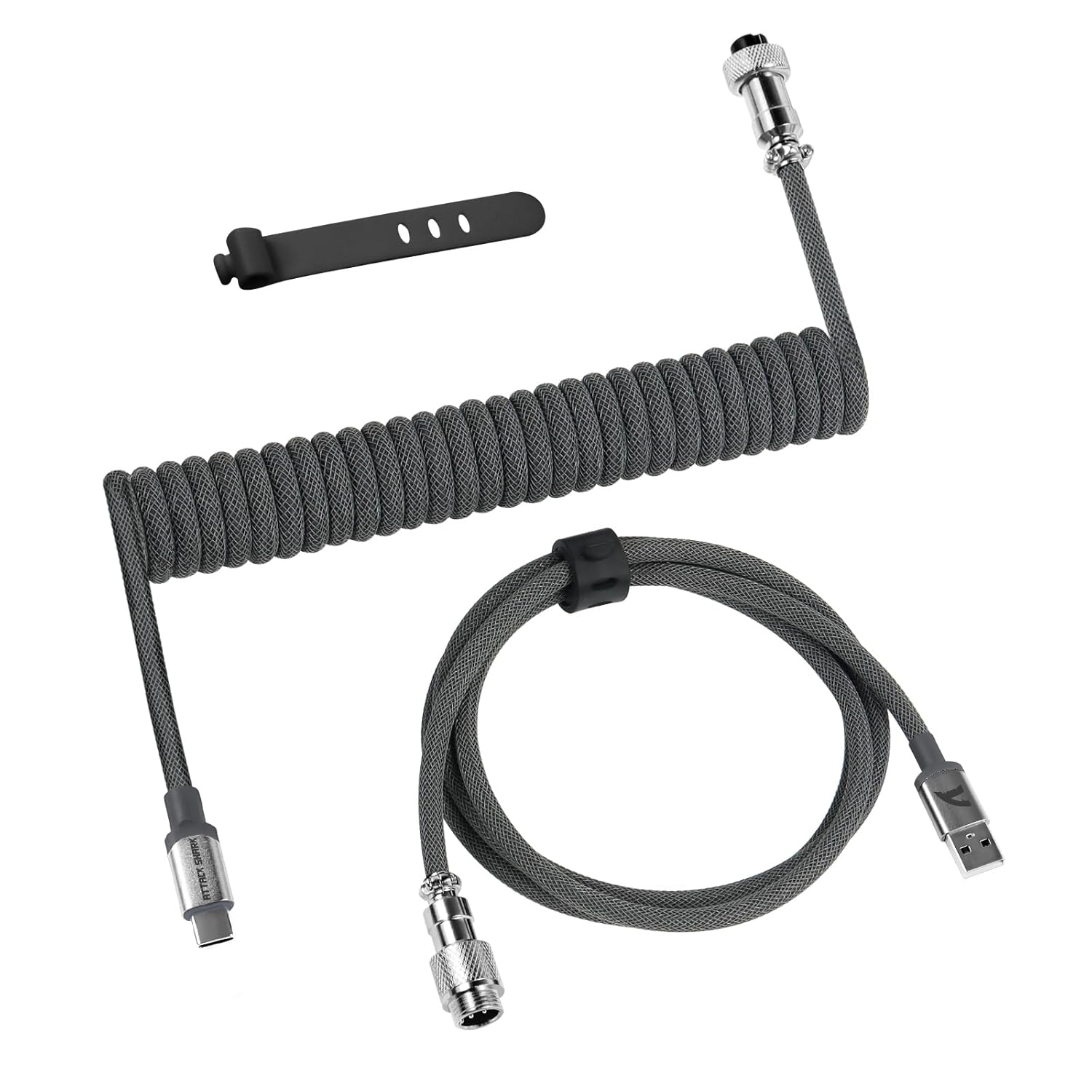
Figura 2.1: Aktarview of the Yindiao ATTACK SHARK C01 PRO Coiled Keyboard Cable, showing the coiled section, straight section, USB-C connector, USB-A connector, and the metal aviator connector.

Figura 2.2: Dettaljat view of the detachable metal aviator connector, illustrating its robust interface for reduced signal loss and easy operation.
3. Istruzzjonijiet ta' Setup
- Connect USB-A End: Insert the USB-A connector of the cable into an available USB-A port on your computer, gaming console, or other compatible device.
- Assemble Aviator Connector: If the metal aviator connector is detached, align the male and female parts and securely twist them together until fully engaged.
- Qabbad it-Tarf tal-USB-C: Insert the USB-C connector into the USB-C port on your mechanical keyboard. Ensure a firm connection.

Figure 3.1: The USB-C end of the cable connected to a mechanical keyboard, demonstrating a typical setup.
4. Istruzzjonijiet Operattivi
Once connected, the Yindiao ATTACK SHARK C01 PRO cable facilitates both power delivery and data communication between your keyboard and the connected device.
- Trasferiment tad-Data: The cable supports high-speed data synchronization, allowing your keyboard inputs to be transmitted to your computer or console without delay.
- Iċċarġjar: For keyboards that draw power via USB-C, the cable will provide the necessary power for operation and charging (if applicable).
5. Manutenzjoni
To ensure the longevity and optimal performance of your coiled keyboard cable, follow these maintenance guidelines:
- Evita Tiġbid Żejjed: While the cable features reverse coil technology for elasticity, excessive or frequent overstretching can still compromise its coiled shape and internal wiring.
- Immaniġġjar Ġentili: When connecting or disconnecting, always grip the connector housing, not the cable itself, to prevent strain on the connections.
- Żomm Nadif: Periodically wipe the cable with a soft, dry cloth to remove dust and debris. Avoid using harsh chemicals or abrasive materials.
- Ħażna xierqa: When not in use, store the cable in a manner that preserves its coiled shape. Avoid tight bends or knots.
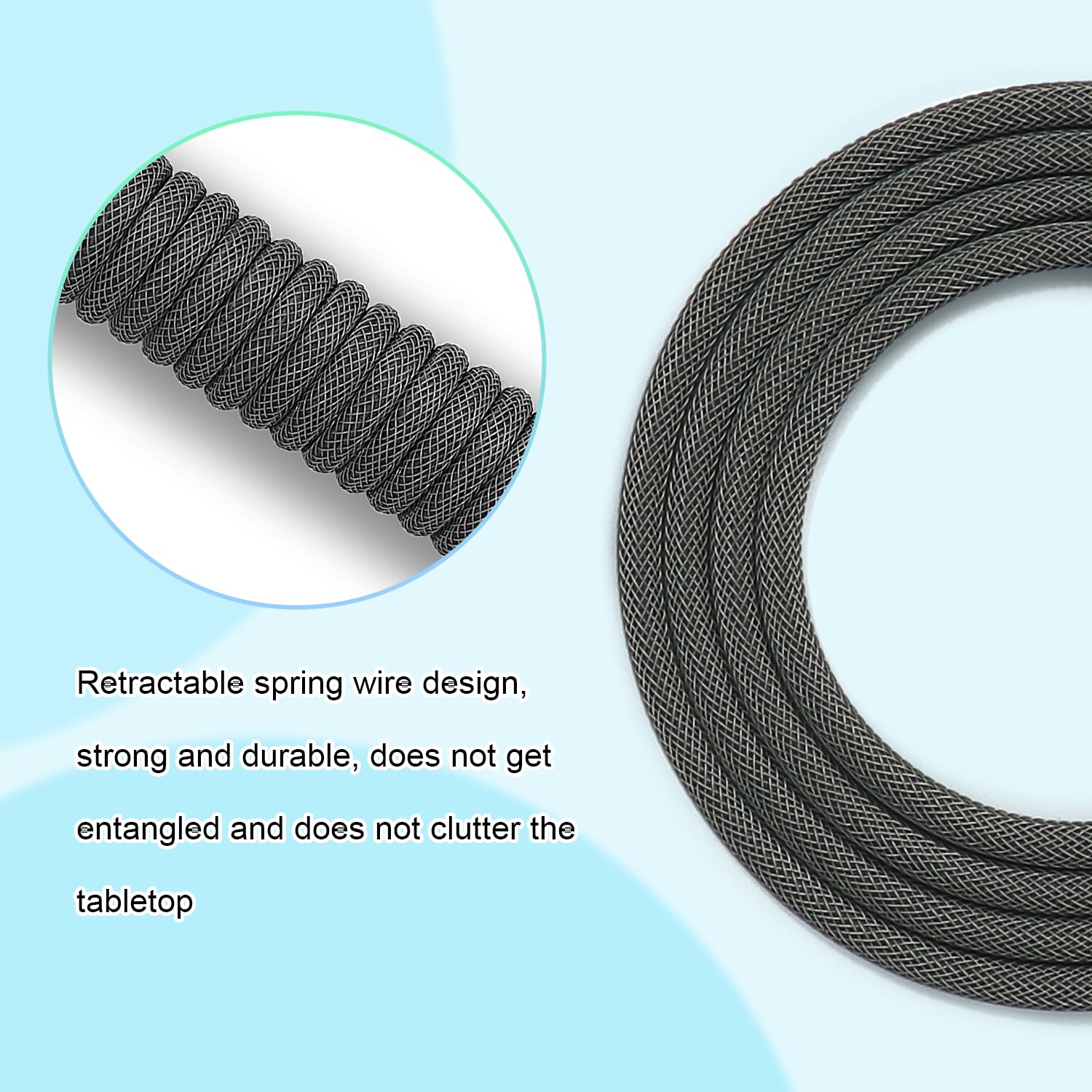
Figure 5.1: The coiled section of the cable, designed for durability and aesthetic appeal. Proper handling helps maintain its form.
6 Issolvi l-problemi
If you encounter issues with your Yindiao ATTACK SHARK C01 PRO cable, consider the following troubleshooting steps:
- No Connection/Keyboard Not Detected:
- Ensure both the USB-A and USB-C connectors are fully inserted into their respective ports.
- Verify that the metal aviator connector is securely fastened.
- Try connecting the cable to a different USB port on your computer or device.
- Test the cable with another compatible keyboard or device to rule out a keyboard-specific issue.
- Slow Charging/Data Transfer:
- Ensure you are using a USB 3.0 or higher port on your computer for optimal performance.
- Iċċekkja għal xi ħsara fiżika lill-kejbil jew lill-konnetturi.
- Coil Losing Shape:
- Avoid pulling or stretching the coiled section excessively.
- Ensure the cable is not under constant tension when in use.
7. Speċifikazzjonijiet
| Karatteristika | Dettall |
|---|---|
| Brand | Yindiao |
| Numru tal-Mudell | 756593621589 (C01 PRO) |
| Tip ta' Konnettur | USB Tip C għal USB Tip A |
| Tip ta' Cable | USB |
| Tul Totali tal-Cable | Approximately 65 inches (0.84 inch inner diameter coiled cable + 39.4 inch straight cable) |
| Apparati Kompatibbli | Mechanical Keyboards (e.g., RK61, M75), Gaming Consoles (e.g., PS4) |
| Karatteristika Speċjali | Portable, Detachable Metal Aviator Connector, Double-Sleeved Braided |
| Kostruzzjoni Interna | Pure copper plating with chrome, 24K gold-plated pins and cores |
| Dimensjonijiet tal-Pakkett | 8.39 x 5.87 x 1.14 pulzieri |
| Piż tal-oġġett | 5.93 uqija |
| Data L-Ewwel Disponibbli | 24 ta’ April, 2024 |
| Manifattur | YINDIAO |

Figure 7.1: Illustration of the high-quality copper wire and internal construction, ensuring stable and fast performance.
8. Garanzija u Appoġġ
For warranty information or technical support regarding your Yindiao ATTACK SHARK C01 PRO Coiled Keyboard Cable, please refer to the product packaging or contact the manufacturer directly through their official support channels. Keep your proof of purchase for any warranty claims.


