1. Introduzzjoni u Fuqview
This manual provides comprehensive instructions for the safe and proper installation, operation, and maintenance of your XTRARM Axis XL TV Wall Mount. Please read this manual thoroughly before installation and keep it for future reference.
The XTRARM Axis XL is a versatile TV wall mount designed for televisions ranging from 24 to 50 inches (60-125 cm) with a maximum load capacity of 25 kg. It supports VESA standards up to 200x200mm. Its multi-articulated design allows for extensive flexibility, including pan, tilt, swivel, and rotation adjustments, providing optimal viewing angles in various room configurations, including corners.
Il-karatteristiċi ewlenin jinkludu:
- Complete flexibility: Rotatable, turnable, tiltable, and swiveling adjustments.
- Extended arm length up to 108.5 cm for maximum viewflessibbiltà.
- Integrated cable management for a tidy installation.
- Suitable for corner mounting.
2. Informazzjoni dwar is-Sigurtà
ATTENZJONI: Failure to follow these instructions may result in property damage or personal injury.
- Always check for incorrect or faulty installation.
- Follow the enclosed installation instructions completely and correctly.
- The fastening materials supplied for wall mounting are intended exclusively for fastening to solid masonry or concrete. For other wall types, such as hollow bricks, plasterboard, or lightweight construction, please contact a specialist retailer for information on suitable fastening elements.
- Do not exceed the maximum load limits specified for the product.
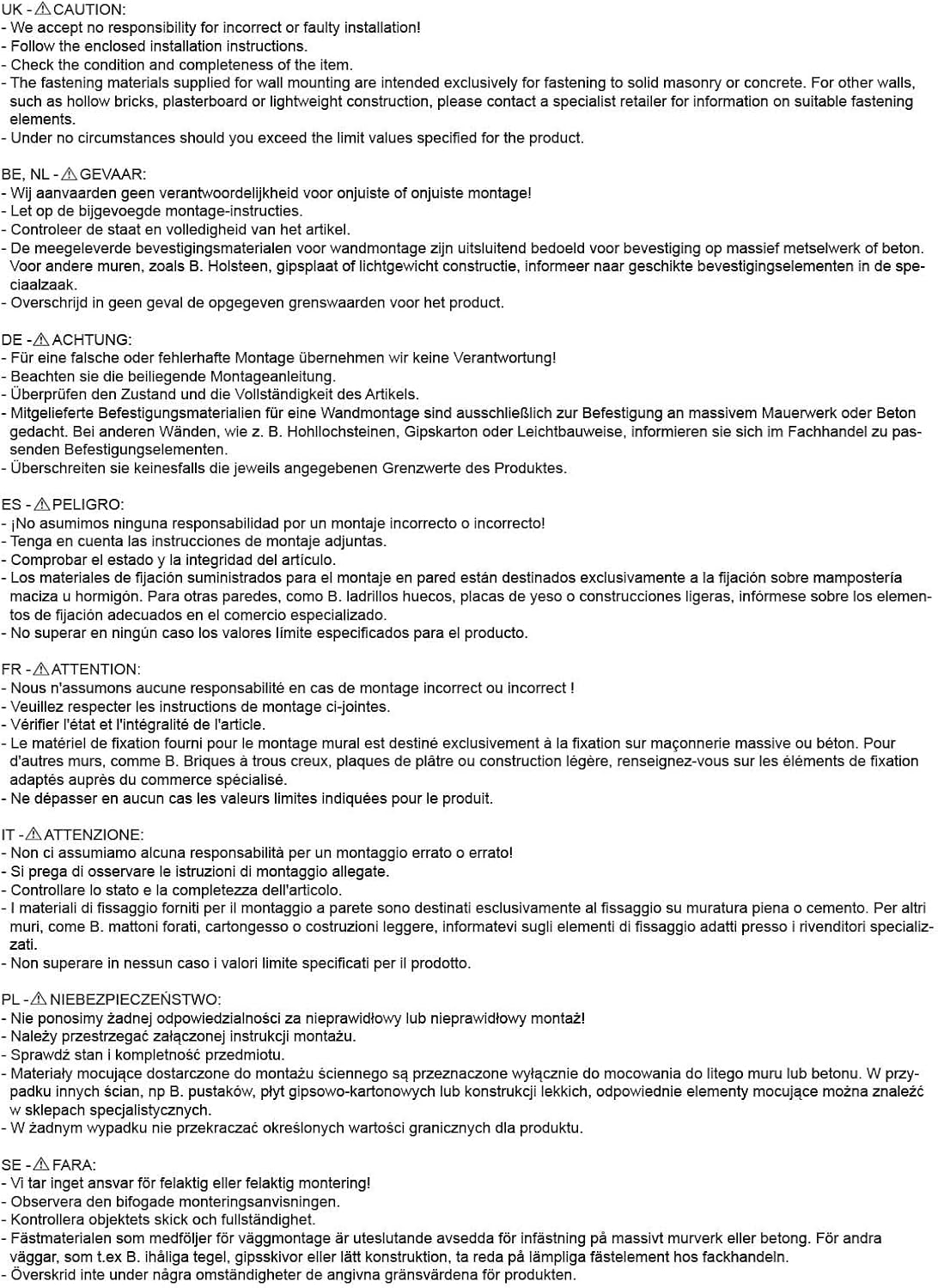
Figura 2.1: Important safety warnings and installation notes provided by the manufacturer. Always adhere to these guidelines for safe installation.
3. Kontenut tal-Pakkett
Before beginning installation, please verify that all components are present and undamaged. The package should contain:
- XTRARM Axis XL TV Wall Mount assembly
- Standard mounting hardware kit (screws, dowels, washers for wall and TV attachment)
- Manwal tal-installazzjoni
If any parts are missing or damaged, please contact your retailer immediately.
4. Speċifikazzjonijiet
The following table details the technical specifications of the XTRARM Axis XL TV Wall Mount:
| Karatteristika | Speċifikazzjoni |
|---|---|
| Isem tal-Mudell | XTRARM Axis XL |
| Numru tal-Mudell | XTR-LA2080 |
| Daqs tat-TV Kompatibbli | 24-50 pulzieri (60-125 ċm) |
| Kapaċità massima tat-Tagħbija | 25 kg |
| Kompatibilità VESA | Max. 200x200mm |
| Distanza mal-Ħajt (Min/Max) | 8.5 ċm / 108.5 ċm |
| Angolu Mejjel | +/- 15 ° |
| Angolu li jdur | 180° |
| Rotazzjoni | 360° |
| Materjal | Arti tal-Ħadid |
| Kulur | Iswed |
| Dimensjonijiet tal-Prodott (L x W x H) | 108.5 x 22.3 x 33.5 ċm |
| Piż tal-oġġett | 5.6 kg |
| Ġestjoni tal-Cable | Iva |
| Ideal for Corner Mounting | Iva |

Figura 4.1: Technical drawing showing detailed dimensions and VESA mounting patterns for the XTRARM Axis XL.
5. Setup u Installazzjoni
Proper installation is crucial for the safety and stability of your TV. It is recommended to have two people for installation.
5.1. Lista ta' Kontroll ta' Qabel l-Installazzjoni
- Ensure your TV's weight and VESA pattern are within the mount's specifications (Max 25kg, Max VESA 200x200mm).
- Identify the type of wall you are mounting to (solid concrete, brick, wood stud, etc.). Use appropriate anchors and screws for your wall type. Consult a professional if unsure.
- Gather necessary tools: drill, level, stud finder (for wood studs), pencil, measuring tape, screwdriver, wrench.
5.2. Attaching the Wall Plate
- Determine the desired height for your TV. Mark the drill holes for the wall plate on the wall using a pencil and a level.
- Drill pilot holes at the marked locations. The size of the drill bit will depend on the type of wall and the anchors used.
- Daħħal ankri tal-ħajt (jekk meħtieġa għat-tip ta' ħajt tiegħek).
- Align the wall plate with the drilled holes and secure it firmly to the wall using the provided screws. Ensure the mount is level and securely fastened.

Figura 5.1: The XTRARM Axis XL TV wall mount in its extended position, illustrating the wall plate and the TV mounting plate.
5.3. Attaching the TV Brackets to the TV
- Poġġi t-TV tiegħek b'wiċċu 'l isfel bir-reqqa fuq wiċċ artab u nadif biex tevita l-grif.
- Identifika t-toqob tal-immuntar tal-VESA fuq wara tat-TV tiegħek.
- Select the appropriate screws and spacers from the hardware kit that fit your TV's mounting holes.
- Attach the TV mounting plate to the back of your TV, ensuring it is centered and securely tightened. Do not overtighten.

Figura 5.2: A dettaljata view of the TV mounting plate, highlighting the various VESA hole patterns for compatibility with different TV models.
5.4. Mounting the TV onto the Wall Mount
- With assistance, carefully lift the TV and align the TV mounting plate with the arm of the wall mount.
- Hook the TV mounting plate onto the arm.
- Secure the TV to the mount using the locking mechanisms or screws as per the specific design of the mount. Ensure the TV is firmly attached and cannot be accidentally dislodged.

Figura 5.3: The XTRARM Axis XL mount installed, demonstrating its ability to position a TV effectively in a corner or at an angle to the wall.

Figura 5.4: The XTRARM Axis XL mount is compatible with both flat and curved screen televisions, as illustrated by the curved TV outline.
6. Istruzzjonijiet Operattivi
The XTRARM Axis XL mount offers extensive adjustability to achieve your preferred viewangolu tal-ing.
6.1. Adjusting the TV Position
- Estensjoni/Ritrazzjoni: Gently pull or push the TV to extend or retract the arm, adjusting the distance from the wall (from 8.5 cm to 108.5 cm).
- Dawwar: Rotate the TV horizontally along the wall to achieve a swivel angle of up to 180 degrees.
- Mejjel: Adjust the vertical tilt of the screen up or down by +/- 15 degrees to reduce glare or optimize viewminn għoli differenti.
- Rotazzjoni: The TV can be rotated 360 degrees, allowing for portrait or landscape orientation.

Figura 6.1: Visual representation of the XTRARM Axis XL's full range of motion, including tilt, swivel, and 360-degree rotation.

Figura 6.2: The XTRARM Axis XL mount fully extended, demonstrating its impressive reach of 108.5 cm from the wall.
6.2. Ġestjoni tal-Kejbil
The mount features integrated cable management to keep your cables tidy and out of sight. Route your TV and power cables along the arms of the mount and secure them using cable ties or clips (not always included, but standard accessories).
7. Manutenzjoni
Regular maintenance will ensure the longevity and safe operation of your TV wall mount.
- Tindif: Imsaħ il-muntatura b'ċarruta ratba u niexfa. Tużax prodotti tat-tindif jew solventi li joborxu, għax jistgħu jagħmlu ħsara lill-finitura.
- Spezzjoni: Iċċekkja l-viti u l-boltijiet kollha perjodikament biex tiżgura li huma ssikkati. Maż-żmien, il-vibrazzjonijiet jew l-aġġustamenti jistgħu jikkawżaw li l-qafliet jinħallu.
- Lubrikazzjoni: If the joints become stiff, a small amount of silicone-based lubricant can be applied to the pivot points. Avoid oil-based lubricants that may attract dust.
8 Issolvi l-problemi
If you encounter issues with your XTRARM Axis XL TV Wall Mount, refer to the following common problems and solutions:
| Problema | Kawża Possibbli | Soluzzjoni |
|---|---|---|
| Il-muntatura tħossha instabbli jew titriegħed. | Loose wall plate screws or incorrect wall anchors. TV weight exceeds capacity. | Ensure all wall plate screws are securely tightened. Verify wall anchors are appropriate for your wall type. Confirm TV weight is within 25 kg limit. |
| Difficulty adjusting tilt, swivel, or extension. | Joints are stiff or overtightened. | Apply a small amount of silicone lubricant to the pivot points. Check if any adjustment bolts are overtightened and loosen slightly if necessary. |
| It-TV mhux livellat wara l-installazzjoni. | Wall plate installed unevenly or TV not properly aligned on the mount. | Re-check the wall plate's levelness. Most mounts have a small degree of post-installation leveling adjustment; consult the specific installation guide for your model. |
| Missing parts from package. | Żball fl-ippakkjar. | Contact your retailer or XTRARM customer support immediately. |
Jekk il-problema tippersisti wara li tipprova dawn is-soluzzjonijiet, jekk jogħġbok ikkuntattja l-appoġġ għall-klijenti.
9. Garanzija u Appoġġ
The XTRARM Axis XL TV Wall Mount comes with a garanzija ta 'sena on the TV wall mount itself, covering manufacturing defects and material flaws under normal use.
For warranty claims, technical support, or any questions regarding your product, please contact your point of purchase or visit the official XTRARM websit għal informazzjoni ta' kuntatt.
Please have your model number (XTR-LA2080) and proof of purchase ready when contacting support.


