Prodott Overview
The ZEBRONICS PIXAPLAY 58 is a smart projector designed for home entertainment and office use. It features 11500 lumens of brightness, supports 4K content, and projects an image up to 533cm (210 inches) in size. Equipped with a quad-core processor, it offers seamless performance and includes built-in Wi-Fi, Bluetooth, and app support for a comprehensive multimedia experience. The projector also features a long-life LED lamp and multiple connectivity options.
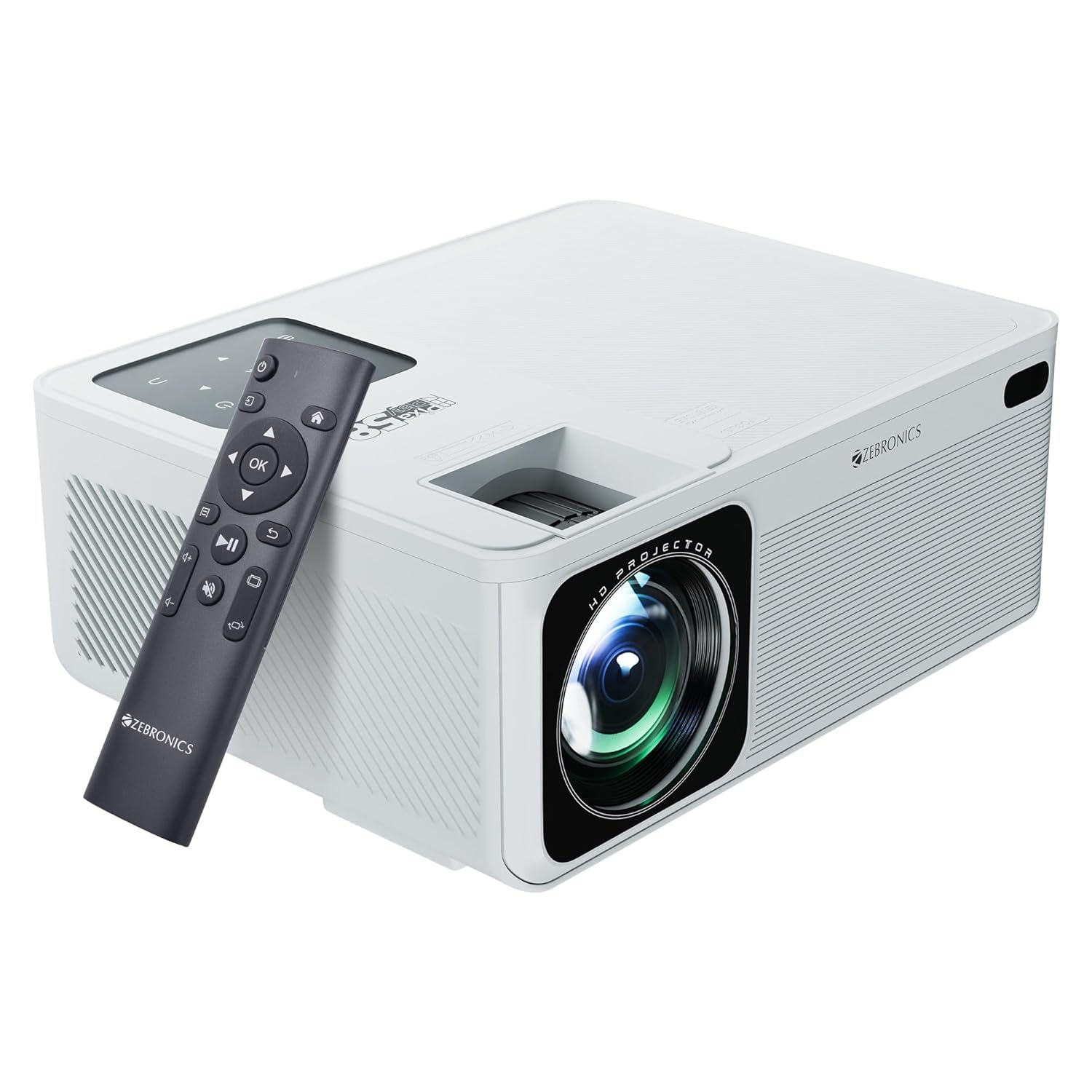
Image: The ZEBRONICS PIXAPLAY 58 Smart Projector shown with its remote control, highlighting its compact design and front lens.
Kontenut tal-Pakkett
Malli tiftaħ il-kaxxa, jekk jogħġbok ivverifika li l-komponenti kollha huma preżenti:
- Projector - 1 unit
- Remote Control - 1 unit
- QR Code - 1 unit (for digital resources)
- Kejbil tal-Enerġija (mhux elenkat espliċitament iżda implikat għall-operazzjoni)
Gwida ta' Setup
1 Tqegħid
Position the projector on a stable, flat surface or mount it according to your preference. Ensure there is adequate ventilation around the device to prevent overheating. The projector is designed for tabletop mounting.

Image: The projector positioned on a surface, demonstrating its projection capability in a home environment.
2. Konnessjoni tal-Enerġija
- Qabbad il-kejbil tal-enerġija mal-port tad-dħul tal-enerġija tal-proġettazzjoni.
- Ipplaggja t-tarf l-ieħor tal-kejbil tal-enerġija f'sokit elettriku adattat.
3. L-Ewwel Tixgħil
Press the power button on the projector or the remote control to turn on the device. The projector will boot up and display the main interface.
4. Aġġustament tal-Fokus u l-Keystone
Adjust the focus ring near the lens to achieve a clear image. Use the keystone correction feature to square the image if the projector is not perfectly perpendicular to the screen. This can typically be done via a physical adjustment on the projector or through the on-screen menu.
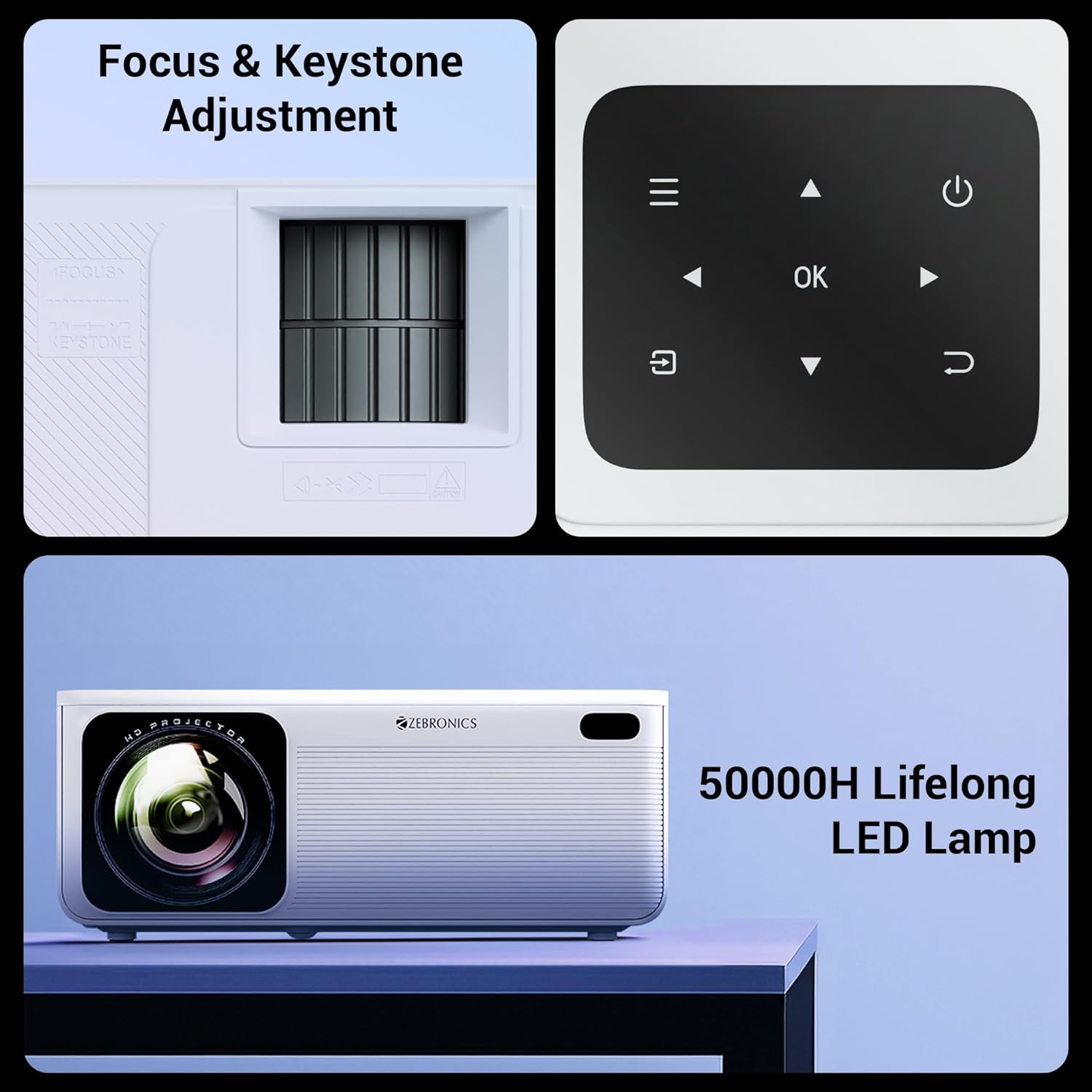
Immaġni: Dettaljata view of the projector's manual focus and keystone adjustment mechanisms, along with the integrated control panel buttons.
Istruzzjonijiet Operattivi
1. Għażliet ta' Konnettività
The ZEB-PixaPlay 58 offers versatile connectivity:
- HDMI: Connect up to three HDMI devices (laptops, gaming consoles, Blu-ray players) using the HDMI 1, HDMI 2, and HDMI 3 ports.
- USB: Two USB ports (USB 1, USB 2) are available for connecting USB drives for media playback.
- Bluetooth v5.0: Pair with external audio devices like speakers or headphones wirelessly.
- Wi-Fi: Connect to your home network for online streaming and app access. Supports both 2.4GHz and 5GHz bands.
- AV IN: For connecting older devices with AV output.
- AUX OUT: For connecting to external audio systems via a 3.5mm audio jack.

Image: The rear panel of the projector displaying its various connectivity ports, including HDMI, USB, AV IN, and AUX OUT.
2. Smart Features and App Support
The projector runs on an Android-based system with a quad-core processor, allowing for direct installation and use of various applications. You can download OTT apps or utilize built-in ones for streaming content.

Image: A projected screen showing the user interface with various application icons, indicating built-in app support and smart functionality.
3. Screen Mirroring
Effortlessly mirror content from your Android and iOS devices:
- Miracast: For Android devices. Ensure both the projector and your Android device are connected to the same Wi-Fi network. Select Miracast on the projector and initiate screen mirroring from your device.
- iOS Screen Mirroring: For Apple devices. Ensure both the projector and your iOS device are connected to the same Wi-Fi network. Select the iOS screen mirroring option on the projector and use AirPlay/Screen Mirroring from your iOS device's Control Center.
Manutenzjoni
1. LED Lamp Ħajja
The ZEB-PixaPlay 58 features a long-life LED lamp b'ħajja stmata ta' 50,000 siegħa. Dan inaqqas b'mod sinifikanti l-ħtieġa għal lamp sostituzzjoni.
2. Tindif
- Lenti: Uża drapp artab u mingħajr suf iddisinjat speċifikament għal lentijiet ottiċi. Tużax prodotti tat-tindif li joborxu jew forza eċċessiva.
- Barra: Wipe the projector's exterior with a soft, dry cloth. Avoid using liquid cleaners directly on the surface.
- Portijiet tal-Ventilazzjoni: Periodically check and gently clean the ventilation ports to ensure unobstructed airflow, which is crucial for maintaining optimal operating temperature.
Issolvi l-problemi
This section addresses common issues you might encounter with your ZEB-PixaPlay 58 projector.
| Problema | Kawża Possibbli | Soluzzjoni |
|---|---|---|
| L-ebda immaġni jew immaġni mċajpra | Incorrect focus, input source not selected, cable not connected properly. | Adjust the focus ring. Ensure the correct input source (HDMI, USB) is selected. Check all cable connections. |
| L-ebda ħoss | Volum baxx wisq, apparat awdjo estern mhux imqabbad, setting tal-ħruġ awdjo mhux korrett. | Increase volume. Check Bluetooth connection or AUX OUT connection. Ensure projector's audio output is set correctly. |
| Il-kontroll mill-bogħod ma jirrispondix | Low batteries, obstruction, remote not paired (if Bluetooth). | Replace batteries. Ensure no obstructions between remote and projector. Re-pair the remote if it's a Bluetooth model. |
| Kwistjonijiet ta 'konnessjoni Wi-Fi | Password mhux korretta, barra mill-firxa, problemi bir-router. | Verify Wi-Fi password. Move projector closer to router. Restart router and projector. |
| Il-mirror tal-iskrin ma jaħdimx | Devices not on same network, mirroring feature not activated. | Ensure both devices are connected to the same Wi-Fi network. Activate Miracast/iOS mirroring on the projector. |
| Projector overheating/shuts down | Ventilazzjoni mblukkata, użu fit-tul f'ambjent sħun. | Ensure ventilation ports are clear. Operate in a well-ventilated area. Allow projector to cool down. |
Speċifikazzjonijiet
| Karatteristika | Dettall |
|---|---|
| Brand | ŻEBRONIKA |
| Isem tal-Mudell | ZEB-PixaPlay 58 |
| Dimensjonijiet tal-Prodott | 10.6 x 32.5 x 10.6 ċm |
| Piż tal-oġġett | 2 kg |
| Teknoloġija tal-Wiri | LCD |
| Tip ta 'Wiri | LED |
| Riżoluzzjoni Nattiva | 1920 x 1080 Pixels (Full HD) |
| Riżoluzzjoni Appoġġjata | Sa 4K |
| Luminożità | 11500 Lumens (Mass.) |
| Proporzjon tal-Kuntrast tal-Immaġni | 1500:1 |
| Proporzjon ta' l-aspett | 16:9 |
| Daqs tal-Iskrin Max | Sa 533cm (210 pulzier) |
| LED Lamp Ħajja | 50,000 sigħat |
| Proċessur | Proċessur Quad-Core |
| Konnettività | Bluetooth v5.0, HDMI (x3), USB (x2), AV IN, AUX OUT, Wi-Fi (2.4GHz & 5GHz) |
| Karatteristiċi Speċjali | Built-In Wi-Fi, Portable, Wireless, App Support, Miracast, iOS Screen Mirroring |
| Tip ta 'Immuntar | Immonta fuq il-mejda |
| Riffriskar Rata | 60 Hz |

Image: A visual representation of the projector's dimensions, indicating its compact size.
Garanzija u Appoġġ
For warranty claims, technical support, or service inquiries, please contact ZEBRONICS customer service. Refer to your purchase documentation or the official ZEBRONICS webis-sit għall-aktar termini ta' garanzija u informazzjoni ta' kuntatt aġġornati.
Manufacturer: Zebronics India Private Limited
Address: No.13/7, Smith Road, Royapettah, Chennai-600002


