1. Introduzzjoni
Thank you for choosing the ALONEFIRE X66 LED Mini Flashlight. This compact and powerful flashlight is designed for everyday carry (EDC) and various utility purposes, featuring multiple light modes, USB-C recharging, and a magnetic base. Please read this manual carefully to ensure proper use and maintenance of your device.
2. Informazzjoni dwar is-Sigurtà
- Sigurtà tal-batterija: Use only the specified rechargeable battery. Do not attempt to disassemble, puncture, or expose the battery to extreme temperatures or fire.
- Protezzjoni tal-għajnejn: Do not shine the flashlight directly into eyes, as the high lumen output can cause temporary vision impairment.
- Reżistenza għall-Ilma: The flashlight is water-resistant, not waterproof. Avoid submerging it in water. Ensure the USB-C port cover is securely closed to prevent water ingress.
- Sħana: The flashlight may become warm during prolonged use, especially on higher brightness settings. This is normal.
- Tfal: Żomm fejn ma jintlaħaqx mit-tfal.
3. Kontenut tal-Pakkett
Ivverifika li l-oġġetti kollha huma preżenti fil-pakkett tiegħek:
- ALONEFIRE X66 LED Mini Flashlight
- Batterija Riċarġabbli (installata minn qabel jew separata)
- Kejbil għall-Iċċarġjar USB-A għal USB-C
4. Prodott Aktarview
The ALONEFIRE X66 is a compact and versatile flashlight designed for portability and functionality.
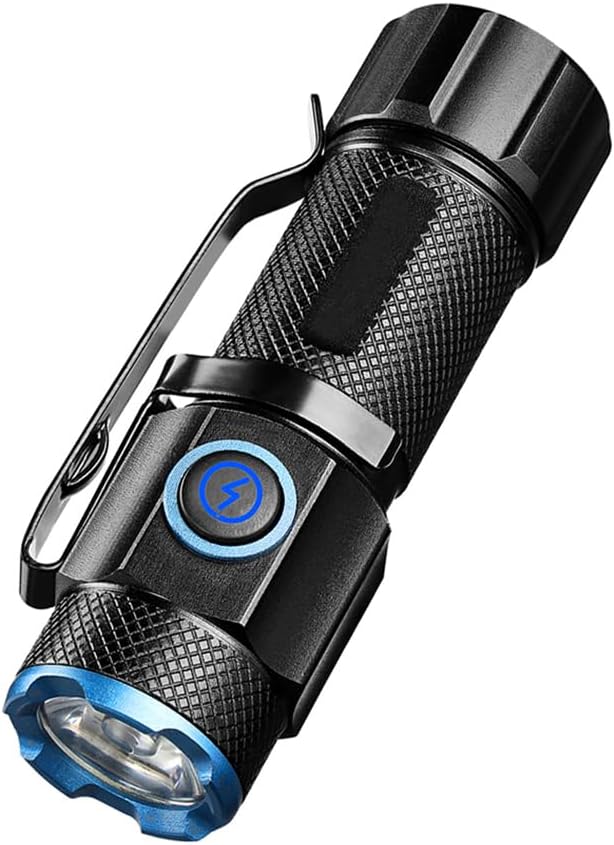
Figura 4.1: The ALONEFIRE X66 LED Mini Flashlight, showcasing its compact design, textured body for grip, integrated pocket clip, and blue accent ring around the lens and power button.

Figura 4.2: A dettaljata view of the P50 LED emitter, highlighting the powerful light source responsible for the flashlight's bright output.

Figura 4.3: The flashlight emitting a bright beam, demonstrating its capability to cycle through 5 distinct light modes: High, Medium, Low, Strobe, and Super Bright.

Figura 4.4: The flashlight connected to a laptop via its USB-C charging port, illustrating convenient and fast recharging from various power sources.

Figura 4.5: The flashlight securely attached to a metallic surface by its strong magnetic tail cap, demonstrating its hands-free utility.
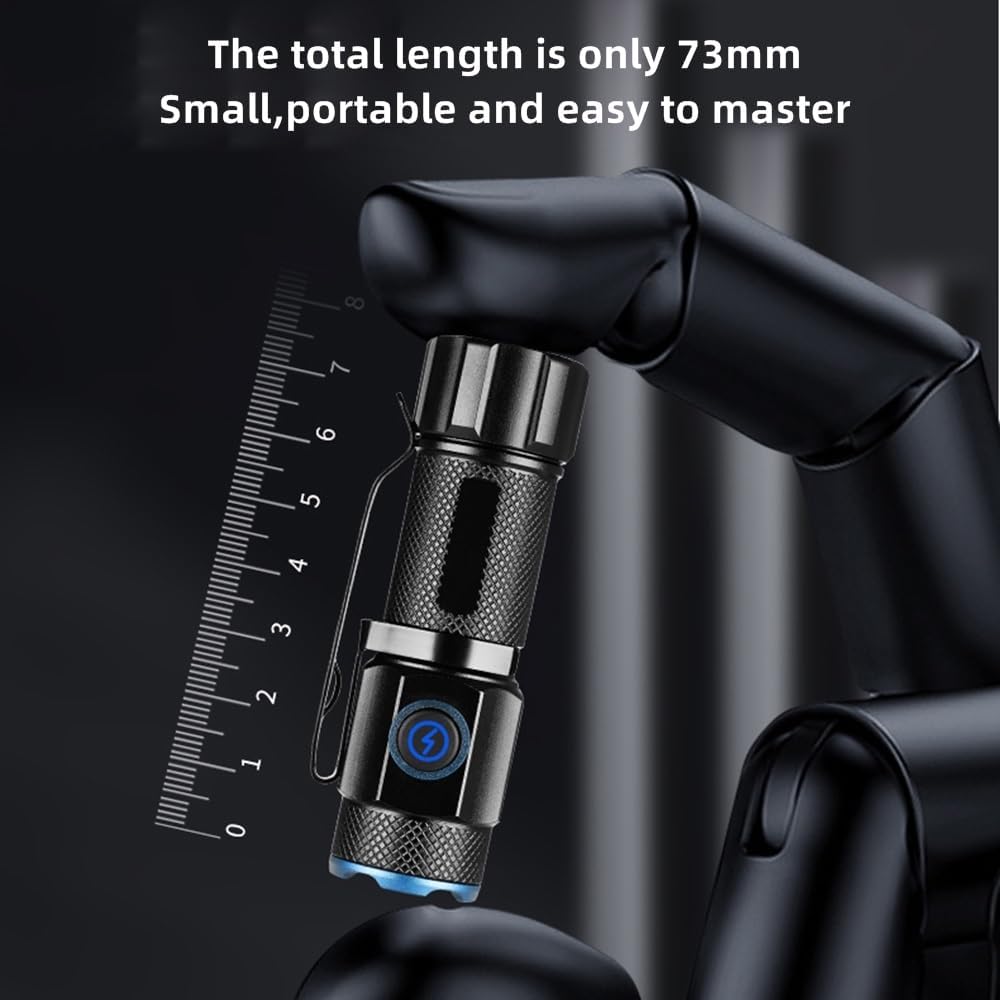
Figura 4.6: The compact size of the flashlight, measuring only 73mm in length, making it highly portable and easy to carry.

Figura 4.7: The flashlight resting on a wet, rocky surface, illustrating its water-resistant design suitable for various outdoor conditions.

Figura 4.8: The ALONEFIRE X66 Flashlight displayed alongside its included USB-A to USB-C charging cable.
5. Setup (Charging)
Before first use, or when the battery is low, charge the flashlight using the provided USB-C cable.
- Locate the USB-C charging port on the flashlight body. It is typically covered by a rubber flap.
- Gently open the rubber flap to expose the USB-C port.
- Connect the small end of the USB-C cable to the flashlight's port.
- Connect the larger USB-A end of the cable to a compatible USB power source (e.g., computer, wall adapter, power bank).
- The charging indicator light around the power button will illuminate aħmar waqt li tiċċarġja u dawwar aħdar meta tkun iċċarġjata kompletament.
- Ladarba l-iċċarġjar ikun komplut, skonnettja l-kejbil u agħlaq il-flap tal-gomma sew biex iżżomm ir-reżistenza għall-ilma.
6. Istruzzjonijiet Operattivi
6.1 Power On/Off
- Biex Tixgħel: Press the power button once. The flashlight will turn on in the last used mode (excluding Strobe and Super Bright).
- Biex Tintefa: Press the power button once while the flashlight is on.
6.2 Tibdil tal-Modalitajiet tad-Dawl
The ALONEFIRE X66 features 5 distinct lighting modes:
- High-Medium-Low: With the flashlight on, single-press the power button repeatedly to cycle through High, Medium, and Low brightness modes.
- Modalità Strobe: Press and hold the power button for approximately 2-3 seconds from any mode (on or off) to activate Strobe mode. Release the button to return to the previous mode or turn off.
- Super Bright Mode: Double-click the power button quickly from any mode (on or off) to activate Super Bright mode. Double-click again to return to the previous mode or turn off.
6.3 Magnetic Base Function
The flashlight is equipped with a strong magnet in its tail cap. This allows it to be securely attached to any ferrous metal surface, providing hands-free illumination for tasks such as vehicle maintenance, working in workshops, or during power outages.
6.4 Pocket Clip Usage
The integrated pocket clip allows for convenient carrying and versatile attachment. You can clip it to your pocket, belt, backpack strap, or even the brim of a hat for use as a makeshift headlamp.
7. Manutenzjoni
- Tindif: Imsaħ il-qafas tal-flashlight b'ċarruta ratba u damp drapp. Tużax tindif jew solventi li joborxu.
- Ħażna: Store the flashlight in a cool, dry place away from direct sunlight and extreme temperatures. If storing for extended periods, charge the battery every 3-6 months to prolong its lifespan.
- Sostituzzjoni tal-batterija: If the rechargeable battery needs replacement, ensure you use a compatible battery type. Refer to the specifications section for details.
- O-rings: Periodically inspect the O-rings for wear and tear. Lubricate them with silicone grease if necessary to maintain water resistance.
8 Issolvi l-problemi
If you encounter issues with your ALONEFIRE X66 flashlight, refer to the table below:
| Problema | Kawża Possibbli | Soluzzjoni |
|---|---|---|
| Il-flashlight ma tixgħel. | Batterija baxxa. Il-batterija mhix imdaħħla sew. Konnessjonijiet sfużi. | Iċċarġja l-batterija. Ensure battery is inserted with correct polarity. Tighten all parts of the flashlight body. |
| Il-flashlight mhux qed tiċċarġja. | Charging cable faulty. Power source faulty. USB-C port obstructed. | Ipprova kejbil USB-C differenti. Ipprova sors ta' enerġija USB differenti. Check USB-C port for debris. |
| L-output tad-dawl huwa baxx. | Batterija baxxa. Il-lenti hija maħmuġa. | Iċċarġja l-batterija. Naddaf il-lenti b'ċarruta ratba. |
| Magnetic base is weak. | Surface is not ferrous metal. Magnet is dirty. | Ensure attachment to a suitable metal surface. Clean the magnet surface. |
9. Speċifikazzjonijiet
| Karatteristika | Dettall |
|---|---|
| Brand | ALONEFIRE |
| Numru tal-Mudell | X66 |
| Tip ta' Sors tad-Dawl | LED |
| Sors tal-Enerġija | Mħaddma bil-batterija |
| Tip ta 'batterija | Ion tal-litju rikarikabbli |
| Port tal-Iċċarġjar | USB-C |
| Materjal | Aluminju |
| Piż tal-oġġett | 35 Gramm |
| Livell ta 'Reżistenza għall-Ilma | Reżistenti għall-Ilma |
| Karatteristiċi Speċjali | Rechargeable, Magnetic Base, Pocket Clip, 5 Light Modes |
10. Garanzija u Appoġġ
For warranty information or technical support, please refer to the product packaging or contact the ALONEFIRE customer service directly through the retailer's platform where the product was purchased. Keep your purchase receipt as proof of purchase.


