1. Introduzzjoni
The Phomemo M832 is a portable, inkless thermal printer designed for convenience and efficiency. This device utilizes advanced thermal technology to print documents, images, and various other content without the need for ink cartridges, toner, or ribbons. Its compact design makes it suitable for travel, business trips, and use in various environments such as small offices, vehicles, and educational settings. This manual provides detailed instructions for setting up, operating, maintaining, and troubleshooting your Phomemo M832 printer.
The Phomemo M832 printer supports multiple paper sizes and types, including 8.5" x 11" US Letter, A4, 2.08" (53mm), 3.15" (80mm), and 4.33" (110mm) thermal paper. It is compatible with thermal roll paper, folded thermal paper, and ordinary thermal paper.

Image: The Phomemo M832 printer demonstrating its ability to print on various paper sizes, including US Letter, A4, 110mm, 80mm, and 53mm, with a smartphone wirelessly connected.
2. Kontenut tal-Pakkett
Jekk jogħġbok iċċekkja l-kontenut tal-pakkett meta tiftaħ il-kaxxa biex tiżgura li l-oġġetti kollha huma preżenti:
- Printer Termali Portabbli Phomemo M832
- 3 Rolls of 110mm Thermal Printer Paper
- Cable USB
- Manwal għall-Utent (dan id-dokument)
3. Karatteristiċi tal-prodott
The Phomemo M832 printer offers several key features:
- Disinn portabbli: Weighing approximately 1.5 lbs, the M832 is compact and easily fits into a backpack or briefcase, making it ideal for mobile use.
- Stampar bla linka: Utilizes advanced thermal technology, eliminating the need for ink, toner, or ribbons, which reduces operational costs and maintenance.
- Integrated Paper Bin: Features a built-in roll paper bin, allowing for convenient paper storage and transport.
- Appoġġ Versatili għall-Karta: Compatible with 8.5" x 11" US Letter, A4, 2.08" (53mm), 3.15" (80mm), and 4.33" (110mm) thermal paper. Supports thermal roll paper, folded thermal paper, and ordinary thermal paper.
- Kompatibbiltà Wiesgħa: Connects via Bluetooth to iPhone, Android phones, and iPad. Can also connect via USB cable to laptops and computers running Windows, macOS, Chrome OS, and Linux.
- Multi-purpose Printing: Suitable for printing office documents, receipts, contracts, resumes, invoices, drawings, school notes, shopping lists, labels, boarding passes, and DIY projects.

Image: The Phomemo M832 printer's compact dimensions (10.39in x 3.07in x 1.77in) are highlighted, demonstrating its portability for use anytime, anywhere.
4. Gwida ta' Setup
4.1. Iċċarġja l-Istampatur
Before initial use, fully charge the printer using the provided USB cable. Connect the USB cable to the printer's charging port and a compatible USB power adapter (not included) or computer USB port. The indicator light will show charging status.
4.2. Tagħbija ta' Karta Termali
The Phomemo M832 supports various thermal paper types and sizes. Follow these steps to load paper:
- Iftaħ il-qoxra tal-kompartiment tal-karta.
- Insert the thermal paper roll or folded paper stack into the compartment, ensuring the printable side faces the print head. For roll paper, ensure the paper feeds smoothly from the bottom of the roll.
- Adjust the paper guides to fit the width of your paper snugly.
- Close the paper compartment cover. Ensure a small portion of paper extends from the output slot.

Image: The Phomemo M832 printer demonstrating its flexibility with various paper types, including thermal roll paper, continuous thermal paper, and ordinary thermal paper, with an adjustable baffle for different widths.
4.3. App Installation (for Mobile Devices)
To use the printer with your smartphone or tablet, download the official "Phomemo" app:
- Fittex għal "Phomemo" in the Apple App Store (for iOS devices) or Google Play Store (for Android devices).
- Niżżel u installa l-app.
4.4. Driver Installation (for Computers)
For printing from a laptop or desktop computer via USB, you may need to install the appropriate driver:
- Żur il-Phomemo uffiċjali websit: M832.phomemo.com
- Download the driver compatible with your operating system (Windows, macOS, Chrome OS, Linux).
- Segwi l-istruzzjonijiet fuq l-iskrin biex tlesti l-installazzjoni tas-sewwieq.
5. Operazzjoni
5.1. Connecting via Bluetooth (Mobile Devices)
- Ensure the Phomemo M832 printer is powered on.
- Ippermetti Bluetooth fuq it-tagħmir mobbli tiegħek.
- Open the "Phomemo" app.
- Within the app, navigate to the device connection section and select your M832 printer from the list of available devices. The app will guide you through the pairing process.

Image: The Phomemo M832 printer demonstrating both Bluetooth connectivity with a mobile device (iOS, Android, iPad) and USB connectivity with a laptop (Windows, Mac OS, Chrome OS, Linux).
5.2. Connecting via USB (Computers)
- Ensure the Phomemo M832 printer is powered on.
- Qabbad l-istampatur mal-kompjuter tiegħek billi tuża l-kejbil USB ipprovdut.
- After driver installation (if required), your computer should recognize the printer.
- You can now print directly from your computer's applications.
5.3. Stampar Dokumenti
Once connected, you can print various types of content:
- From Mobile App: Use the Phomemo app to select documents (PDF, Word), images, web pages, or create custom content for printing. The app provides options for editing and previewing before printing.
- Mill-Kompjuter: Open the document or image you wish to print in your preferred application (e.g., Microsoft Word, Adobe Reader, web browser). Select the Phomemo M832 as your printer from the print dialog box and adjust settings as needed before initiating the print job.

Immaġni: Eżamples of practical applications for the Phomemo M832 printer, including printing photos, creating scrapbook elements, organizing study notes, and generating to-do lists.
6. Manutenzjoni
6.1. Tindif tar-Ras tal-Istampar
To ensure optimal print quality, periodically clean the print head:
- Turn off the printer and disconnect it from any power source.
- Iftaħ il-qoxra tal-kompartiment tal-karta.
- Gently wipe the print head with a soft, lint-free cloth lightly dampened with isopropyl alcohol. Do not use water or abrasive cleaners.
- Ħalli r-ras tal-istampar tinxef kompletament qabel ma tagħlaq l-għatu u tixgħel il-printer.
6.2. Thermal Paper Storage
Thermal paper is sensitive to heat, light, and certain chemicals. Store thermal paper in a cool, dry place away from direct sunlight and heat sources to preserve its printability and image duration. The included 110mm thermal paper is designed for an image duration of up to 10 years under proper storage conditions.
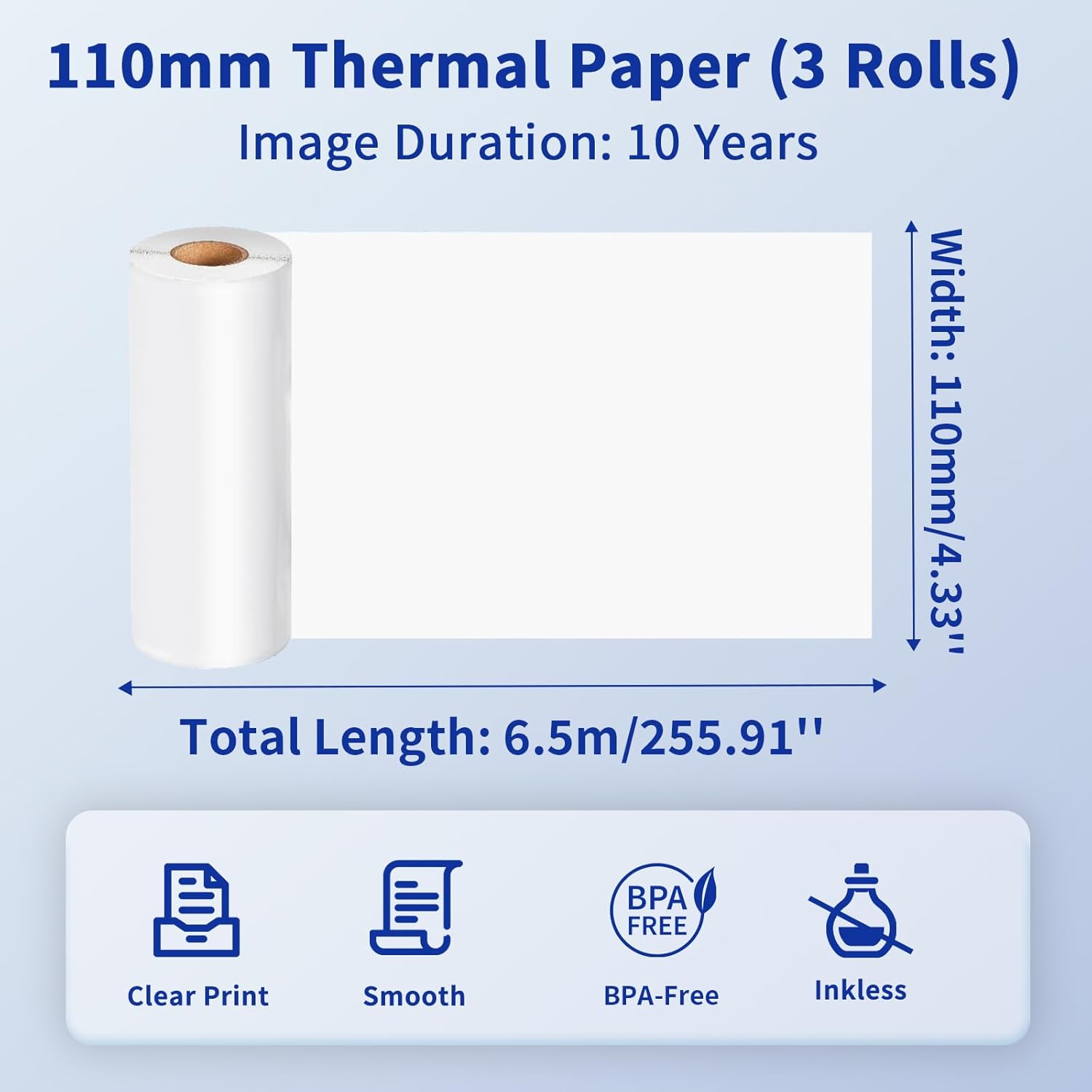
Image: Details of the 110mm thermal paper, including its dimensions (110mm width, 6.5m length) and key attributes such as clear print, smooth texture, BPA-free composition, and inkless operation, with an image duration of 10 years.
7 Issolvi l-problemi
Jekk tiltaqa' ma' problemi bil-printer Phomemo M832 tiegħek, irreferi għall-problemi u s-soluzzjonijiet komuni li ġejjin:
| Problema | Kawża Possibbli | Soluzzjoni |
|---|---|---|
| Il-printer ma jixgħelx | Batterija baxxa jew kwistjoni ta 'enerġija | Iċċarġja l-istampatur kompletament. Kun żgur li l-buttuna tal-qawwa hija ppressata sew. |
| Ma tistax tikkonnettja permezz tal-Bluetooth | Bluetooth is off, printer not discoverable, or app issue | Ensure Bluetooth is enabled on your device. Restart the printer and the app. Try re-pairing the device within the Phomemo app. |
| Kwalità tal-istampar fqira / Stampi vojta | Incorrect paper loading, dirty print head, or low battery | Ensure thermal paper is loaded correctly with the printable side facing up. Clean the print head as described in Section 6.1. Charge the printer. |
| Ġamm tal-karta | Tagħbija ħażina tal-karta jew oġġett barrani | Turn off the printer. Carefully open the paper compartment and remove any jammed paper or obstructions. Reload paper correctly. |
| Il-printer mhux rikonoxxut mill-kompjuter | Driver not installed or USB cable issue | Installa s-sewwieq korrett minn M832.phomemo.com. Try a different USB port or cable. |
8. Speċifikazzjonijiet
Below are the technical specifications for the Phomemo M832 Portable Thermal Printer:
- Mudell: M832
- Teknoloġija tal-Istampar: Termali
- Konnettività: Bluetooth, USB
- Output tal-istampatur: Monokromu
- Metodu ta' Kontroll: App (Phomemo App)
- Apparati Kompatibbli: Laptops, PCs, iPhone, Android Phone, iPad
- Sistemi Operattivi Appoġġjati: iOS, Android, iPadOS, Windows, macOS, Chrome OS, Linux
- Midja Stampata Appoġġjata: Thermal Roll Paper, Folded Thermal Paper, Ordinary Thermal Paper
- Supported Sheet Sizes: 8.5" x 11" (US Letter), A4, 2.08" (53mm), 3.15" (80mm), 4.33" (110mm)
- Karatteristika Speċjali: Portable, Inkless
- Piż: Madwar 1.5 lbs
- L-Ewwel Disponibbli: 31 ta’ Mejju, 2024

Image: The Phomemo M832 printer's broad compatibility across multiple operating systems, including iOS, Android, iPad, Mac OS, Windows, Chrome OS, and Linux.
9. Garanzija u Appoġġ
Phomemo products are designed for reliability and performance. For warranty information and customer support, please refer to the official Phomemo webis-sit jew ikkuntattja lis-servizz tal-konsumatur tagħhom direttament. Żomm l-irċevuta tax-xiri tiegħek bħala prova tax-xiri għal talbiet ta' garanzija.
For additional resources and product information, visit the official Phomemo Store on Amazon: Phomemo Store


