1. Introduzzjoni
This manual provides detailed instructions for the safe and effective use of your xTool Mini Heat Press Machine. Please read this manual thoroughly before operating the device and retain it for future reference. The xTool Mini Heat Press is designed for heat transfer applications on various materials, including fabrics, wood, and ceramics.
2. Informazzjoni dwar is-Sigurtà
To ensure safe operation, observe the following precautions:
- Always place the heat press on a heat-resistant surface.
- Do not touch the hot plate during or immediately after use. Use the insulated safety base provided.
- Żomm fejn ma jintlaħaqx mit-tfal u l-annimali domestiċi.
- Skonnettja l-apparat meta ma jkunx qed jintuża jew qabel ma tnaddaf.
- Tgħaddix l-apparat fl-ilma jew likwidi oħra.
- Ensure the power cord is not damaged and avoid placing heavy objects on it.
- The device features an automatic shut-off function after 11 minutes of inactivity for enhanced safety.
- Uża f'żona ventilata tajjeb.

Immaġni: The xTool Mini Heat Press highlights its safety features, including an 11-minute auto-off, V0 flame-retardant materials, an insulated safety base, and overheat protection, ensuring safe operation for users.
3. Kontenut tal-Pakkett
Ivverifika li l-oġġetti kollha huma preżenti fil-pakkett:
- xTool Mini Heat Press Machine
- Bażi ta 'Sigurtà iżolata
- Korda tal-Enerġija
- Manwal għall-Utent (dan id-dokument)
4. Prodott Aktarview
Familiarize yourself with the components of your xTool Mini Heat Press:
- Pjanċa tas-Sħana: The heating surface for transfers.
- Manku: Ergonomically designed for comfortable grip and pressure application.
- Buttuna tal-Qawwa: Controls power on/off and temperature settings.
- Dwal indikaturi: Display current temperature level and heating status.
- Bażi ta' Sigurtà Insulata: Provides a safe resting place for the hot press.
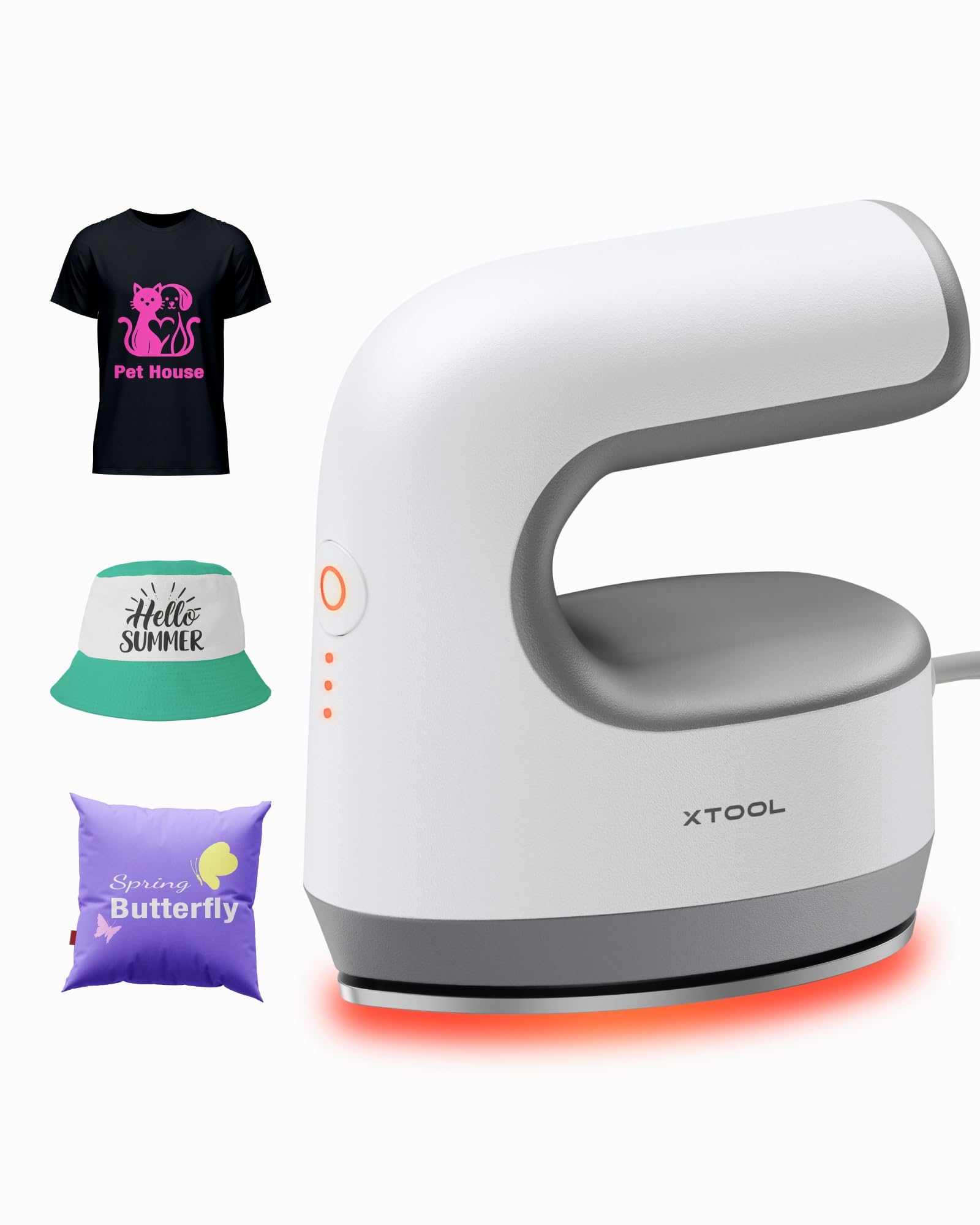
Immaġni: The xTool Mini Heat Press Machine shown resting on its insulated safety base, highlighting its compact design.

Immaġni: A visual comparison illustrating the ergonomic open handle of the xTool Mini Heat Press, designed for easier and more comfortable holding compared to a closed-handle design.

Immaġni: A visual comparison showing the xTool Mini Heat Press with a larger heat plate (platen) compared to another mini press, indicating its suitability for a wider range of project sizes.
5. Setup
Follow these steps to set up your xTool Mini Heat Press:
- Unpack the xTool Mini Heat Press and its accessories.
- Place the insulated safety base on a stable, heat-resistant surface.
- Plug the power cord into the heat press and then into a standard electrical outlet. The device will beep once, and the power indicator light will illuminate.
- If using the optional Control Pod (not included), insert the transceiver from the Control Pod into the designated port on the Mini Heat Press. The Control Pod allows for precise temperature and time control.
Vidjow: This video demonstrates the compatibility of the xTool Mini Heat Press with an optional Control Pod (not included), showing how to connect the transceiver for advanced temperature and time control.
6. Istruzzjonijiet Operattivi
6.1. Power On and Temperature Selection
- Press the Power Button once to turn on the device. The orange indicator light will show, indicating low-level preheating.
- Press the Power Button repeatedly to cycle through the three temperature settings:
- Livell Baxx: 295°F (145°C)
- Middle Level: 355°F (180°C)
- Livell Għoli: 400°F (205°C)
- The indicator lights will change to green when the selected temperature is reached.

Immaġni: A visual representation of the xTool Mini Heat Press's three heat settings, indicating the corresponding temperatures for Low, Medium, and High levels.
Vidjow: This video demonstrates the rapid heating capability of the xTool Mini Heat Press, showing it reaches operating temperature in approximately 2 minutes.
6.2. Heat Transfer Application
The xTool Mini Heat Press is suitable for various heat transfer materials, including HTV, DTF, and sublimation projects. Always refer to the specific instructions for your transfer material for optimal temperature and time settings.
- Prepare your material (e.g., T-shirt, shoe, hat) by ensuring it is clean and wrinkle-free.
- Place your transfer design onto the material in the desired position.
- Cover the design with a protective sheet (e.g., parchment paper, Teflon sheet).
- Once the Mini Heat Press reaches the desired temperature, place it firmly over the design. Apply even pressure.
- Hold the press in place for the recommended time (typically 10-60 seconds, depending on the material and transfer type). For larger designs, move the press in sections, overlapping slightly to ensure full coverage.
- Carefully lift the heat press and place it back on its safety base.
- Allow the material to cool according to your transfer material's instructions (cold peel or warm peel).
- Gently peel off the protective sheet and transfer film.

Immaġni: A visual guide illustrating the simple three-step process for heat transfer using the xTool Mini Heat Press: Set the design, Press with the device, and achieve a successful transfer on a plush toy.

Immaġni: Wirja ta' collageasing the wide range of applications for the xTool Mini Heat Press, including customizing shoes, acrylic keychains, canvas bags, socks, stuffed toys, t-shirts, and earrings.
Vidjow: Dan il-filmat jipprovdi r-riżultatview of the xTool Mini Heat Press, demonstrating its ease of use and effectiveness for various heat transfer projects.
Vidjow: This video illustrates the process of using the xTool Mini Heat Press to create custom fall-themed shirts, showcasing its application on fabric.
7. Manutenzjoni
Proper maintenance ensures the longevity and performance of your heat press:
- Tindif: After the device has cooled completely, wipe the heat plate with a soft, damp drapp. Tużax tindif jew solventi li joborxu.
- Ħażna: Store the Mini Heat Press on its insulated safety base in a dry, cool place, away from direct sunlight and moisture.
- Kura tal-kurdun: Avoid wrapping the power cord tightly around the device. Store it loosely to prevent damage.
8 Issolvi l-problemi
Jekk tiltaqa' ma' problemi, irreferi għall-problemi u s-soluzzjonijiet komuni li ġejjin:
| Problema | Kawża Possibbli | Soluzzjoni |
|---|---|---|
| L-apparat ma jixgħelx. | Il-korda tal-enerġija mhux imqabbda sew; l-ebda enerġija mis-sokit. | Iċċekkja l-konnessjoni tal-korda tal-enerġija; ittestja s-sokit b'apparat ieħor. |
| Heat plate not heating up. | Incorrect temperature setting; device malfunction. | Ensure correct temperature level is selected; contact customer support if issue persists. |
| It-trasferiment mhux qed iwaħħal sew. | Insufficient heat or pressure; incorrect time; material incompatibility. | Increase temperature/time/pressure as per transfer material instructions; ensure material is suitable for heat transfer. |
| L-apparat jintefa awtomatikament. | 11-minute inactivity safety feature activated. | This is normal operation. Press the power button to restart. |
9. Speċifikazzjonijiet
| Karatteristika | Dettall |
|---|---|
| Numru tal-Mudell | xTool Mini Heat Press |
| Brand | xTool |
| Temperatura massima | 400°F (205°C) |
| Issettjar tas-Sħana | 3 (Low: 295°F, Mid: 355°F, High: 400°F) |
| Ħin tat-Tisħin | Approx. 2 minutes to 400°F |
| Piż tal-oġġett | 0.77 lbs (1.94 lbs with packaging) |
| Dimensjonijiet tal-Prodott | 7.48 x 5.12 x 8.66 pulzieri |
| Karatteristiċi tas-Sigurtà | 11-min Auto-off, V0 Flame-retardant materials, Overheat Protection, Insulated Safety Base |
| Użi Rakkomandati | T-shirts, bags, ceramic coasters, wood, acrylic, hats, shoes, keychains, socks, stuffed toys |
10. Garanzija u Appoġġ
Għal informazzjoni dwar il-garanzija u appoġġ tekniku, jekk jogħġbok irreferi għall-xTool uffiċjali webis-sit jew ikkuntattja lis-servizz tal-konsumatur tagħhom direttament. Żomm l-irċevuta tax-xiri tiegħek bħala prova tax-xiri għal talbiet ta' garanzija.
- Appoġġ onlajn: Visit the xTool official website for FAQs, tutorials, and contact information.
- Appoġġ bl-Email: Reach out via email for assistance with product issues.
- Appoġġ tat-Telefon: Contact the dedicated support line for immediate help.


