1. Introduzzjoni
Thank you for choosing the iTOMA White Noise Machine 318. This device is designed to create a relaxing and comfortable environment conducive to sleep, relaxation, focus, and meditation. It offers a variety of soothing sounds, a convenient sleep timer, adjustable volume, and Bluetooth connectivity for personalized audio playback.

Figura 1: Quddiem view of the iTOMA White Noise Machine 318.
2. Karatteristiċi tal-prodott
- Disinn kompatt u faċli għall-utent: Engineered for ease of use and portability, suitable for various settings.
- 30 Soothing Sound Options: Includes 10 white noises, 10 fan sounds, and 10 nature sounds (Rain, Sea waves, Brook, Bird, etc.) to cater to diverse preferences.
- Livelli ta' Volum Aġġustabbli: Offers a wide range of volume settings, from very low to adequately high, to effectively mask disturbing noises.
- Auto-Off Sleep Timer: Features 4 timer settings (15, 30, 60, or 90 minutes) for automatic shutdown, ideal for naps or bedtime routines. Continuous play option is also available.
- Konnettività Bluetooth: Built-in Bluetooth speaker allows connection to smartphones or tablets for playing personal music or audio during relaxation, yoga, or meditation.
3. Kontenut tal-Pakkett
- 1 × iTOMA White Noise Machine 318
- 1 × Adapter tal-Enerġija
- 1 × Manwal tal-Utent (dan id-dokument)
4. Prodott Aktarview
The iTOMA White Noise Machine 318 features an intuitive design with easily accessible controls. The main unit is compact and spherical, with a speaker grille on the front and control knobs on the side.

Figure 2: The mechanical knob design for volume and sound selection.
Kontrolli:
- Buttuna tal-Volum: Located on the side, this knob allows you to adjust the sound output level.
- Sound Selection Knob: Also on the side, this knob is used to cycle through the different sound categories (White Noises, Fan Sounds, Nature Sounds) and individual sounds within each category.
- Buttuna tat-Tajmer: A dedicated button to set the auto-off timer.
- Buttuna Bluetooth: Jattiva l-modalità ta' tqabbil Bluetooth.
5. Setup
- Unpack the iTOMA White Noise Machine 318 and its accessories from the packaging.
- Poġġi l-apparat fuq wiċċ stabbli u ċatt.
- Qabbad l-adapter tal-enerġija pprovdut mal-port DC IN fuq wara tal-unità.
- Plug the power adapter into a standard electrical outlet. The device is now ready for use.
6. Istruzzjonijiet Operattivi
6.1 Power On/Off
To power on the device, rotate the main knob on the side. Rotate it again to power off.
6.2 Għażla tal-Ħoss
Rotate the sound selection knob to cycle through the 30 available sounds. Sounds are categorized into White Noises, Fan Sounds, and Nature Sounds.
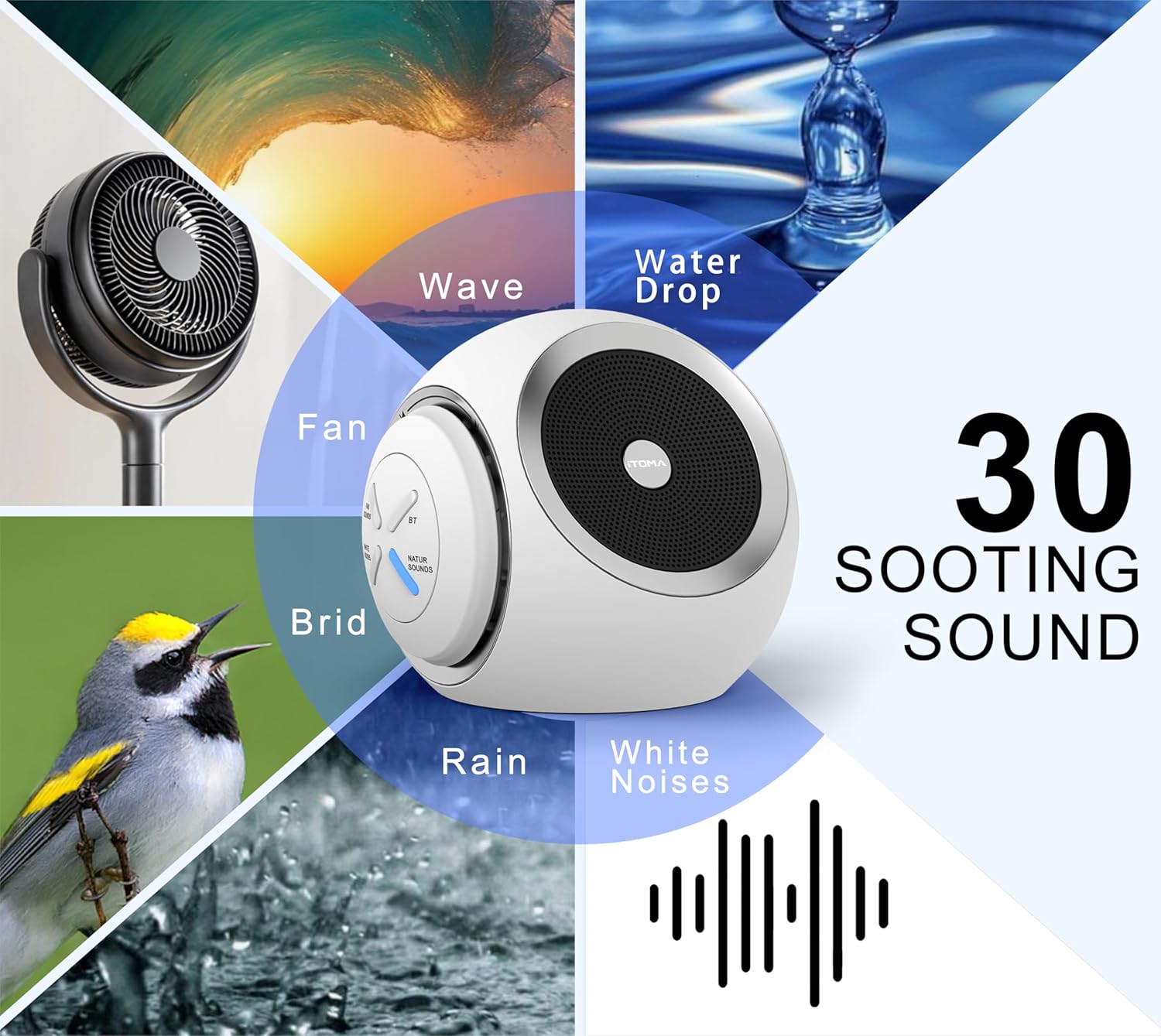
Figure 3: Visual representation of the 30 available soothing sounds.
6.3 Aġġustament tal-Volum
Use the volume knob to increase or decrease the sound output. The device offers 16 distinct volume levels.
6.4 Sleep Timer
Press the Timer button to activate the auto-off function. Each press cycles through the available timer settings: 15 minutes, 30 minutes, 60 minutes, 90 minutes, or continuous play. An indicator light will confirm the selected timer duration.

Figure 4: Sleep timer options for the device.
6.5 Tqabbil tal-Bluetooth
To use the device as a Bluetooth speaker:
- Press the Bluetooth button on the device. The Bluetooth indicator light will flash, indicating pairing mode.
- Fuq l-ismartphone jew it-tablet tiegħek, ippermetti l-Bluetooth u fittex it-tagħmir disponibbli.
- Select "iTOMA 318" from the list of devices to pair.
- Once paired, the Bluetooth indicator light will remain solid, and you can play audio through the device.
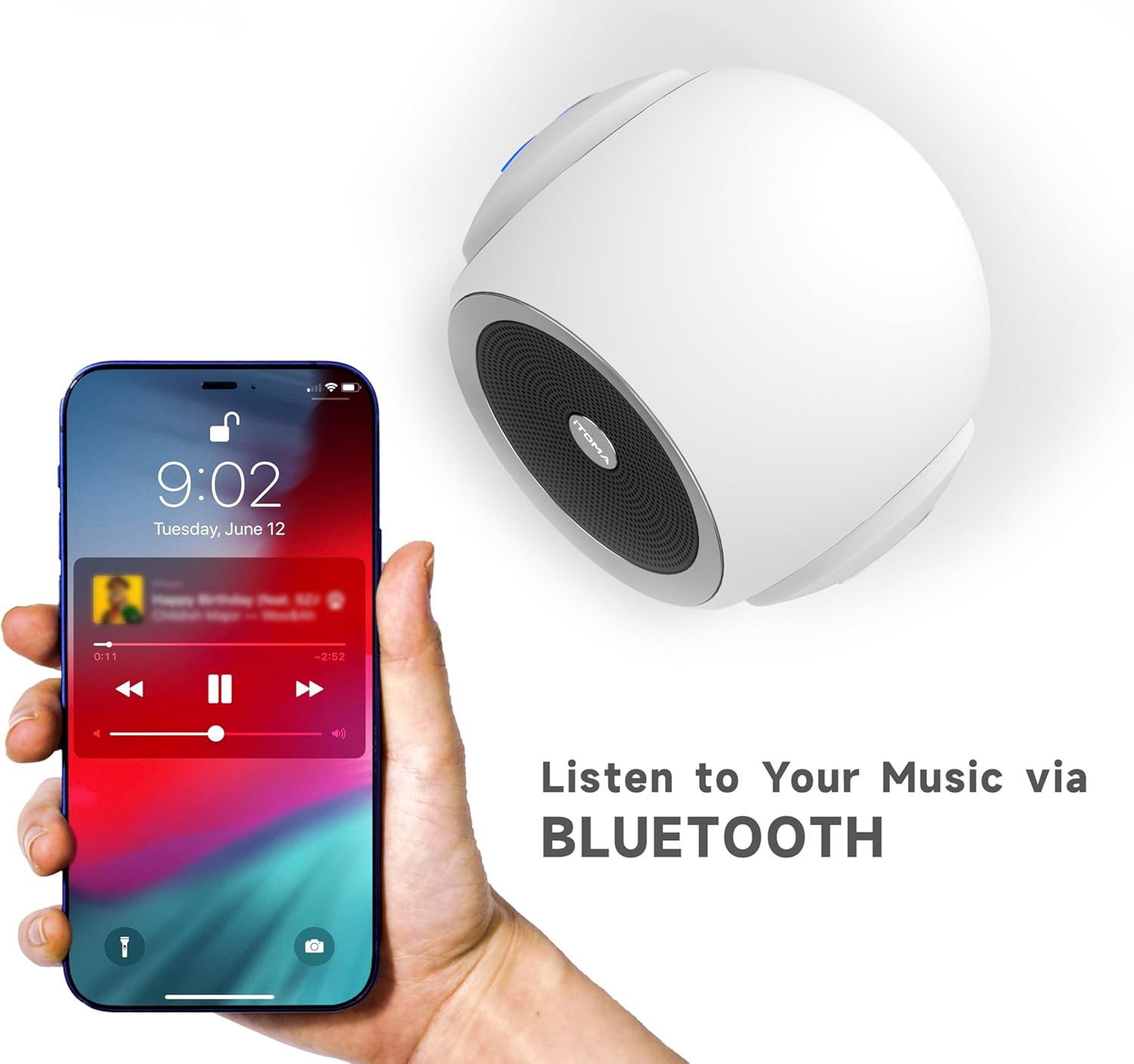
Figure 5: Bluetooth connectivity for playing personal audio.
6.6 Video tal-Prodott
Video 1: An official product video demonstrating the iTOMA White Noise Machine 318's features and operation.
7. Manutenzjoni
- Tindif: Imsaħ l-apparat b'ċarruta ratba u niexfa. Tużax prodotti tat-tindif likwidi jew materjali li joborxu.
- Ħażna: Aħżen l-apparat f'post frisk u niexef meta ma jkunx qed jintuża.
- Evita l-Ilma: Żomm l-apparat 'il bogħod mill-ilma u l-umdità.
8 Issolvi l-problemi
| Ħruġ | Kawża Possibbli | Soluzzjoni |
|---|---|---|
| L-apparat ma jixgħelx | Mhux imqabbad sew mal-kurrent. | Ensure the power adapter is securely plugged into the device and a working electrical outlet. |
| Ebda output tal-ħoss | Il-volum huwa baxx wisq jew siekta. | Increase the volume using the volume knob. |
| Il-Bluetooth mhux qed jgħaqqad | Device is not in pairing mode or out of range. | Press the Bluetooth button to enter pairing mode. Ensure your smartphone/tablet is within range (approx. 10 meters) and Bluetooth is enabled. |
| Sound quality is poor via Bluetooth | Interferenza jew distanza minn apparat imqabbad. | Move the paired device closer to the white noise machine. Avoid obstacles between devices. |
9. Speċifikazzjonijiet
- Isem tal-Mudell: 318
- Ditta: iTOMA
- Dimensjonijiet tal-Prodott: 6.2 x 2.3 x 3.5 pulzieri
- Piż tal-oġġett: 1.37 Liri
- Materjal: Acrylonitrile Butadiene Styrene (ABS), plastik
- Sors tal-Enerġija: Corded Elettriku
- Għażliet tal-Ħsejjes: 30 (10 White Noises, 10 Fan Sounds, 10 Nature Sounds)
- Livelli tal-Volum: 16
- Timer ta 'l-Irqad: 15, 30, 60, 90 minutes, or Continuous Play
- Konnettività: Bluetooth

Figure 6: Product dimensions of the iTOMA White Noise Machine 318.
10. Informazzjoni Importanti dwar is-Sigurtà
Dikjarazzjonijiet dwar supplimenti tad-dieta ma ġewx evalwati mill-FDA u mhumiex maħsuba biex jiddijanjostikaw, jittrattaw, ifejqu jew jipprevjenu kwalunkwe marda jew kundizzjoni tas-saħħa.
Always ensure the device is used in a safe environment and according to the instructions provided. Keep out of reach of children and pets. Do not disassemble or attempt to repair the device yourself.
11. Garanzija u Appoġġ
For warranty information or technical support, please refer to the contact details provided with your purchase or visit the official iTOMA websit. Żomm l-irċevuta tax-xiri tiegħek bħala prova tax-xiri.


