1. Introduzzjoni
This manual provides detailed instructions for the installation, operation, and maintenance of your LAMTTO RC15 Motorcycle CarPlay Screen. Please read this manual thoroughly before using the device to ensure proper function and safety.
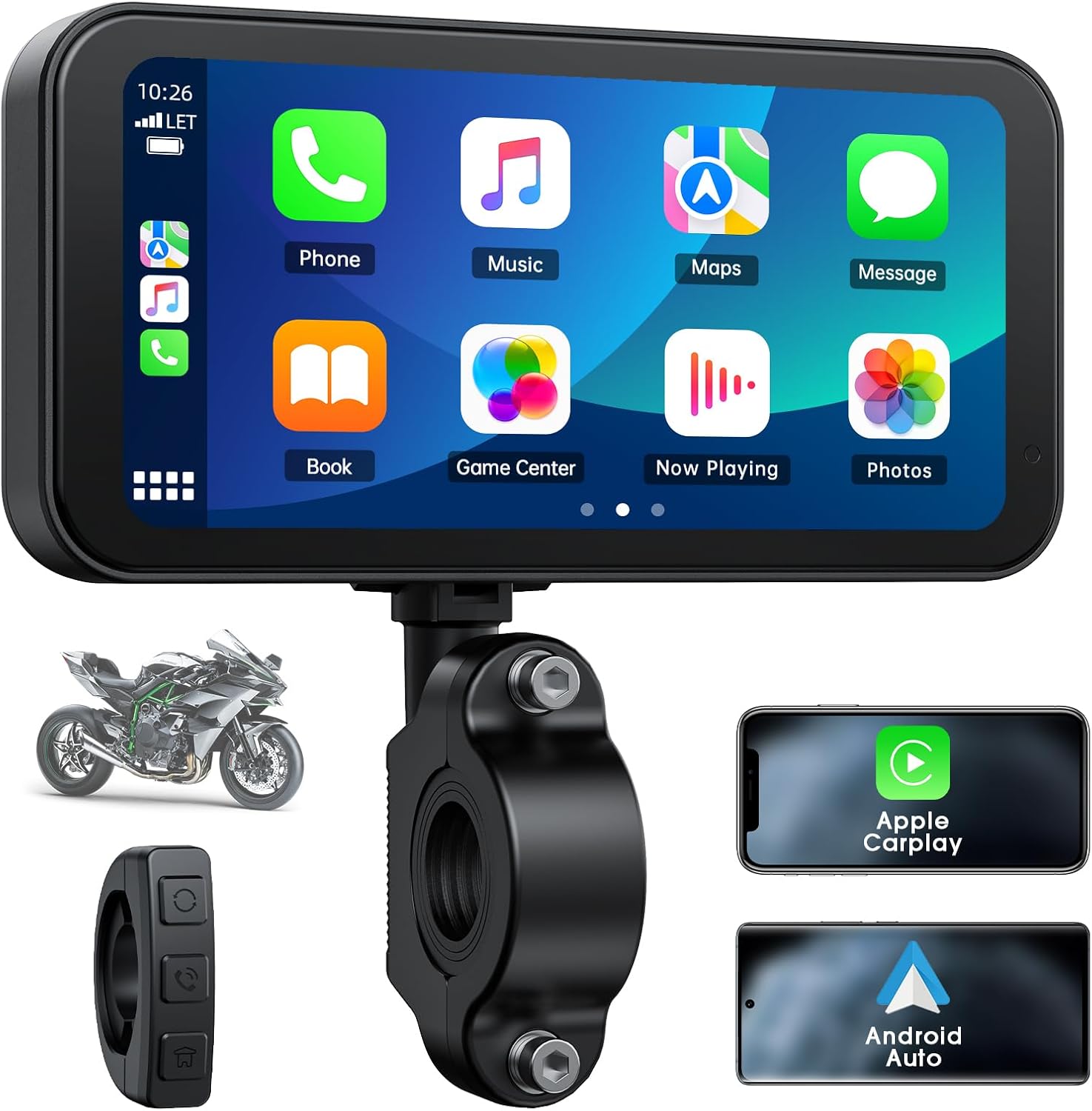
Image 1.1: LAMTTO RC15 Motorcycle CarPlay Screen showing its main interface, mounting bracket, wired remote, and compatibility with Apple CarPlay and Android Auto.
2. Karatteristiċi tal-prodott
- Skrin tat-Touch LCD ta' 6.25 pulzier: Compact size designed for motorcycle dashboards, ensuring clear visibility without obstructing the rider's view.
- Apple CarPlay mingħajr fili u Android Auto: Seamless integration with iOS (10+) and Android (11+) smartphones for navigation, music, calls, and voice control.
- Latest Navigation Functionality: Utilizes smartphone map applications, eliminating the need for separate map updates.
- Klassifikazzjoni IP67 li ma jgħaddix ilma minnha: Ensures reliable operation in rainy conditions and harsh environments.
- Sensor tad-Dawl Awtomatiku: Adjusts screen brightness automatically based on ambient light for optimal visibility day and night.
- Kompatibilità Wiesgħa: Supports 12-24V motorcycles.
- Bluetooth 5.0 & Voice Control: Connects to wireless headphones and supports voice commands for safe operation.
3. Setup u Installazzjoni
3.1 Kontenut tal-Pakkett
- 6.25-inch Host Unit (1)
- Dedicated Power Cord (GND; B+; ACC) (1)
- Fixed Bracket (1)
- Manwal ta' Istruzzjoni (1)
- Key Fixing Rings (inner washer 28MM; 25MM; 22MM) (1 set)
- Tools (Phillips screwdriver + 6-point screwdriver) (1 set)
3.2 Immuntar tal-Apparat
Secure the fixed bracket to your motorcycle's handlebars using the appropriate key fixing ring for a snug fit. Ensure the screen is positioned for optimal visibility without obstructing your view of the road or motorcycle instruments.

Image 3.1: The 6.25-inch CarPlay screen mounted on a motorcycle handlebar, displaying a navigation map. The screen is positioned to be easily viewable by the rider.
3.3 Istruzzjonijiet tal-Wiring
Connect the dedicated power cord to your motorcycle's electrical system. The power cord includes three connections:
- GND (Art): Connect to the motorcycle's chassis or negative battery terminal.
- B+ (Pożittiv tal-Batterija): Connect directly to the positive terminal of the motorcycle battery.
- ACC (Aċċessorju): Connect to a switched positive power source that turns on and off with the ignition key. This allows the device to power on and off automatically with your motorcycle.
Ensure all connections are secure and properly insulated to prevent short circuits. It is recommended to add an inline fuse to the ACC wire if one is not already present in your motorcycle's circuit.

Image 3.2: Illustration showing the LAMTTO RC15 screen's compatibility with various 12V to 24V motorcycle models.
4. Istruzzjonijiet Operattivi
4.1 Power On/Off
The device will automatically power on when the motorcycle ignition is turned on (if connected to an ACC power source). To manually power off, long press the 'Cycle button' on the wired remote for 10 seconds.
4.2 Wireless CarPlay and Android Auto Connection
- Kun żgur li l-Bluetooth u l-Wi-Fi tal-ismartphone tiegħek huma attivati.
- On the RC15 screen, navigate to the connection interface.
- Fittex għal the RC15 device on your smartphone's Bluetooth settings and pair.
- Once paired via Bluetooth, the device will automatically establish a Wi-Fi connection for CarPlay or Android Auto.
Supported devices: iPhones with iOS 10 or above, smartphones with Android 11 or above.

Image 4.1: Comparison of the Apple CarPlay and Android Auto interfaces as displayed on the LAMTTO RC15 screen, showing various compatible applications.
4.3 Wired Remote Control Functions

Immaġni 4.2: Dettaljata view of the wired remote control, highlighting the Cycle, Phone, and Home buttons with their respective functions.
- 1. Cycle Button:
- Agħfas qasir biex twieġeb sejħa.
- Long press for 10 seconds to turn off the device.
- 2. Phone Button:
- Short press to hang up a call.
- 3. Home Button:
- Short press to enter the home page or mobile phone connection interface.
- Long press for 5 seconds to turn on/off rain mode (disables touch functionality).
4.4 Navigation and Voice Assistant
Once connected to your smartphone, you can use your preferred navigation applications (e.g., Google Maps, Apple Maps) directly on the RC15 screen. Voice assistants like Siri or Google Assistant can be activated for hands-free control of navigation, music, calls, and messages.
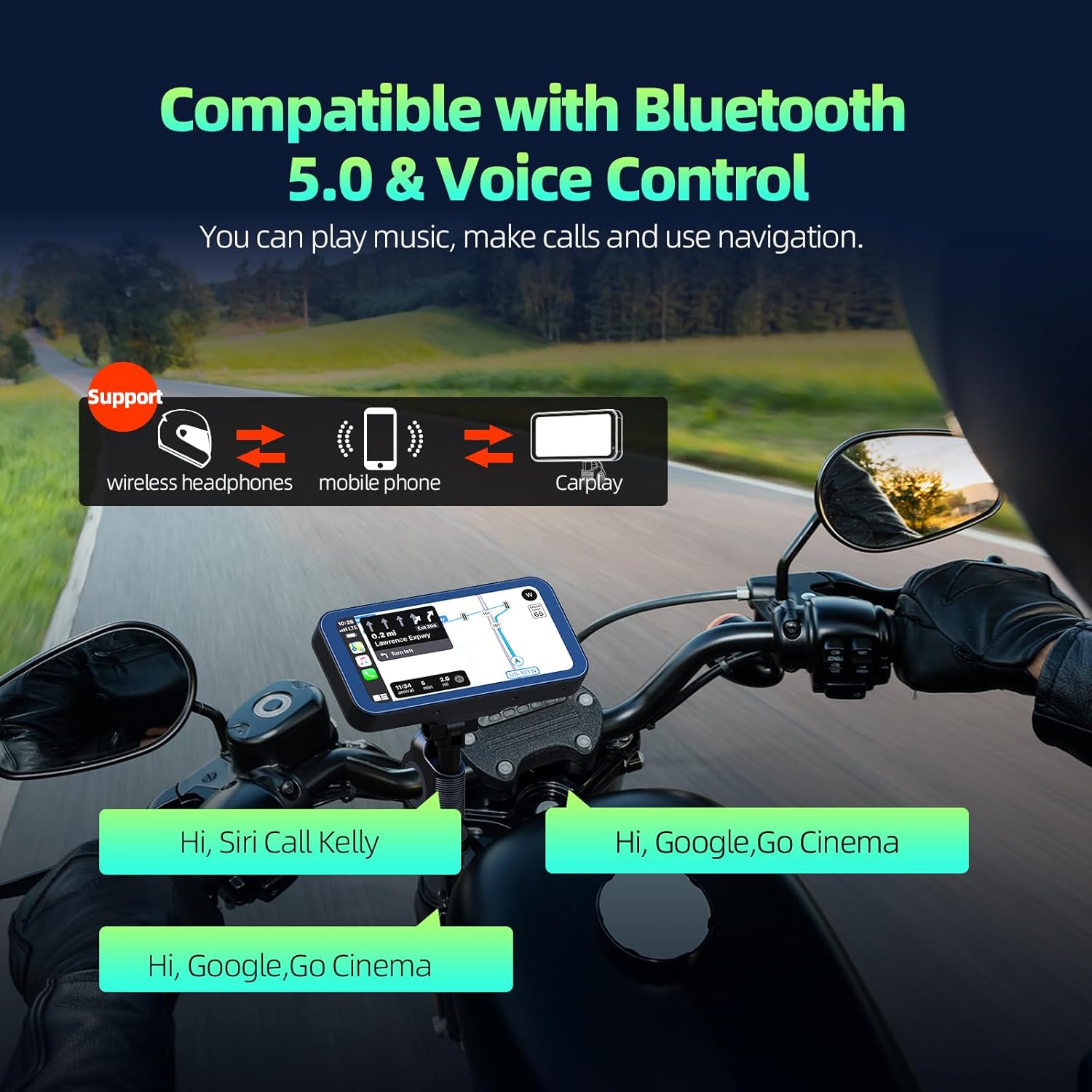
Image 4.3: Illustration of Bluetooth 5.0 connectivity and voice control, showing the device connected to wireless headphones and responding to voice commands.
4.5 IP67 Waterproof and Touch Disable
The RC15 unit and its wiring connectors are designed to be IP67 waterproof, allowing for use in rainy conditions. For enhanced safety during rain, the touch functionality can be disabled. Long press the Home button on the wired remote for 5 seconds to toggle this feature.

Image 4.4: The LAMTTO RC15 screen operating in rainy conditions, demonstrating its IP67 waterproof rating and the option to disable touch functionality for safety.
4.6 Automatic Light Sensor
The screen brightness automatically adjusts according to the surrounding light conditions, ensuring optimal visibility during both day and night riding.

Image 4.5: Illustration of the automatic light sensor feature, showing the screen's brightness adapting to bright daylight and dark night conditions.
5. Manutenzjoni
To ensure the longevity and optimal performance of your LAMTTO RC15 screen, follow these maintenance guidelines:
- Tindif: Uża artab, damp cloth to clean the screen and device body. Avoid abrasive cleaners or solvents that may damage the surface.
- Ħażna: If storing the motorcycle for an extended period, ensure the device is powered off.
- Spezzjoni tal-Cable: Periodically check all power and accessory cables for any signs of wear or damage.
6 Issolvi l-problemi
If you encounter issues with your LAMTTO RC15, refer to the following common problems and solutions:
- L-Apparat Mhux Jixgħel:
- Check all power connections (GND, B+, ACC) to ensure they are secure.
- Verify that the motorcycle's ignition is on if connected to an ACC power source.
- Inspect any inline fuses for the power supply; replace if blown.
- CarPlay/Android Auto Mhux Qed Jikkonnettja:
- Ensure your smartphone's Bluetooth and Wi-Fi are active.
- Confirm that your smartphone's operating system meets the minimum requirements (iOS 10+ or Android 11+).
- Try restarting both the RC15 device and your smartphone.
- Delete the device from your smartphone's Bluetooth history and re-pair.
- L-Iskrin Mhux Jirrispondi għall-Mess:
- Check if 'rain mode' (touch disable) is active. Long press the Home button on the wired remote for 5 seconds to toggle.
- Ensure the screen is clean and free of debris or excessive moisture.
- Poor Screen Visibility:
- The automatic light sensor adjusts brightness. Ensure the sensor is not obstructed.
- Adjust screen brightness manually through the device settings if available.
Jekk il-problemi jippersistu, jekk jogħġbok ikkuntattja l-appoġġ għall-klijenti għal aktar assistenza.
7. Speċifikazzjonijiet
| Karatteristika | Speċifikazzjoni |
|---|---|
| Isem tal-Mudell | RC15 |
| Daqs tal-Wiri | 6.25 Pulzier |
| Dimensjonijiet tal-Prodott | 15.88 x 15.88 x 15.88 ċm |
| Piż | 950 g |
| Vol Operattivtage | 12-24 V |
| Klassifikazzjoni li ma jgħaddix ilma minnha | IP67 |
| Teknoloġija tal-Konnettività | Wi-Fi, Bluetooth 5.0 |
| Karatteristiċi Speċjali | Bluetooth, Touchscreen, Waterproof, Automatic Light Sensor |
| Komponenti Inklużi | Host, Power Cord, Bracket, Manual, Fixing Rings, Tools |
8. Garanzija u Appoġġ
LAMTTO provides a 2-year product warranty service for the RC15 Motorcycle CarPlay Screen. For any questions, technical support, or warranty claims, please contact LAMTTO customer service. Refer to the product packaging or the official LAMTTO webis-sit għall-aktar informazzjoni ta' kuntatt aġġornata.


