1. Introduzzjoni
This manual provides detailed instructions for the MACALLY BTZKEY Bluetooth Full-size Keyboard, designed for seamless integration with Apple devices. It features a Japanese layout, a numeric keypad, and multi-pairing capabilities for up to three devices. Please read this manual thoroughly before using the product to ensure proper operation and longevity.

Figure 1: MACALLY BTZKEY Bluetooth Full-size Keyboard
2. Kontenut tal-Pakkett
Jekk jogħġbok iċċekkja l-kontenut tal-pakkett biex tiżgura li l-oġġetti kollha huma preżenti:
- MACALLY BTZKEY Bluetooth Full-size Keyboard
- Cable tal-Iċċarġjar tal-USB-C
- Manwal għall-Utent
3. Setup
3.1 Iċċarġjar tat-Tastiera
The keyboard comes with a built-in 780mAh rechargeable battery. Before initial use, it is recommended to fully charge the keyboard.
- Connect the included USB-C cable to the charging port on the keyboard.
- Qabbad it-tarf l-ieħor tal-kejbil USB-C ma' adapter tal-enerġija USB (mhux inkluż) jew port USB imħaddem fuq il-kompjuter tiegħek.
- Id-dawl indikatur tal-iċċarġjar jixgħel waqt l-iċċarġjar u jintefa meta jkun iċċarġjat kompletament.
Nota: The USB-C cable provided is for charging only and does not support data transfer.

Figure 2: Charging the MACALLY BTZKEY Keyboard
3.2 Tqabbil ma' Apparati
The MACALLY BTZKEY keyboard supports pairing with up to three Bluetooth-enabled devices (MacBook, iMac, iPhone, iPad). You can easily switch between these devices.
- Kun żgur li t-tastiera hija ċċarġjata u mixgħula.
- Enable Bluetooth on your device (Mac, iPad, iPhone).
- On the keyboard, press and hold one of the dedicated device keys (B1, B2, or B3) for 3-5 seconds until the corresponding indicator light above the key flashes rapidly. This indicates the keyboard is in pairing mode.
- On your device, go to Bluetooth settings and select "BTZKEY" from the list of available devices.
- Once connected, the indicator light will stop flashing and remain solid for a few seconds, then turn off.
- To switch between paired devices, simply press the corresponding device key (B1, B2, or B3). The keyboard will automatically connect to the last paired device on that channel.
Suġġeriment għas-soluzzjoni tal-problemi: If pairing fails, it is recommended to delete all existing pairing records for the keyboard on your device and attempt to reconnect.

Figure 3: Multi-Sync Bluetooth Functionality
4. Istruzzjonijiet Operattivi
4.1 Mac-Specific Layout and Shortcut Keys
This keyboard is designed with a 111-key macOS-specific layout, providing a familiar and efficient typing experience for Apple users. It includes 14 dedicated shortcut keys for quick access to common Mac functions.
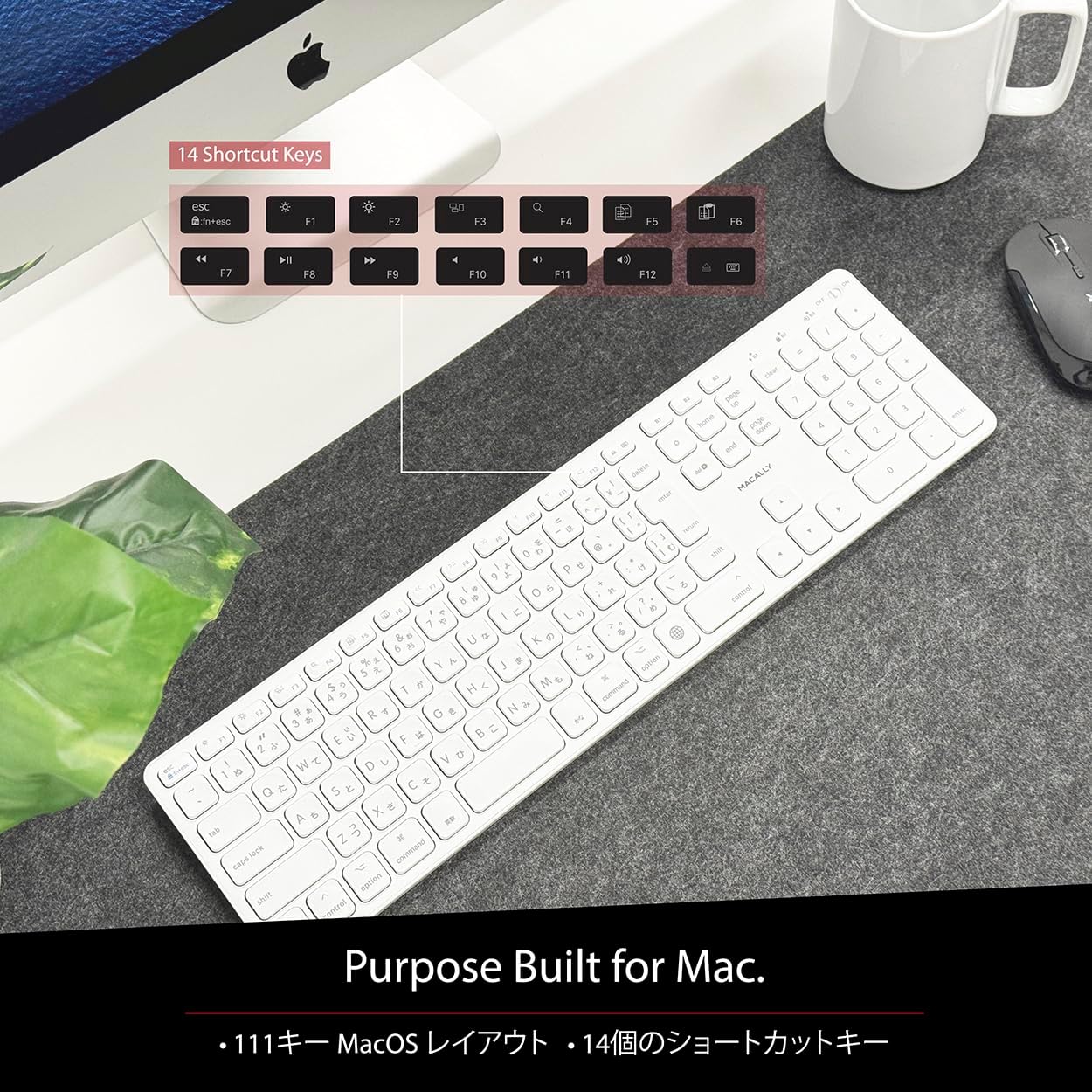
Figure 4: Mac-Specific Layout and Shortcut Keys
4.2 Scissor-Switch Keycaps
The keyboard utilizes quiet scissor-switch keys, offering a smooth, tactile, and quiet typing experience. This design ensures comfortable and efficient typing, whether for extended periods or quick tasks.
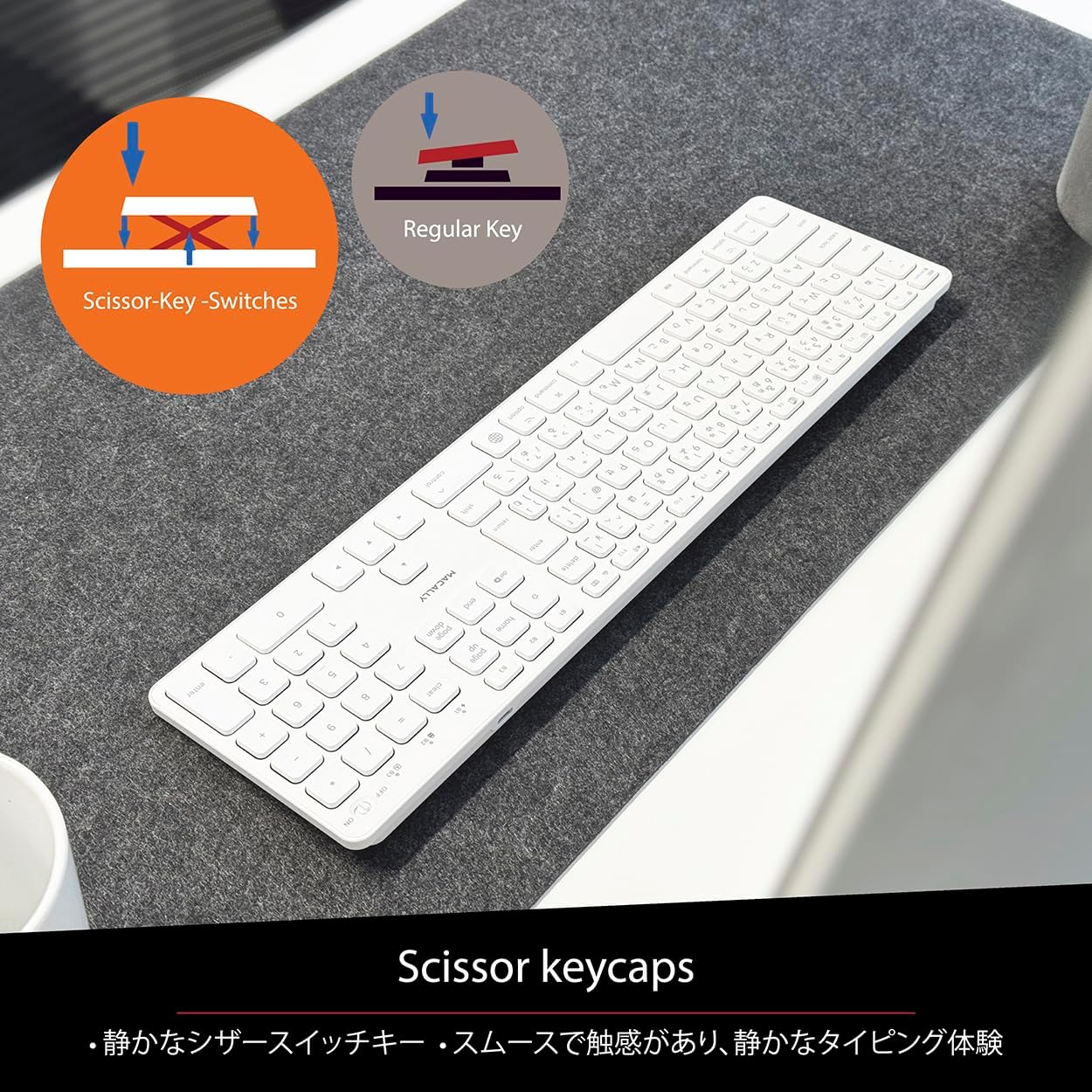
Figure 5: Scissor-Key-Switches Mechanism
4.3 Ergonomija u Disinn
The keyboard features an integrated kickstand for comfortable typing angles, reducing strain during use. Its slim profile, approximately 0.8 inches (2cm) thick, ensures portability and ergonomic use, complementing any workspace.
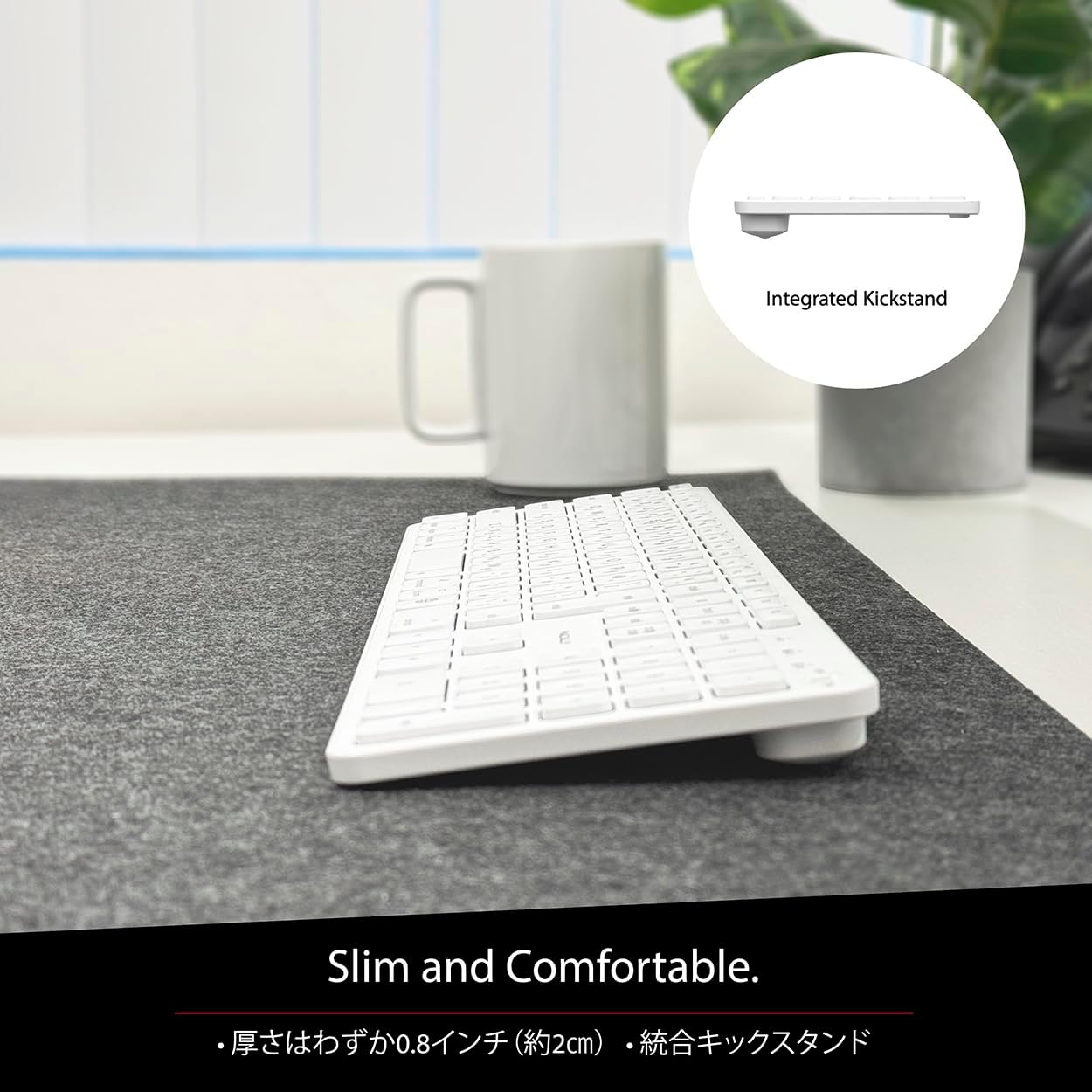
Figure 6: Slim Design with Integrated Kickstand
5. Manutenzjoni
Biex tiżgura l-lonġevità u l-prestazzjoni ottimali tat-tastiera tiegħek, segwi dawn il-linji gwida ta' manutenzjoni:
- Tindif: Uża drapp ratba u mingħajr ħelu ftit dampImsaħ il-wiċċ tat-tastiera b'ilma jew b'soluzzjoni ħafifa tat-tindif. Evita kimiċi ħarxa jew materjali li joborxu.
- Tneħħija tat-Trab: Uża arja kkompressata biex tneħħi t-trab u l-fdalijiet minn bejn iċ-ċwievet.
- Kura tal-batterija: Avoid exposing the keyboard to extreme temperatures. Charge the keyboard regularly, even if not in frequent use, to maintain battery health.
- Ħażna: When not in use for extended periods, store the keyboard in a cool, dry place away from direct sunlight.
6 Issolvi l-problemi
If you encounter issues with your MACALLY BTZKEY keyboard, please refer to the following common problems and solutions:
| Problema | Kawża Possibbli | Soluzzjoni |
|---|---|---|
| Keyboard not connecting/pairing | Bluetooth off, low battery, pairing conflict | Ensure Bluetooth is enabled on device. Charge keyboard. Delete existing pairing records on device and re-pair. |
| Keys unresponsive or repeating characters | Low battery, software glitch, interference | Charge keyboard. Restart device. Re-pair keyboard. Minimize interference from other wireless devices. |
| Ma nistax naqleb bejn apparati | Device not properly paired to channel | Ensure each device is paired to a unique channel (B1, B2, B3). Re-pair if necessary. |
| Ħajja qasira tal-batterija | Frequent use, aging battery | Ensure full charge before use. Reduce backlight usage if applicable (not on this model). Battery life may decrease over time. |
Jekk il-problema tippersisti wara li tipprova dawn is-soluzzjonijiet, jekk jogħġbok ikkuntattja l-appoġġ għall-klijenti.
7. Speċifikazzjonijiet
| Karatteristika | Deskrizzjoni |
|---|---|
| Brand | Macally |
| Manifattur | MACALLY |
| Serje | BTZKEY |
| Dimensjonijiet tal-Prodott (L x W x H) | 42 x 14 x 2 ċm |
| Numru tal-Mudell tal-Prodott | BTZKEY |
| Kulur | Abjad |
| Batteriji Inklużi | Iva |
| Pakkett tal-batterija tal-litju | Batteriji li jinsabu fit-tagħmir |
| Piż tal-batterija tal-litju | 2 g |
| Piż tal-oġġett | 610 g |
| Apparati Kompatibbli | Laptop (MacBook Pro/Air, iMac, Mac Mini, Mac Pro, iPad, iPhone) |
| Teknoloġija tal-Konnettività | Bluetooth |
| Deskrizzjoni tat-Tastiera | Tastiera tal-Uffiċċju |
| Użi Rakkomandati Għall-Prodott | Negozju |
| Karatteristika Speċjali | Rikarikabbli |
| Numru ta' Ċwievet | 111 |
| Komponenti Inklużi | Cable USB |
8. Garanzija u Appoġġ
For detailed warranty information, technical support, and customer service, please refer to the official MACALLY website or contact their support channels directly. It is recommended to keep your purchase receipt as proof of purchase for any warranty claims.
9. Vidjows Uffiċjali tal-Prodott
Official product videos, if available and relevant, would be embedded here to provide visual guidance on setup, features, or troubleshooting. Please note that video content is subject to availability and may require an internet connection to view.
(No official seller videos were available in the provided product data to embed at this time.)


