1. Introduzzjoni
Thank you for choosing the Parsonver SR3 Smart Watch. This manual provides essential information for setting up, operating, and maintaining your device. The SR3 Smart Watch is designed to be a versatile companion for your daily life, offering advanced health monitoring, fitness tracking, and seamless communication features.

Figure 1: Parsonver SR3 Smart Watch
2. X'hemm fil-Kaxxa
- 1x Parsonver SR3 Smart Watch
- 1x Cable tal-Iċċarġjar
- 1x Manwal tal-Utent (dan id-dokument)

Figura 2: Kontenut tal-Pakkett
3. Setup
3.1 Ħlas Inizjali
Before first use, fully charge your Parsonver SR3 Smart Watch. Connect the provided charging cable to the magnetic charging points on the back of the watch and plug the USB end into a compatible power adapter (not included). A full charge takes approximately 2 hours.
3.2 Installazzjoni u Tqabbil tal-App
To unlock the full potential of your smartwatch, download and install the companion app on your smartphone. The app is compatible with iOS (9.0+) and Android (6.0+) devices.
- Scan the QR code in the included quick start guide or search for the 'InfoWear' app in your smartphone's app store.
- Installa l-app u tiftaħha.
- Follow the on-screen instructions to create an account and pair your watch via Bluetooth. Ensure Bluetooth is enabled on your smartphone.
Video 1: Unboxing and Initial Setup of the Smartwatch
This video demonstrates the unboxing process, showing the watch, charging cable, and user manual. It also illustrates the initial pairing process with a smartphone via the companion app, including setting up personal information.
3.3 Personal Information Setup
Within the app, complete your personal profile (nickname, gender, date of birth, height, weight). This information is crucial for accurate health and fitness data tracking.
4. Istruzzjonijiet Operattivi
4.1 Navigazzjoni Bażika
- Swipe' l isfel: Access notifications (SMS, app alerts).
- Swipe 'l fuq: Access quick settings and shortcuts (brightness, battery, do not disturb, etc.).
- Swipe Xellug/Lemin: Navigate through various function interfaces (heart rate, SpO2, stress, sleep, weather, music, etc.).
- Buttuna ta' Fuq: Irritorna għall-iskrin tad-dar.
- Buttuna tal-qiegħ: Access the workout section.
4.2 Call Features & Smart Notifications
The Parsonver SR3 allows you to make and answer calls directly from your wrist via Bluetooth 5.3. You will also receive real-time notifications for text messages and various app alerts (Facebook, WhatsApp, Instagram, TikTok, Twitter).

Figure 3: Call and Notification Features

Figura 4: Funzjonalità tas-Sejħa Bluetooth

Figure 5: Real-time Notifications

Figure 6: Quick Call Replies (Android only)
4.3 Personalizzazzjoni tal-Wiċċ tal-Arloġġ
Personalize your watch with over 200 customizable watch faces available in the app's 'Dial Center'. You can also create unique designs using your own photos.

Figura 7: Personalizzazzjoni tal-Wiċċ tal-Arloġġ
4.4 Modi Sportivi
The SR3 Smart Watch features an advanced 6-axis sensor for precise tracking across 100+ sport modes. Select your desired workout mode in the app to track steps, calories, distance, average speed, and pace. The watch also automatically detects runs.

Figure 8: Extensive Sport Modes

Figure 9: Smart Sport Recognition
4.5 Monitoraġġ tas-Saħħa
Utilize high-precision sensors for comprehensive 24/7 health monitoring. All health data syncs to the companion app for detailed analysis over time.
- Monitoraġġ tar-Rata tal-Qalb: Track your heart rate continuously.
- Monitoraġġ tal-Ossiġenu tad-Demm (SpO2): Kejjel il-livelli tal-ossiġnu fid-demm tiegħek.
- Monitoraġġ tal-Kwalità tal-Irqad: Analyze your sleep patterns (deep sleep, light sleep, REM, awake time).
- Monitoraġġ tal-istress: Understand your stress levels and engage in breathing exercises.
- Traċċar tas-Saħħa tan-Nisa: Receive predictions and reminders for menstrual periods and ovulation.
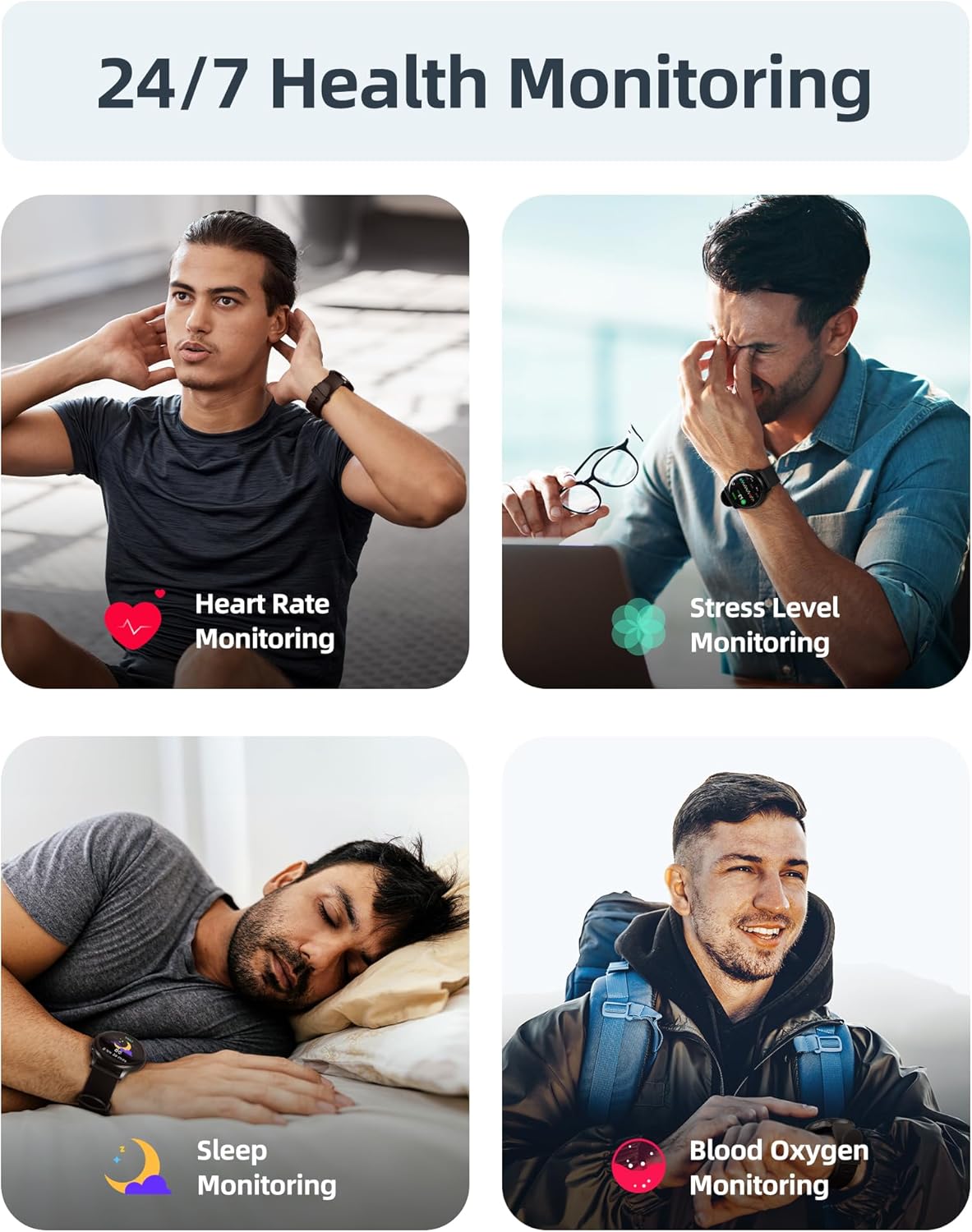
Figura 10: Aktarview of Health Monitoring

Figure 11: Heart Rate Monitoring Details

Figure 12: Blood Oxygen Monitoring Details

Figure 13: Stress Level Monitoring Details

Figure 14: Sleep Quality Monitoring Details

Figure 15: Women's Health Monitoring
4.6 Karatteristiċi Oħra
The SR3 Smart Watch includes a variety of additional features for convenience:
- Alarms, Weather Updates, Music Control, Stopwatch, Timer, Camera Control (shake to take photos), Pomodoro Timer, Adjustable Brightness, Event Reminders, Sedentary Alerts, Water Intake Reminders, Find My Phone, Raise-to-Wake functionality.

Figure 16: Additional Smartwatch Features

Figure 17: Lifestyle Features

Figure 18: Utility Features
5. Reżistenza għall-Ilma
The Parsonver SR3 Smart Watch boasts a 5ATM water resistance rating, meaning it can withstand pressures equivalent to a depth of 50 meters. This makes it suitable for swimming, diving, rainy runs, and workouts. It is significantly more water-resistant than standard IP68 devices (which are typically rated for submersion up to 1.5 meters).
Tifkira sħuna:
Avoid wearing this watch in hot baths, saunas, steam rooms, or other high-temperature environments to prevent damage to its performance.
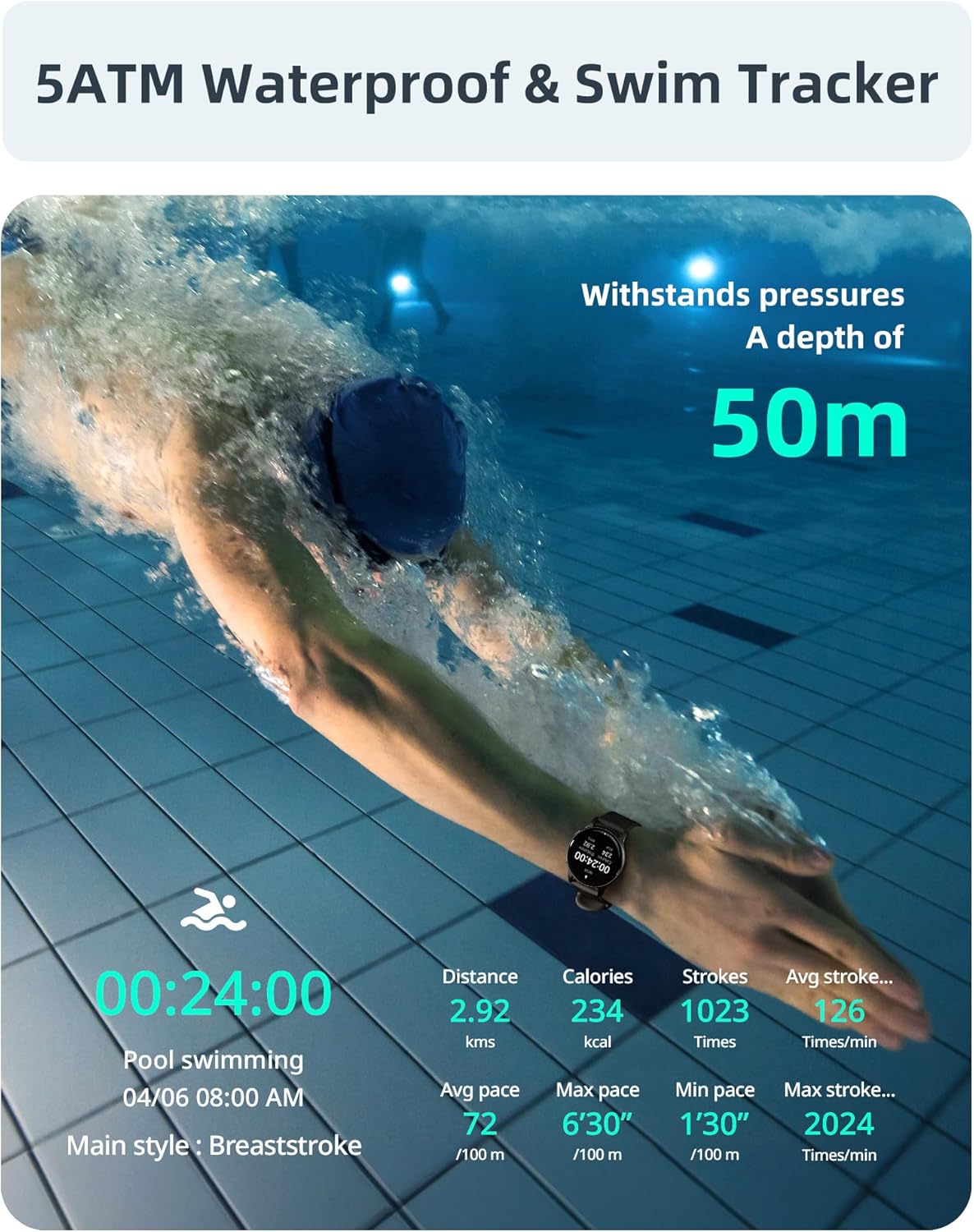
Figure 19: 5ATM Water Resistance
Video 2: 5ATM Waterproof Smart Watch: Swim Tracking, Calls & More!
This video highlights the 5ATM water resistance, showing the watch being used for swimming and demonstrating its ability to track swim strokes and other aquatic activities. It also briefly showcases call features.
6. Manutenzjoni
6.1 Tindif
Regularly clean your smartwatch and strap to ensure optimal performance and hygiene. Use a soft, damp cloth to wipe down the watch face and strap. Avoid harsh chemicals or abrasive materials.
6.2 Iċċarġjar
Charge the watch when the battery is low. The watch features low-power technology for extended usage, offering up to 40 days of standby time and 5-7 days of active use. Performance may vary based on activity levels.
6.3 Sostituzzjoni taċ-Ċinga
The SR3 Smart Watch uses a replaceable 22mm universal liquid silicone strap, which is soft, comfortable, and hypoallergenic. To replace the strap, locate the quick-release pins on the underside of the strap where it connects to the watch body. Pull the pin inwards to detach the strap, and then align the new strap and release the pin to secure it.

Figure 20: Strap Replacement
7 Issolvi l-problemi
- L-arloġġ ma jixgħelx: Kun żgur li l-arloġġ ikun iċċarġjat kompletament. Qabbad mal-kejbil tal-iċċarġjar u ma' sors tal-enerġija għal mill-inqas 10 minuti.
- Ma tistax tqabbad mat-telefon: Make sure Bluetooth is enabled on your phone and the watch is within range. Restart both the watch and your phone, then try pairing again. Check the app for specific pairing instructions.
- Dejta dwar is-saħħa mhux preċiża: Ensure the watch is worn snugly on your wrist, not too tight or too loose. Clean the sensors on the back of the watch. Ensure your personal information (height, weight, gender) is accurately entered in the app.
- Notifiki li ma jidhrux: Check app settings to ensure notification permissions are granted for the companion app and individual apps you wish to receive alerts from. Ensure the watch is connected to your phone via Bluetooth.
- Ħajja qasira tal-batterija: Reduce screen brightness, disable unnecessary features (e.g., continuous heart rate monitoring if not needed 24/7), and limit frequent notifications.
8. Speċifikazzjonijiet
| Karatteristika | Speċifikazzjoni |
|---|---|
| Numru tal-Mudell | SR3-Noir |
| Daqs tal-Iskrin | 1.27 Inches HD Full Touch Color Screen (360x360 resolution) |
| Dijametru Dial | 44mm |
| Piż | 0.317 uqija (madwar 9g) |
| Materjal taċ-ċinga | Liquid Silicone (22mm universal, hypoallergenic) |
| Reżistenza għall-Ilma | 5ATM (sa 50 metru) |
| Kapaċità tal-batterija | 230 Milliamp Sigħat |
| Ħin tal-Iċċarġjar | Appross. 2 sigħat |
| Ħajja tal-Batterija (Użu Attiv) | 5-7 ijiem |
| Ħajja tal-batterija (Standby) | Sa 40 jum |
| Konnettività | Bluetooth 5.3 |
| Kompatibilità | iOS 9.0+ / Android 6.0+ Smartphones |
| Sensuri | 6-axis sensor for fitness tracking, high-precision health sensors |
9. Garanzija u Appoġġ
Parsonver is committed to customer satisfaction. Your SR3 Smart Watch comes with a standard manufacturer's warranty. For any questions, technical assistance, or warranty claims, please contact Parsonver customer support. We offer 24/7 friendly support to ensure a seamless experience.
Please refer to the official Parsonver webis-sit jew id-dokumentazzjoni tax-xiri tiegħek għal termini speċifiċi tal-garanzija u informazzjoni ta' kuntatt.

Figure 21: Parsonver Brand Logo

Figure 22: 24/7 Online Support Available


