Introduzzjoni
Thank you for choosing the WOLFANG WT03 Solar Wildlife Camera. This advanced trail camera is designed for wildlife monitoring, outdoor security, and nature observation, offering high-resolution imaging, robust features, and sustainable power solutions. Please read this manual carefully before operating the camera to ensure optimal performance and longevity.
Kontenut tal-Pakkett

Image: The WOLFANG WT03 Solar Wildlife Camera, user manual, mounting strap, USB cable, and mounting hardware.
Ensure all items are present and in good condition. If any items are missing or damaged, please contact WOLFANG customer support.
- WOLFANG WT03 Wildlife Camera
- Ċinga tal-Immuntar
- Cable USB
- Ħardwer tal-Immuntar (viti, ankri tal-ħajt)
- Manwal għall-Utent
- Karta Mikro SD ta' 32GB (installata minn qabel)
Prodott Overview

Immaġni: Quddiem view of the WOLFANG WT03 camera, highlighting the integrated solar panel, main lens, and motion sensor.
The WOLFANG WT03 features an integrated solar panel for continuous power, a high-resolution camera for capturing 4K video and 46MP images, and advanced night vision capabilities. Its robust IP66 waterproof design ensures reliable operation in various outdoor conditions.
Karatteristiċi ewlenin:
- 4K@30FPS Video & 46MP Image Resolution: Jaqbad ikel ċar u dettaljattage u ritratti.
- Integrated Solar Panel & 4400mAh Battery: Provides sustainable power and extended battery life.
- Konnettività WiFi u Bluetooth: Allows for easy app control, live viewing, u file transfer to your smartphone (within 33 feet).
- 0.1s Trigger Speed: Ensures rapid capture of motion-activated events.
- 120° Night Vision: Equipped with 850nm low-luminescence LEDs for clear nighttime images up to 65 feet.
- Klassifikazzjoni IP66 li ma jgħaddix ilma minnha: Iddisinjat biex jiflaħ kundizzjonijiet ħorox tat-temp.
- Reġistrazzjoni Loop: Jikteb awtomatikament fuq l-eqdem files meta l-karta SD tkun mimlija.
Setup
1. Installazzjoni tal-batterija
The camera has a built-in 4400mAh lithium battery. For extended operation, especially in low temperatures, it is recommended to install 4 AA batteries (not included) as backup power.
- Open the camera's side latch and swing open the housing.
- Sib il-kompartiment tal-batterija.
- Daħħal 4 batteriji AA, filwaqt li tiżgura polarità korretta (+/-).
- Close the battery compartment and secure the housing latch.
Nota: The built-in lithium battery is the priority power source. AA batteries serve as backup. Ensure the built-in battery is charged via the solar panel or USB-C before first use.
2. Installazzjoni tal-Kard SD
A 32GB Micro SD card is pre-installed. The camera supports Micro SD cards up to 128GB.
- With the camera powered off, open the housing.
- Sib l-islott tal-karta Micro SD.
- Daħħal il-kard tal-Micro SD bil-kuntatti tad-deheb iħarsu 'l isfel sakemm tikklikkja f'postha.
- To remove, push the card in until it clicks, then release.
Importanti: Format the SD card in the camera's settings menu before first use to ensure compatibility and optimal performance.
3. Immuntar tal-Kamera
The camera can be mounted using the included strap or mounting hardware.

Image: The WOLFANG WT03 camera mounted on a tree, illustrating its integrated solar panel technology for power supply.
- Immuntar taċ-Ċinga: Thread the provided strap through the slots on the back of the camera and secure it around a tree or pole.
- Immuntar bil-kamin: Use the included mounting bracket and screws to attach the camera to a wall or flat surface.
Suġġerimenti dwar it-Tqegħid:
- Mount the camera at a height of 3-6 feet (1-2 meters) for optimal detection.
- Żgura li l-pannell solari jkun espost għal dawl tax-xemx dirett għall-effiċjenza massima tal-iċċarġjar.
- Avoid placing the camera directly facing the sun or strong light sources to prevent overexposure.
- Clear any obstacles (branches, tall grass) that might trigger false detections or obstruct the view.
Operazzjoni
1. Tixgħil / Mitfi
- To power on, slide the mode switch from OFF to SETUP or ON.
- To power off, slide the mode switch to OFF.
2. Basic Settings (SETUP Mode)
In SETUP mode, you can access the camera's menu and adjust various parameters using the control buttons.
- Modalità: Agħżel Ritratt, Vidjo, jew Ritratt+Vidjo.
- Riżoluzzjoni tar-Ritratti: Choose from various MP settings (e.g., 46MP, 30MP, 20MP).
- Riżoluzzjoni tal-vidjo: Select 4K, 2.7K, 1080P, etc. (4K 30fps recommended).
- Intervall PIR: Issettja d-dewmien bejn id-detezzjonijiet.
- Veloċità ta' Trigger: Fixed at 0.1s for fast capture.
- Time Lapse: Set intervals for continuous recording without motion detection.
- Format SD Card: Ħassar id-dejta kollha fuq il-karta SD.
- Data u Ħin: Issettja d-data u l-ħin kurrenti.
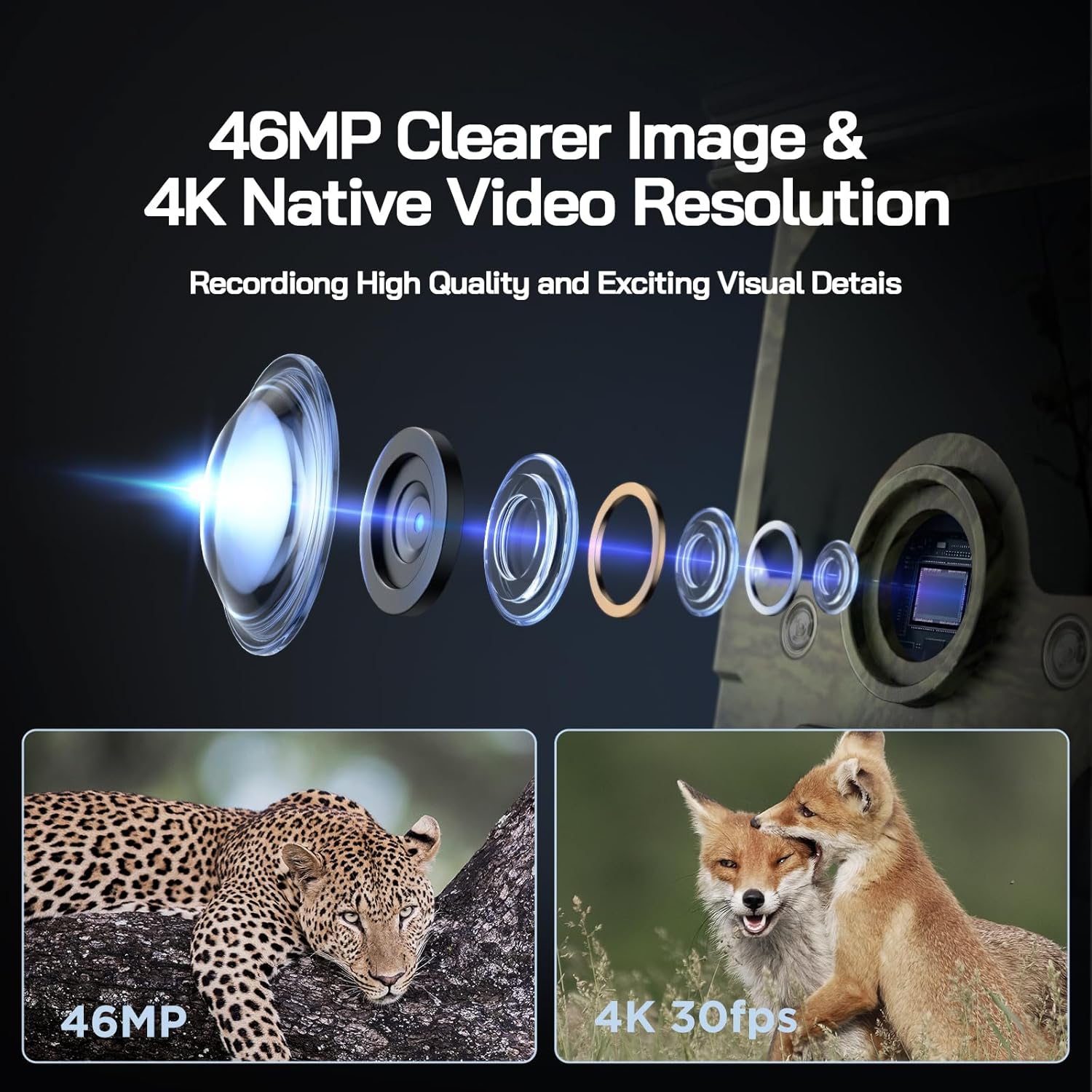
Image: Visual representation of the camera's 46MP image and 4K 30fps video resolution capabilities.

Image: A squirrel captured mid-air, illustrating the camera's ultra-fast 0.1s trigger speed.

Image: A side-by-side comparison demonstrating the superior night vision quality of the WOLFANG camera using 850nm IR lamps.
3. Konnessjoni tal-WiFi u l-App
The WOLFANG WT03 can be controlled and monitored via a smartphone app. The WiFi connection range is limited to 33 feet (10 meters).

Image: A smartphone showing the camera's app interface with a live view of deer, demonstrating WiFi connection and app control.
- Download the "WOLFANG Wildlife" app from your smartphone's app store or scan the QR code provided in the camera's interface (usually in SETUP mode). A relevant link for the app is hawn.
- Turn the camera's mode switch to SETUP.
- Open the WOLFANG Wildlife app on your phone.
- Follow the in-app instructions to connect to the camera's WiFi network. You may need to enable Bluetooth on your phone first to discover the camera.
- Ladarba tkun imqabbda, tista ' view foo ħajtage, adjust settings, and download filedirettament fuq it-telefon tiegħek.
Issolvi l-problemi tal-Konnessjoni: If connection issues occur, try plugging in the charging cable to the camera and setting the app to manual connection. Reconnecting might require re-plugging the charging cable.
4. Viewing/Downloading Files
- Permezz tal-App: Connect to the camera via WiFi using the app. Navigate to the album/gallery section to view and download photos/videos.
- Via USB Cable: Connect the camera to a computer using the provided USB cable. The camera will appear as a removable disk, allowing you to access files.
- Directly on Camera: In SETUP mode, use the navigation buttons to browse captured photos and videos on the camera's screen.
- SD Card Reader: Remove the Micro SD card from the camera and insert it into a compatible card reader connected to a computer.

Image: A visual explanation of the loop recording function, showing how the camera overwrites the oldest footage when the SD card reaches full capacity.
Manutenzjoni
- Tindif: Use a soft, dry cloth to clean the camera lens and solar panel. Avoid abrasive cleaners.
- Kura tal-batterija: For optimal battery life, ensure the solar panel is regularly exposed to sunlight. If storing the camera for extended periods, fully charge the built-in battery and remove any AA batteries.
- Ħażna: Aħżen il-kamera f'post frisk u niexef meta ma tkunx qed tuża.
- Aġġornamenti tal-Firmware: Check the official WOLFANG webŻur is-sit perjodikament għal kwalunkwe aġġornament tal-firmware disponibbli biex tittejjeb il-prestazzjoni u jiżdiedu l-karatteristiċi.

Image: The WOLFANG WT03 camera shown in rainy conditions, emphasizing its IP66 super waterproof rating and protective eave design.
Issolvi l-problemi
| Problema | Soluzzjoni Possibbli |
|---|---|
| Il-kamera mhux qed tixgħel. |
|
| Kwalità fqira tal-immaġni/vidjow. |
|
| Problemi bil-konnessjoni tal-WiFi. |
|
| Il-kamera mhux qed tiskopri moviment. |
|
| Żball tal-karta SD. |
|
Speċifikazzjonijiet
| Karatteristika | Dettall |
|---|---|
| Isem tal-Mudell | WT03 |
| Riżoluzzjoni tal-Qbid tal-Vidjo | 4K (30fps) |
| Riżoluzzjoni Għadha Effettiva | 46 MP |
| Sors tal-Enerġija | Solar Powered (Built-in 4400mAh battery), 4x AA batteries (backup, not included) |
| Teknoloġija tal-Konnettività | WiFi, Bluetooth |
| Livell ta 'Reżistenza għall-Ilma | IP66 Waterproof |
| Trigger Veloċità | 0.1 sekonda |
| Medda tal-Viżjoni Lejl | Sa 65 pied (20 metri) |
| Angolu ta 'Sejbien PIR | 120° |
| Kapaċità tal-Ħżin | Jappoġġja kard Micro SD sa 128GB (inklużi 32GB) |
| Dimensjonijiet (L x W x H) | 14.3 x 10.7 x 9.5 ċm |
| Piż | 730 Gramm |
Garanzija u Appoġġ
WOLFANG provides a Servizz ta 'garanzija ta' sena for the WT03 Solar Wildlife Camera. Additionally, a 1-month free return & exchange policy is available.
For any support needs, questions, or accessory package upgrades, please contact WOLFANG customer service directly.
Email: support.vc@wolfang.co
WOLFANG is committed to providing high-quality imaging products and prompt customer support.


