1. Introduzzjoni
This manual provides detailed instructions for the Vixic H1100 Portable Label Maker. Please read this manual thoroughly before using the device to ensure proper operation and to maximize its features.

Figure 1: Vixic H1100 Label Maker and accessories.
2. Kontenut tal-Pakkett
Iċċekkja li l-oġġetti kollha elenkati hawn taħt huma inklużi fil-pakkett tiegħek. Jekk xi oġġetti huma neqsin jew bil-ħsara, jekk jogħġbok ikkuntattja l-appoġġ għall-klijenti.
- 1 x Vixic H1100 Label Maker (Grey)
- 1 x Starter Laminated White Tape (0.47" x 13.1')
- 1 x USB Type-C Cable
- 1 x Gwida Quick Start
- 1 x Manwal għall-Utent
- 1 x Detentur tal-Cutter ta' Sostituzzjoni

Figure 2: Contents of the Vixic H1100 package.
3. Setup
3.1 It-Tħaddim tal-Apparat
The Vixic H1100 label maker offers two power supply options:
- Kejbil USB Type-C: Connect the included USB-C cable to the label maker and a compatible power source (e.g., a 5V-2A USB charger, not included).
- Batteriji AAA: Insert 6 AAA batteries (not included) into the battery compartment located on the underside of the device. Ensure correct polarity.
Note: The H1100 label maker is not rechargeable. The USB-C cable provides direct power for operation.
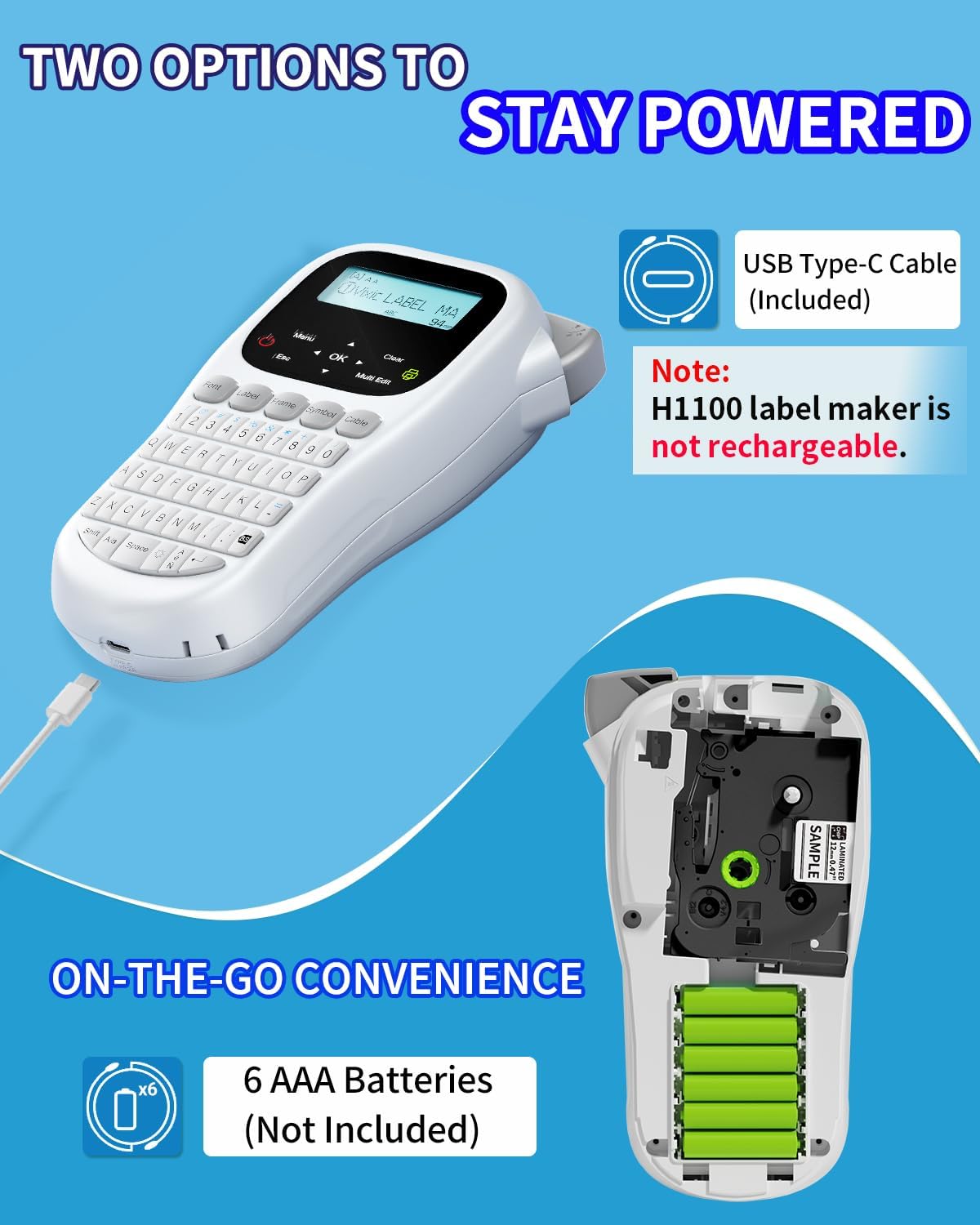
Figure 3: Powering the H1100 label maker.
3.2 Tagħbija tat-Tejp tat-Tikketti
- Kun żgur li l-magna tat-tikketti tkun mitfija.
- Open the tape compartment cover on the back of the device.
- Insert the label tape cartridge with the tape facing the print head. Ensure it clicks into place.
- Gently feed the end of the tape through the tape guide until it extends slightly past the cutter.
- Agħlaq l-għatu tal-kompartiment tat-tejp.
Figure 4: Label tape cartridge and loading area.
4. Istruzzjonijiet Operattivi
4.1 Basic Operation and Keyboard
The H1100 features a QWERTY keyboard for familiar and efficient text input. The backlit LCD screen provides clear visibility in various lighting conditions.
- Power On/Off: Agħfas il- Qawwa buttuna biex tixgħel jew titfi l-apparat.
- Dawl ta' wara: The backlight automatically illuminates for improved readability.
- Navigazzjoni: Uża l-vleġeġ (Up, Down, Xellug, Lemin) to navigate menus and text.
- Ikkonferma: Agħfas il- OK buttuna biex tikkonferma l-għażliet.
- Escape/Cancel: Agħfas il- Esc button to go back or cancel an action.
- Ċara: Agħfas il- Ċara button to delete characters or clear the current label text.
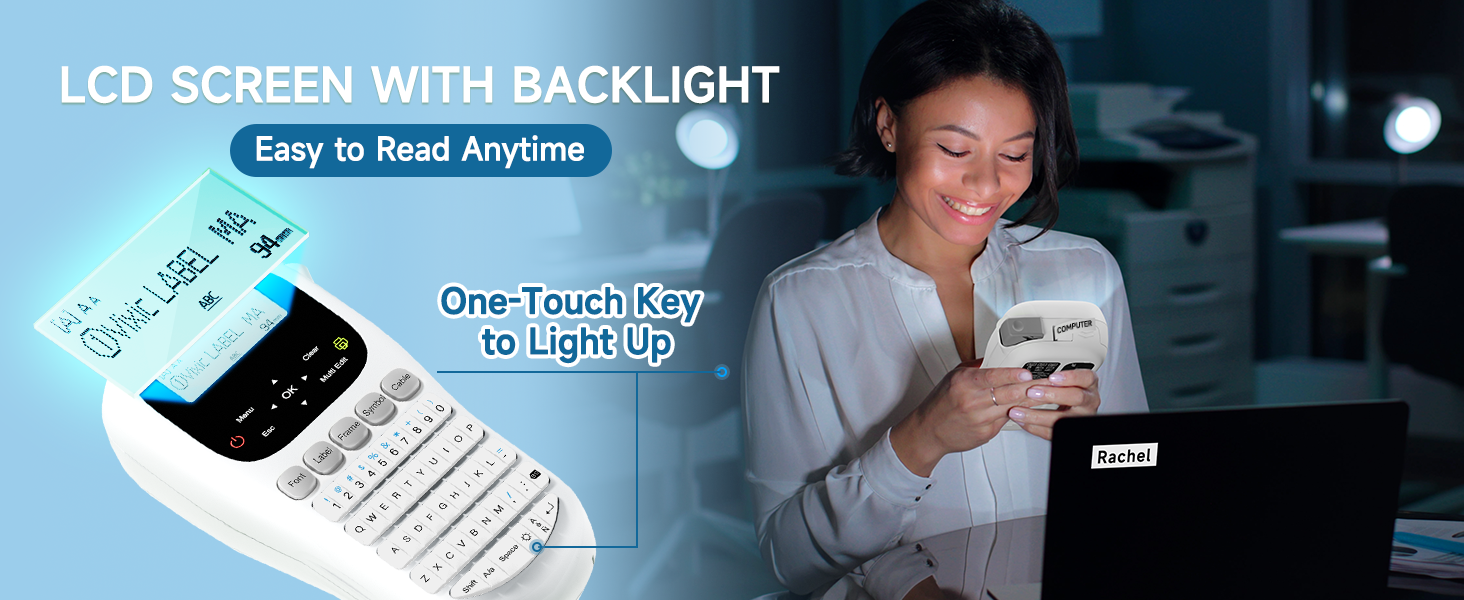
Figure 5: Backlit LCD screen and QWERTY keyboard.
4.2 Customizing Labels
The H1100 offers various customization options for your labels:
- Fonts: Choose from 16 unique fonts. Press the Font buttuna biex taċċessa l-għażliet tat-tipa.
- Daqsijiet tat-tipa: Adjust text size to small, medium, or large.
- Gwarniċi: Select from over 100 frames to add decorative borders. Press the Qafas buttuna.
- Simboli: Aċċessa aktar minn 800 simbolu biex ittejjeb it-tikketti tiegħek. Agħfas il-buttuna Simbolu buttuna.
- Stampar tal-Barcode: The device supports barcode printing.
- Test b'ħafna linji: Print up to 4 lines of text on labels up to 12mm wide.
- Lingwi: The device supports 22 built-in languages.

Figure 6: Label customization options.

Figure 7: Available borders and symbols.
4.3 Funzjonijiet tal-Istampar
- Printing a Label: After entering and customizing your text, press the Stampa buttuna biex tipprintja t-tikketta.
- Multi-Edit Function: The H1100 allows you to edit and print up to 20 different labels continuously. Use the Editjar Multiplu function to manage multiple label designs.
- Copy Printing: To print multiple copies of the same label, press Shift + Stampa. You can print up to 9 copies.
- Saving Label Designs: The device has a built-in memory feature to save up to 9 label designs for quick reprinting.
- Controlling Label Waste: Set narrow margins to minimize blank tape at the beginning and end of labels.

Figure 8: Multi-edit feature for continuous label printing.

Figure 9: Copy printing function.

Figure 10: Built-in memory for saving label designs.
4.4 Modi ta' Tikkettar tal-Kejbils
The H1100 supports specialized modes for labeling cables and wires:
- Tip ta' Kebbeb: For labels that wrap around a cable.
- Tip ta' Bandiera: For labels that stick out like a flag from a cable.
- Faceplate Type: For flat labels on surfaces like faceplates.

Figure 11: Cable labeling modes.
4.5 Qtugħ tat-Tikketti
After printing, use the built-in cutting knife to cleanly separate your labels.
- Locate the cutter button on the side of the device.
- Press the button firmly to cut the label.

Figure 12: Built-in cutting knife.
5. Manutenzjoni
5.1 Tindif tal-Apparat
Biex tiżgura prestazzjoni ottimali u lonġevità tal-magna tat-tikketti tiegħek:
- Turn off the device and disconnect any power sources.
- Uża drapp artab u niexef biex timsaħ il-barra tal-magna tat-tikketti.
- Gently clean the print head with a cotton swab moistened with isopropyl alcohol if print quality degrades. Allow to dry completely before use.
- Remove any dust or debris from the tape compartment.
5.2 Sostituzzjoni tad-Detentur tal-Cutter
A replacement cutter holder is included with your device. If the cutter becomes dull or damaged, follow these steps:
- Kun żgur li l-magna tat-tikketti tkun mitfija.
- Locate the cutter holder on the side of the device.
- Carefully remove the old cutter holder.
- Insert the new cutter holder until it clicks into place.
6 Issolvi l-problemi
If you encounter issues with your Vixic H1100 label maker, refer to the following common problems and solutions:
| Problema | Kawża Possibbli | Soluzzjoni |
|---|---|---|
| L-apparat ma jixgħelx. |
|
|
| Poor print quality (faint, broken lines). |
|
|
| Tape jams or does not feed. |
|
|
| Excessive blank tape before/after print. |
|
|
7. Speċifikazzjonijiet
Key technical specifications for the Vixic H1100 Label Maker:
- Mudell: H1100
- Dimensjonijiet: 8"D x 4.4"W x 2.2"H
- Piż tal-oġġett: 14.1 uqija (0.4 Kilogrammi)
- Teknoloġija tal-Istampar: Termali
- Daqs Massimu tal-Midja: 12mm / 0.47 pulzier
- Riżoluzzjoni massima tal-istampar: 200 dpi (Monokromu)
- Veloċità tal-Istampar: 20 ppm (Monokromu)
- Wiri: Skrin LCD backlit
- Tastiera: QWERTY
- Provvista tal-Enerġija: USB Type-C (cable included) or 6 x AAA Batteries (not included)
- Konnettività: USB Type C (for power only)
- Skartoċċ Kompatibbli: Vixic BZ Tapes (6mm, 9mm, 12mm)
- Karatteristiċi Speċjali: Backlight LCD Screen, Chain Print, Portable, Barcode Printing, Up to 4 Lines Text, Multiple Fonts, Symbols, Frames, Multi-Edit, Save Designs.
8. Garanzija u Appoġġ
8.1 Garanzija Limitata
The Vixic H1100 Label Maker comes with a limited warranty. For specific terms and conditions, please refer to the warranty information included in your product packaging or contact Vixic customer support.
8.2 Appoġġ għall-Klijent
If you require further assistance, have questions about your product, or need to report an issue, please contact Vixic customer support.
Spiss tista' ssib informazzjoni ta' kuntatt għall-appoġġ fuq il-websajt uffiċjali tal-manifattur webis-sit jew permezz tal-bejjiegħ bl-imnut minn fejn xtrajt il-prodott.


