Introduzzjoni
Thank you for choosing the ELECTROPRIME Zealot S30 Portable Bluetooth Speaker. This manual provides essential information for setting up, operating, and maintaining your speaker to ensure optimal performance and longevity. Please read this manual thoroughly before using the product.
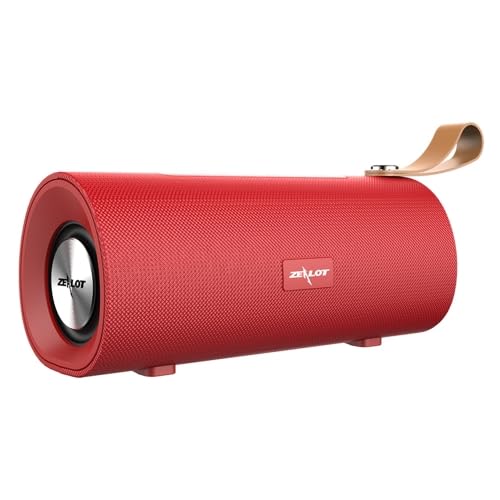
Figura 1: Quddiem view of the ELECTROPRIME Zealot S30 Portable Bluetooth Speaker, showcasing its red finish and integrated leather carrying strap.
The Zealot S30 is a versatile portable speaker designed for high-quality audio on the go. Key features include:
- Disinn portabbli: Equipped with a durable leather hand strap for easy carrying.
- Ħoss Superjuri: Features subwoofer dual speakers for stereo surround sound with heavy bass.
- Għażliet multipli ta' daqq: Supports Bluetooth 5.0, TF card playback, and AUX audio input for wired connections.
- Sejħat mingħajr idejn: Built-in sensitive microphone with intelligent noise reduction for clear calls.
- Ħajja twila tal-batterija: Integrated 1800mAh battery provides extended music playback and standby time.
Kontenut tal-Pakkett
Jekk jogħġbok iċċekkja l-pakkett għall-oġġetti li ġejjin:
- ELECTROPRIME Zealot S30 Portable Bluetooth Speaker
- Mikro USB Iċċarġjar Cable
- AUX Audio Cable (if included, check packaging)
- Manwal għall-Utent (dan id-dokument)
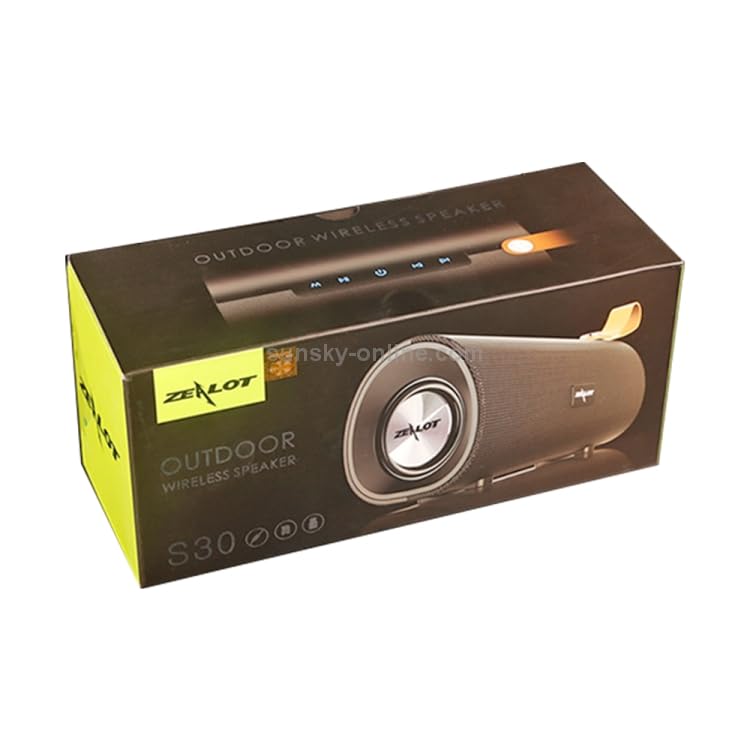
Figure 2: The retail packaging for the Zealot S30 speaker, indicating its "Outdoor Wireless Speaker" designation.
Setup
1. Iċċarġja l-Ispeaker
Before first use, fully charge the speaker. Use the provided Micro USB cable to connect the speaker's charging port to a DC5V power source (e.g., a USB wall adapter or computer USB port).
- Port tal-Iċċarġjar: Mikro USB
- Iċċarġjar Voltage: DC5V
- Ħin tal-Iċċarġjar: Approximately 2.5 hours (may vary with charger specifications).
The charging indicator light will typically turn off or change color once charging is complete.
2. Tixgħil / Mitfi
Locate the power button on the speaker. Press and hold the power button for a few seconds to turn the speaker on or mitfi. A voice prompt or indicator light will confirm the status.
3. Tqabbil tal-Bluetooth
Biex tqabbad l-ispiker tiegħek ma' apparat li jaħdem bil-Bluetooth:
- Ensure the speaker is powered on and in Bluetooth pairing mode (usually indicated by a flashing blue LED).
- Fuq l-apparat tiegħek (smartphone, tablet, eċċ.), attiva l-Bluetooth u fittex apparati disponibbli.
- Select "Zealot S30" from the list of found devices.
- Once connected, the speaker will provide an audible confirmation, and the Bluetooth indicator light will become solid.
The effective transmission distance for Bluetooth is approximately 10 meters (33 feet) without obstacles.
4. Input tal-Awdjo AUX
For wired connection, use a 3.5mm AUX audio cable (not always included) to connect the speaker's AUX port to the audio output of your device. The speaker will automatically switch to AUX mode.
5. Daqq tal-Karta TF
Insert a TF (Micro SD) card with pre-loaded audio files into the designated TF card slot on the speaker. The speaker will automatically detect the card and begin playing music. This mode does not require a Bluetooth connection.
Istruzzjonijiet Operattivi
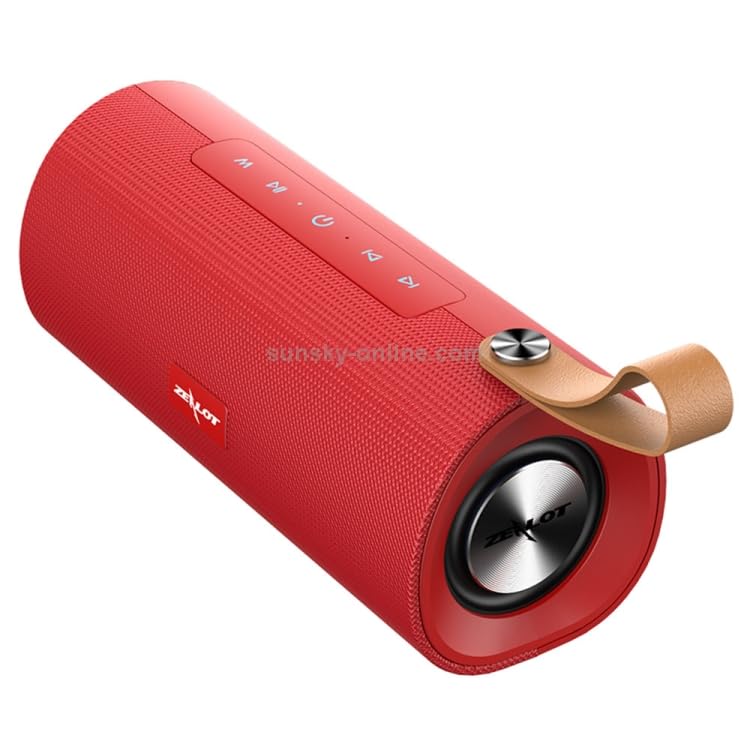
Figura 3: Fuq view of the Zealot S30 speaker, highlighting the control panel with buttons for playback and mode selection.
The Zealot S30 speaker features intuitive controls located on its top panel. While specific button functions may vary slightly, common operations include:
- Play/Pawsa: Agħfas il- Play/Pawsa buttuna biex tibda jew twaqqaf id-daqq tal-mużika.
- Kontroll tal-Volum: Uża l- Volum 'il fuq (+) u Volum 'l isfel (-) buttuni biex taġġusta l-livell tal-awdjo.
- Track Li jmiss / Preċedenti: Long press or short press the Volum 'il fuq (+) or Volum 'l isfel (-) buttons to skip to the next or previous track, respectively.
- Buttuna tal-Modalità (M): Agħfas il- Modalità button to switch between Bluetooth, TF Card, and AUX input modes.
- Sejħat mingħajr idejn:
- Tweġiba/Tmiem Sejħa: Agħfas il- Play/Pawsa button to answer an incoming call or end an ongoing call.
- Irrifjuta Sejħa: Agħfas u żomm il- Play/Pawsa buttuna biex tirrifjuta sejħa li tkun deħlin.
- Ċempil mill-ġdid: Agħfas darbtejn il- Play/Pawsa buttuna biex terġa 'tiddaħħal l-aħħar numru.
The built-in microphone with intelligent noise reduction ensures clear communication during hands-free calls.
Manutenzjoni
Proper care will extend the life of your ELECTROPRIME Zealot S30 speaker.
- Tindif: Use a soft, dry cloth to wipe the speaker's surface. Do not use abrasive cleaners, alcohol, or solvents.
- Ħażna: Aħżen l-ispiker f'post frisk u niexef 'il bogħod mix-xemx diretta, temperaturi estremi, u umdità għolja.
- Kura tal-batterija:
- Evita li tiċċarġja l-batterija kompletament ta' spiss.
- If storing for a long period, charge the battery to about 50% every few months to prevent deep discharge.
- Tesponix il-batterija għal sħana eċċessiva jew kesħa.
- Reżistenza għall-Ilma: This speaker is not specified as water-resistant. Avoid exposure to water or excessive moisture.
Issolvi l-problemi
Jekk tiltaqa' ma' problemi bl-ispiker tiegħek, irreferi għas-soluzzjonijiet komuni li ġejjin:
| Problema | Kawża Possibbli | Soluzzjoni |
|---|---|---|
| L-ispiker ma jixgħelx. | Batterija baxxa. | Iċċarġja l-ispiker kompletament. |
| L-ebda ħoss mill-ispiker. | Volum baxx wisq; mod mhux korrett; apparat mhux imqabbad. | Increase speaker and device volume. Ensure correct mode (Bluetooth/AUX/TF Card). Re-pair Bluetooth or check AUX cable connection. |
| Il-konnessjoni Bluetooth mhix stabbli jew tfalli. | Speaker too far from device; interference; device Bluetooth issue. | Move speaker closer to device (within 10m). Avoid obstacles. Turn off and on Bluetooth on both devices. Forget and re-pair "Zealot S30" on your device. |
| Il-kard tat-TF mhux qed tilgħab. | Il-karta mhux imdaħħla sew; mhux appoġġjata file format; karta korrotta. | Reinsert TF card. Ensure audio files are in a supported format (e.g., MP3). Try a different TF card. |
Jekk il-problema tippersisti wara li tipprova dawn is-soluzzjonijiet, jekk jogħġbok ikkuntattja l-appoġġ għall-klijenti.
Speċifikazzjonijiet
| Karatteristika | Dettall |
|---|---|
| Brand | ELETTROPRIME |
| Isem tal-Mudell | Zealot S30 |
| Numru tal-Mudell | IP7G8266R |
| Verżjoni Bluetooth | V5.0 |
| Output Speaker | 4 ohm 5W x2 (Dual Speakers) |
| Distanza tat-Trażmissjoni | Madwar 10m |
| Rispons ta' Frekwenza | 20Hz-20KHz |
| Proporzjon tas-sinjal għall-istorbju | 90dB |
| Ħidma Voltage | 3.7V |
| Iċċarġjar Voltage | DC5V |
| Port tal-Iċċarġjar | Mikro USB |
| Kapaċità tal-batterija | 1800mAh |
| Ħin tat-Tkellem | Madwar sagħtejn |
| Ħin ta 'Daqq tal-Mużika | Madwar sagħtejn |
| Ħin ta' Standby | Madwar 30 jum |
| Ħin tal-Iċċarġjar | Madwar sagħtejn |
| Dimensjonijiet (L x W x H) | 198mm x 80mm x 90mm |
| Apparati Kompatibbli | Smartphone, Pillola |
| Karatteristiċi Speċjali | Bluetooth, Portable, Wireless, Built-in Mic |
| Modalità tal-Ħruġ tal-Awdjo | Stereo |
| Sors tal-Enerġija | Mħaddma bil-batterija |
| Tip ta' Konnettur | Awżiljarju, Bluetooth, USB |
| Tip ta 'Immuntar | Mejda |
Garanzija u Appoġġ
ELECTROPRIME products are designed for reliability and performance. For information regarding warranty coverage and customer support, please refer to the warranty card included with your product or visit the official ELECTROPRIME websit.
For technical assistance or inquiries, please contact ELECTROPRIME customer service. Keep your purchase receipt and model number (Zealot S30 / IP7G8266R) ready when contacting support.
Manufacturer: ELECTROGADGETSSTORE


