1. Introduzzjoni
This manual provides comprehensive instructions for the installation, operation, and maintenance of your Intel Core i7-13700F Desktop Processor and GIGABYTE Z790 Motherboard. Please read this manual thoroughly before beginning installation to ensure proper setup and optimal performance.

Image 1.1: Intel Core i7-13700F Processor box and GIGABYTE Z790 Motherboard. This image displays the retail packaging for the Intel Core i7-13700F processor alongside the GIGABYTE Z790 motherboard, highlighting the two primary components of this bundle.
2. Prodott Aktarview
The Intel Core i7-13700F processor and GIGABYTE Z790 motherboard combination offers a robust foundation for high-performance computing. Key features include:
- Proċessur: 16 cores (8 Performance-cores + 8 Efficient-cores) and 24 threads, with a maximum clock speed of up to 5.2 GHz and 30MB Cache. Features performance hybrid architecture for optimized workload distribution.
- Kompatibbiltà tal-motherboard: Designed for Intel LGA 1700 Socket, supporting 13th and 12th Gen Intel Core Series Processors.
- Appoġġ għall-memorja: Dual Channel DDR5 compatibility with 4 DIMM slots.
- Disinn tal-Enerġija: Sturdy 16+1+1 Twin Hybrid Phases Digital Power Design with 60A DrMOS.
- Ġestjoni Termali: Comprehensive thermal design including Fully Covered MOSFET Heatsinks, M.2 Thermal Guard, Ultra Durable Armor, and a 6-layer PCB for efficient heat dissipation.
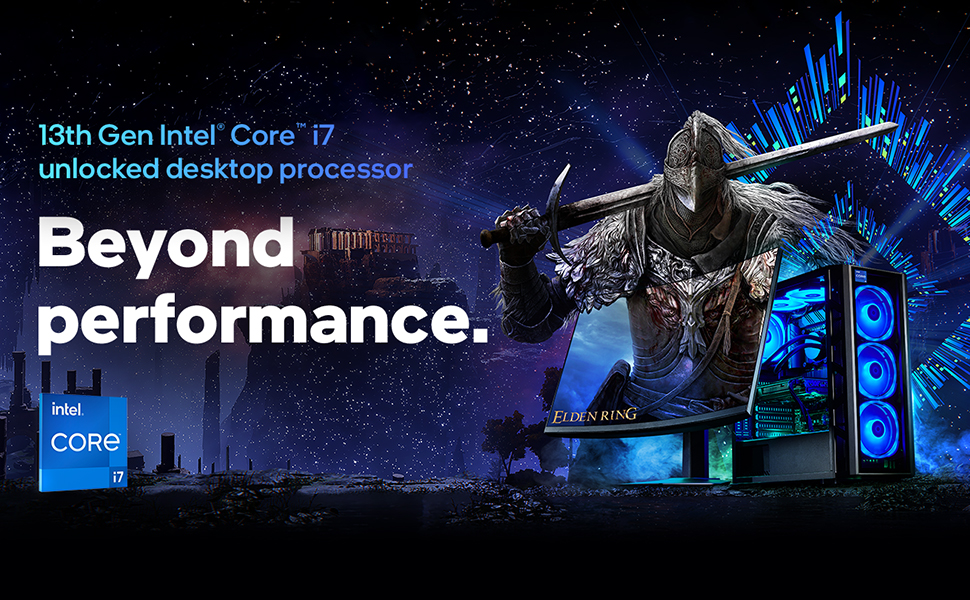
Immaġni 2.1: Fuqview of 13th Gen Intel Core i7 Processor capabilities. This image illustrates the "Beyond performance" concept associated with the 13th Gen Intel Core i7 desktop processor, emphasizing its advanced capabilities for demanding tasks.

Image 2.2: Visual representation of Intel's Performance Hybrid Architecture. This graphic depicts how the performance hybrid architecture integrates different core microarchitectures to optimize performance by intelligently distributing workloads.
3. Setup u Installazzjoni
This section outlines the general steps for installing the Intel Core i7-13700F processor onto the GIGABYTE Z790 motherboard and integrating it into a PC system. Professional installation is recommended if you are unfamiliar with PC component assembly.
3.1. Qabel ma Tibda
- Kun żgur li l-unità tal-provvista tal-enerġija (PSU) tiegħek hija kompatibbli u tipprovdi biżżejjed ilmatage għall-komponenti kollha.
- Gather necessary tools: Phillips head screwdriver, anti-static wrist strap, thermal paste (if not pre-applied on cooler).
- Familiarize yourself with your PC case and its component mounting points.
3.2. Processor Installation (LGA 1700 Socket)
- Carefully open the CPU socket retention lever on the motherboard.
- Align the triangular mark on the processor with the corresponding mark on the socket.
- Gently place the processor into the socket. Do not force it.
- Close the retention lever to secure the processor.
- Install the CPU cooler according to its manufacturer's instructions, ensuring proper thermal paste application.
3.3. Installazzjoni tal-Motherboard
- Install standoffs in your PC case that align with the GIGABYTE Z790 motherboard's mounting holes.
- Carefully place the motherboard into the case, aligning it with the standoffs and the I/O shield.
- Sikura l-motherboard bil-viti.
3.4. Installazzjoni tal-Memorja (RAM)
- Iftaħ il-klipps fuq is-slots tad-DDR5 DIMM.
- Allinja l-islott fuq il-modulu tal-memorja DDR5 maċ-ċavetta fl-islott tad-DIMM.
- Agħfas sew 'l isfel fuq iż-żewġt itruf tal-modulu tal-memorja sakemm il-klipps jidħlu f'posthom.
- For dual-channel operation, refer to your GIGABYTE Z790 motherboard manual for recommended slot configurations.
3.5. Konnessjoni tal-Periferali u l-Enerġija
- Connect the 24-pin ATX power connector and the 8-pin (or 4+4 pin) CPU power connector from your PSU to the motherboard.
- Installa l-karta grafika tiegħek fl-islott primarju tal-PCIe x16.
- Connect storage devices (SSDs/HDDs) via SATA or M.2 slots.
- Connect front panel headers (power button, reset button, USB ports, audio jacks) according to the motherboard manual.
4. Istruzzjonijiet Operattivi
Once all components are installed and connected, you can proceed with system boot-up and operating system installation.
4.1. L-Ewwel Boot u s-Setup tal-BIOS
- Connect a monitor, keyboard, and mouse.
- Ixgħel is-sistema tiegħek.
- Press the designated key (usually DEL or F2) repeatedly during boot-up to enter the BIOS/UEFI setup utility.
- Verify that all components (CPU, RAM, storage) are recognized.
- Ikkonfigura l-ordni tal-ibbutjar biex tinstalla s-sistema operattiva tiegħek minn USB drive jew midja ottika.
- Issejvja l-bidliet u oħroġ mill-BIOS.
4.2. Installazzjoni tas-Sistema Operattiva
Follow the on-screen prompts to install your preferred operating system (e.g., Windows, Linux). Ensure you download and install the latest drivers for your GIGABYTE Z790 motherboard and Intel Core i7-13700F processor from the respective manufacturer websiti għal prestazzjoni u stabbiltà ottimali.
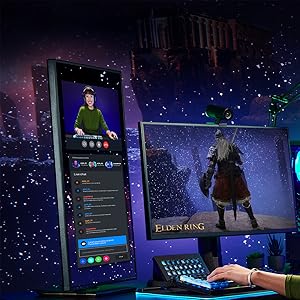
Immaġni 4.1: Eż.ample of system usage for gaming and streaming. This image shows a user engaged in gaming while simultaneously streaming, demonstrating the multi-tasking capabilities supported by the processor.
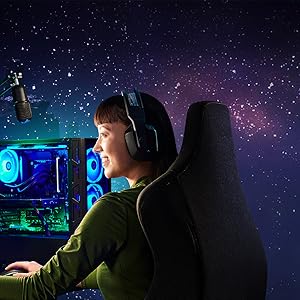
Immaġni 4.2: Eż.ample of system usage for content creation. This image illustrates a user utilizing the system for creative tasks, highlighting the processor's suitability for demanding applications like video editing or graphic design.
5. Manutenzjoni
Proper maintenance ensures the longevity and stable performance of your processor and motherboard.
- Tneħħija tat-Trab: Regularly clean dust from inside your PC case, especially from CPU cooler fins and motherboard components, using compressed air. Ensure the system is powered off and unplugged before cleaning.
- Aġġornamenti tas-sewwieq: Keep your motherboard chipset drivers, CPU drivers, and BIOS/UEFI firmware updated to the latest versions available from Intel and GIGABYTE's official websiti.
- Monitoraġġ Termali: Use monitoring software to keep an eye on CPU temperatures. Excessive temperatures can indicate insufficient cooling or dust buildup.
- Is-Settings tal-BIOS/UEFI: Avoid making drastic changes to BIOS/UEFI settings unless you understand their function. Incorrect settings can lead to system instability.
6 Issolvi l-problemi
Din it-taqsima tipprovdi passi bażiċi għas-soluzzjoni tal-problemi komuni.
6.1. Is-Sistema Ma Tixgħelx
- Check if the power supply unit (PSU) is switched on and properly connected to the wall outlet and motherboard.
- Ensure the front panel power button header is correctly connected to the motherboard.
- Test the PSU with another system or a PSU tester if available.
6.2. L-ebda Output tal-Wiri
- Verify that the monitor is connected to the graphics card (not the motherboard's integrated graphics ports, as the i7-13700F does not have integrated graphics).
- Erġa' poġġi l-karta grafika u l-moduli tal-memorja f'posthom.
- Check if the graphics card requires additional PCIe power connectors from the PSU.
6.3. Instabbiltà jew Ħsarat tas-Sistema
- Ensure CPU cooler is properly installed and making good contact with the CPU. Monitor CPU temperatures.
- Mexxi għodod dijanjostiċi tal-memorja biex tiċċekkja għal żbalji fir-RAM.
- Update all drivers and BIOS/UEFI firmware to the latest versions.
- Iċċekkja jekk hemmx kejbils tal-enerġija jew tad-dejta maħlula.
For more detailed troubleshooting, refer to the official GIGABYTE Z790 motherboard manual or visit the support sections of the Intel and GIGABYTE websiti.
7. Speċifikazzjonijiet
| Karatteristika | Dettall |
|---|---|
| Isem tal-Prodott | Proċessur tad-Desktop Intel Core i7-13700F + Motherboard GIGABYTE Z790 |
| Mudell tal-Proċessur | Intel Core i7-13700F |
| Proċessur Cores | 16 (8 qlub P + 8 qlub E) |
| Ħjut tal-proċessur | 24 |
| Frekwenza Turbo Max | Sa 5.2 GHz |
| Cache | 30MB Intel Smart Cache |
| Socket tal-Proċessur | LGA 1700 |
| Motherboard Chipset | Intel Z790 |
| Tip ta' Memorja Appoġġjata | DDR5 (Dual Channel) |
| Slots DIMM | 4 |
| Grafika Integrata | Xejn (Grafika Diskreta Meħtieġa) |
| Pjattaforma | Windows |
| L-Ewwel Data Disponibbli | 8 ta’ April, 2024 |
8. Garanzija u Appoġġ
For specific warranty information regarding your Intel Core i7-13700F processor and GIGABYTE Z790 motherboard, please refer to the documentation included with your product or visit the official websites of Intel and GIGABYTE.
Appoġġ tal-Intel: For processor-related inquiries and drivers, visit the Appoġġ Intel Websit.
Appoġġ GIGABYTE: For motherboard-related inquiries, drivers, and BIOS updates, visit the Appoġġ GIGABYTE Websit.
Tista 'wkoll iżżur il- Ħanut tal-Intel fuq Amazon għal aktar informazzjoni u riżorsi dwar il-prodott.


