1. Introduzzjoni
Thank you for choosing the NICRON K11 Rechargeable Keychain Flashlight. This compact and versatile flashlight is designed for everyday carry, offering multiple light modes including white, warm, UV, and red light. Please read this manual carefully to ensure proper use and maintenance of your device.
2. Prodott Aktarview
The NICRON K11 is a lightweight and durable keychain flashlight featuring a transparent body and a single control button. It integrates four types of lights and eight distinct light modes to suit various situations.

Image: NICRON K11 Rechargeable Keychain Flashlight with attached carabiner, showcasing its compact, transparent design.

Immaġni: Fuqview of the NICRON K11 V2.0 flashlight, highlighting its maximum output of 400 lumens, 11-hour runtime, 74-meter beam distance, and IPX4 waterproof rating.
Karatteristiċi ewlenin:
- Kompatt u Ħfief: Weighing 16 grams and measuring 2.4 x 0.6 inches, it is designed for easy attachment to backpacks, clothing, or keychains.
- Dawl versatili: Features 4 light types (white, warm, UV, red) and 8 light modes (Low, Med, High, Max, Warm, UV, Red, Red Flash).
- Rikarikabbli: Equipped with a 300mAh battery, offering up to 11 hours of runtime on low mode. Charges via USB-C.
- Durable & Water-Resistant: IPX4 water resistance and 1-meter impact resistance ensure reliability in various conditions.
3. Setup
Iċċarġjar inizjali:
Before first use, fully charge the NICRON K11 flashlight. Connect the included USB-C cable to the flashlight's charging port and to a power source (e.g., wall adapter, computer USB port). The indicator light will be RED during charging and turn GREEN when fully charged.
Attaching to Keychain:
Use the integrated keyring and carabiner to attach the flashlight to your keys, backpack, or other desired location for convenient everyday carry.
4. Istruzzjonijiet Operattivi
The NICRON K11 features a single button for all operations. Familiarize yourself with the button press sequences to access different light modes.
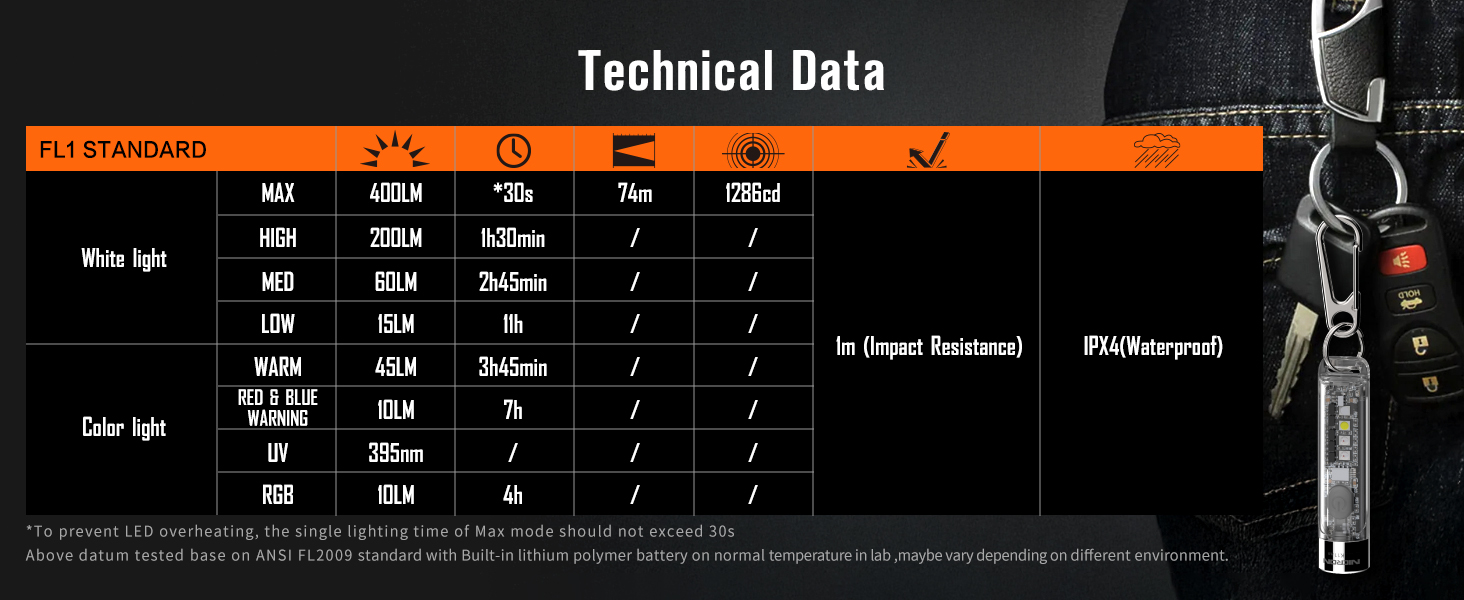
Image: Detailed diagram explaining the button press sequences for activating and cycling through the various white light and side light modes, including Max, RGB, and Rainbow light options.
Modi ta' Dawl Abjad:
- Ixgħel/Itfi: Double-click the button to turn on the white light. Double-click again to turn off.
- Luminożità taċ-Ċiklu: While the white light is on, single-click the button to cycle through Low (15LM), Medium (60LM), and High (200LM).
- Max Brightness (400LM): From any white light mode, press and hold the button to activate Max brightness. Release the button to return to the previous mode. Note: Max mode should not exceed 30 seconds to prevent overheating.

Image: Illustration of the NICRON K11's white light modes, demonstrating how to cycle through Low (15 lumens), Med (60 lumens), High (200 lumens), and Max (400 lumens) settings.
Modi tad-Dawl tal-Ġnub:
- Ixgħel/Itfi: Triple-click the button to turn on the side lights. Triple-click again to turn off.
- Modi taċ-ċiklu: While the side lights are on, single-click the button to cycle through Warm, Red & Blue Warning, UV, RGB, Rainbow Light Changing, and Rainbow Light Current Color Flash.
- Stay in Current Rainbow Color: While in 'Rainbow Light Changing' mode, press and hold the button to pause on the current color. Single-click to resume changing or cycle to the next mode.
5. Iċċarġjar
The NICRON K11 is equipped with a built-in 300mAh lithium polymer battery and a USB-C charging port.
- Port tal-Iċċarġjar: Located on the side of the flashlight, protected by a rubber cover.
- Indikatur tal-Iċċarġjar: The switch indicator light will glow RED while charging and turn GREEN when the battery is fully charged.
- Ħin tal-Iċċarġjar: Madwar siegħa għal ħlas sħiħ.
- Runtime: Up to 11 hours on Low white light mode.
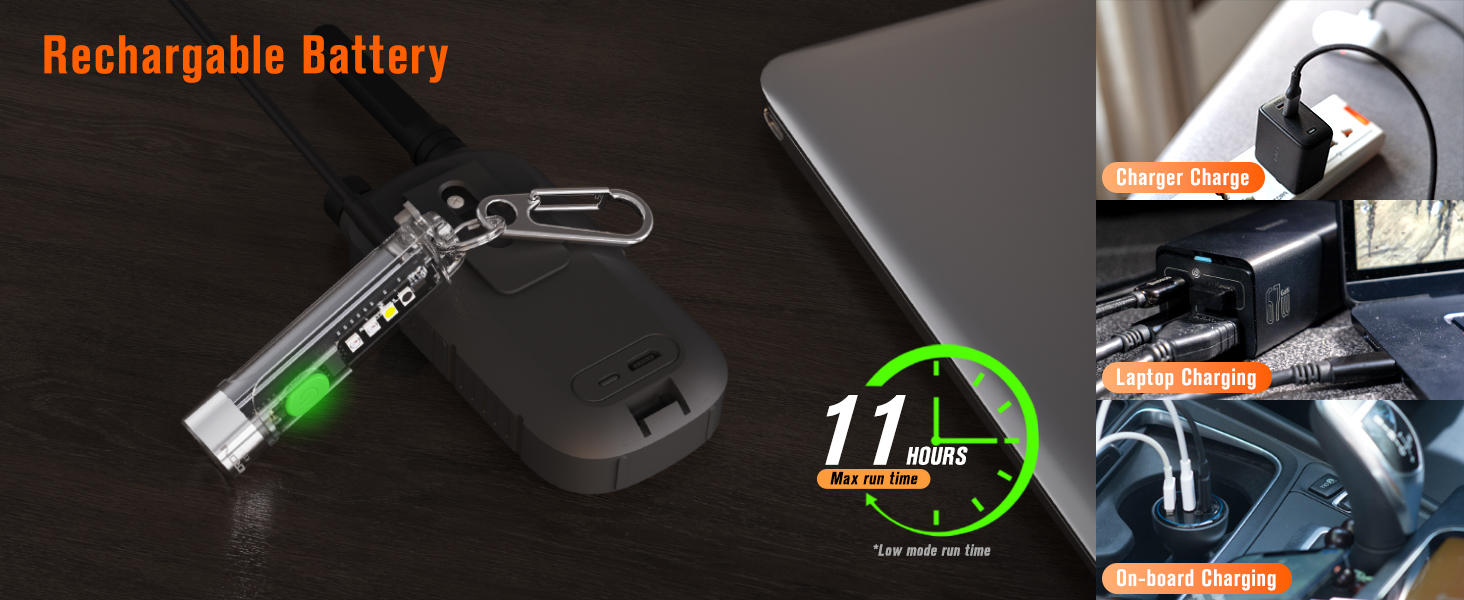
Image: The NICRON K11 flashlight being charged via a USB-C cable, with an indication of its 11-hour maximum runtime on low mode and various charging methods like wall charger, laptop, and car charger.
6. Manutenzjoni
- Reżistenza għall-Ilma: The K11 has an IPX4 water resistance rating, meaning it is protected against splashing water from any direction. It is not designed for submersion.
- Reżistenza għall-Impatt: Designed to withstand impacts from up to 1 meter.
- Tindif: Imsaħ il-flashlight b'artab, damp cloth to remove dirt or debris. Do not use harsh chemicals or abrasive materials.
- Ħażna: Store the flashlight in a cool, dry place when not in use for extended periods. Charge the battery periodically to maintain its health.

Image: The NICRON K11 flashlight demonstrating its IPX4 water resistance and 1-meter impact resistance in a rainy outdoor environment.
7. Speċifikazzjonijiet
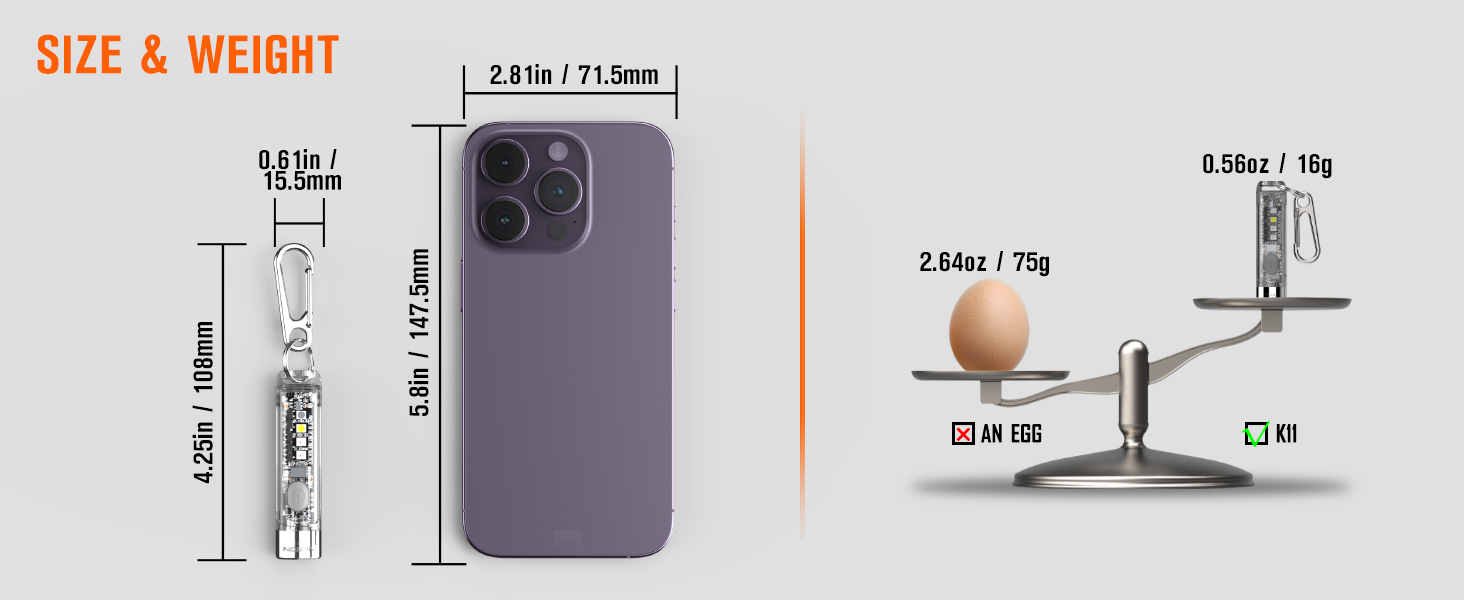
Image: A table presenting the technical specifications of the NICRON K11 flashlight, including lumen output, runtime, beam distance, impact resistance, and waterproof rating for both white and color light modes.
| Karatteristika | Speċifikazzjoni |
|---|---|
| Brand | NICRON |
| Mudell | K11 (US-K11) |
| Tip ta' Sors tad-Dawl | LED |
| White Light Brightness | Max 400 Lumens, High 200 Lumens, Med 60 Lumens, Low 15 Lumens |
| Color Light Modes | Warm, Red & Blue Warning, UV (395NM), RGB, Rainbow Light Changing, Rainbow Light Current Color, Rainbow Light Current Color Flash |
| Distanza Massima tar-Raġġ | 74-il metru |
| Sors tal-Enerġija | Imħaddem bil-batterija (Polimeru tal-litju integrat) |
| Kapaċità tal-batterija | 300mAh |
| Max Runtime | 11 hours (Low mode) |
| Port tal-Iċċarġjar | USB-C |
| Livell ta 'Reżistenza għall-Ilma | IPX4 |
| Reżistenza għall-Impatt | 1 metru |
| Materjal | Plastik |
| Piż tal-oġġett | 16 Gram (0.56 uqija) |
| Dimensjonijiet tal-Prodott | 0.6"D x 0.6"W x 2.48"Għ (63mm x 15.5mm) |
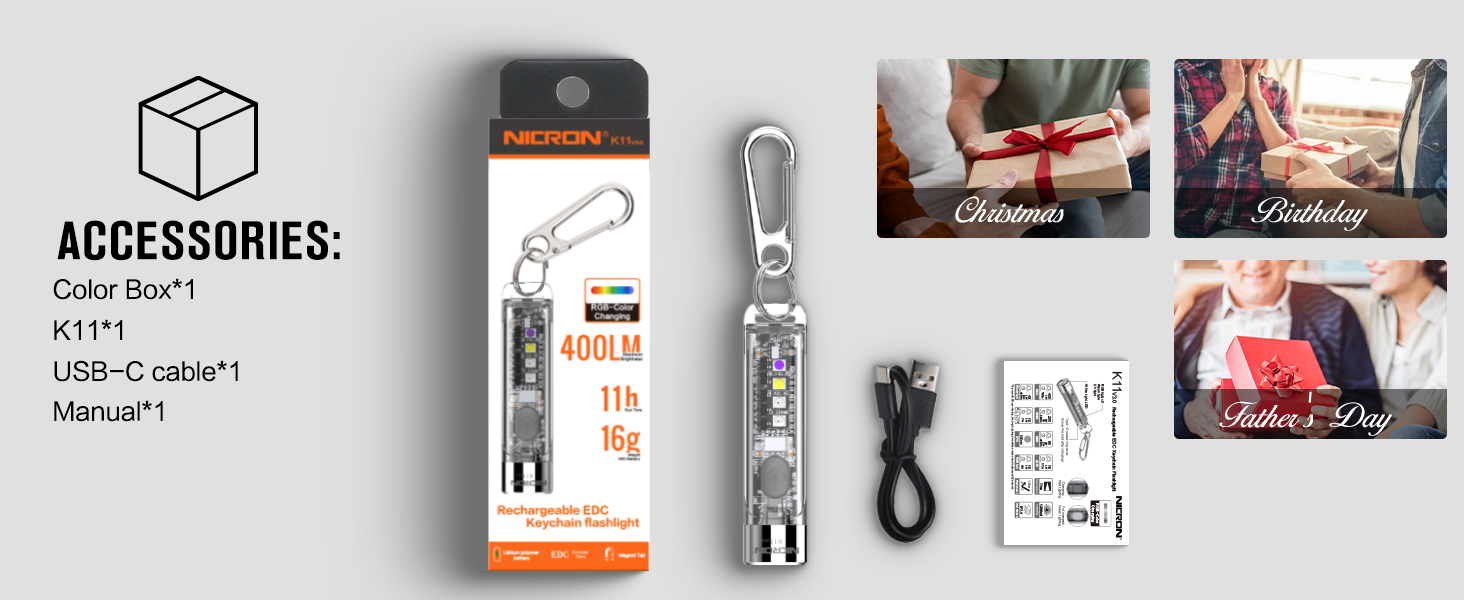
Image: Visual comparison of the NICRON K11 flashlight's size and weight against a smartphone and an egg, illustrating its compact and lightweight design.
8 Issolvi l-problemi
Il-Flashlight Mhux Mixgħul:
- Ensure the battery is charged. Connect the flashlight to a USB-C power source and check if the charging indicator turns RED.
- Verify you are using the correct button press sequence (double-click for white light, triple-click for side lights).
Difficulty Changing Modes:
- Review the 'Operating Instructions' section carefully. The timing of clicks can be important.
- Ensure you are in the correct primary light group (white light or side light) before attempting to cycle through sub-modes.
Light Output Seems Low:
- Check the current brightness setting and cycle to a higher mode if needed.
- Ensure the battery is fully charged, as low battery can affect maximum brightness.
9. Garanzija u Appoġġ
For warranty information or technical support, please refer to the product packaging or contact NICRON customer service directly. Keep your purchase receipt for any warranty claims.


