1. Introduzzjoni
This manual provides detailed instructions for the setup, operation, maintenance, and troubleshooting of your Machenike K500B-B87 75% TKL Mechanical Wired Gaming Keyboard. Please read this manual thoroughly before using the product to ensure proper functionality and longevity.

Image 1.1: Machenike K500B-B87 Mechanical Gaming Keyboard, showcasing its compact 75% TKL layout with RGB backlighting and white/blue keycaps.
2. Kontenut tal-Pakkett
Ivverifika li l-oġġetti kollha huma preżenti fil-pakkett:
- Machenike K500B-B87 Mechanical Gaming Keyboard
- USB Cable (for wired connection)
- Manwal għall-Utent (dan id-dokument)
Note: Additional accessories such as a keycap puller, switch puller, or extra switches may be included depending on the specific product bundle.
3. Gwida ta' Setup
3.1. Tqabbad it-Tastiera
- Locate the USB-C port on the Machenike K500B-B87 keyboard, typically found on the top edge.
- Qabbad tarf wieħed tal-kejbil USB provdut mal-port USB-C tat-tastiera.
- Connect the other end of the USB cable to an available USB-A port on your computer (Laptop, Mac, or PC).
- It-tastiera tiġi rikonoxxuta awtomatikament mis-sistema operattiva tiegħek. Normalment ma jkun hemm bżonn ta' l-ebda sewwieq addizzjonali għall-funzjonalità bażika.
3.2. L-Ewwel Tixgħil
Upon successful connection, the keyboard's RGB backlighting will illuminate, indicating it is powered on and ready for use.
4. Istruzzjonijiet Operattivi
4.1. It-tqassim u l-funzjonijiet taċ-ċwievet
The Machenike K500B-B87 features an 87-key TKL (Tenkeyless) layout, which is a compact design that retains essential function keys and a number row while saving desktop space.

Image 4.1: The keyboard demonstrating N-Key Rollover, allowing multiple simultaneous key presses without conflict.
The keyboard supports N-Key Rollover, ensuring that all key presses are registered accurately, even during rapid typing or complex gaming sequences.
4.2. Kontroll tad-Dawl ta' Wara RGB
The keyboard features dynamic RGB backlighting with 11 different lighting modes. Use the following key combinations to adjust the lighting effects:
| Kombinazzjoni taċ-ċavetta | Funzjoni |
|---|---|
| FN + INS | Switch Lighting Modes (Cycle through 11 modes) |
| FN + ← / → | Adjust Lighting Speed |
| FN + ↑ / ↓ | Adjust Lighting Brightness |

Image 4.2: Illustration of the keyboard's multiple lighting modes and control key combinations.
4.3. Appoġġ tas-Software
For advanced customization, including lighting adjustments, macro programming, and personalized keyboard control, dedicated software is available. This software is primarily compatible with Windows operating systems.
- Download the official software from the Machenike websit.
- Install the software on your Windows PC.
- Use the software to configure RGB effects, create custom macros, and remap keys.
Note: Settings configured via the software on a Windows PC will be saved to the keyboard's onboard memory and will persist when connected to other devices (e.g., Mac) that do not support the software.
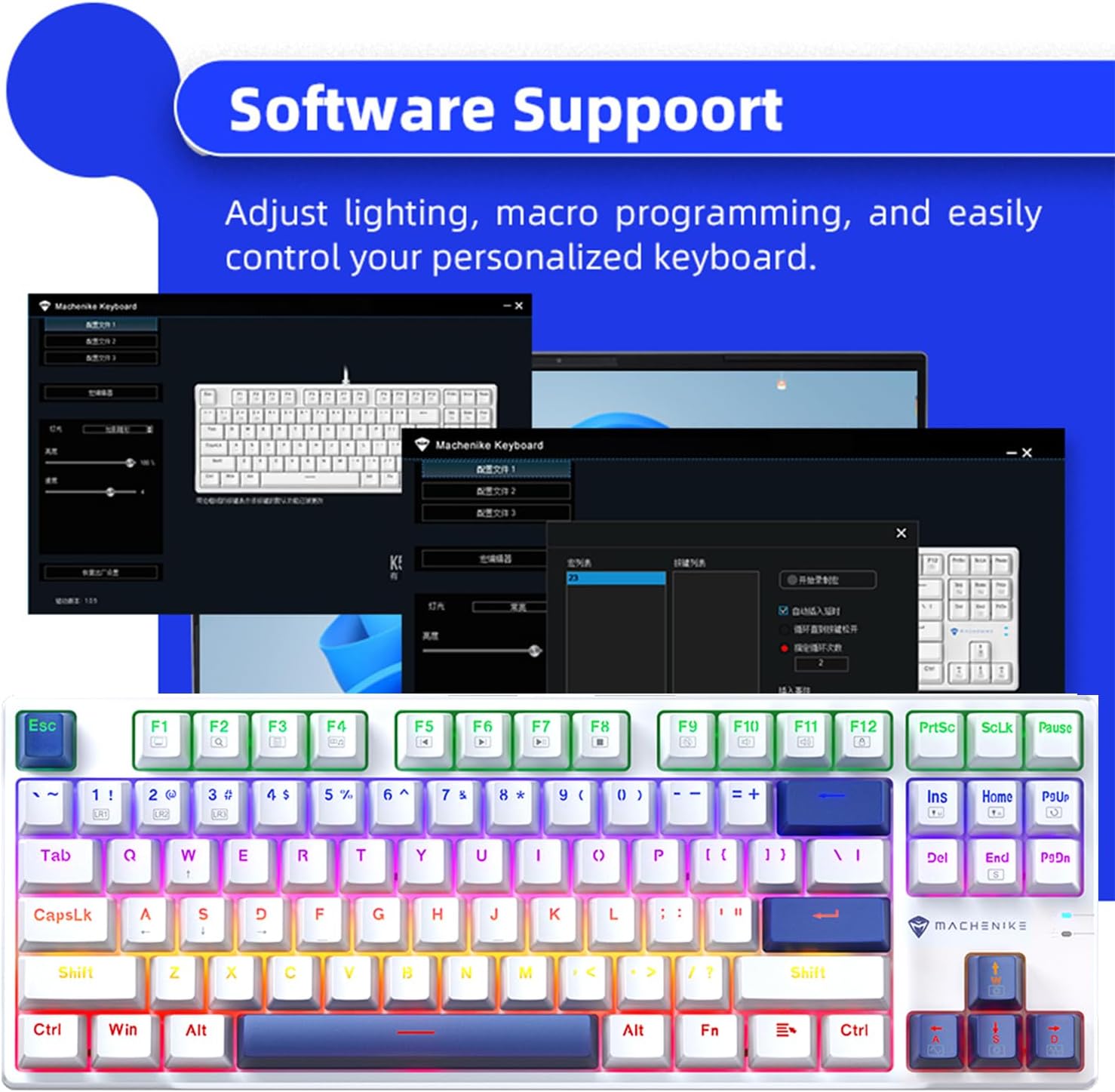
Image 4.3: Screenshot of the Machenike keyboard software interface, demonstrating customization options.
5. Manutenzjoni
5.1. Tindif tat-Tastiera
- Skonnettja t-tastiera mill-kompjuter tiegħek qabel ma tnaddafha.
- Uża bott ta' arja kkompressata biex tneħħi t-trab u l-fdalijiet minn bejn il-keycaps.
- Imsaħ il-keycaps u l-wiċċ tat-tastiera b'ċarruta ratba u ħafifa.amp, drapp mingħajr suf. Evita umdità eċċessiva.
- Do not use harsh chemicals, abrasive cleaners, or solvents, as these can damage the keycaps or finish.
5.2. Hot-Swappable Switches and PBT Keycaps
The Machenike K500B-B87 features hot-swappable mechanical switches (3-pin compatible) and durable double-shot PBT keycaps. This allows for easy customization and replacement of switches and keycaps.
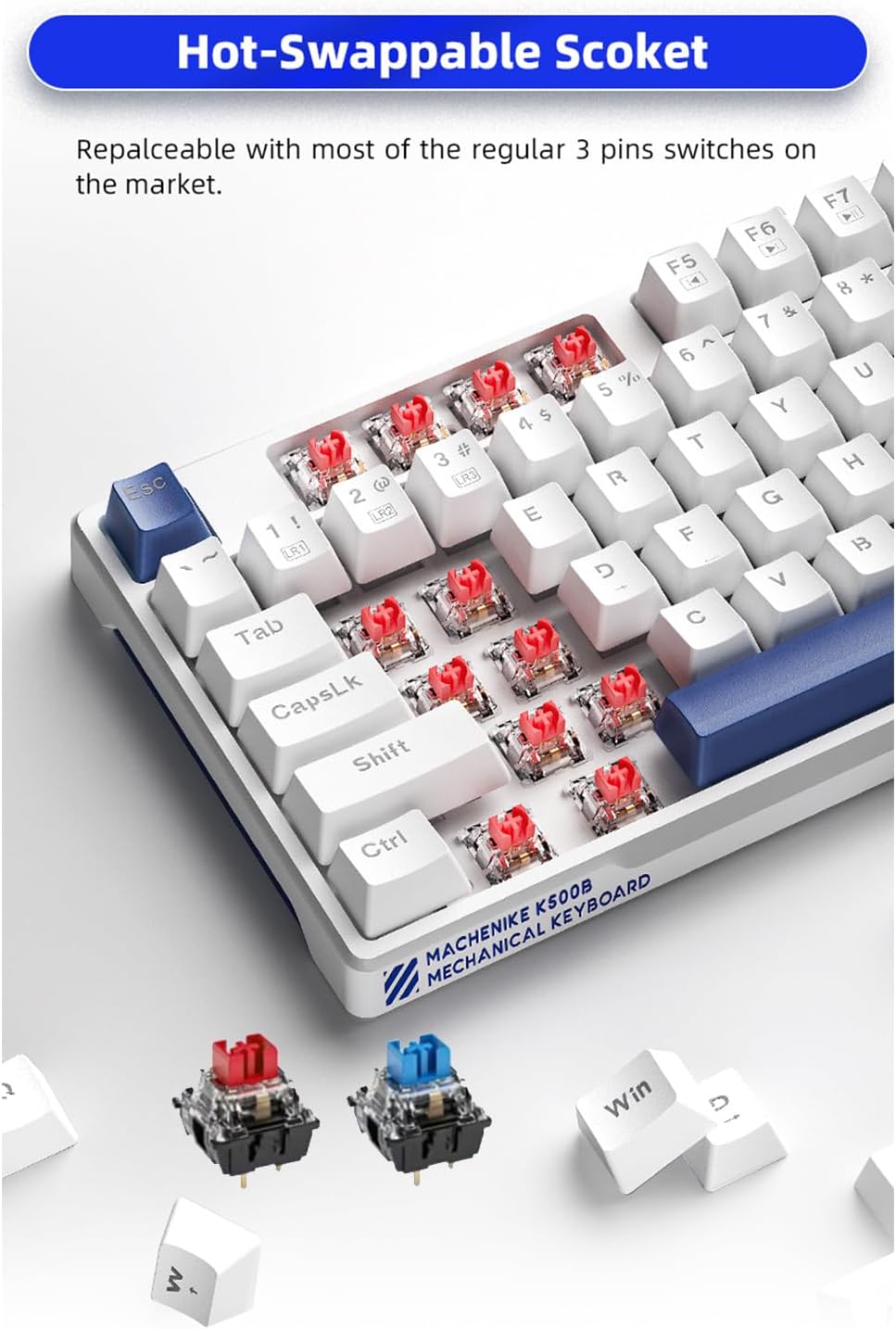
Immaġni 5.1: Mill-qrib view of the hot-swappable sockets, illustrating how switches can be easily removed and replaced.
- Sostituzzjoni tas-Swiċċ: Use a switch puller tool to carefully remove existing switches. Align the pins of the new 3-pin switch with the socket holes and press firmly until it clicks into place. Ensure pins are straight to avoid bending.
- Sostituzzjoni tal-Keycap: Use a keycap puller tool to gently remove keycaps. Align the new keycap with the switch stem and press down until it is securely seated.
Caution: Apply gentle force when removing or installing switches and keycaps to prevent damage to the keyboard or components.
6 Issolvi l-problemi
If you encounter issues with your Machenike K500B-B87 keyboard, refer to the following common problems and solutions:
- It-Tastiera Mhux Tirrispondi:
- Kun żgur li l-kejbil USB huwa konness sew kemm mat-tastiera kif ukoll mal-kompjuter.
- Ipprova qabbad it-tastiera ma' port USB differenti fuq il-kompjuter tiegħek.
- Test the keyboard on another computer to determine if the issue is with the keyboard or the computer's USB port/drivers.
- Ibda mill-ġdid il-kompjuter tiegħek.
- Backlighting Not Working or Flickering:
- Check if the brightness is set to maximum using FN + ↑.
- Iċċikla bejn il-modi tad-dawl billi tuża FN + INS to see if other modes function.
- Ensure the keyboard is receiving sufficient power from the USB port. Try a different port or a powered USB hub if available.
- If using the software, ensure no conflicting settings are applied.
- Ċwievet Speċifiċi Mhux qed Jirreġistraw:
- This could indicate a faulty switch. If you have spare switches and a switch puller, try replacing the problematic switch.
- Kun żgur li l-għatu taċ-ċwievet ikun imwaħħal sew fuq iz-zokk tas-swiċċ.
- Softwer Mhux qed Jirrikonoxxi t-Tastiera:
- Ensure the software is the correct version for your keyboard model.
- Mexxi s-softwer bħala amministratur.
- Temporarily disable any antivirus or firewall software that might be blocking the connection.
- Erġa' installa s-softwer.
If the problem persists after trying these steps, please contact Machenike customer support for further assistance.
7. Speċifikazzjonijiet
| Karatteristika | Dettall |
|---|---|
| Mudell | K500B-B87 |
| Teknoloġija tal-Konnettività | USB-C (Bil-fili) |
| Tqassim Ewlenin | 87 Keys (75% TKL) |
| Tip ta' Swiċċ | Mechanical (Blue Switch variant, hot-swappable 3-pin) |
| Tappijiet ewlenin | PBT b'Doppju Shot |
| Backlighting | RGB (11 Modalità) |
| Kontra l-Ghosting | Qlib N-Key |
| Apparati Kompatibbli | Laptop, Mac, PC |
| Dimensjonijiet tal-Prodott | 14.16 x 5.11 x 1.41 pulzieri (359.7 x 129.7 x 36.0 mm) |
| Piż tal-oġġett | 1.47 pounds (Approx. 667g) |
| Tul tal-Cable | Appross. 1.6 metru |

Image 7.1: Visual representation of key specifications and software support for the Machenike K500B-B87 keyboard.
8. Garanzija u Appoġġ
8.1. Informazzjoni dwar Garanzija
This product is covered by a manufacturer's warranty. Please refer to the warranty card included with your purchase or visit the official Machenike websit għal termini u kundizzjonijiet dettaljati tal-garanzija. Il-garanzija tipikament tkopri difetti fil-materjali u x-xogħol taħt użu normali.
8.2. Appoġġ għall-Klijent
For technical assistance, troubleshooting beyond this manual, or warranty claims, please contact Machenike customer support through their official webis-sit jew l-informazzjoni ta' kuntatt ipprovduta mal-imballaġġ tal-prodott tiegħek.
Visit the official Machenike Store on Amazon for more information: Machenike Store


