Introduzzjoni
This manual provides comprehensive instructions for the safe and effective operation of the MASTECH MS6252D Digital Anemometer. Please read this manual thoroughly before using the device and retain it for future reference.
The MS6252D is a versatile digital anemometer designed for measuring wind speed, air volume, ambient temperature, and humidity. It features a wireless interface for convenient data transfer and a clear display with backlight for easy readability.
Prodott Overview

Figura 1: Quddiem view of the MS6252D Digital Anemometer, showing the impeller, LCD display, and control buttons.
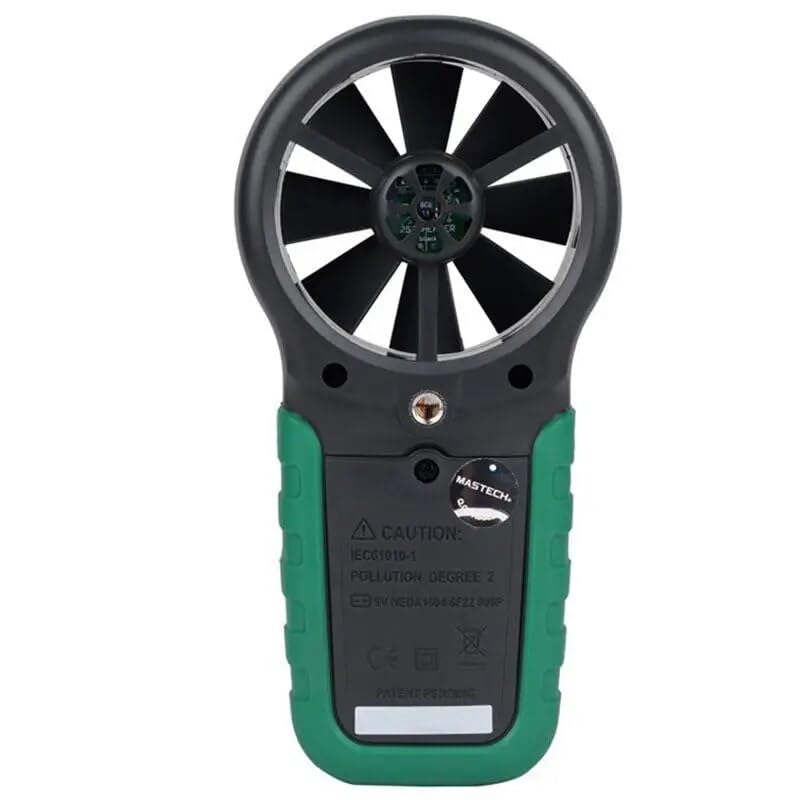
Figura 2: Lura view of the MS6252D Digital Anemometer, showing the battery compartment cover.
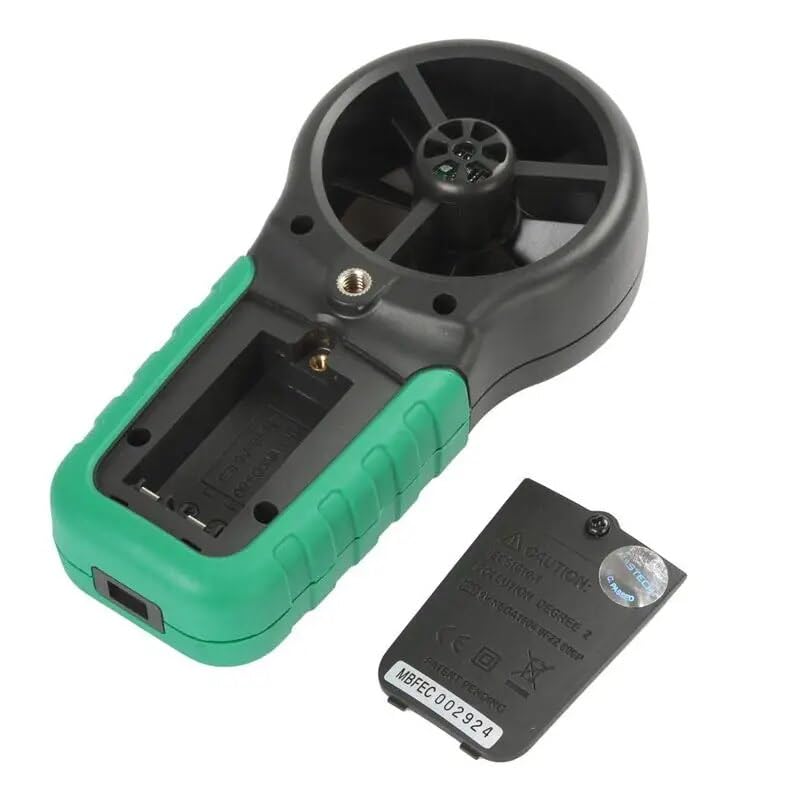
Figura 3: Lura view of the MS6252D Digital Anemometer with the battery compartment open, revealing the battery slot.
Karatteristiċi ewlenin:
- Display 9999 counts for precise readings.
- Automatic Power Off function to conserve battery life.
- Adjustable Flow Area Setting for accurate air volume calculations.
- MAX / MIN measurement modes to capture extreme values.
- Data Hold function to freeze current readings on the display.
- Display Backlight for improved visibility in low-light conditions.
- Low Battery Display indicator.
- Selectable temperature units (℃/℉).
- Measurement of Ambient temperature, Dew Point, and Wet Bulb temperature.
- Wireless Interface for data connectivity.
Setup
Installazzjoni tal-batterija:
- Sib il-kompartiment tal-batterija fuq wara tal-apparat.
- Uża tornavit żgħir biex tiftaħ l-għatu tal-kompartiment tal-batterija.
- Daħħal żewġ batteriji LR44, waqt li tiżgura l-polarità korretta (+/-).
- Ibdel l-għatu tal-kompartiment tal-batterija u waħħalha bil-kamin.
Qawwa Inizjali Mixgħula:
Agħfas il- QAWWA button to turn on the device. The display backlight will illuminate, and the device will perform a self-test before entering measurement mode.
Istruzzjonijiet Operattivi
Measuring Wind Speed:
Hold the anemometer so that the impeller faces directly into the airflow. The wind speed will be displayed on the LCD. Use the UNITÀ button to cycle through different units (m/s, km/h, ft/s, Knots, mile/h, ft/m).
Measuring Air Volume:
To measure air volume (CFM, CMM, CMS), you must first set the flow area. Refer to the 'Flow Area Setting' section for detailed instructions. Once the area is set, the device will calculate and display the air volume based on the measured wind speed.
Temperature and Humidity Measurement:
The device automatically measures ambient temperature and humidity. Press the FUNC button to cycle through Ambient Temperature, Dew Point, and Wet Bulb temperature displays. Use the ℃ / ℉ buttuna biex taqleb bejn Celsius u Fahrenheit.
MAX/MIN and Data Hold:
- Agħfas MAX/MIN once to display the maximum recorded value. Press again for the minimum value. Press a third time to exit MAX/MIN mode.
- Agħfas ŻOMM to freeze the current reading on the display. Press ŻOMM again to release and resume live measurements.
Dawl ta' wara tal-wiri:
Agħfas il- DAWL button to turn the display backlight on or off. The backlight will automatically turn off after a period of inactivity to save power.
Manutenzjoni
Tindif:
Imsaħ l-apparat b'artab, damp cloth. Do not use abrasive cleaners or solvents. Ensure the impeller is free from dust and debris for accurate readings.
Sostituzzjoni tal-batterija:
When the low battery indicator appears on the display, replace the batteries as described in the 'Battery Installation' section. Dispose of old batteries responsibly.
Ħażna:
If the device will not be used for an extended period, remove the batteries to prevent leakage. Store the anemometer in a cool, dry place, away from direct sunlight and extreme temperatures.
Issolvi l-problemi
| Problema | Kawża Possibbli | Soluzzjoni |
|---|---|---|
| L-apparat ma jixgħelx. | Batteriji mejta jew installati ħażin. | Iċċekkja l-polarità tal-batterija jew ibdel il-batteriji. |
| Qari mhux preċiż. | Impeller obstructed or dirty; incorrect flow area setting. | Clean the impeller; verify and adjust flow area setting. |
| Id-displej huwa mudlam jew vojt. | Low battery; backlight off. | Replace batteries; press the LIGHT button to activate backlight. |
| Problemi bil-konnessjoni mingħajr fili. | Out of range; interference; software issue. | Move closer to the receiver; check for sources of interference; restart device and software. |
Speċifikazzjonijiet
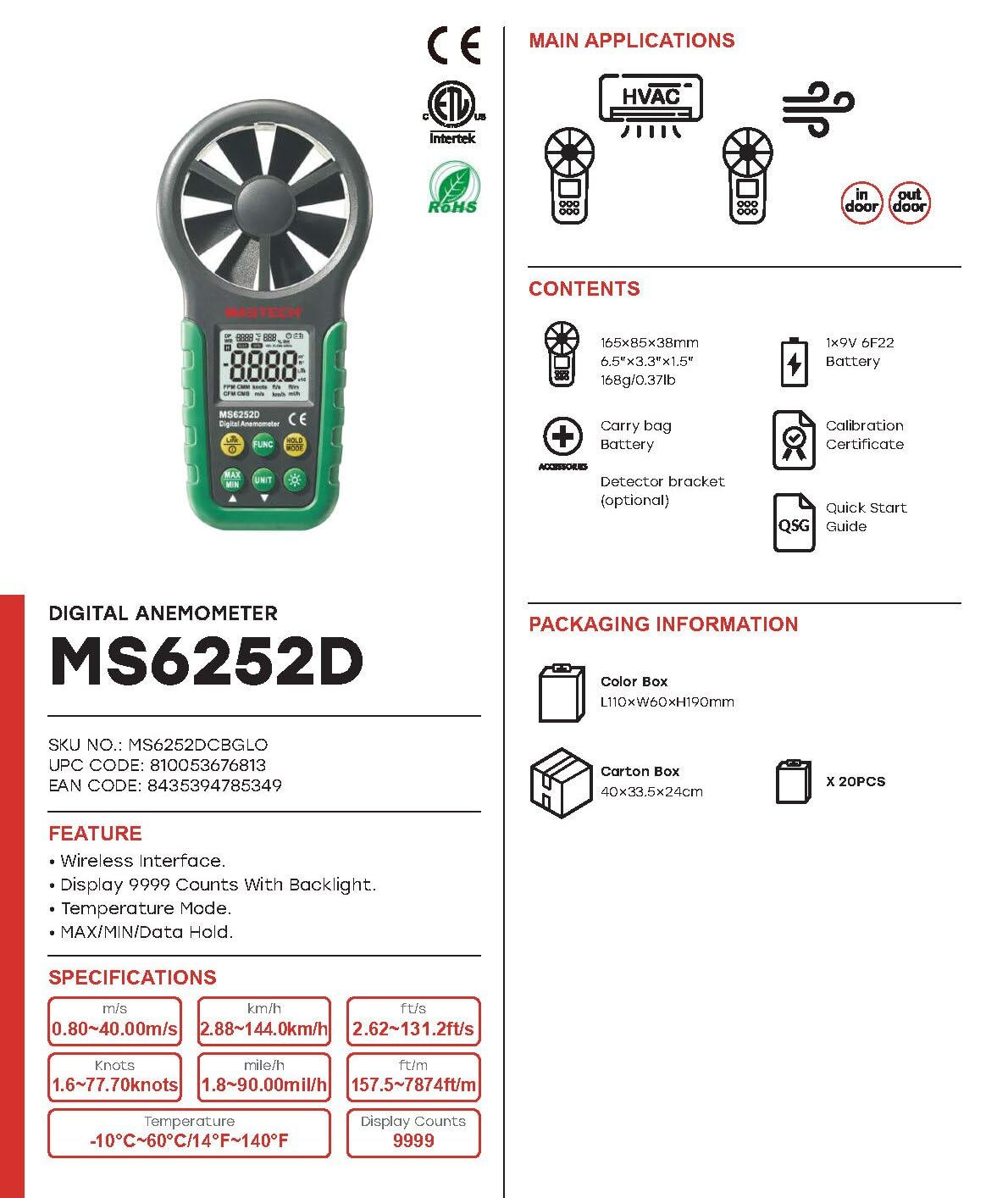
Figura 4: Aktarview of MS6252D features, specifications, and included accessories.

Figure 5: Detailed technical specifications including measurement ranges, resolutions, and accuracies.
| Parametru | Valur |
|---|---|
| Numru tal-Mudell | GL-MS6252D |
| Wiri Għadd | 9999 |
| Sors tal-Enerġija | 2 Batteriji LR44 (inklużi) |
| Dimensjonijiet tal-Prodott (L x W x H) | 6.3 x 3.54 x 1.97 pulzieri |
| Piż tal-oġġett | 0.5 Kilogrammi (1.1 Liri) |
| Materjal | Acrylonitrile Butadiene Styrene (ABS) |
| Firxa tat-Temperatura | -10℃ sa 60℃ (14℉ sa 140℉) |
| Wind Speed Range (m/s) | 0.80 ~ 30.00 m / s |
| Wind Speed Range (km/h) | 2.88 ~ 108.0 km/h |
| Wind Speed Range (ft/s) | 2.62 ~ 98.50 pied/s |
| Wind Speed Range (Knots) | 1.6 ~ 58.30 għoqod |
| Wind Speed Range (mile/h) | 1.8 ~ 90.00 mile/h |
| Wind Speed Range (ft/m) | 157.5 ~ 5900 pied/m |
| Firxa ta 'Umdità Relattiva | 20-80% RH |
| Interface | Wireless |
Garanzija u Appoġġ
MASTECH/MGL provides a 1-year EU Spare Part Availability Duration for this product. For technical support, warranty claims, or service inquiries, please contact your local distributor or visit the official MASTECH websit.
Jekk jogħġbok żomm l-irċevuta tax-xiri tiegħek bħala prova tax-xiri għal skopijiet ta' garanzija.


