1. Introduzzjoni
Welcome to the user manual for your new Baseus 20000mAh Power Bank. This portable charger is designed to provide reliable and fast charging for a wide range of electronic devices, featuring built-in dual cables and a smart digital display. Please read this manual carefully to ensure proper use, optimal performance, and longevity of your device.
2. Prodott Aktarview
2.1 Karatteristiċi ewlenin
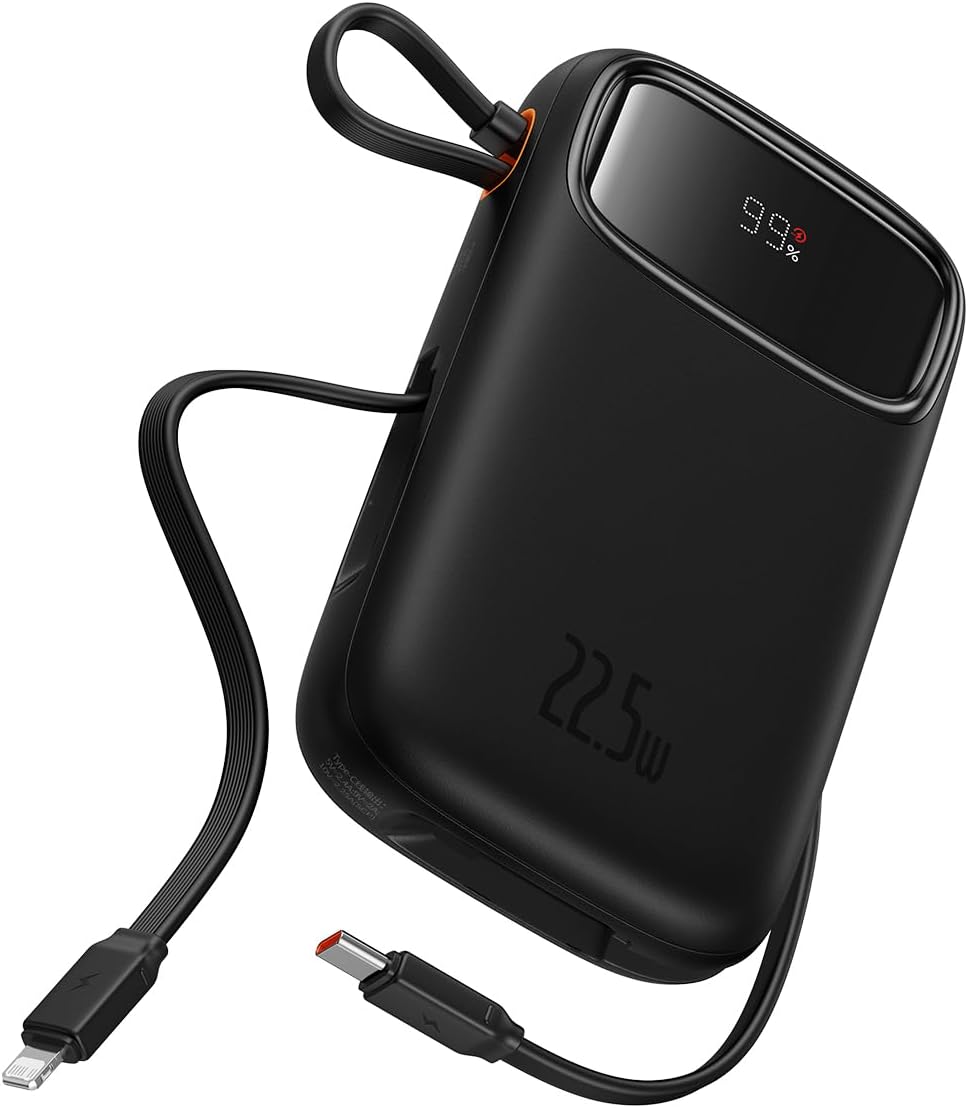
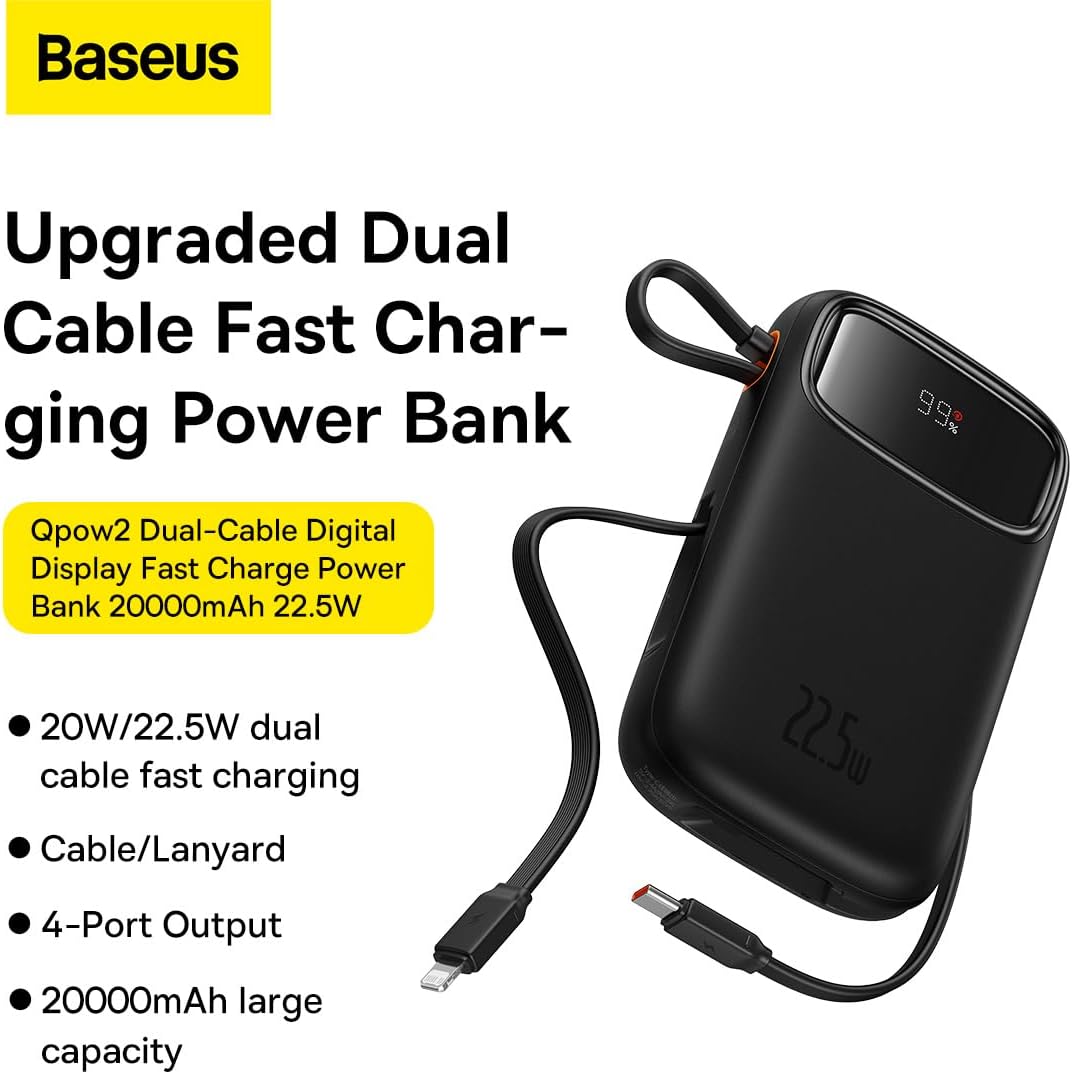
- Integrated Charging Technology: Built-in USB-C and Lightning cables for universal compatibility.
- 22.5W Fast Charging: Rapid power delivery for quick device charging.
- Multi-Device Support: Charge up to four devices simultaneously via built-in cables, USB-C port, and USB-A port.
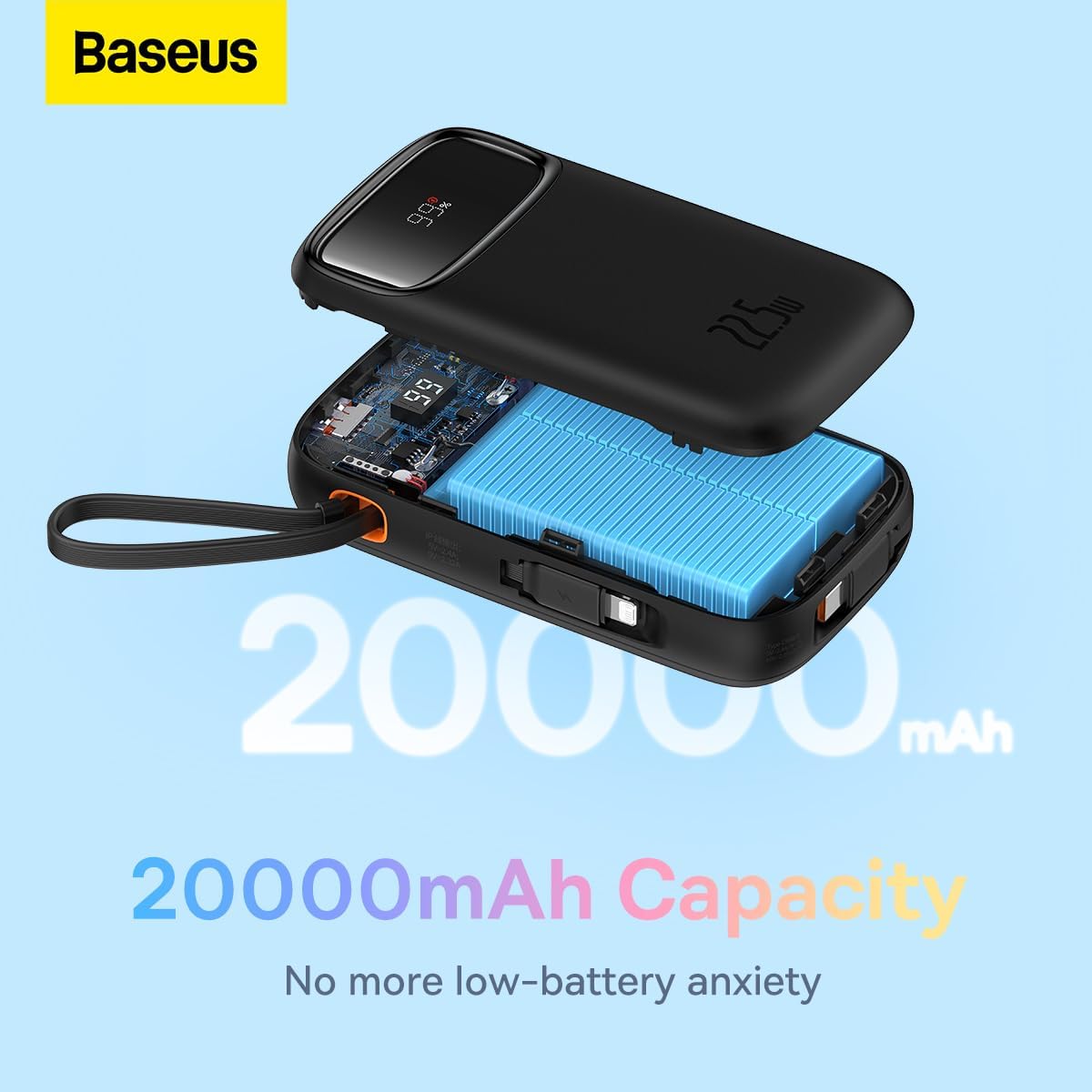
- 20000mAh High Capacity: Provides extended power for multiple charges.
- Smart Digital Display: Accurately shows remaining battery percentage.
- Travel-Ready Design: Lightweight and slim profile, airline approved.
2.2 Kontenut tal-Pakkett
- Baseus 20000mAh Power Bank (Qpow2)
- Built-in USB-C Charging Cable
- Cable tal-Iċċarġjar tas-Sajjetti Mibni
- Manwal għall-Utent
2.3 Dijagramma tal-Prodott

3. Setup
3.1 Iċċarġjar inizjali
Before first use, it is recommended to fully charge your Baseus Power Bank. Connect the power bank to a power adapter (not included) using a USB-C cable via its USB-C input port. The digital display will show the charging progress.
3.2 Iċċekkjar tal-Livell tal-Batterija
The smart digital display on the power bank shows the current battery percentage. Simply press the power button once to activate the display and view the remaining charge.

4. Istruzzjonijiet Operattivi
4.1 Apparati tal-Iċċarġjar
Biex tiċċarġja t-tagħmir tiegħek:
- Użu ta' Kejbils Integrati: Pull out the integrated USB-C or Lightning cable and connect it directly to your compatible device.
- Using USB-C/USB-A Ports: Connect your device's charging cable to the power bank's USB-C or USB-A output port.
- The power bank will automatically begin charging your device. The digital display will show the battery level of the power bank.

4.2 Low-Current Mode
For charging low-power devices such as smartwatches, Bluetooth earbuds, or fitness trackers, activate the low-current mode. Press and hold the power button for approximately 3 seconds until the display indicates low-current mode is active. This ensures safe and efficient charging for smaller devices.

5. Manutenzjoni
- Tindif: Imsaħ il-power bank b'ċarruta ratba u niexfa. Tużax kimiċi ħarxa jew materjali li joborxu.
- Ħażna: Aħżen il-power bank f'post frisk u niexef 'il bogħod mix-xemx diretta, temperaturi estremi, u umdità.
- Kura tal-batterija: Biex ittawwal il-ħajja tal-batterija, iċċarġja l-power bank kompletament mill-inqas darba kull tliet xhur jekk ma tkunx qed tużah regolarment. Evita li tbattal il-batterija kompletament ta' spiss.
- Evita Qtar: Twaqqax il-power bank jew tissottomettixh għal impatti qawwija.
6 Issolvi l-problemi
| Problema | Kawża Possibbli | Soluzzjoni |
|---|---|---|
| Il-bank tal-enerġija mhux qed jiċċarġja | Charging cable or adapter faulty; power bank fully discharged; charging port obstructed. | Try a different USB-C cable and power adapter. Ensure the charging port is clean and free of debris. Allow a few minutes for the power bank to respond if fully discharged. |
| Apparat mhux jiċċarġja mill-bank tal-enerġija | Device cable faulty; power bank battery low; incorrect port used; device not compatible. | Ensure the power bank is charged. Try a different charging cable for your device. Verify the device is compatible with the power bank's output specifications. |
| Iċċarġjar bil-mod | Cable quality; device charging input limit; multiple devices charging simultaneously. | Use high-quality cables. Note that some devices may not support fast charging. Charging multiple devices simultaneously may reduce individual charging speeds. |
| Il-wiri diġitali mhux qed jaħdem | Power button not pressed; device malfunction. | Press the power button once to activate the display. If the issue persists, contact customer support. |
7. Speċifikazzjonijiet
| Karatteristika | Dettall |
|---|---|
| Brand | Baseus |
| Numru tal-Mudell | P10055002113-00 |
| Kapaċità tal-batterija | 20000 Milliamp Sigħat (mAh) |
| Qawwa tal-Ħruġ | Up to 22.5W PD |
| Input Voltage | 20 Volt (Massimu) |
| Kompożizzjoni taċ-Ċellola tal-Batterija | Polimeru tal-litju |
| Kulur | Iswed |
| Piż tal-oġġett | 500 g |
| Dimensjonijiet tal-Prodott | 30 x 15 x 25 ċm |
8. Garanzija u Appoġġ
This Baseus Power Bank comes with an 18-il xahar garanzija mid-data tax-xiri. Din il-garanzija tkopri difetti fil-manifattura u kwistjonijiet li jirriżultaw minn użu normali. Ma tkoprix ħsara kkawżata minn użu ħażin, inċidenti, modifiki mhux awtorizzati, jew diżastri naturali.
For warranty claims, technical support, or any inquiries regarding your product, please contact Baseus customer service through the official Baseus website or your point of purchase. Please have your proof of purchase ready when contacting support.
You can also visit the official Baseus Store for more information and product updates: Ħanut Uffiċjali ta' Baseus


