Introduzzjoni
This manual provides comprehensive instructions for the ASWEE P4 Smart Watch, a versatile fitness tracker with call capabilities, a 1.85" TFT display, and various health monitoring features. Please read this manual thoroughly before using your device.
X'hemm fil-Kaxxa
- ASWEE P4 Smart Watch
- Iċċarġjar Cable
- Manwal għall-Utent
Prodott Overview
The ASWEE P4 Smart Watch features a rectangular 1.85-inch TFT-LCD display with a 240x280 resolution. It includes a physical button on the side for navigation and interaction. The watch is designed for comfortable wear and easy access to its functions.
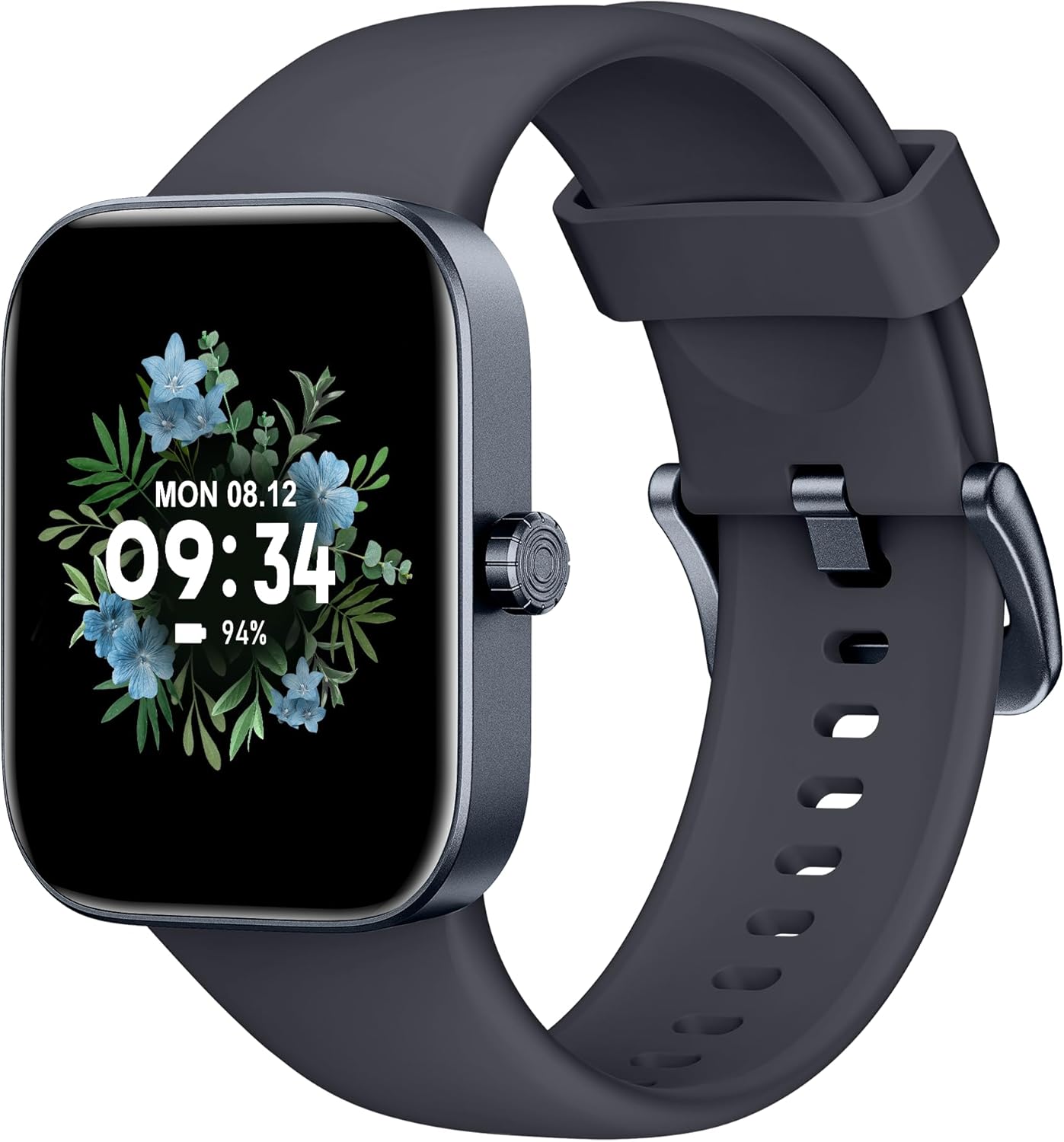
Quddiem view of the ASWEE P4 Smart Watch, displaying time and date with a floral background.
Setup
Iċċarġjar tal-Apparat
The ASWEE P4 Smart Watch comes with a magnetic charging cable. Align the magnetic end of the cable with the charging contacts on the back of the watch. The watch will indicate when it is charging. A full charge typically takes approximately 2 hours and provides up to 7 days of active use or 15 days on standby.

Illustration showing the magnetic charging cable connected to the back of the ASWEE P4 Smart Watch, highlighting battery life indicators.
Installazzjoni u Tqabbil tal-App
To utilize all features of your ASWEE P4 Smart Watch, you need to download and install the "FitPro" application on your smartphone. Scan the QR code provided in the watch's packaging or search for "FitPro" in your device's app store.
Tqabbil ma 'iPhone
Follow these steps to pair your watch with an iPhone:
- Kun żgur li l-Bluetooth huwa attivat fuq l-iPhone tiegħek.
- Open the "FitPro" app.
- Navigate to "Setting" and then "Bind device".
- Select your watch (e.g., KM13Pro) from the scan results.
- Confirm the pairing request by clicking "Pair" and then "Allow" for notifications.
- Go to your iPhone's Bluetooth settings and connect to "KM13Pro Audio" for call functionality.
Video tutorial demonstrating how to bind the ASWEE P4 Smart Watch to an iPhone and how to unbind it.
Pairing with Android Phone
Follow these steps to pair your watch with an Android phone:
- Kun żgur li l-Bluetooth huwa attivat fuq it-telefon Android tiegħek.
- Open the "FitPro" app.
- Navigate to "Set" and then "Bind device".
- Select your watch (e.g., KM13Pro) from the scan results.
- Confirm the pairing request by clicking "Pair".
Video tutorial demonstrating how to bind the ASWEE P4 Smart Watch to an Android phone and how to unbind it.
Istruzzjonijiet Operattivi
Navigazzjoni Bażika
The watch features a touch-sensitive screen for navigation. Swipe left/right or up/down to access different functions and menus. The side button typically serves as a home or back button.
Call and Text Functionality
With its built-in speaker and microphone, the ASWEE P4 allows you to answer/dial calls directly from your wrist when connected via Bluetooth. You can also receive SMS text and SNS messages (Facebook, Twitter, WhatsApp, etc.) with vibration alerts.

Image showing the ASWEE P4 Smart Watch on a wrist, with notification icons for various messaging apps, indicating Bluetooth 5.0 connectivity for calls and texts.
Traċċar tas-Saħħa
L-arloġġ jipprovdi monitoraġġ komprensiv tas-saħħa:
- Rata tal-qalb: 24-hour tracking with a high-precision PPG sensor. Stores 7 days of resting heart rate data.
- Ossiġenu tad-Demm: Measures SpO2 levels using a reflective-light based sensor.
- Monitoraġġ tal-irqad: Tracks sleep quality through Awake, Light, and Deep sleep stages, helping to improve sleep duration and quality.
- Monitoraġġ tal-istress: Provides insights into stress levels.

Image illustrating the ASWEE P4 Smart Watch's 24-hour data tracking capabilities, including heart rate, stress level, and blood oxygen monitoring.

Image depicting the ASWEE P4 Smart Watch's sleep health assistant feature, showing sleep duration and patterns.
Modi ta' Fitness
The ASWEE P4 supports multiple workout modes, including running, bike riding, basketball, and tennis. It accurately monitors data points like heart rate, time, and calories burned to enhance workout efficiency.

Wirja tal-immaġniasing the ASWEE P4 Smart Watch's various sports modes, including running, bike riding, basketball, and jumping jack, with activity data like steps, distance, and calories.
Personalizzazzjoni
Choose from over 100 stylish watch faces or create your own using photos from your phone gallery.
Manutenzjoni
Tindif
Naddaf l-arloġġ u ċ-ċinga tiegħek regolarment b'drapp artab u nadif.amp drapp. Evita li tuża kimiċi ħarxa jew materjali li joborxu.
Ħażna
Aħżen l-arloġġ f'post frisk u niexef meta ma jkunx qed jintuża.
Issolvi l-problemi
L-Għassa Mhux Mixgħula
- Kun żgur li l-arloġġ ikun iċċarġjat kompletament. Qabbad mal-kejbil tal-iċċarġjar u ma' sors tal-enerġija għal mill-inqas 30 minuti.
Kwistjonijiet ta' Tqabbil
- Kun żgur li l-Bluetooth huwa attivat fuq it-telefon tiegħek u li l-arloġġ jinsab fil-medda tiegħu.
- Erġa' ibda kemm it-telefon kif ukoll l-arloġġ tiegħek.
- If previously paired, try "forgetting" the device in your phone's Bluetooth settings and re-pairing through the FitPro app.
- Ensure the FitPro app has necessary permissions (Bluetooth, location).
Dejta tas-Saħħa Mhux Preċiża
- Kun żgur li l-arloġġ jintlibes sew fuq il-polz tiegħek, la issikkat wisq u lanqas maħlul wisq.
- Naddaf is-sensor fuq wara tal-arloġġ.
- Fatturi ambjentali u l-fiżjoloġija individwali jistgħu jaffettwaw il-qari.
Notifiki li ma jidhrux
- Check app permissions for FitPro to ensure it can access notifications.
- Verify that notification push settings are enabled within the FitPro app for desired applications.
- Kun żgur li l-arloġġ huwa konness mat-telefon tiegħek permezz tal-Bluetooth.
Speċifikazzjonijiet
| Karatteristika | Dettall |
|---|---|
| Isem tal-Mudell | P4 |
| Brand | ASWEE |
| Daqs tal-Iskrin | 1.85 Pulzier |
| Teknoloġija tal-Wiri | TFT LCD |
| Riżoluzzjoni | 240 x 280 PPI |
| Sistema Operattiva | Ilbes OS |
| Konnettività | Bluetooth 5.3 |
| Reżistenza għall-Ilma | IP68, 5 ATM |
| Ħajja tal-Batterija (Użu Tipiku) | Sa 7 jum |
| Ħin ta' Standby | Sa 15 jum |
| Ħin tal-Iċċarġjar | Appross. 2 sigħat |
| Karatteristiċi Speċjali | Fitness Tracker, Sleep Monitor, Reminders, Multimedia control, Answer/Dial Call, Heart Rate Monitor, Blood Oxygen Monitor, Stress Monitor |
| Piż tal-oġġett | 2.89 uqija |
Nota: L-ispeċifikazzjonijiet huma soġġetti għal tibdil mingħajr avviż minn qabel.
Garanzija u Appoġġ
For warranty information and technical support, please refer to the official ASWEE webis-sit jew ikkuntattja s-servizz tal-konsumatur tagħhom. Żomm l-irċevuta tax-xiri tiegħek bħala prova tax-xiri.


