Introduzzjoni
This manual provides detailed instructions for the setup, operation, and features of your Nectar Premier Adjustable Base Full. Designed for enhanced comfort and support, this adjustable base allows you to customize your sleep experience with various positions and integrated functionalities.
Karatteristiċi tal-Prodott
- Adjustable Head and Foot Elevation: Customize your sleeping or lounging position.
- Kontroll mill-bogħod mingħajr fili: Easily adjust settings and save preferred positions.
- Pożizzjonijiet tal-Memorja Programmabbli: Store your favorite head and foot elevations for quick access.
- Soothing Massage Settings: Enjoy customizable vibration with three intensity levels.
- Pożizzjoni ta' Gravità Żero: Elevate your head and feet to a position that may relieve pressure and improve circulation.
- Anti-Snore Setting: A dedicated preset to gently elevate the head, potentially reducing snoring.
- 4 Built-in USB Ports: Convenient charging for your devices (two per side by the head).
- Under-Bed LED Lighting: Provides subtle illumination for safety and convenience.
- Zero Clearance Design: Allows the base to be used on an existing platform frame or directly on the floor.
- Kostruzzjoni tal-Azzar Durabbli: Jappoġġja sa 750 libbra.
Setup Istruzzjonijiet
The Nectar Premier Adjustable Base is designed for quick and hassle-free assembly with no tools required. All necessary components, including batteries for the remote, are included.
Żpakkjar u Tqegħid Inizjali
- Carefully remove the adjustable base from its packaging. It is recommended to have two people for this step due to the weight of the unit.
- Place the folded base in the desired location, ensuring adequate space around it for unfolding.
Waħħal ir-Riġlejn
The base comes with adjustable legs. You can choose the desired height by screwing the leg segments together. Ensure all legs are securely attached and at an even height.
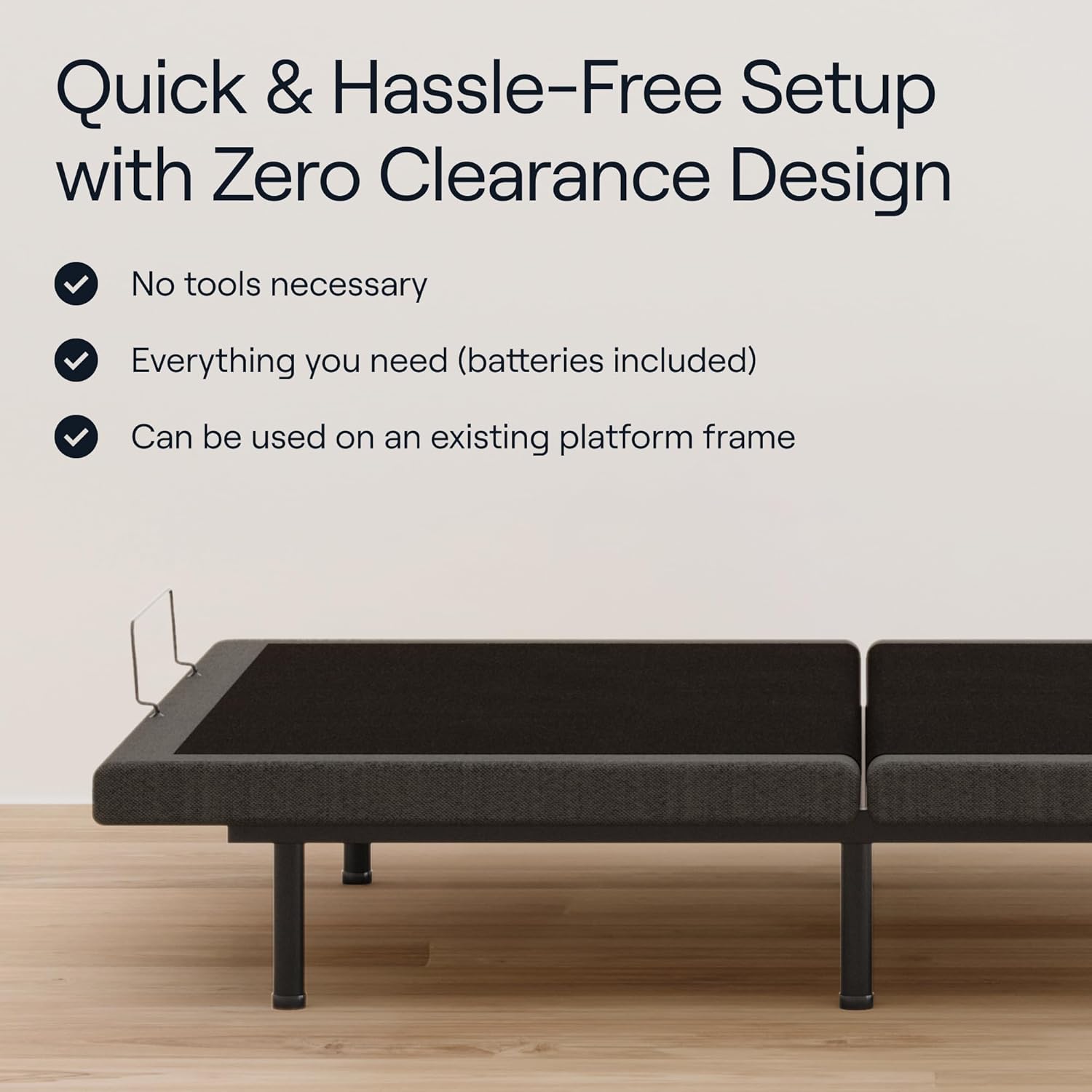
Figure 1: Quick and Hassle-Free Setup of the Adjustable Base.
Unfolding and Securing the Frame
- Unfold the base carefully.
- Locate and cut any orange zip ties that secure moving parts during shipping. Ensure these are cut only after the base is in its final position and on its legs.
- Installa l-bar li jżomm is-saqqu f'riġlejn is-sodda biex tevita li s-saqqu jiżżerżaq.
Konnessjoni tal-Enerġija
- Qabbad il-korda tad-dawl ma' żbokk elettriku ertjat.
- Ensure all cables are neatly tucked away to prevent tripping hazards or damage.
Video 1: Official Nectar Premier Adjustable Base overview, li juri l-assemblaġġ u l-karatteristiċi ewlenin.
Istruzzjonijiet Operattivi
Your Nectar Premier Adjustable Base can be controlled using the included wireless remote or via a Bluetooth app.
Kontroll mill-bogħod mingħajr fili
The wireless remote allows for intuitive control of all base functions. Familiarize yourself with the buttons:
- Ras 'il fuq/'l isfel: Adjusts the head section elevation.
- Sieq 'il fuq/'l isfel: Adjusts the foot section elevation.
- Ċatt: Jirritorna l-bażi f'pożizzjoni kompletament ċatta.
- ZG (Gravità Żero): Activates the pre-programmed Zero Gravity position.
- Kontra s-Snore: Activates the pre-programmed anti-snore position.
- Presets tal-Memorja (M1, M2): Save and recall your preferred custom positions.
- Massage On/Off & Intensity: Activates the massage function and cycles through three intensity levels.
- Under-Bed Light: Turns the integrated LED lighting on or off.

Figure 2: Wireless Remote Control for the Adjustable Base.
Kontroll tal-App Bluetooth
For additional convenience, download the Nectar app to control your adjustable base from your smartphone or tablet. Follow the app's instructions for pairing your device with the base.
Portijiet tal-Iċċarġjar tal-USB
Four USB ports are located on the sides of the base (two per side near the head) for charging your electronic devices.

Figura 3: Aktarview of Base Features.
Karatteristiċi Speċjali
Funzjoni ta 'massaġġi
The integrated massage function offers three intensity levels to help you relax. Activate and adjust the intensity using the remote control.

Figure 4: Soothing Massage Feature.
Zero Gravity and Anti-Snore Presets
These pre-programmed positions are designed to optimize comfort and address specific needs. The Zero Gravity position distributes weight evenly, while the Anti-Snore position slightly elevates the head to open airways.

Figure 5: Customizable Comfort and Zero Gravity Setting.
Split King Configuration (for Twin XL models)
While this specific model is a Full size, Nectar offers Twin XL adjustable bases that can be paired to create a Split King configuration. This allows each partner to independently control their side's adjustments.

Figure 6: Split King Configuration (shown with Twin XL bases).
Informazzjoni Importanti dwar is-Sigurtà
Please read and adhere to the following safety guidelines to ensure safe operation and longevity of your adjustable base:
- Teċċedix il-kapaċità massima tal-piż ta' 750 libbra.
- Be cautious of moving parts during use and assembly. Keep hands and feet clear of the mechanism.
- Dejjem segwi l-istruzzjonijiet tal-assemblaġġ bir-reqqa biex tevita l-instabbiltà jew il-kollass.
- Keep children and pets away from the adjustable base's moving parts.
- Kun żgur li l-korda tad-dawl ma tkunx maqrusa jew bil-ħsara.
Speċifikazzjonijiet
| Karatteristika | Dettall |
|---|---|
| Numru tal-Mudell | Slimbadjustable-s:full |
| Daqs | Sħiħ |
| Dimensjonijiet tal-Prodott | 75 x 54 x 16 pulzieri |
| Piż tal-oġġett | 133 liri |
| Materjal | Tessili, metall |
| Tagħbija Massima Rakkomandata | 750 Liri |
| Karatteristiċi Speċjali | 4 USB Ports, Adjustable Head and Foot Elevation, Programmable Memory, Soothing Massage, Wireless Remote or App |
| Komponenti Inklużi | Adjustable Bed, Wireless Remote |
| Batteriji Meħtieġa | 2 batteriji AAA (inklużi) |
Manutenzjoni u Kura
To ensure the longevity and proper functioning of your Nectar Premier Adjustable Base, follow these general maintenance guidelines:
- Regularly inspect all connections and fasteners to ensure they are secure.
- Keep the area around the motors and moving parts free from dust and debris.
- Clean the fabric surfaces with a soft, damp drapp u sapun ħafif jekk meħtieġ. Evita kimiċi ħarxa.
- Do not attempt to open or service the motor or electronic components yourself. Contact customer support for assistance.
Issolvi l-problemi
If you encounter any issues with your Nectar Premier Adjustable Base, please refer to the following common troubleshooting tips:
- Ebda Qawwa: Ensure the power cord is securely plugged into a working outlet and the base. Check the circuit breaker.
- Remote Mhux Jirrispondi: Replace the batteries in the wireless remote. If using the app, ensure Bluetooth is enabled and the app is connected to the base.
- Base Not Adjusting: Check for any obstructions under the bed that might be preventing movement. Ensure the safety lock on the remote (if present) is disengaged.
- Ħsejjes mhux tas-soltu: Verify that all legs and components are tightened. If unusual noises persist, discontinue use and contact customer support.
For further assistance, please contact Nectar Customer Support.
Garanzija u Appoġġ
Your Nectar Premier Adjustable Base is covered by a manufacturer's warranty. Please refer to the warranty documentation included with your purchase for specific terms and conditions. For product support, technical assistance, or warranty claims, please visit the official Nectar websit jew ikkuntattja lid-dipartiment tas-servizz tal-konsumatur tagħhom.
Għal aktar informazzjoni, żur The Nectar Store.


