1. Introduzzjoni
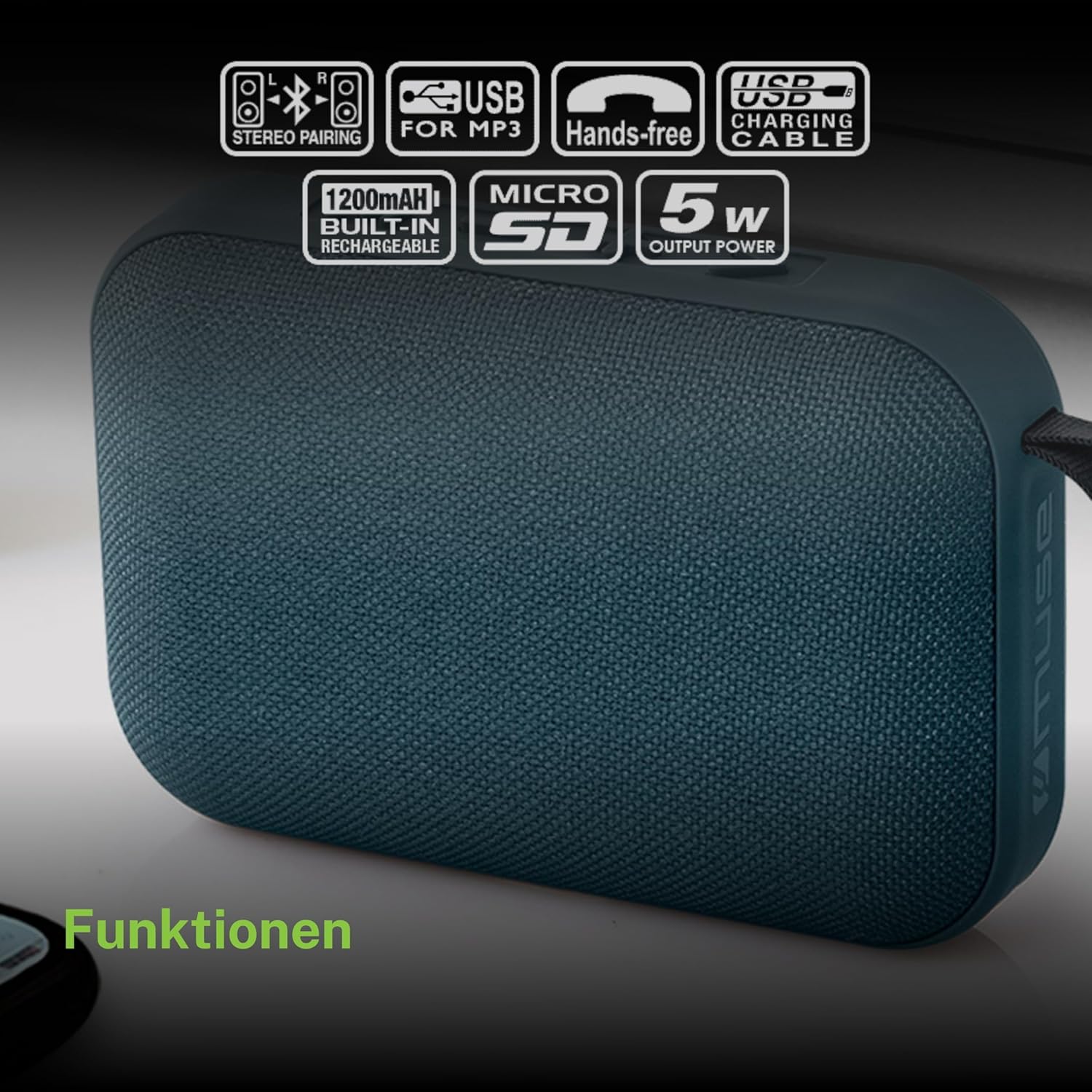
Grazzi tax-xiriasing the MUSE M307BT Portable Bluetooth Speaker. This compact and versatile speaker is designed to provide high-quality audio from your laptop, tablet, or smartphone. It features Bluetooth connectivity, a 5W output, a built-in rechargeable battery, and support for USB and Micro SD card playback. This manual provides essential information for setting up, operating, and maintaining your device.
2. Informazzjoni dwar is-Sigurtà
- Tesponix l-apparat għal temperaturi estremi, dawl tax-xemx dirett, jew umdità għolja.
- Evita li twaqqa’ jew tissuġġetta lill-kelliem għal impatti qawwija.
- Tiżżarmax jew tippruvax issewwi l-apparat int stess. Irreferi għal kull manutenzjoni f'idejn persunal kwalifikat.
- Keep the speaker away from water and other liquids. This device is not waterproof.
- Uża biss il-kejbil tal-iċċarġjar USB provdut jew wieħed ekwivalenti ċċertifikat.
- Dispose of the battery and device responsibly according to local regulations.
3. Kontenut tal-Pakkett
Kun żgur li l-oġġetti kollha huma preżenti fil-pakkett:
- MUSE M307BT Portable Bluetooth Speaker
- Cable tal-Iċċarġjar tal-USB
4. Prodott Aktarview
Iffamiljarizza ruħek mal-komponenti u l-kontrolli tal-ispiker.


Kontrolli u Portijiet:
- Buttuna tal-Qawwa: Jixgħel/jitfi l-ispiker.
- Buttuna tal-Modalità (M): Jaqleb bejn il-modi Bluetooth, USB, u Micro SD.
- Volum 'l isfel / Trakka Preċedenti (-): Agħfas qasir biex tnaqqas il-volum, agħfas twil għat-trakka ta' qabel.
- Play/Pause / Call Button (>): Idoqq/iwaqqaf il-mużika, iwieġeb/itemm it-telefonati.
- Volum 'il fuq / Trakka li jmiss (+): Agħfas qasir biex tgħolli l-volum, agħfas twil għat-trakka li jmiss.
- Port mikro-USB: Għall-iċċarġjar tal-ispiker.
- Port USB: Għad-daqq tal-mużika minn flash drive USB.
- Micro SD (TF) Slot: Għad-daqq tal-mużika minn kard Micro SD.
- Indikatur LED: Shows charging status and Bluetooth pairing status.
5. Setup
5.1 Iċċarġjar tal-Ispeaker
- Connect the Micro-USB end of the charging cable to the speaker's Micro-USB port.
- Qabbad it-tarf USB-A tal-kejbil tal-iċċarġjar ma' adapter tal-enerġija USB (mhux inkluż) jew mal-port USB tal-kompjuter.
- The LED indicator will illuminate to show charging status. It will typically turn off or change color once fully charged.
- Ċarġ sħiħ jieħu madwar 2-3 sigħat.
5.2 Tixgħel/Jitfi
- Biex Tixgħel: Press and hold the Power button for a few seconds until you hear an audible prompt and the LED indicator flashes.
- Biex Tifi: Press and hold the Power button for a few seconds until you hear an audible prompt and the LED indicator turns off.
6. Istruzzjonijiet Operattivi
6.1 Tqabbil tal-Bluetooth
Pair your speaker with a Bluetooth-enabled device (smartphone, tablet, laptop).

- Ensure the speaker is powered on and in Bluetooth mode. The LED indicator will flash rapidly, indicating it's ready for pairing.
- Fuq it-tagħmir tiegħek, ippermetti l-Bluetooth u fittex tagħmir disponibbli.
- Select "MUSE M307BT" from the list of devices.
- Once paired, the LED indicator will stop flashing and remain solid, and you will hear a confirmation sound.
- Issa tista' ddoqq l-awdjo mit-tagħmir tiegħek permezz tal-ispiker.
6.2 Daqq tal-USB
- Daħħal flash drive USB li fih awdjo MP3 files fil-port USB.
- Agħfas il- Modalità (M) button to switch to USB mode. The speaker will automatically begin playing music from the USB drive.
- Uża l- + u - buttuni għan-navigazzjoni tat-traċċi u l-kontroll tal-volum.
6.3 Micro SD (TF) Card Playback
- Insert a Micro SD (TF) card containing MP3 audio files into the Micro SD slot.
- Agħfas il- Modalità (M) button to switch to Micro SD mode. The speaker will automatically begin playing music from the Micro SD card.
- Uża l- + u - buttuni għan-navigazzjoni tat-traċċi u l-kontroll tal-volum.
6.4 Stereo Pairing (TWS Function)
To achieve a more immersive stereo sound experience, you can pair two MUSE M307BT speakers together.
- Ensure both MUSE M307BT speakers are powered on and in Bluetooth pairing mode (LED flashing).
- Fuq wieħed mill-ispikers (dan se jkun l-ispiker primarju tiegħek), agħfas u żomm il-buttuna Modalità (M) button for a few seconds. You will hear a sound indicating that the speakers are attempting to pair with each other.
- Once successfully paired, you will hear a confirmation sound, and the LED indicator on the primary speaker will flash slowly, while the secondary speaker's LED will remain solid.
- Issa, qabbad l-apparat Bluetooth tiegħek mal-ispiker primarju kif deskritt fit-taqsima 6.1. L-awdjo se jindaqq stereo permezz taż-żewġ kelliema.
6.5 Sejħa mingħajr idejn
When connected via Bluetooth to your smartphone, the speaker can be used for hands-free calls.
- Irrispondi Sejħa: Agħfas il- Play/Pause (>) buttuna darba.
- Tmiem Sejħa: Agħfas il- Play/Pause (>) agħfas il-buttuna darba waqt telefonata.
- Irrifjuta Sejħa: Agħfas u żomm il- Play/Pause (>) buttuna għal 2 sekondi.
7. Manutenzjoni
- Naddaf l-ispiker b'ċarruta ratba u niexfa. Tużax prodotti tat-tindif jew solventi li joborxu.
- Aħżen l-ispiker f'post frisk u niexef meta ma jkunx qed jintuża għal perjodi twal.
- Evita li timblokka l-gradilja tal-ispiker biex tiżgura kwalità ottimali tal-ħoss.
8 Issolvi l-problemi
| Problema | Kawża Possibbli | Soluzzjoni |
|---|---|---|
| L-ispiker ma jixgħelx. | Batterija baxxa. | Iċċarġja l-ispiker kompletament. |
| Ma tistax tqabbad permezz tal-Bluetooth. | Speaker not in pairing mode; Bluetooth disabled on device; device too far. | Ensure speaker LED is flashing; enable Bluetooth on your device; move device closer to speaker (within 10 meters). |
| L-ebda ħoss. | Volum baxx wisq; mod mhux korrett; apparat mhux qed idoqq. | Increase speaker and device volume; press Mode button to select correct input; ensure audio is playing on your device. |
| Il-plejbek minn USB/Micro SD mhux qed jaħdem. | Skorretta file ifformattja; il-kard/drajv mhux imdaħħal sew; korrott files. | Tiżgura files are MP3 format; reinsert card/drive; try different files jew apparat tal-ħażna. |
| It-tqabbil tal-istereo ma jaħdimx sew. | Speakers too far apart; one speaker already paired to a device. | Ensure speakers are close; disconnect any existing Bluetooth connections before attempting stereo pairing. |
9. Speċifikazzjonijiet

| Karatteristika | Speċifikazzjoni |
|---|---|
| Isem tal-Mudell | M307BT |
| Brand | MUSE |
| Qawwa tal-Ħruġ | 5 Watts |
| Batterija | 1200 mAh / 3.7V Lithium-ion (Rechargeable) |
| Konnettività | Bluetooth, USB, Micro SD (TF) |
| Modalità tal-Ħruġ tal-Awdjo | Stereo (bit-tqabbil tat-TWS) |
| Dimensjonijiet (L x W x H) | 118 x 30 x 76 mm |
| Piż | 200 Gramm |
| Kulur | Blu |
| Komponenti Inklużi | Cable tal-Iċċarġjar tal-USB |
| Waterproof | Nru |
| Użi Rakkomandati | For computer, smartphone, or tablet |
| Apparati Kompatibbli | Laptop, Pillola, Smartphone |
10. Garanzija u Appoġġ
10.1 Garanzija tal-Manifattur
This MUSE M307BT Portable Bluetooth Speaker comes with a Garanzija ta' 2 snin mill-manifattur mid-data tax-xiri. Din il-garanzija tkopri difetti fil-manifattura u abbilità taħt użu normali. Ma tkoprix ħsara kkawżata minn użu ħażin, inċidenti, modifiki mhux awtorizzati, jew xedd u kedd normali.
10.2 Appoġġ għall-Klijent
For technical assistance, warranty claims, or further inquiries, please contact your retailer or the official MUSE customer support channel. Please have your proof of purchase and product model number (M307BT) ready when contacting support.


