Introduzzjoni
Welcome to the user manual for your new Reflex Active Amoled Series 30 Smart Watch. This guide provides essential information on setting up, operating, maintaining, and troubleshooting your device to ensure you get the most out of its advanced features. The Series 30 Smart Watch combines cutting-edge technology with a sleek design, offering an exceptional user experience with its vibrant AMOLED display and comprehensive health and connectivity features.

Figure 1: Reflex Active Amoled Series 30 Smart Watch
This image displays the front of the Reflex Active Amoled Series 30 Smart Watch, highlighting its always-on display and the "CALLING BUILT IN" feature, set against a vibrant, colorful background.
X'hemm fil-Kaxxa
Upon unboxing your Reflex Active Amoled Series 30 Smart Watch, please verify that all the following items are included:
- Reflex Active Amoled Series 30 Smart Watch
- Manwal ta' Istruzzjoni
- Cable tal-Iċċarġjar tal-USB
- Kaxxa tar-rigali

Figura 2: Kontenut tal-Kaxxa
This image shows the Reflex Active Smart Watch packaging, including the watch box, the instruction manual, and the USB charging cable, laid out next to the watch itself.
Setup
1. Iċċarġjar tal-Arloġġ Intelliġenti Tiegħek
Before initial use, fully charge your Reflex Active Series 30 Smart Watch. Connect the provided USB charging cable to the charging port on the back of the watch and plug the other end into a USB power adapter (not included) or a computer's USB port. A full charge typically takes approximately 2 hours.

Figure 3: Watch Back and Sensors
Din l-immaġni tipprovdi close-up view of the back of the Reflex Active Smart Watch, clearly showing the charging contacts and the optical heart rate sensor.
2. Downloading the Reflex Active Red App
To unlock the full functionality of your smart watch, download the free Reflex Active Red App from your smartphone's app store. The app is compatible with Android 9.0+ and iOS 12.0+ devices.
- Fittex għal "Reflex Active Red" in the Google Play Store (for Android) or Apple App Store (for iOS).
- Niżżel u installa l-app.
- Segwi l-istruzzjonijiet fuq l-iskrin biex toħloq kont jew illoggja.
3. It-tqabbil tal-Arloġġ Intelliġenti Tiegħek
Once the app is installed and your watch is charged, proceed with pairing:
- Kun żgur li l-Bluetooth huwa attivat fuq l-ismartphone tiegħek.
- Open the Reflex Active Red App.
- Innaviga lejn it-taqsima tal-akkoppjar tat-tagħmir fl-app.
- Select your "Reflex Active Series 30" from the list of available devices.
- Ikkonferma t-talba ta' tqabbil kemm fuq l-arloġġ kif ukoll fuq l-ismartphone tiegħek.
Istruzzjonijiet Operattivi
Wiri u Navigazzjoni
The Reflex Active Series 30 features a 1.78'' AMOLED display, offering exceptional clarity and vibrant colors. You can interact with the watch using its full touch screen or the rotating crown for smooth navigation.
- Touch Screen: Skrolla lejn ix-xellug, lejn il-lemin, 'il fuq, jew 'l isfel biex tinnaviga fil-menus u n-notifiki. Tektek biex tagħżel l-oġġetti.
- Kuruna li ddur: Rotate the crown to scroll through lists and options. Press the crown to return to the home screen or confirm selections.
- Wiri Dejjem Mixgħul: This feature allows the time and essential information to remain visible on the screen without needing to activate the display by touch or wrist lift.

Figura 4: Karatteristiċi Ewlenin Aktar minnview
This infographic highlights the main functionalities of the Reflex Active Smart Watch, including communication, display interaction, time management, durability, display modes, navigation, and battery life.
Karatteristiċi tal-Komunikazzjoni
- Agħmel u Irċievi Telefonati: Connect your watch to your smartphone to make and receive calls directly from your wrist.
- Messages & Social Notifications: Receive alerts for incoming messages, emails, and social media notifications directly on your watch display.
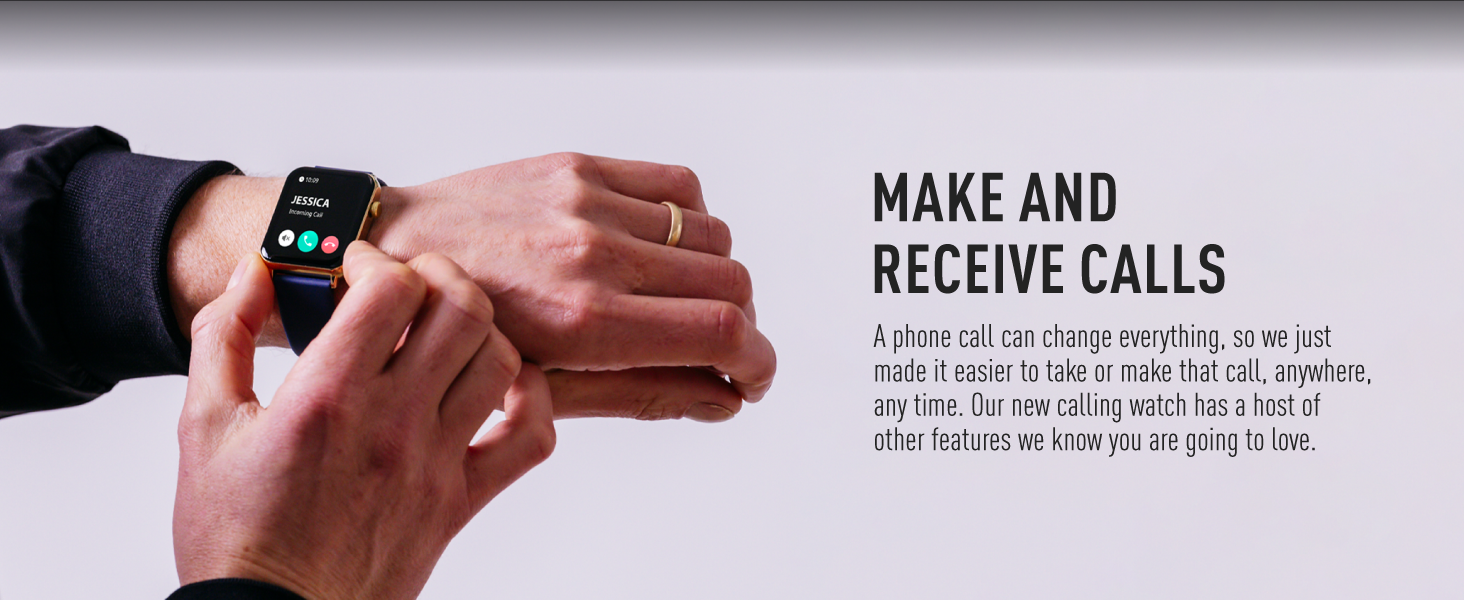
Figure 5: Make and Receive Calls
This image shows the Reflex Active Smart Watch on a person's wrist, displaying an incoming call, illustrating the watch's capability to handle phone calls directly.
Health & Wellness Tracking
The Series 30 Smart Watch offers comprehensive tracking for your health and fitness goals:
- Kontatur tal-Passi: Isegwi l-passi tiegħek ta' kuljum u d-distanza li tkopri.
- Monitoraġġ tar-Rata tal-Qalb: Jimmonitorja kontinwament ir-rata tat-taħbit tal-qalb tiegħek matul il-ġurnata.
- Ossiġnu fid-Demm (SpO2): Ikejjel il-livelli ta' saturazzjoni tal-ossiġnu fid-demm tiegħek.
- Analiżi tal-Irqad: Jimmonitorja x-xejriet tal-irqad tiegħek, inkluż irqad profond, ħafif u REM.
- Traċċar tal-Kaloriji: Estimates calories burned based on your activity levels.
- Modi sportivi: Multiple activity modes (e.g., walking, running, swimming) to track specific workouts.
- Eżerċizzji tan-nifs: Guided breathing sessions to help you relax and de-stress.
- Tifkiriet dwar l-Idratazzjoni: Issettja tfakkiriet biex tixrob l-ilma matul il-ġurnata.
- Tfakkiriet Sedentarji: Javżak meta tkun ilek inattiv għal żmien twil wisq.
- Saħħa tan-Nisa: Provides tracking and insights for menstrual cycles.
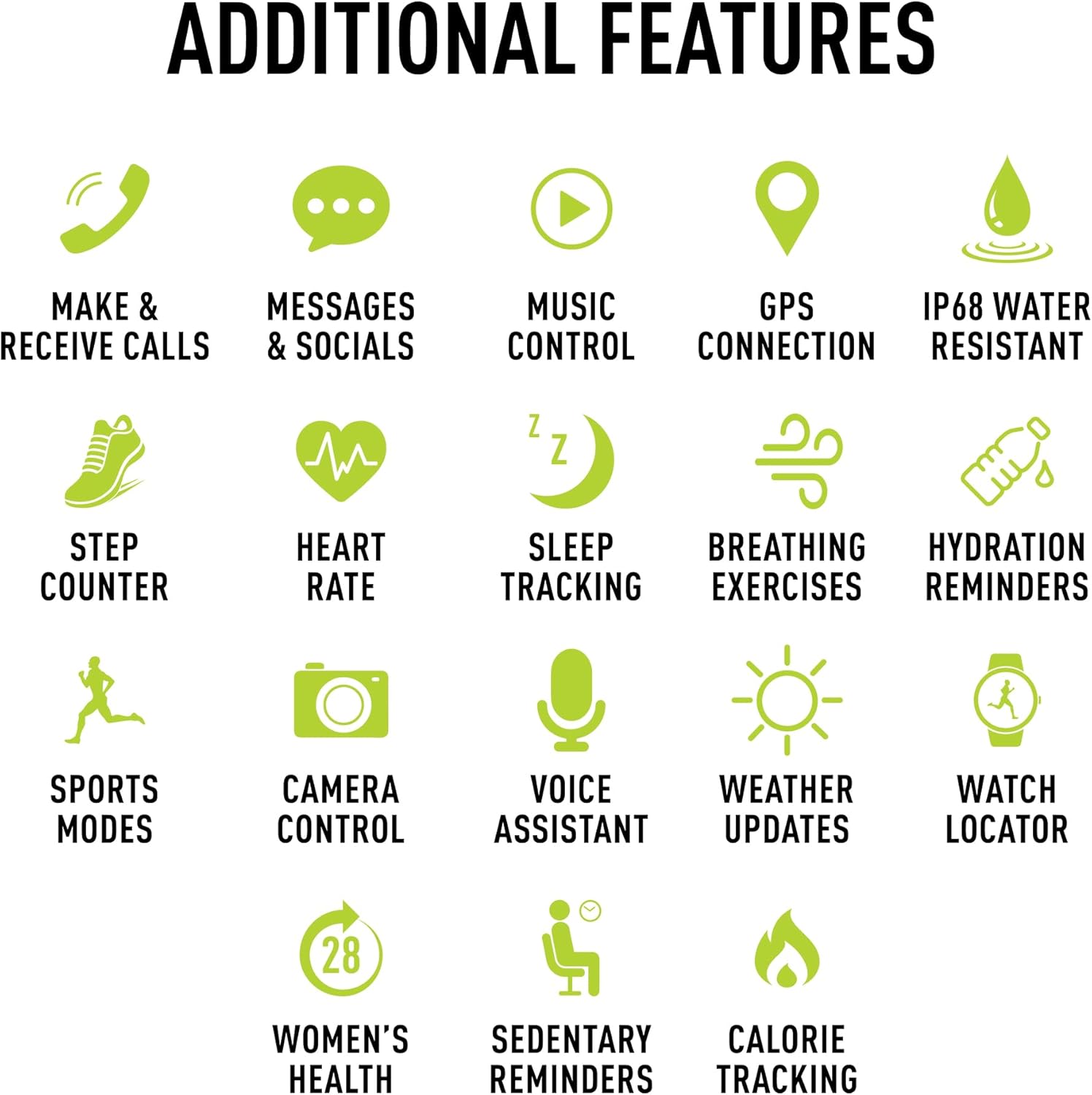
Figura 6: Karatteristiċi Addizzjonali
This image presents a comprehensive list of additional features available on the Reflex Active Smart Watch, categorized by function with corresponding icons for easy understanding.
Karatteristiċi oħra
- Kontroll tal-Mużika: Ikkontrolla d-daqq tal-mużika fuq l-ismartphone tiegħek direttament mill-arloġġ tiegħek.
- Konnessjoni GPS: Connects to your phone's GPS for accurate activity tracking and route mapping.
- Kontroll tal-Kamera: Uża l-arloġġ tiegħek bħala shutter remot għall-kamera tal-ismartphone tiegħek.
- Assistent tal-Vuċi: Aċċessa l-assistent tal-vuċi tal-ismartphone tiegħek permezz tal-arloġġ.
- Aġġornamenti tat-Temp: Get real-time weather information on your wrist.
- Watch Locator: Helps you find your watch if it's misplaced nearby.
- Dual-Time Feature: Displays time for two different time zones, useful for travel.
Personalizzazzjoni
Personalize your watch to match your style and preferences:
- Exclusive Dials: Choose from an incredible selection of exclusive Reflex Active dials, including animated displays.
- Personalized Photo Dials: Use a photo from your phone gallery to create a unique watch face.

Figura 7: Personalizzazzjoni tal-Wiċċ tal-Arloġġ
This image showcases the wide array of high-definition AMOLED watch faces available for the Reflex Active Smart Watch, with the watch itself displaying a colorful dial and a smartphone screen showing numerous other design options.
Manutenzjoni
Tindif tal-Arloġġ Tiegħek
To maintain the appearance and functionality of your smart watch, clean it regularly:
- Imsaħ l-iskrin u ċ-ċinga b'ċarruta ratba u mingħajr suf.
- Għal marki iebsa, d ftitampLaħlaħ id-drapp bl-ilma. Evita li tuża kimiċi ħarxa jew materjali li joborxu.
- Kun żgur li l-kuntatti tal-iċċarġjar fuq wara tal-arloġġ huma nodfa u niexfa qabel ma tiċċarġjahom.
Reżistenza għall-Ilma (IP68)
Your Reflex Active Series 30 Smart Watch has an IP68 water resistance rating, making it suitable for surface swimming and various activities. However, it is not recommended for diving or high-pressure water activities. Always dry the watch thoroughly after exposure to water.
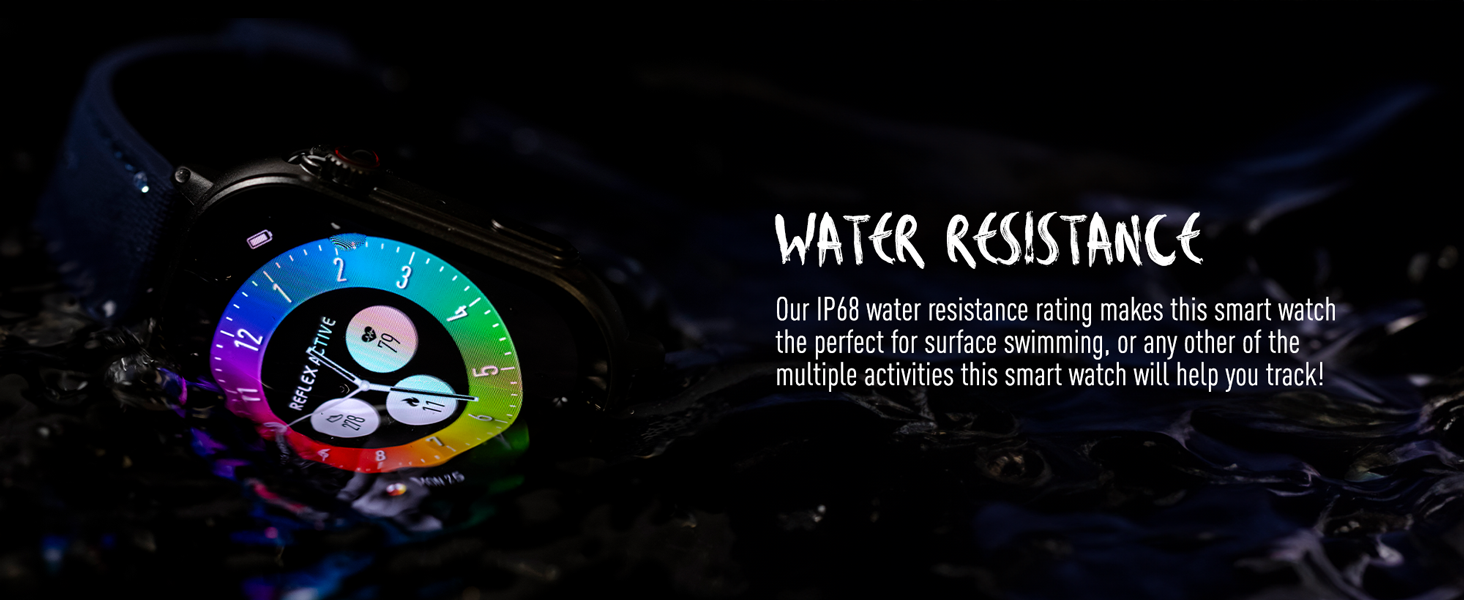
Figura 8: Reżistenza għall-Ilma
This image depicts the Reflex Active Smart Watch partially submerged in water, visually representing its IP68 water resistance capability.
Ħajja tal-batterija
The watch offers up to 14 days of battery life, depending on usage. Features like Always-On Display, frequent notifications, and continuous health monitoring will consume more power. Charge your watch regularly to ensure uninterrupted use.
Issolvi l-problemi
If you encounter issues with your Reflex Active Series 30 Smart Watch, try the following solutions:
| Problema | Soluzzjoni |
|---|---|
| Watch ma tixgħel | Kun żgur li l-arloġġ ikun iċċarġjat kompletament. Qabbad mal-ċarġer għal mill-inqas 30 minuti. |
| Ma nistax nqabbad ma' smartphone |
|
| Notifiki ma jidhrux |
|
| Dejta dwar is-saħħa mhux preċiża |
|
| Ħajja qasira tal-batterija |
|
Speċifikazzjonijiet
| Karatteristika | Dettall |
|---|---|
| Numru tal-Mudell | Serje 30 |
| Tip ta 'Wiri | AMOLED |
| Daqs tal-Iskrin | 1.78 Pulzier |
| Klassifikazzjoni tar-Reżistenza għall-Ilma | IP68 |
| Konnettività | Bluetooth, USB (għall-iċċarġjar) |
| Tip ta 'batterija | Lithium Metal (1 inkluż) |
| Ħajja tal-batterija | Sa 14 jum (jiddependi fuq l-użu) |
| Kompatibilità tas-Sistema Operattiva | Android 9.0+, iOS 12.0+ |
| Dimensjonijiet tal-Prodott | 16.1 x 8.5 x 19.5 ċm; 60 g |
| Manifattur | Sħabhom Hardy |
| Pajjiż ta' Oriġini | Iċ-Ċina |
Garanzija u Appoġġ
Your Reflex Active Amoled Series 30 Smart Watch comes with a Garanzija ta' 2 snin, ensuring peace of mind regarding its quality and performance. For any support inquiries, technical assistance, or warranty claims, please refer to the official Reflex Active support channels.
For additional support, FAQs, and detailed guides, please visit the official Reflex Active websit:


