Introduzzjoni
The Fenix HM65R-T V2.0 is a high-performance running headlamp designed for trail running and outdoor activities. It features a powerful 1600-lumen white light and a warm white dual beam, offering versatile illumination for various conditions. Built with a lightweight magnesium alloy body, it is durable, USB-C rechargeable, and includes a comfortable, adjustable headband.

Image: The Fenix HM65R-T V2.0 Running Headlamp in Dark Purple, showcasing id-disinn kompatt tiegħu u s-sorsi tad-dawl doppji.
Setup
X'hemm fil-Kaxxa
- Ras Fenix HM65R-T V2.0amp
- Faxxa tar-ras
- Cable tal-Iċċarġjar tal-USB-C
- O-ring żejda
Installazzjoni tal-batterija
- Ħoll l-għatu tad-denb tar-rasamp.
- Insert the included Fenix ARB-L18-3400 battery with the anode (+) side facing the headlamp ras.
- Invita l-għatu tad-denb lura sew.
Il-kapamp is also compatible with two CR123A batteries for alternative power.
Iċċarġjar
- Sib il-port tal-iċċarġjar USB-C fuq ir-rasamp body, usually protected by a rubber boot.
- Open the rubber boot and connect the USB-C charging cable to the port.
- Qabbad it-tarf l-ieħor tal-kejbil ma 'sors ta' enerġija USB.
- The battery level indicators will illuminate to show charging status. Charging typically takes approximately 3 hours.
- Once fully charged, disconnect the cable and securely close the rubber boot to maintain water resistance.

Image: The Fenix HM65R-T V2.0 headlamp connected to a USB-C charging cable, illustrating the charging process.
Aġġustament tal-Faxxa tar-ras
Il-kapamp features a two-way SPORT fit system fastener for easy adjustment. Simply rotate the dial clockwise to tighten the headband or counter-clockwise to loosen it, ensuring a steady and comfortable fit during use.

Image: A person adjusting the headband of the Fenix HM65R-T V2.0, demonstrating the two-way SPORT fit system.
Istruzzjonijiet Operattivi
The Fenix HM65R-T V2.0 features dual top switches for simple and accurate operation, with separate controls for the white light and warm white light.
Immaġni: Dettaljata view of the Fenix HM65R-T V2.0 headlamp, highlighting its dual top switches for independent control of light modes.
Qawwa mixgħul/mitfi
- Biex Tixgħel: Press and hold either of the switches for 0.5 seconds.
- Biex Tintefa: Press and hold either of the switches for 0.5 seconds.
Mode Switching (White Light)
With the white light on, single-click the white light switch to cycle through Low, Medium, and High modes.
Mode Switching (Warm White Light)
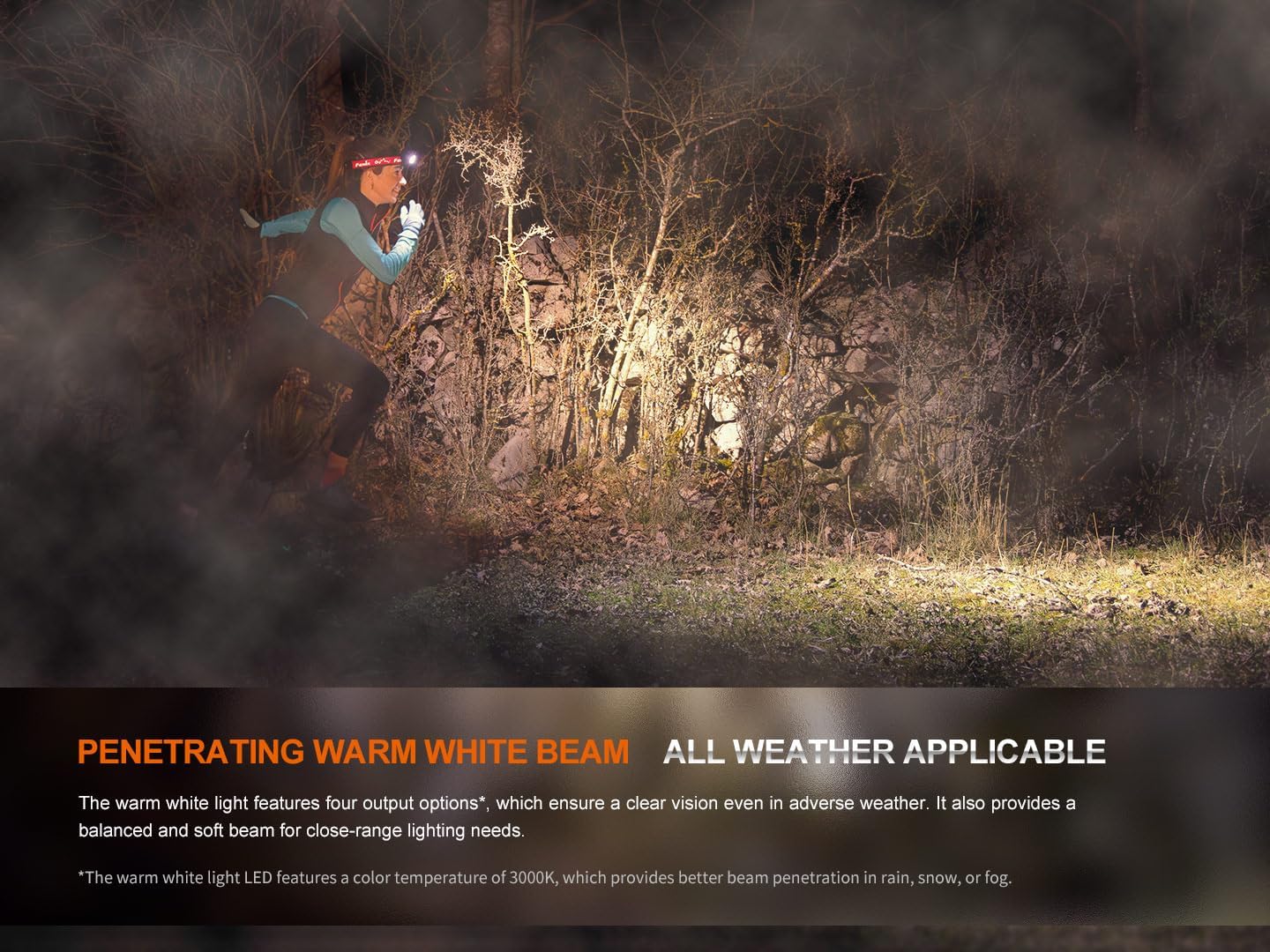
With the warm white light on, single-click the warm white light switch to cycle through Eco, Low, Medium, and High modes.
Modalità SOS
To activate SOS mode, press and hold the warm white light switch for 1.2 seconds. The headlamp will emit a flashing SOS signal at 5 lumens.
Electronic Lockout Function
- Biex Tissakkar: Bil-headlamp off, press and hold both switches simultaneously for 3 seconds. The headlamp will flash 4 times in Eco mode to indicate it is locked.
- Biex Nisfruttaw: Press and hold both switches simultaneously for 3 seconds. The headlamp will flash 4 times in Eco mode and then turn on in Eco mode to indicate it is unlocked.
Indikazzjoni tal-Livell tal-Batterija
Meta l-headlamp is off, single-click either switch to activate the battery level indicators located in the middle of the switches. The indicators will show the remaining battery percentage:
- 4 dwal mixgħula: 100% - 80%
- 3 dwal mixgħula: 80% - 60%
- 2 dwal mixgħula: 60% - 40%
- Dawl wieħed mixgħul: 40% - 20%
- 1 light flashes: 20% - 1%
Official Product Video: HM65R-T V2 Full Review
Vidjo: Rieżami komprensivview of the Fenix HM65R-T V2.0 headlamp, detailing its features, operation, and comparison with previous models. This video provides visual demonstrations of setup, light modes, and adjustment mechanisms.
Manutenzjoni
Tindif
Naddaf il-headl regolarmentamp korp u lenti b'disinn artab, damp cloth. Avoid using abrasive cleaners or solvents that could damage the finish or optical components.
Kura tal-batterija
To ensure optimal performance and longevity, store the battery in a cool, dry place. Recharge the battery regularly, even if not in frequent use, to prevent deep discharge. If using CR123A batteries, ensure they are of high quality and from a reputable brand.
Sostituzzjoni tal-O-ring
Periodically inspect the O-ring for wear and tear. If damaged, replace it with the provided spare O-ring to maintain the headlamp's IP68 waterproof rating.
Issolvi l-problemi
Kapamp Mhux Tixgħel
- Check if the battery is correctly installed with the correct polarity.
- Ensure the battery is charged. Refer to the Battery Level Indication section.
- Verify that the headlamp is not in Electronic Lockout mode. Follow the unlocking procedure.
- Clean the battery contacts and the contact points inside the headlamp b'ċarruta nadifa.
Dawl Dim jew Flickering
- Il-batterija tista’ tkun baxxa. Erġa’ ċċarġjaha jew ibdelha.
- Ensure the battery contacts are clean and free from debris.
- Check for any loose connections or damage to the headlamp.
Kwistjonijiet ta' Iċċarġjar
- Kun żgur li l-kejbil USB-C huwa konness sew mar-rasamp u s-sors tal-enerġija.
- Ipprova kejbil USB-C jew adapter tal-enerġija differenti.
- Verify that the charging port is clean and free from obstructions.
Speċifikazzjonijiet
| Karatteristika | Valur |
|---|---|
| Mudell | HM65R-T V2.0 |
| Brand | Fenix |
| White Brightness (Max) | 1600 Lumens |
| Warm White Brightness (Max) | 800 Lumens |
| Sors tal-Enerġija | Battery Powered (1 Lithium Ion battery included, compatible with 2 CR123A) |
| Materjal | Liga tal-manjeżju |
| Livell ta 'Reżistenza għall-Ilma | Li ma jgħaddix ilma minnu (IP68) |
| Reżistenza għall-Impatt | 2-il metru |
| Piż tal-oġġett | 5 uqija (0.31 Libbra) |
| Dimensjonijiet tal-Prodott | 1.37"D x 1.84"W x 3.15"H |
| Karatteristiċi Speċjali | Adjustable Light Modes, Adjustable Strap, Durable, High Lumens, Rechargeable |
| Komponenti Inklużi | Charging Cable, Head Band, Headlamp |
Garanzija u Appoġġ
Informazzjoni dwar Garanzija
The Fenix HM65R-T V2.0 comes with a Limited Warranty. For specific details regarding the warranty period and coverage, please refer to the warranty card included in your product packaging or visit the official Fenix websit.
Appoġġ għall-Klijent
For any questions, technical assistance, or warranty claims, please contact Fenix customer support through their official webis-sit jew l-informazzjoni ta' kuntatt ipprovduta fid-dokumentazzjoni tal-prodott tiegħek.


