1. Introduzzjoni
This manual provides detailed instructions for the installation, operation, and maintenance of your Alpine INE-W970HD Audio/Video/Navigation System and Alpine PXE-C80-88 OPTIM8 8-Channel Hi-Res DSP Amplifier. Please read this manual thoroughly before using the product to ensure proper and safe operation.
The Alpine INE-W970HD is an advanced in-dash unit compatible with Apple CarPlay and Android Auto, offering comprehensive audio, video, and navigation functionalities. The Alpine PXE-C80-88 OPTIM8 is a high-resolution digital sound processor amplifier designed to enhance your vehicle's audio system with precise sound tuning capabilities.
2. Informazzjoni dwar is-Sigurtà
Dejjem osserva l-prekawzjonijiet ta' sigurtà li ġejjin biex tevita korriment jew ħsara lill-unità:
- Do not operate the system in a way that distracts you from driving.
- Ensure proper wiring and connections to avoid electrical shorts or fire hazards.
- Ikkonsulta professjonist għall-installazzjoni jekk m'intix ċert dwar xi passi.
- Żomm l-unità 'l bogħod mill-umdità u temperaturi estremi.
3. Kontenut tal-Pakkett
Ivverifika li l-oġġetti kollha huma preżenti fil-pakkett tiegħek:
- Alpine INE-W970HD Audio/Video/Nav System
- Alpine PXE-C80-88 OPTIM8 8-Channel Hi-Res DSP Ampaktar ħaj
- Ċineg tal-Wajers
- Ħardwer tal-Immuntar
- GPS Antenna (for INE-W970HD)
- Cable ta 'estensjoni USB
- User Manuals (this document)

Image: The Alpine INE-W970HD head unit and the Alpine PXE-C80-88 DSP amplifier, showing both main components of the bundle.
4. Setup u Installazzjoni
Professional installation is highly recommended for these components. Incorrect wiring can cause damage to the units or your vehicle's electrical system.
4.1. INE-W970HD Installation
The INE-W970HD is designed for in-dash mounting. Ensure adequate space and proper ventilation.
- Preparazzjoni: Skonnettja t-terminal negattiv tal-batterija tal-vettura qabel tibda kwalunkwe xogħol elettriku.
- Immuntar: Securely mount the INE-W970HD into the vehicle's double-DIN opening using the provided mounting brackets.
- Wiring: Connect the main power harness, speaker wires, and other input/output cables (RCA, USB, HDMI, GPS antenna) as per the wiring diagram provided in the separate installation guide.
- Konnessjoni tal-antenna: Connect the GPS antenna and radio antenna. Position the GPS antenna in a location with a clear view tas-sema.

Image: The Alpine INE-W970HD head unit displaying the Apple CarPlay interface, showing various app icons.
4.2. PXE-C80-88 OPTIM8 Installation
The PXE-C80-88 OPTIM8 should be mounted in a dry, well-ventilated area, such as under a seat or in the trunk.
- Post tal-Immuntar: Choose a location that is protected from moisture and excessive heat, and allows for proper cable routing.
- Konnessjoni tal-Enerġija: Connect the power and ground wires directly to the vehicle's battery, ensuring proper fusing.
- Konnessjonijiet tad-dħul: Connect the audio input signals from the INE-W970HD (or other source) to the PXE-C80-88. This can be done via RCA or speaker-level inputs.
- Konnessjonijiet tal-Ħruġ: Connect the speaker outputs from the PXE-C80-88 to your vehicle's speakers.

Immaġni: Dettaljata view of the Alpine PXE-C80-88 OPTIM8 DSP amplifier, highlighting its compact design and connection ports.
5. Istruzzjonijiet Operattivi
5.1. INE-W970HD Basic Operation
- Power On/Off: Press and hold the power button (usually located on the front panel) to turn the unit on or off.
- Kontroll tal-Volum: Use the rotary encoder or on-screen controls to adjust the volume.
- Għażla tas-Sors: Tap the "Source" icon on the touchscreen or use the physical buttons to select between Radio, USB, Bluetooth Audio, HDMI, Apple CarPlay, Android Auto, and other inputs.
- Navigazzjoni: Access the built-in navigation system by tapping the "NAV" button. Enter destinations, view maps, and follow turn-by-turn directions.
- Apple CarPlay / Android Auto: Connect your compatible smartphone via USB. The system will automatically launch the respective interface, allowing access to phone functions, messaging, music, and navigation apps.

Image: The Alpine INE-W970HD head unit displaying the Android Auto interface, showing various app icons like Maps, Spotify, and YouTube Music.
5.2. PXE-C80-88 OPTIM8 Sound Tuning
The OPTIM8 offers advanced sound tuning capabilities. It can be configured via a PC application or an iOS app.
- Konnessjoni tal-App: Connect your PC or iOS device to the PXE-C80-88 via USB or Bluetooth (if applicable).
- Irfinar awtomatiku: Utilize the "5 Minute Self-Tuning" feature for quick and optimized sound calibration. This process uses a microphone (sold separately) to analyze your vehicle's acoustics.
- Irfinar Manwali: For advanced users, the PC App provides comprehensive control over equalization, crossovers, time correction, and level adjustments for each of the 8 channels.
- Ġestjoni issettjata minn qabel: Save and recall custom sound presets for different music genres or listening preferences.

Immaġni: Minn fuq għal isfel view of the Alpine PXE-C80-88 OPTIM8 DSP amplifier, wirjaasing its sleek design and central branding.
6. Manutenzjoni
Regular maintenance ensures the longevity and optimal performance of your Alpine system.
- Tindif tal-Display: Uża drapp artab u niexef biex timsaħ it-touchscreen. Għal tbajja' persistenti, nixxef ftit.ampen the cloth with water or a screen cleaner designed for electronics. Do not use abrasive cleaners.
- Aġġornamenti tas-Software: Iċċekkja l-Alpine perjodikament website for firmware updates for both the INE-W970HD and PXE-C80-88. Updates can improve performance, add features, and fix bugs.
- Konnessjonijiet tal-kejbil: Kultant iċċekkja l-konnessjonijiet kollha tal-kejbil biex tiżgura li huma sikuri u ħielsa mill-korrużjoni.
- Ventilazzjoni: Ensure that the PXE-C80-88's ventilation fins are not obstructed to prevent overheating.
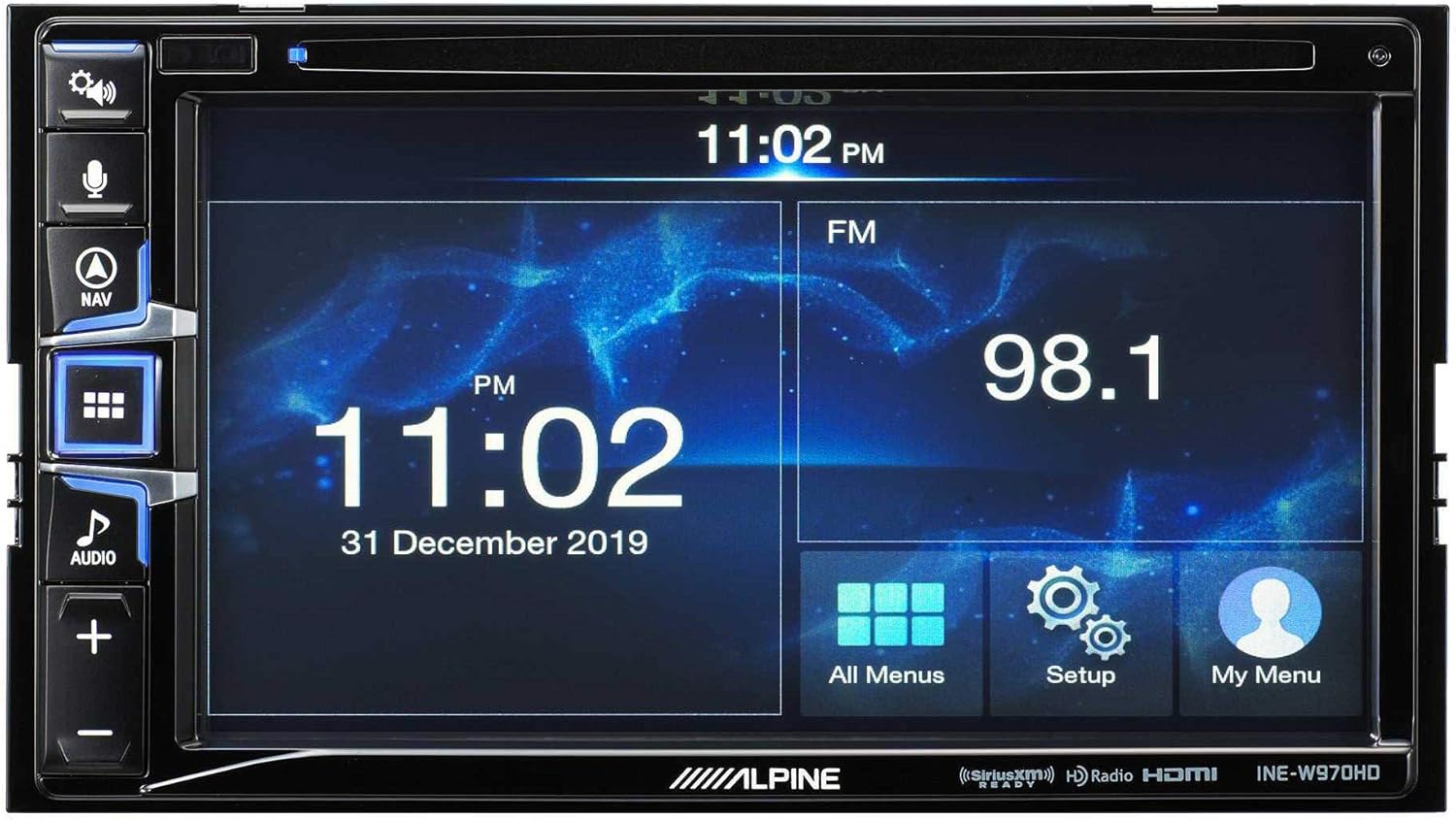
Image: The Alpine INE-W970HD head unit displaying the radio interface, showing frequency and time information.
7 Issolvi l-problemi
Jekk tiltaqa' ma' problemi, irreferi għall-problemi u s-soluzzjonijiet komuni li ġejjin:
| Problema | Kawża Possibbli | Soluzzjoni |
|---|---|---|
| Ebda Qawwa | Blown fuse, loose power connection. | Check vehicle fuses and unit's inline fuse. Verify power and ground connections. |
| Ebda Ħoss | Muted, incorrect source, loose speaker wires, DSP not configured. | Check mute function. Select correct audio source. Verify speaker connections. Ensure PXE-C80-88 is properly configured via its app. |
| Navigation Not Working | GPS antenna not connected or obstructed. | Kun żgur li l-antenna tal-GPS hija konnessa sew u għandha viżibilità ċara view tas-sema. |
| CarPlay/Android Auto Mhux Qed Jikkonnettja | Kejbil USB difettuż, telefon mhux kompatibbli, problema fis-softwer. | Try a different USB cable. Ensure your phone's OS is up to date. Restart both phone and head unit. |

Image: The Alpine INE-W970HD head unit displaying a navigation map with route information.
8. Speċifikazzjonijiet
8.1. Alpine INE-W970HD
- Wiri: Touchscreen
- Konnettività: USB, HDMI, Ethernet, optical audio, component video, RCA
- Kompatibilità: Apple CarPlay, Android Auto
- Modalità tal-Ħruġ tal-Awdjo: Stereo, Surround
- Konfigurazzjoni tal-Kanal tal-Ħsejjes Surround: 7.1
- Kodifikazzjoni tal-Vidjo: H.264, H.265/HEVC
8.2. Alpine PXE-C80-88 OPTIM8
- AmpKanali li jfiġġu: 8-Kanal
- Output tal-Enerġija: 50W x 6 @ 2Ω + 300W x 2 @ 2Ω
- Ipproċessar: Hi-Res Digital Sound Processor (96kHz/24Bit)
- Irfinar: Automatic (5-minute self-tuning) & Manual via PC/iOS App

Immaġni: Naħa waħda view of the Alpine PXE-C80-88 OPTIM8 DSP amplifier, showing its compact profile u punti ta' konnessjoni.
9. Informazzjoni dwar Garanzija
Alpine products are covered by a limited warranty. Please refer to the warranty card included with your product or visit the official Alpine website for detailed terms and conditions. Typically, the warranty covers defects in materials and workmanship for a specified period from the date of purchase.
Żomm il-prova tax-xiri tiegħek (irċevuta) għax tkun meħtieġa għal kwalunkwe talba ta' garanzija.
10. Appoġġ għall-Klijent
For technical assistance, troubleshooting beyond this manual, or warranty inquiries, please contact Alpine customer support:
- Websit: Żur www.alpine-usa.com/support għal FAQs, downloads ta' softwer, u informazzjoni ta' kuntatt.
- Telefon: Refer to the Alpine websit għan-numri tat-telefon tas-servizz tal-konsumatur l-aktar aġġornati.
- Negozjanti Awtorizzati: Your authorized Alpine dealer can also provide support and service.
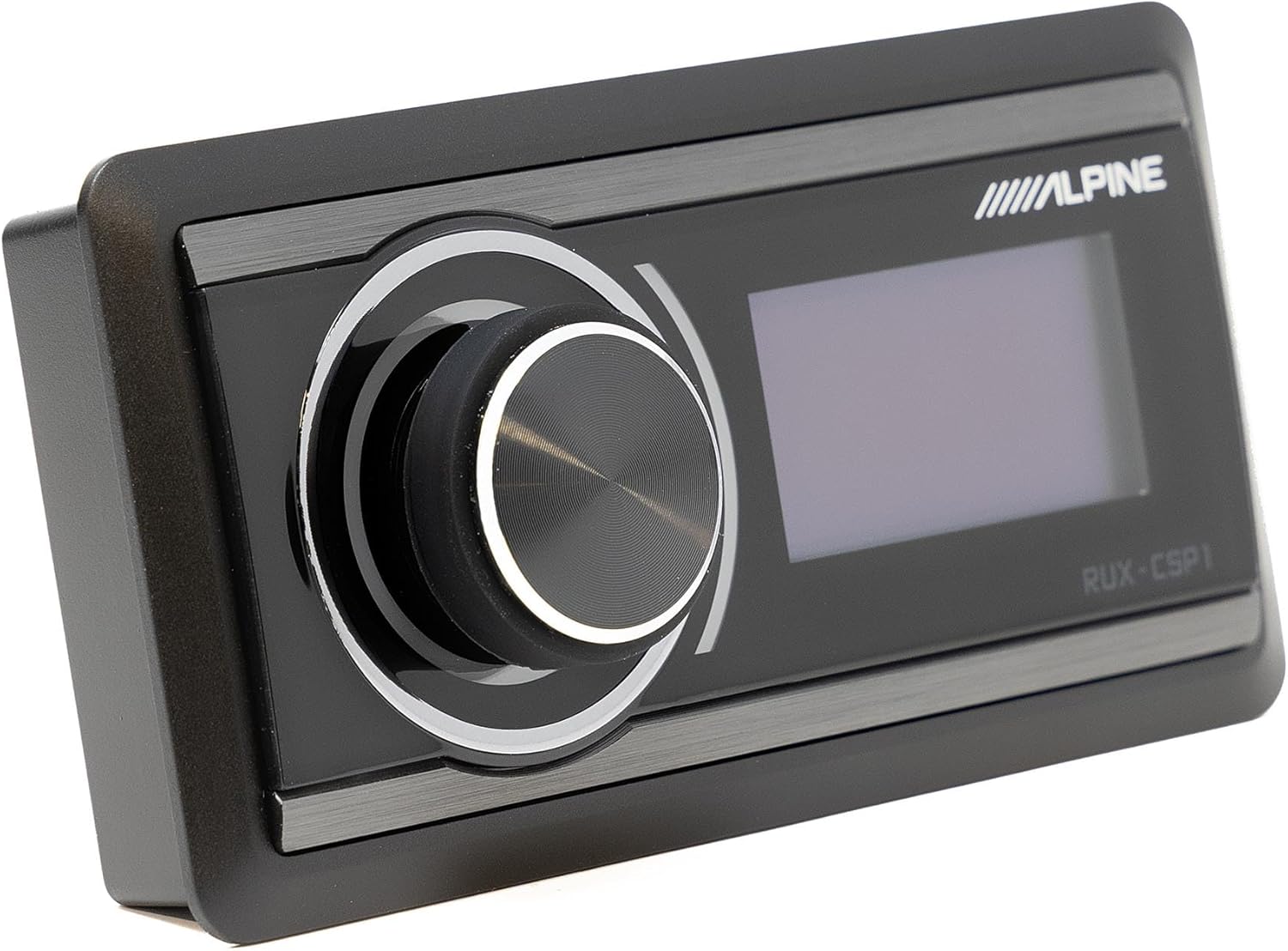
Image: The Alpine RUX-CSP1 remote control, an optional accessory for the DSP, featuring a rotary knob and display.


