1. Introduzzjoni
Thank you for choosing the ABSOSO Single Din Wireless CarPlay Stereo. This manual provides essential information for the proper installation, operation, and maintenance of your new car stereo system. Please read this manual thoroughly before use to ensure optimal performance and safety.
2. Informazzjoni dwar is-Sigurtà
- Dejjem ħaddem l-apparat b'mod responsabbli u skont il-liġijiet tat-traffiku lokali. Sewqan distratt jista' jwassal għal inċidenti.
- Do not attempt to install or repair the unit yourself if you are not qualified. Improper installation can cause damage to the unit or your vehicle.
- Kun żgur li l-wajers kollha huma konnessi b'mod korrett biex tevita short circuits jew perikli elettriċi.
- Żomm l-iskrin nadif u ħieles minn ostakli biex iżżomm viżibilità ċara.
- Evita li tesponi l-unità għal temperaturi estremi, dawl tax-xemx dirett għal perjodi twal, jew umdità eċċessiva.
3. X'hemm fil-Kaxxa
Ivverifika li l-komponenti kollha huma preżenti qabel ma tipproċedi bl-installazzjoni:
- Unità Stereo CarPlay b'Din Uniku
- Kejbil USB Doppju
- Antenna tal-GPS
- Kejbil tal-Kamera tal-Backup
- Wiring Harness & Wires
- Kits tal-Immuntar
- Manwal għall-Utent (dan id-dokument)
4. Prodott Aktarview
The ABSOSO Single Din Wireless CarPlay Stereo features a 10.1-inch rotatable touchscreen designed for enhanced in-car entertainment and navigation. It supports wireless Apple CarPlay and Android Auto, Bluetooth connectivity, AM/FM radio, and includes GPS navigation capabilities.
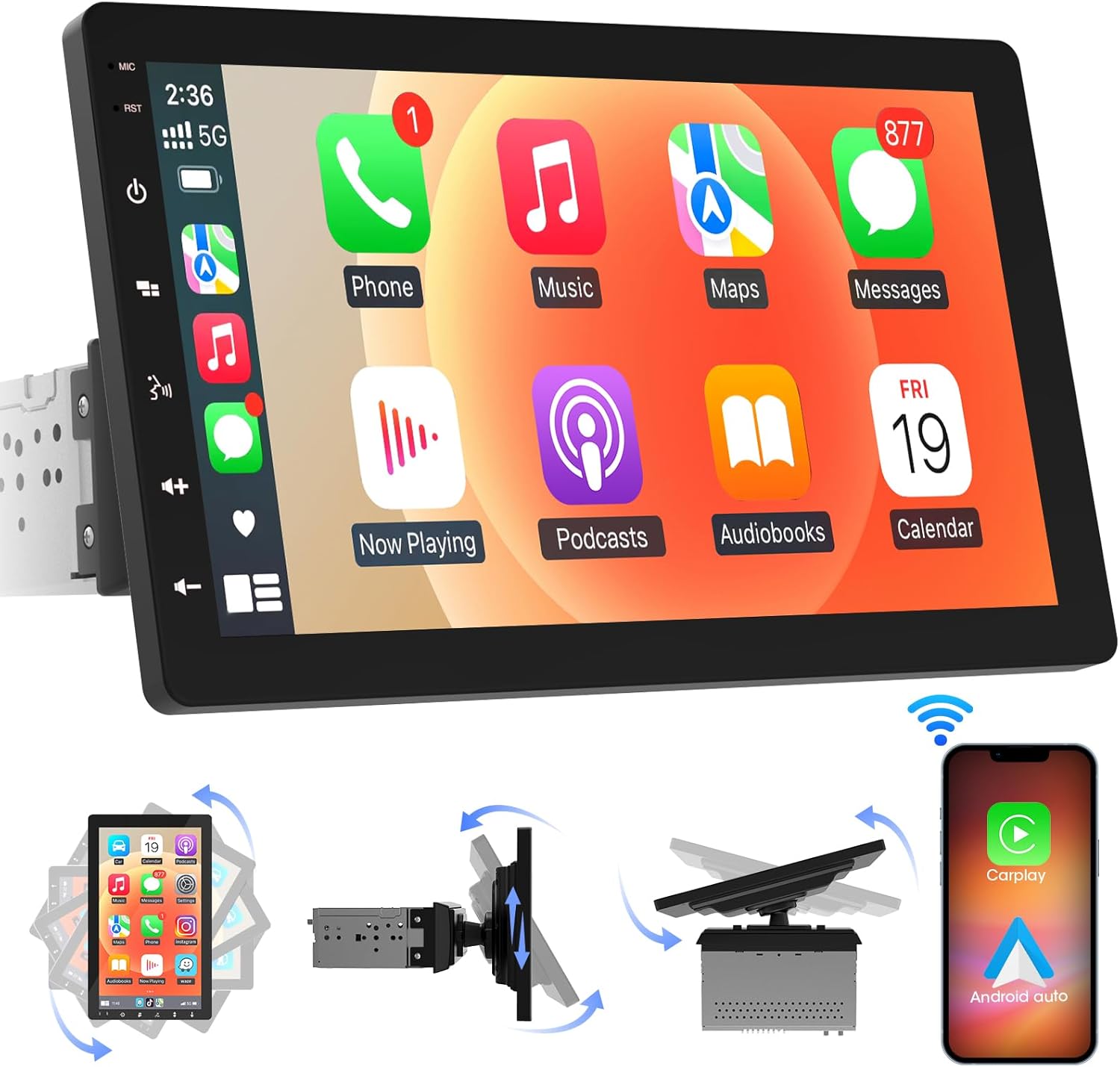
Stampa 4.1: Quddiem view of the ABSOSO Single Din Wireless CarPlay Stereo displaying the Apple CarPlay interface.
5. Setup u Installazzjoni
This unit is designed for standard single DIN dash openings. Professional installation is recommended to ensure correct wiring and functionality. Refer to the wiring diagram provided with the unit for specific connections.
5.1 Immuntar tal-Unità
The modular design allows for flexible installation. The main unit fits into a single DIN slot, and the 10.1-inch screen can be adjusted for optimal viewing.

Image 5.1: Visual comparison of a car dashboard before and after the installation of the ABSOSO 10.1-inch rotatable car stereo, highlighting the integrated appearance.
5.2 Konnessjonijiet tal-Wiring
Connect the power, speaker, and accessory wires according to your vehicle's wiring harness and the provided diagram. Ensure the backup camera input cable is routed correctly if you plan to use a rearview kamera.
5.3 Installazzjoni tal-antenna tal-GPS
Immonta l-antenna tal-GPS f'post b'dawl ċar view of the sky, typically on the dashboard or under the windshield, to ensure accurate satellite reception.
6. Istruzzjonijiet Operattivi
6.1 Power On/Off
The unit will power on automatically with the vehicle's ignition. To manually power off, press and hold the power button on the unit.
6.2 CarPlay mingħajr fili u Android Auto
This stereo supports wireless Apple CarPlay and Android Auto. To connect, enable Bluetooth and Wi-Fi on your smartphone and follow the on-screen prompts to pair with the stereo. Once connected, you can access navigation, music, messages, and voice assistants directly from the stereo's display.

Image 6.1: The ABSOSO car stereo showcasing its wireless connectivity features, including Apple CarPlay, Android Auto, and MirrorLink, with various app interfaces.
6.3 HD Touchscreen Operation
The 10.1-inch HD IPS display offers a responsive touch interface. Navigate through menus and applications by tapping, swiping, and pinching. Five capacitive touch buttons are located along the left edge for quick access to common functions.

Image 6.2: The 10.1-inch screen of the ABSOSO car stereo, emphasizing its HD resolution, sleek touch buttons, and 178-degree viewAngolu ta' ing għal ċarezza ottimali.
6.4 Funzjonalità tal-Mirrorlink
Mirrorlink allows you to display your smartphone's screen directly onto the stereo. This feature is useful for viewing navigation, videos, or other content from your phone on a larger display.
6.5 Konnettività Bluetooth
Pair your smartphone via Bluetooth for hands-free calling and wireless audio streaming. Access your phone's contacts and call history directly from the stereo.
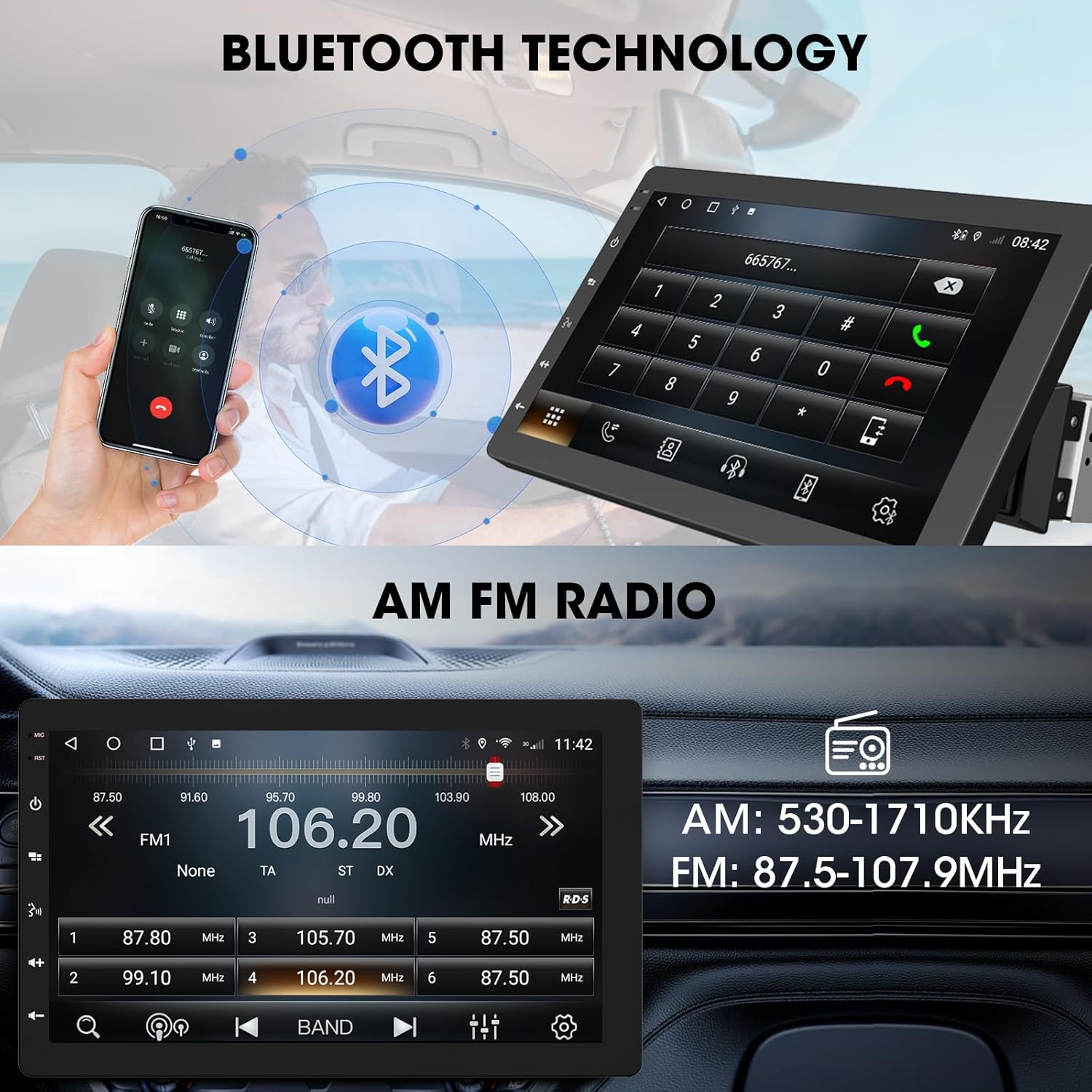
Image 6.3: The ABSOSO car stereo illustrating Bluetooth technology for hands-free calls and the interface for AM/FM radio tuning.
6.6 Radju FM/AM
Tune into your favorite FM and AM radio stations. The unit features 30 station memory presets for quick access to sports, news, and music.
6.7 Navigazzjoni GPS u Hotspot WiFi
The stereo includes built-in GPS navigation with support for offline maps (2G RAM + 64GB ROM storage). Connect to a 2.4 GHz or 5 GHz Wi-Fi hotspot for online navigation and app downloads.
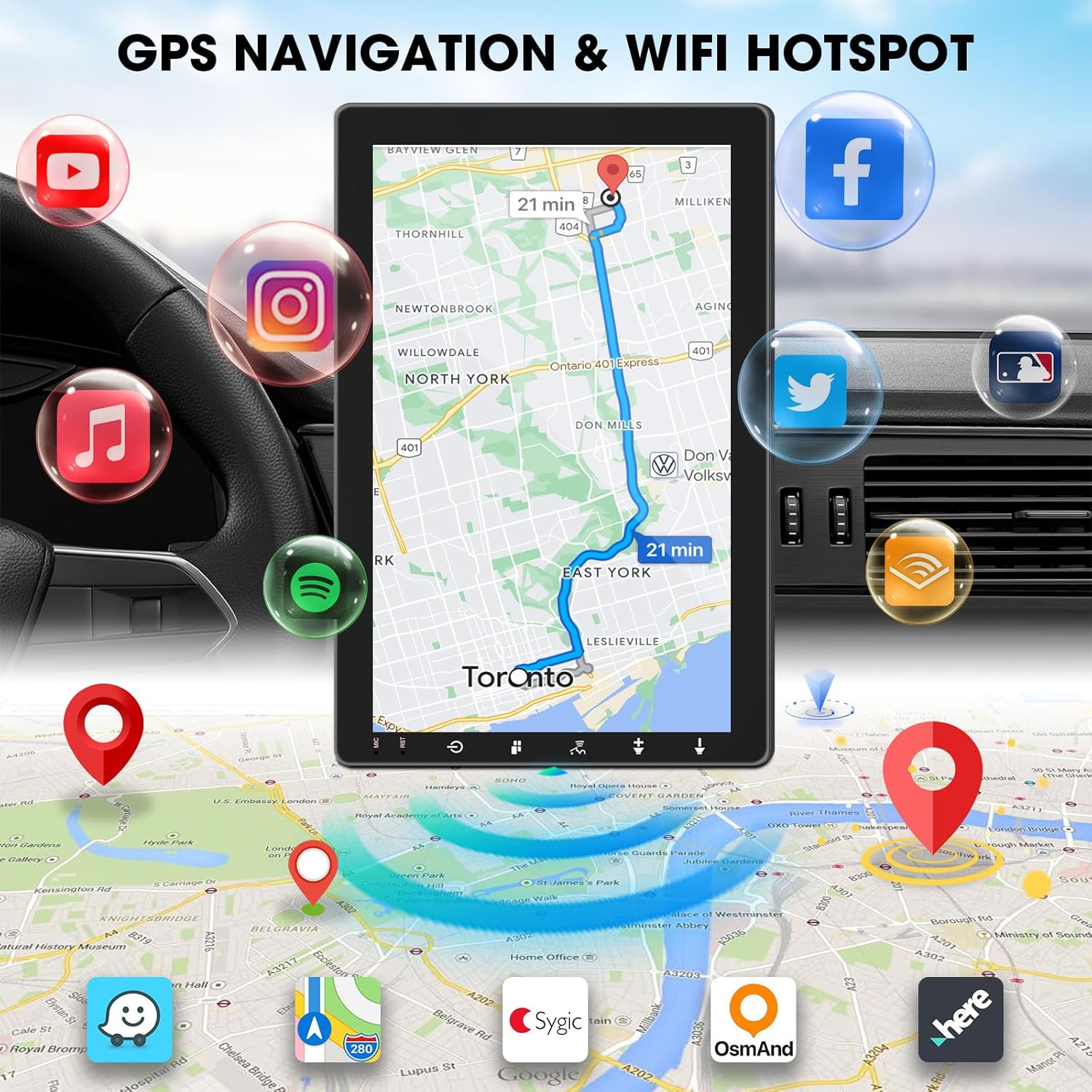
Image 6.4: The ABSOSO car stereo screen showing GPS navigation with a map, surrounded by icons representing various applications accessible via WiFi hotspot.
6.8 Adjustable Floating Screen
The 10.1-inch display is rotatable by 360 degrees and can be adjusted vertically and tilted to achieve optimal viewing angles, reducing glare and improving visibility.
6.9 Sound Tuning
Customize your audio experience with preset equalizer settings. The unit delivers a maximum power output of 200W and includes pre-amp and subwoofer outputs for enhanced sound quality.
6.10 Input tal-Kamera ta' Backup
Connect a compatible backup camera (sold separately) to the RCA input. The stereo will automatically display the rearview camera feed when the vehicle is in reverse, aiding in accurate parking and maneuvering.

Image 6.5: Illustration of the backup camera input connection to the ABSOSO car stereo, showing how the camera feed is displayed on the screen when reversing.
7. Manutenzjoni
7.1 Tindif tal-Iskrin
Uża drapp artab u mingħajr suf biex timsaħ bil-mod it-touchscreen. Għal tbajja' persistenti, nixxef ftit.ampNaddaf id-drapp bl-ilma jew b'prodott tat-tindif li ma jagħmilx ħsara lill-iskrin. Evita materjali li joborxu jew kimiċi ħarxa.
7.2 Kura Ġenerali
Keep the unit free from dust and debris. Ensure proper ventilation around the unit to prevent overheating. Do not block any vents or openings.
8 Issolvi l-problemi
- Ebda Qawwa: Iċċekkja l-konnessjonijiet tal-enerġija u l-fjusis kollha. Kun żgur li l-ignition tal-vettura hija mixgħula.
- Ebda Ħsejjes: Ivverifika l-konnessjonijiet tal-ispiker. Iċċekkja l-livelli tal-volum u s-settings tal-mute. Kun żgur li s-sors awdjo korrett huwa magħżul.
- Kwistjonijiet ta' Konnessjoni Bluetooth/CarPlay/Android Auto: Ensure your phone's Bluetooth and Wi-Fi are enabled. Try restarting both the stereo and your phone. Forget and re-pair the device.
- Telf tas-Sinjal tal-GPS: Kun żgur li l-antenna tal-GPS għandha viżibilità ċara view tas-sema. Iċċekkja l-konnessjoni tal-antenna.
- L-Iskrin Ma Jirrispondix: Ipprova erġa' ibda l-unità. Jekk il-problema tippersisti, ikkuntattja l-appoġġ għall-klijenti.
9. Speċifikazzjonijiet
- Dimensjonijiet tal-Prodott: 6.4"D x 9.8"W x 5.9"H
- Piż tal-oġġett: 4.73 liri
- Wiri: 10.1 Inch HD IPS Touchscreen (1280*720P)
- Konnettività: Bluetooth, USB, Wi-Fi (2.4 GHz & 5 GHz)
- Karatteristiċi Speċjali: 360° Rotatable Floating Touchscreen, Wireless Android Auto, Apple CarPlay, Mirrorlink, GPS Navigation (Online/Offline Maps), AM/FM Radio, AV Input, Rearview Camera Input, USB Charging, Voice Control, Preset EQ, Video Output, Amplifier/Subwoofer Output
- Memorja: 2G RAM + 64GB ROM
- Modalità tal-Ħruġ tal-Awdjo: Stereo
- Konfigurazzjoni tal-Kanal tal-Ħsejjes Surround: 4
- Kodifikazzjoni tal-Vidjo: H.264, H.265/HEVC
10. Garanzija u Appoġġ
For warranty information and technical support, please refer to the documentation included with your purchase or contact ABSOSO customer service directly. Keep your purchase receipt as proof of purchase for any warranty claims.
For further assistance, visit the official ABSOSO webis-sit jew ikkuntattja l-kanali ta' appoġġ tagħhom.


