Introduzzjoni
This manual provides comprehensive instructions for the setup, operation, and maintenance of your Symcode Bluetooth 2D Barcode Scanner. This portable scanner offers versatile 3-in-1 connectivity (Bluetooth, 2.4G Wireless, USB Wired) and is designed for efficient scanning of both 1D and 2D barcodes across various platforms.
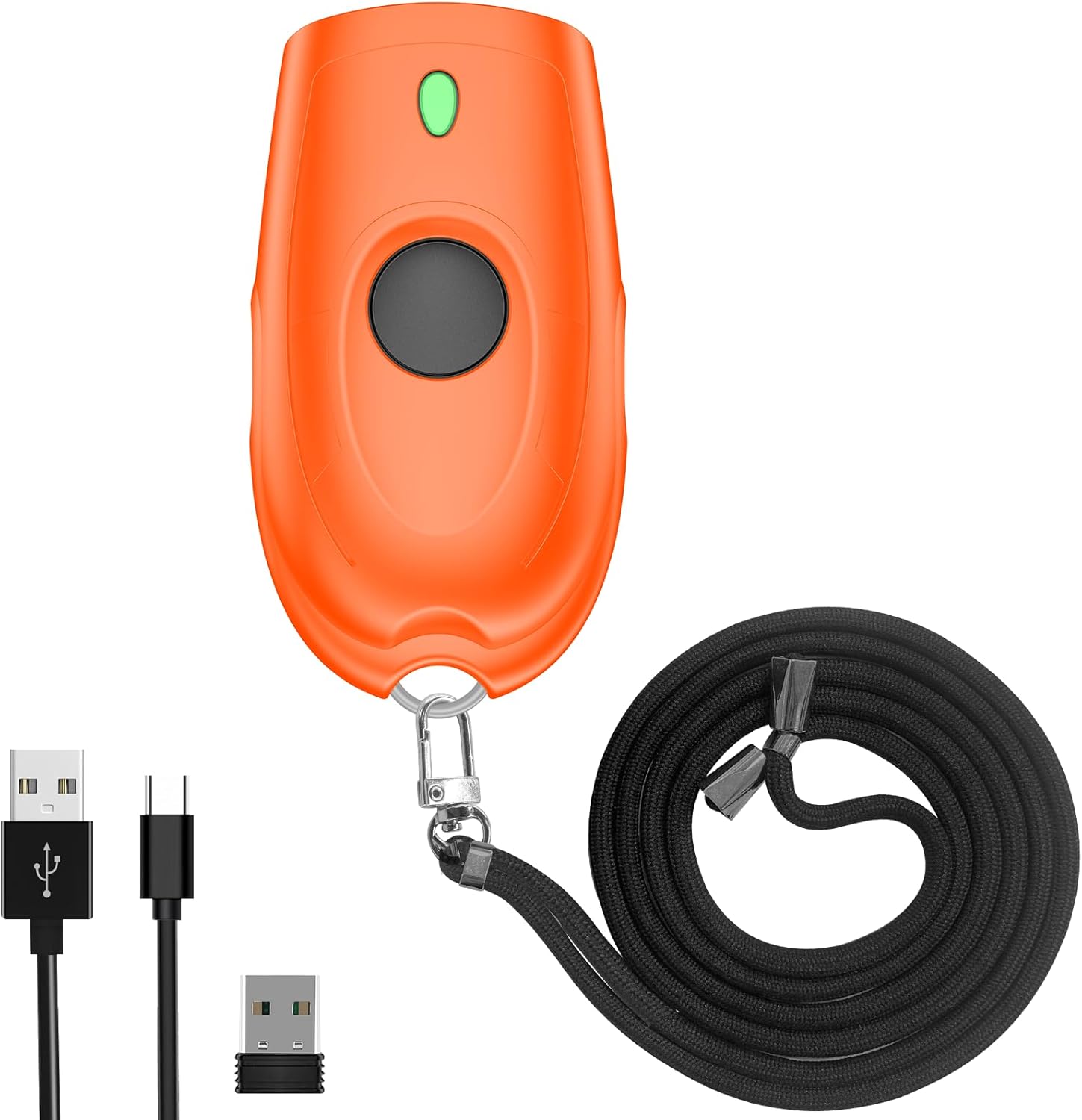
Image: The Symcode Bluetooth 2D Barcode Scanner in orange, shown with its accessories: USB charging cable, 2.4G USB dongle, and a black lanyard.
Prodott Overview u l-Kontenut tal-Pakkett
Before using your scanner, please ensure all components are present in the package.

Image: A visual representation of the package contents, including the scanner, 2.4GHz wireless dongle, user manual, USB cable, and sling.
Il-pakkett jinkludi:
- 1x Symcode 2D Barcode Scanner
- 1x USB Iċċarġjar Cable
- 1x 2.4G USB Dongle
- 1x Manwal għall-Utent
- 1x Ċinga
Speċifikazzjonijiet
| Karatteristika | Deskrizzjoni |
|---|---|
| Dimensjonijiet | 5.43 x 4.21 x 2.13 pulzieri (Pakkett) |
| Piż | 4.2 uqija (Oġġett) |
| Batterija | 650mAh Lithium Polymer (rechargeable, included) |
| Ħin tal-Iċċarġjar | Appross. 2 sigħat |
| Ħin ta' Skennjar Kontinwu | Sa 5 sigħat |
| Ħin ta' Standby | Sa 30 ijiem (720 siegħa) |
| Konnettività | Bluetooth, 2.4G Wireless, USB Wired |
| Transmission Distance (2.4G Wireless) | 150m/492ft (barrier-free), 15m/49ft (with obstacles) |
| Distanza ta' Trażmissjoni (Bluetooth) | 50m/164ft (barrier-free), 20m/66ft (with obstacles) |
| Kapaċità tal-Ħżin | 16MB (stores over 100,000 barcodes in offline mode) |
| Decoding Ability (2D) | QR Code, Data Matrix, PDF417, kodiċi Aztec, Maxicode |
| Decoding Ability (1D) | JAN/EAN-13, JAN/EAN-8, UPC-A, UPC-E, Code11, Code32, Code39, Code 39 Full ASCII, Code93, Code128, Codabar (NW-7), Interleaved 2 of 5, Matrix 2 of 5, Industrial 2 of 5, Standard 2 of 5, PLESSEY, MSI, ITF14, ISBN, ISSN, GS1 Databar, GS1-128 (UCC/EAN128), ISBT-128 |
| OS kompatibbli | Windows XP/7/8/10, Mac OS, Linux, Android, iOS |

Image: Detailed battery specifications and internal components of the scanner, highlighting its 650mAh battery and long standby time.

Image: Transmission range capabilities of the scanner in different environments for both 2.4G wireless and Bluetooth connections.

Image: Visual representation of the scanner's mini portable design and dimensions, demonstrating its ease of carrying.
Setup
1. Iċċarġjar tal-Iskaner
Before first use, fully charge the scanner. Connect the provided USB charging cable to the scanner's charging port and to a USB power source (e.g., computer USB port, USB wall adapter). The charging indicator light will show the charging status. A full charge takes approximately 2 hours.
2. Modi ta 'Konnessjoni
The Symcode scanner supports three connection modes: USB Wired, 2.4G Wireless, and Bluetooth Wireless.

Image: Illustration of the three versatile connection options: USB wired, 2.4G wireless via dongle, and Bluetooth wireless.
Modalità bil-fili USB:
- Qabbad l-iskaner direttament mal-kompjuter tiegħek billi tuża l-kejbil USB provdut.
- The scanner will be recognized as a keyboard device, and scanned data will appear wherever your cursor is placed.
- No drivers are required for this mode.
Modalità Wireless 2.4G:
- Ipplaggja d-dongle USB 2.4G f'port USB disponibbli fuq il-kompjuter tiegħek.
- Turn on the scanner. It should automatically pair with the dongle.
- This mode offers a transmission distance of up to 150m (492ft) in barrier-free environments.
Modalità Wireless Bluetooth:
- Ensure your device (smartphone, tablet, laptop) has Bluetooth enabled.
- Turn on the scanner and put it into Bluetooth pairing mode (refer to the specific steps in the included user manual for pairing instructions, as this typically involves scanning a specific configuration barcode).
- On your device, search for Bluetooth devices and select "Symcode Scanner" or similar from the list.
- This mode supports Bluetooth HID, SPP, and BLE protocols and offers a transmission distance of up to 50m (164ft) in barrier-free environments.
3. Kompatibilità tas-Sistema
The scanner is highly compatible with a wide range of operating systems and devices.

Image: The scanner's broad compatibility with various operating systems including iOS, Android, Windows, Mac OS, and Linux, connecting to devices like PCs, POS systems, laptops, tablets, and smartphones.
- Sistemi Operattivi: Windows XP, Win7, Win8, Win10, Mac OS, Linux
- Apparati: PC, Laptop, POS systems, Smartphones (Android, iOS), Tablets
Istruzzjonijiet Operattivi
1. Skennjar Bażiku
To scan a barcode, point the scanner's window at the barcode and press the trigger button. A successful scan will typically be indicated by a beep and/or vibration.

Image: The scanner in action, demonstrating its ability to decode various 1D and 2D barcodes, even if they are blurred or incomplete. Examples of scannable codes are shown, including QR Code, Data Matrix, and PDF417.
The scanner can decode a wide range of 1D and 2D symbologies, including:
- 2D: QR Code, Data Matrix, PDF417, kodiċi Aztec, Maxicode
- 1D: JAN/EAN-13, JAN/EAN-8, UPC-A, UPC-E, Code11, Code32, Code39, Code 39 Full ASCII, Code93, Code128, Codabar (NW-7), Interleaved 2 of 5, Matrix 2 of 5, Industrial 2 of 5, Standard 2 of 5, PLESSEY, MSI, ITF14, ISBN, ISSN, GS1 Databar, GS1-128 (UCC/EAN128), ISBT-128
Example Barcodes from image:
- Data Matrix: 2125551212
- Kodiċi QR: 20123456789
- PDF417: 00614141999996
- ITF: 1234567890135
- Profiled Barcode: 4603146002134
2. Sound and Vibration Control
The scanner allows you to turn off the sound and vibration feedback according to your preference or work environment. Refer to the detailed instructions in the included user manual for the specific configuration barcodes to enable or disable these features.

Image: Options for controlling the scanner's sound and vibration feedback, allowing for quiet operation when needed.
3. Modi ta' Tella' tad-Data
L-iskaner jappoġġja żewġ modi primarji ta' upload tad-dejta:
- Modalità ta' Upload Instant: Scanned barcodes are immediately transmitted to the connected device. This is the default mode.
- Storage Mode (Offline Scanning): Barcodes are stored in the scanner's internal memory (16MB, capable of storing over 100,000 barcodes) and can be uploaded later when connected. This is useful for inventory tasks where real-time connection is not always available. To switch to storage mode and upload data, refer to the specific configuration barcodes in the included user manual.
4. Għażliet ta 'Personalizzazzjoni
The scanner offers various customization options to tailor its output to your needs:
- Hide/Add custom prefix/suffix digits.
- Delete characters from scanned data.
- Add keyboard keys (e.g., TAB, CR&LF) to the scanning operation for automated data entry.
Detailed instructions and configuration barcodes for these options are provided in the comprehensive user manual included with your product.
Manutenzjoni
Kura tal-batterija:
- Biex ittawwal il-ħajja tal-batterija, evita li tiċċarġja kompletament il-batterija ta' spiss.
- Charge the scanner regularly, even if not in constant use.
- Aħżen l-iskaner f'post frisk u niexef meta ma jkunx qed jintuża għal perjodi twal.
Tindif:
- Use a soft, dry, lint-free cloth to clean the scanner's exterior.
- For the scanning window, use a soft cloth slightly dampNaddaf b'tindif ħafif u mhux abrażiv. Evita kimiċi ħarxa jew materjali abrażivi.
- Do not immerse the scanner in water or any other liquid.
Issolvi l-problemi
Jekk tiltaqa' ma' problemi bl-iskaner tal-barcode Symcode tiegħek, jekk jogħġbok irreferi għall-problemi u s-soluzzjonijiet komuni li ġejjin:
| Problema | Soluzzjoni Possibbli |
|---|---|
| L-iskaner ma jixgħelx. | Ensure the battery is charged. Connect the scanner to a power source using the USB cable and allow it to charge for at least 30 minutes before attempting to turn it on again. |
| L-iskaner ma jiskennjax il-barcodes. |
|
| Scanned data does not appear on the screen. |
|
| Kwistjonijiet ta 'konnessjoni Bluetooth. |
|
| Buttuna mwaħħla jew ma tirrispondix. | Gently check for any physical obstruction around the button. If the issue persists, contact customer support. Avoid forcing the button. |
Garanzija u Appoġġ
Your Symcode barcode scanner comes with a standard manufacturer's warranty. For specific warranty terms and conditions, please refer to the documentation included in your product packaging or contact Symcode customer support.
For any technical assistance, troubleshooting not covered in this manual, or warranty inquiries, please contact Symcode customer service.
Symcode Customer Service: Please refer to the contact information provided in your product's original packaging or visit the official Symcode websit għal dettalji ta 'appoġġ.
The seller, Symcode, offers 24/7 pre-sale and after-sales service. If you experience a problem with your Symcode scanner, please contact the seller directly for assistance.


