1. Introduzzjoni
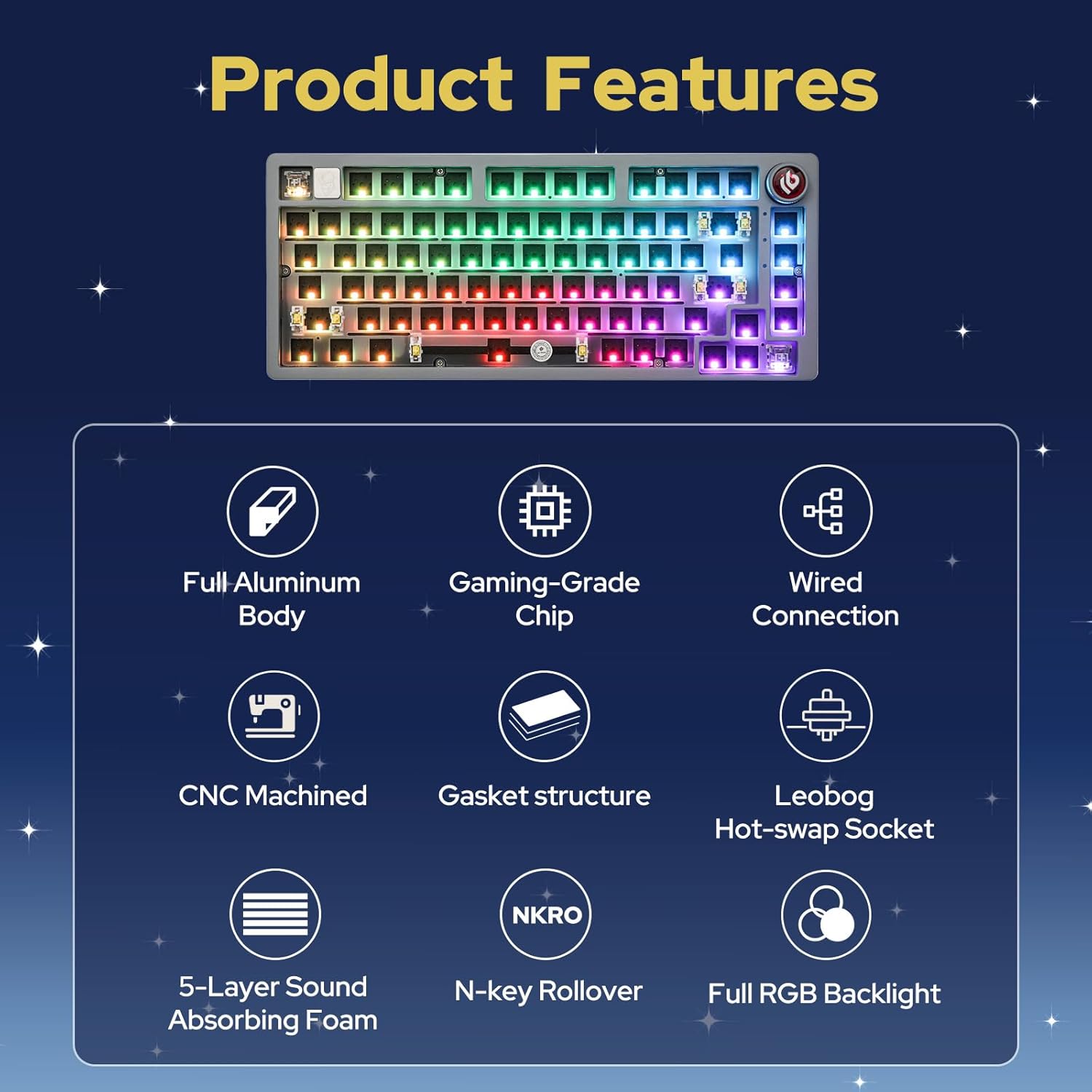
The EPOMAKER x LEOBOG Hi75 is an aluminum alloy wired mechanical keyboard barebones kit designed for customization and high performance. It features a 75% layout with 81 keys, a gasket-mounted structure for enhanced typing feel, and a programmable mode-switching knob. This kit allows users to personalize their typing experience by choosing and installing their preferred switches and keycaps.
Karatteristiċi ewlenin:
- Aluminum Alloy Build: Durable and premium chassis.
- 75% Tqassim: Compact yet functional with 81 keys.
- Gasket-Mounted Structure: Minimizes cavity sound and enhances typing feel.
- Mode-Switching Knob: Intuitive control for work/gaming modes, volume, and lighting.
- Full Key Hot-Swap Capability: Compatible with most 3/5-pin switches for easy customization.
- Advanced Gaming-Grade Chip: Ensures rapid and responsive keystroke registration.
- Dawl ta' wara RGB: Equipped with approximately 16 million colors, 17 lighting modes, and 10 music rhythm lighting effects.
- Konnettività bil-fili: Reliable USB-C connection.
2. Setup u Assemblea
This section guides you through the initial setup and assembly of your Hi75 barebones keyboard kit.
2.1 Kontenut tal-Pakkett
- EPOMAKER x LEOBOG Hi75 Barebones Keyboard Kit
- USB-C Cable
- Keycap Puller
- Iswiċċ Puller
- Manwal għall-Utent
- Additional Keycaps (e.g., for Mac compatibility)
- Additional Switches (sample)

2.2 Installazzjoni ta' Swiċċijiet
- Align the pins of your chosen 3-pin or 5-pin mechanical switch with the hot-swap socket on the PCB.
- Gently press the switch down until it clicks into place. Ensure the pins are straight to avoid bending.
- Repeat for all desired keys.

Note: Use caution when inserting switches to prevent bending the pins. If a switch is not registering, remove it and check for bent pins.
2.3 Installazzjoni tal-Keycaps
- Place your desired keycap over the installed switch stem.
- Press down firmly until the keycap is securely attached.
- Repeat for all keys.
Video 1: Demonstration of installing keycaps on a mechanical keyboard. This process is similar for the Hi75 kit.
2.4 Konnessjoni tat-Tastiera
The Hi75 supports wired connectivity via USB-C.
- Connect the provided USB-C cable to the port on the keyboard.
- Qabbad it-tarf l-ieħor tal-kejbil ma 'port USB disponibbli fuq il-kompjuter tiegħek.
- It-tastiera għandha tiġi rikonoxxuta awtomatikament mis-sistema operattiva tiegħek.

Video 2: Unboxing and initial setup of the HI75 Gaming Keyboard Kit by EPOMAKER.
3. Istruzzjonijiet Operattivi
3.1 Mode-Switching Knob
The innovative knob on the Hi75 allows for quick transitions between different modes and controls:
- Stampa qasira: Mute/unmute the device.
- Dawwar lejn l-arloġġ: Increase volume or adjust lighting/mode settings.
- Dawwar kontra l-arloġġ: Decrease volume or adjust lighting/mode settings.
- Bdil tal-Modalità: Pressing the knob can switch between Work Mode (constant RGB glow) and Gaming Mode (dynamic RGB flashing).

3.2 Backlighting RGB
The Hi75 features full RGB backlighting with multiple effects. Use the knob or specific key combinations (refer to the included manual for detailed shortcuts) to cycle through 17 lighting modes and 10 music rhythm lighting effects.

3.3 OLED Screen Customization
The integrated OLED screen can display various information such as date, battery level, time, connection mode, keyboard system, pictures, or GIFs. Refer to the included manual for specific key combinations to navigate and customize the OLED screen content.
Video 3: A demonstration of a 75% keyboard kit with a custom screen, similar to the OLED screen functionality on the Hi75.
3.4 Personalizzazzjoni tas-Softwer
The Hi75 supports proprietary software for advanced customization of key assignments, macros, and lighting effects. This software is typically available for Windows operating systems. Please visit the official EPOMAKER websit għal downloads ta' softwer u struzzjonijiet.

4. Manutenzjoni
Manutenzjoni xierqa tiżgura l-lonġevità u l-prestazzjoni ottimali tat-tastiera tiegħek.
4.1 Tindif
- Keycaps: Use the provided keycap puller to remove keycaps. Clean them with a mild soap solution and a soft cloth, then air dry completely before reattaching.
- Swiċċijiet: Use compressed air to remove dust and debris from around the switches. Avoid spraying directly into the switch mechanism.
- Każ: Wipe the aluminum alloy case with a soft, damp drapp. Evita prodotti tat-tindif li joborxu li jistgħu jagħmlu ħsara lill-finitura.
4.2 Ħażna
When not in use, store the keyboard in a dry, dust-free environment. The included dust cover can help protect the keyboard from dust accumulation.
5 Issolvi l-problemi
If you encounter any issues with your Hi75 keyboard, refer to the following common solutions:
- Tastiera mhux rikonoxxuta:
- Kun żgur li l-kejbil USB-C huwa konness sew kemm mat-tastiera kif ukoll mal-kompjuter.
- Ipprova port USB differenti fuq il-kompjuter tiegħek.
- Ittestja b'kejbil USB-C differenti jekk disponibbli.
- Iċ-ċwievet ma jirrispondux:
- Remove the keycap and switch for the non-responsive key.
- Check if the switch pins are bent. Gently straighten them with tweezers if necessary.
- Reinsert the switch firmly. If the issue persists, try replacing the switch with a spare.
- Ensure the keyboard is in the correct operating mode (e.g., Windows mode if using a Windows PC). Refer to the manual for mode switching shortcuts (e.g., Fn + W for Windows mode).
- RGB lighting issues:
- Check the keyboard's manual for RGB lighting control shortcuts.
- Ensure the keyboard software is installed and updated for advanced lighting customization.
6. Speċifikazzjonijiet
| Dimensjonijiet tal-Prodott | 12.99 x 5.51 x 1.77 pulzieri |
| Piż tal-oġġett | 2.86 liri |
| Manifattur | EPOMAKER |
| Numru tal-Mudell tal-Oġġett | Hi75 |
| Teknoloġija tal-Konnettività | USB-C |
| Deskrizzjoni tat-Tastiera | Logħob |
| Karatteristiċi Speċjali | Backlit, Gasket-mounted, Hot-Swappable, NKRO, Wired |
| Backlight tat-Tastiera | RGB |
| Apparati Kompatibbli | PC |
7. Garanzija u Appoġġ
Għal informazzjoni dettaljata dwar il-garanzija u appoġġ tekniku, jekk jogħġbok irreferi għall-EPOMAKER uffiċjali webis-sit jew ikkuntattja lis-servizz tal-konsumatur tagħhom direttament. Żomm il-prova tax-xiri tiegħek għal talbiet ta' garanzija.
- Uffiċjali Websit: www.epomaker.com
- Servizz tal-Klijent: Irreferi għall- websit għad-dettalji tal-kuntatt.


