1. Introduzzjoni
Thank you for choosing the Olympia Vitus 2G Senior Mobile Phone. This device is designed with ease of use in mind, featuring a foldable design, large buttons, and essential functions to keep you connected. It is also hearing aid compatible for enhanced accessibility.

Image 1.1: The Olympia Vitus 2G phone in both open and closed positions, alongside its charging dock.

Image 1.2: A selection of Olympia Vitus 2G phones, showcasing available colors and their charging docks.
2. Informazzjoni dwar is-Sigurtà
- Aqra l-istruzzjonijiet kollha bir-reqqa qabel tuża l-apparat.
- Żomm l-apparat 'il bogħod mill-ilma u l-umdità.
- Tesponix l-apparat għal temperaturi estremi.
- Uża biss batteriji, ċarġers u aċċessorji approvati.
- Evita li twaqqa' l-apparat jew li tissottomettih għal impatt qawwi.
- Consult a qualified service professional for any repairs.
- Armi l-apparat u l-batterija tiegħu b'mod responsabbli skont ir-regolamenti lokali.
3. Setup
3.1. Tneħħija tal-kaxxa u l-Kontenut tal-Pakkett
Carefully unpack your Olympia Vitus 2G phone. The package should contain:
- Olympia Vitus 2G Senior Mobile Phone
- Baċir tal-Iċċarġjar
- Cable tal-Iċċarġjar tal-USB-C
- Adapter tal-Enerġija
- Batterija
- Manwal għall-Utent (dan id-dokument)
3.2. Installazzjoni u Iċċarġjar tal-batterija
- Neħħi l-qoxra ta 'wara tat-telefon.
- Insert the battery, ensuring the gold contacts align with the phone's terminals.
- Erġa 'poġġi l-għatu ta' wara.
- Connect the USB-C charging cable to the phone or place the phone in the charging dock.
- Connect the other end of the cable to the power adapter and plug it into a wall outlet.
- Allow the phone to charge fully before first use. The battery indicator on the display will show charging status.
The Vitus 2G offers a standby time of up to 240 hours and a talk time of up to 3.5 hours. An automatic SMS notification will alert you when the battery level is low, prompting timely charging.

Image 3.1: The Olympia Vitus 2G phone securely placed in its charging dock, indicating the charging process.
3.3. Installazzjoni ta' SIM Card
- Kun żgur li t-telefon ikun mitfi.
- Neħħi l-qoxra ta 'wara u l-batterija.
- Locate the SIM card slot(s). This phone supports 2G cellular technology.
- Carefully insert your SIM card(s) into the designated slot(s) with the gold contacts facing down, following the diagram usually found near the slot.
- Reinsert the battery and replace the back cover.
3.4. Tixgħil / Mitfi
- Biex tixgħel: Agħfas u żomm il-buttuna Qawwa/Tmiem is-Sejħa buttuna sakemm l-iskrin jixgħel.
- Biex titfi: Agħfas u żomm il-buttuna Qawwa/Tmiem is-Sejħa buttuna, imbagħad agħżel "Itfi" mill-għażliet fuq l-iskrin.
4. Istruzzjonijiet Operattivi
The Olympia Vitus 2G is designed for straightforward operation with its intuitive user interface and large, easy-to-press buttons.

Image 4.1: A user demonstrating the ease of making a call with the Olympia Vitus 2G, highlighting its large buttons and clear display.
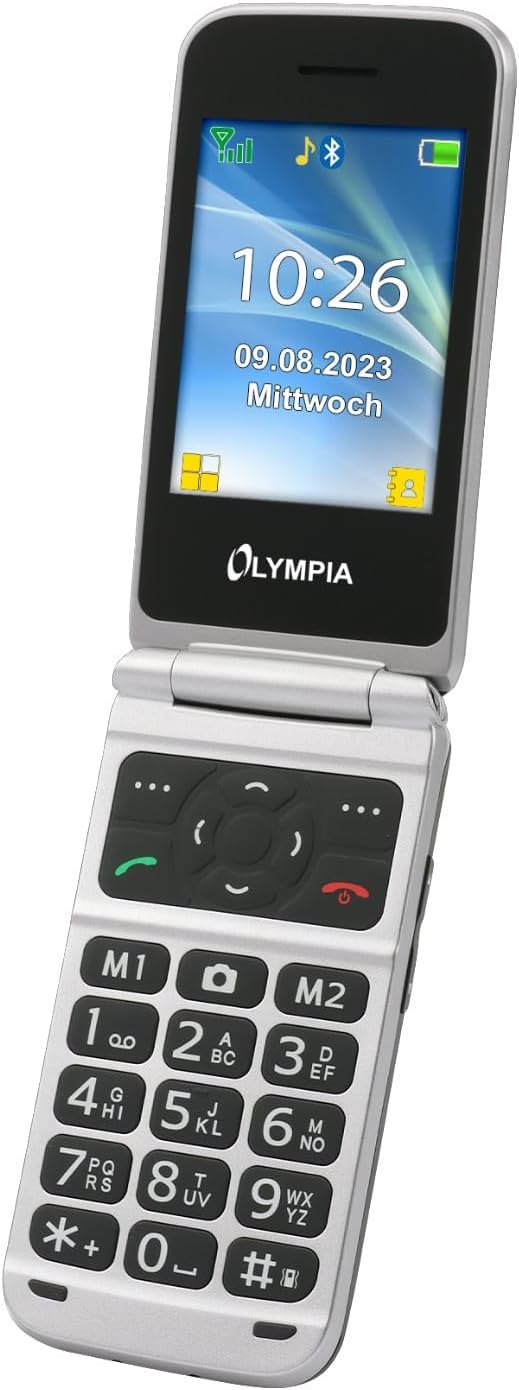
Immaġni 4.2: Stampa dettaljata view of the Olympia Vitus 2G's keypad, emphasizing the large, well-spaced, and clearly labeled buttons for easy dialing and navigation.
4.1. Tagħmel u Riċeviment Sejħiet
- To make a call: Dial the number using the large keypad and press the Ċempel buttuna (ikona tar-riċevitur aħdar).
- To answer a call: Press the Ċempel buttuna meta jdoqq it-telefon.
- Biex ittemm telefonata: Agħfas il-buttuna Tmiem Sejħa buttuna (ikona tar-riċevitur aħmar).
4.2. Emergency Call Button (SOS Function)
The Vitus 2G features a dedicated SOS button for emergencies. When activated, it can trigger an SOS sound alarm, send SOS SMS messages, and initiate calls to pre-programmed emergency contacts.

Immaġni 4.3: In-naħa ta' wara view of the Olympia Vitus 2G, clearly showing the prominent red SOS emergency call button.
- Biex tattiva: Agħfas u żomm il-buttuna Buttuna SOS on the back of the phone for a few seconds.
- Ensure emergency contacts are set up in the phone's settings for this feature to function correctly.
4.3. Speed Dial and Direct Dial Buttons
The phone supports image speed dialing and includes two direct dial buttons (M1, M2) for quick access to important contacts.
- To set up: Refer to the phone's menu for "Speed Dial" or "Direct Dial" settings to assign contacts to M1, M2, or other number keys.
- To use: Simply press the assigned M1 or M2 button, or hold down a number key for speed dial.
4.4. Multimedia and Extra Features
Your Vitus 2G phone includes several useful features:
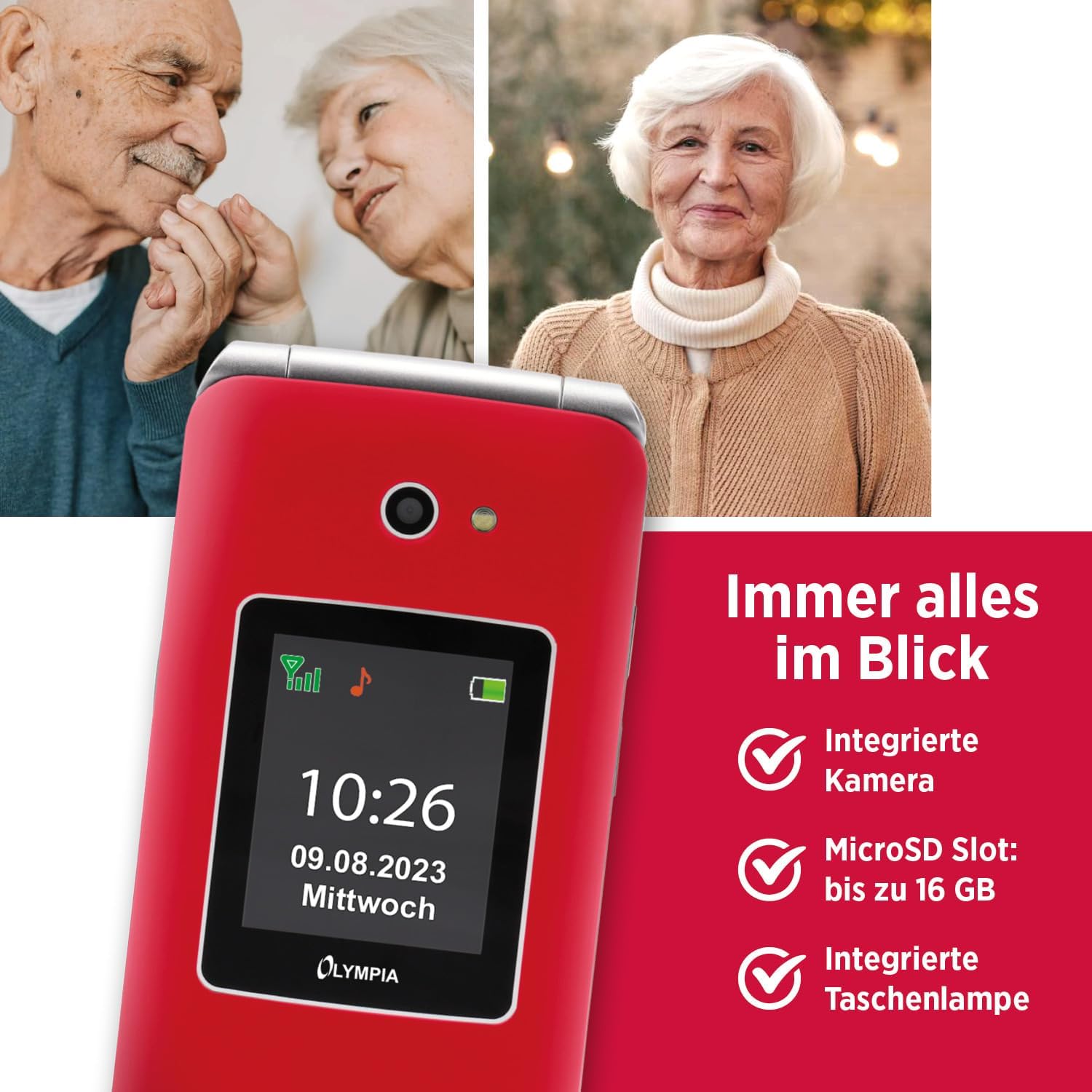
Image 4.4: The Olympia Vitus 2G phone, showcasing its integrated camera, microSD card slot for expandable storage, and built-in torch.
- Kamera: Capture photos using the integrated camera. Access it via the main menu.
- Radju FM: Listen to your favorite radio stations. Headphones may be required for optimal reception.
- Torċa: Activate the built-in torch for illumination in dark environments.
- Slot MicroSD: Expand storage up to 16GB for photos, music, and other files.
- Calendar, Calculator, Alarm Clock: Access these utility functions from the main menu.
- Bluetooth: Connect wirelessly to compatible devices such as headsets or other phones.
4.5. Hearing Aid Compatibility (HAC)
The Olympia Vitus 2G is designed to be compatible with hearing aids, reducing interference and improving call clarity for users with hearing devices.

Image 4.5: The Olympia Vitus 2G phone in its closed state, featuring the Hearing Aid Compatible (HAC) logo, indicating its suitability for users with hearing aids.
- When using a hearing aid, position the phone near your hearing aid to find the optimal listening position.
- Adjust the volume on both your phone and hearing aid for the best experience.
5. Manutenzjoni
5.1. Tindif tat-Telefon Tiegħek
- Use a soft, dry, lint-free cloth to clean the phone's exterior.
- Tużax kimiċi ħarxa, solventi tat-tindif, jew deterġenti qawwija.
- Evita li tidħol l-umdità fi kwalunkwe fetħiet.
5.2. Kura tal-batterija
- Biex ittawwal il-ħajja tal-batterija, evita li tiċċarġja kompletament il-batterija ta' spiss.
- Charge the phone regularly, especially when the low battery notification appears.
- Aħżen it-telefon f'post frisk u niexef meta ma jkunx qed jintuża għal perjodi twal.
5.3. Aġġornamenti tas-Software
Periodically check for software updates in the phone's settings menu. Updates can improve performance, add new features, and enhance security.
6 Issolvi l-problemi
| Problema | Soluzzjoni Possibbli |
|---|---|
| It-telefon ma jixgħelx | Ensure the battery is correctly installed and charged. Connect to charger and try again. |
| Ma nistax nagħmel/nirċievi telefonati | Check SIM card installation. Ensure you have network signal. Contact your service provider. |
| Kwalità fqira tas-sejħiet | Move to an area with better network reception. If using a hearing aid, adjust phone position. |
| Il-batterija tiskula malajr | Naqqas il-luminożità tal-iskrin. Agħlaq l-applikazzjonijiet mhux użati. Limita l-użu tad-dejta fl-isfond. |
| Il-buttuna SOS mhux qed taħdem | Ensure emergency contacts are correctly set up in the phone's settings. |
7. Speċifikazzjonijiet
The following are the technical specifications for the Olympia Vitus 2G Senior Mobile Phone:

Immaġni 7.1: Fuqview of the Olympia Vitus 2G's key features and specifications, including its SOS button, USB-C, FM Radio, Bluetooth, and battery life.
- Isem tal-Mudell: VITUS 2G
- Numru tal-Mudell tal-Oġġett: 2225
- Ditta: OLIMPJA
- Sistema Operattiva: KaiOS
- Mudell tas-CPU: Snapdragon
- Wiri: 1.7 inches (outer), 2.88 inches (inner)
- Riżoluzzjoni: 240 x 320 pixel
- Trasportatur bla fili: Jinfetaħ għat-Trasportaturi Kollha
- Teknoloġija Ċellulari: 2G
- Teknoloġija tal-Konnettività: USB-C, Bluetooth
- Kulur: Red (other colors may be available)
- Ħin ta' Standby tal-batterija: Sa 240 sigħat
- Ħin tat-Taħdit tal-Batterija: Sa 3.5 sigħat
- Appoġġ għall-MicroSD: Sa 16 GB
- Dimensjonijiet (WxHxD): 56 x 19 x 106 mm (closed)
- Piż: 115 g
8. Informazzjoni dwar Garanzija
Your Olympia Vitus 2G Senior Mobile Phone comes with a standard manufacturer's warranty. Please refer to the warranty card included in your package for specific terms, conditions, and duration. Keep your proof of purchase for warranty claims.
9. Appoġġ għall-Klijent
For technical assistance, troubleshooting, or further inquiries regarding your Olympia Vitus 2G, please contact Olympia customer support. Contact details can typically be found on the manufacturer's webis-sit jew fuq il-karta tal-garanzija.
Please note: Product specifications and features are subject to change without prior notice.


