1. Introduzzjoni
This manual provides detailed instructions for the installation, operation, and maintenance of your WESECUU Light Bulb Security Camera Model 8050. Please read this manual thoroughly before using the product to ensure proper function and safety.

Image 1.1: WESECUU Light Bulb Security Camera Model 8050 (Two Pack) and smartphone interface.
2. Informazzjoni dwar is-Sigurtà
- Kun żgur li l-provvista tal-enerġija hija skonnettjata qabel l-installazzjoni jew il-manutenzjoni.
- The camera is designed for E27 light sockets (100V~240V). Use only with compatible sockets.
- Avoid exposing the camera to extreme temperatures, humidity, or direct water spray. While rated IP65 for outdoor use, proper placement is crucial to prevent water ingress into the socket.
- Tippruvax tiżżarma jew issewwi l-kamera int stess. Ikkuntattja l-appoġġ għall-klijenti għall-għajnuna.
- Żomm fejn ma jintlaħaqx mit-tfal.
3. Kontenut tal-Pakkett
Ivverifika li l-oġġetti kollha huma preżenti fil-pakkett tiegħek:
- WESECUU Light Bulb Security Camera(s)
- E27 Light Socket Adapter
- Manwal ta 'Istruzzjoni (dan id-dokument)
4. Prodott Aktarview
The WESECUU Light Bulb Security Camera Model 8050 offers comprehensive surveillance features in a discreet light bulb form factor. Key features include:
- 2K FHD Resolution: Jipprovdi foo video ċara u dettaljatatage.
- Wifi ta' Faxxa Doppju: Jappoġġja kemm netwerks mingħajr fili ta' 2.4GHz kif ukoll ta' 5GHz għal konnettività flessibbli.
- Kopertura 360°: Pan 355° and Tilt 90° for a wide viewing żona.
- Viżjoni bil-lejl bil-kulur: Equipped with floodlights and IR lights for clear, colored images in low-light conditions.
- Taħdita f'żewġ direzzjonijiet: Mikrofonu u kelliem integrati għal komunikazzjoni f'ħin reali.
- Smart Human Detection: Reduces false alarms by focusing on human shapes.
- Traċċar tal-Mozzjoni: Automatically follows detected objects.
- Reġistrazzjoni 24/7: Supports cloud storage and local TF card storage (up to 128GB, not included).
- Kompatibbiltà Alexa: Integrate with Amazon Alexa for voice control and viewing.


Immaġni 4.1: Diversi views of the WESECUU Light Bulb Security Camera.
5. Istruzzjonijiet ta' Setup
5.1 Installazzjoni Fiżika
- Itfi: Ensure the power to the light socket is turned off at the circuit breaker before beginning installation.
- Invita: Carefully screw the WESECUU Light Bulb Security Camera into a standard E27 light socket. If your existing socket is not E27, use the provided E27 light socket adapter.
- Qawwa Mixgħul: Restore power to the light socket. The camera will power on and initiate its self-test.

Image 5.1: Easy installation into an E27 light socket.
5.2 Tniżżil u Konnessjoni tal-App
- Niżżel l-App: Fittex għal the 'Eseecloud' app in your smartphone's app store (iOS or Android) and download it.
- Irreġistra Kont: Open the Eseecloud app and follow the on-screen instructions to register a new account or log in if you already have one.
- Żid Apparat: Fl-app, agħfas l-ikona '+' biex iżżid apparat ġdid.
- Bluetooth Quick Connection: Enable Bluetooth on your smartphone. The app will guide you through the Bluetooth quick connection process to detect and pair with the camera.
- Konfigurazzjoni WiFi: Select your 2.4GHz or 5GHz WiFi network and enter the password. Ensure your phone is connected to the same WiFi network during this step.
- Tlestija: Ladarba tkun konness, tista' tagħti isem lill-kamera tiegħek u tibda live viewing.

Image 5.2: The camera supports both 2.4GHz and 5GHz WiFi networks.
6. Istruzzjonijiet Operattivi
6.1 Ħaj View u Daqq
- Open the Eseecloud app and select your camera from the device list to access the live view.
- Use the playback function to review irreġistrat footage from your cloud storage or TF card.
6.2 Kontroll tal-Pan, Tilt, u Zoom (PTZ)
The camera offers a 355° horizontal pan and 90° vertical tilt. Use the controls within the Eseecloud app to adjust the camera's viewangolu tal-ing.

Image 6.1: Camera demonstrating auto-tracking and PTZ capabilities.
6.3 Diskussjoni f'żewġ direzzjonijiet
To use the two-way talk feature, tap the microphone icon in the live view interface of the Eseecloud app. You can speak through your phone, and your voice will be projected through the camera's speaker. Similarly, you can hear audio from the camera's location through your phone.

Image 6.2: Illustration of the two-way voice communication feature.
6.4 Sejbien tal-Mozzjoni u Twissijiet
- Ippermetti d-Detezzjoni: In the app settings, enable motion detection and smart human detection. This will filter alerts to primarily notify you of human presence.
- Twissijiet: When motion or a human is detected, the camera will send real-time notifications to your smartphone.
- Traċċar tal-Mozzjoni: If enabled, the camera will automatically track the detected object within its field of view.
- Sirena: An audible siren can be activated via the app to deter intruders.

Image 6.3: Human detection and real-time alert functionality.
6.5 Viżjoni bil-lejl
The camera automatically switches between day and night vision modes. It utilizes six floodlights and six IR lights to provide clear, colored images even in complete darkness.
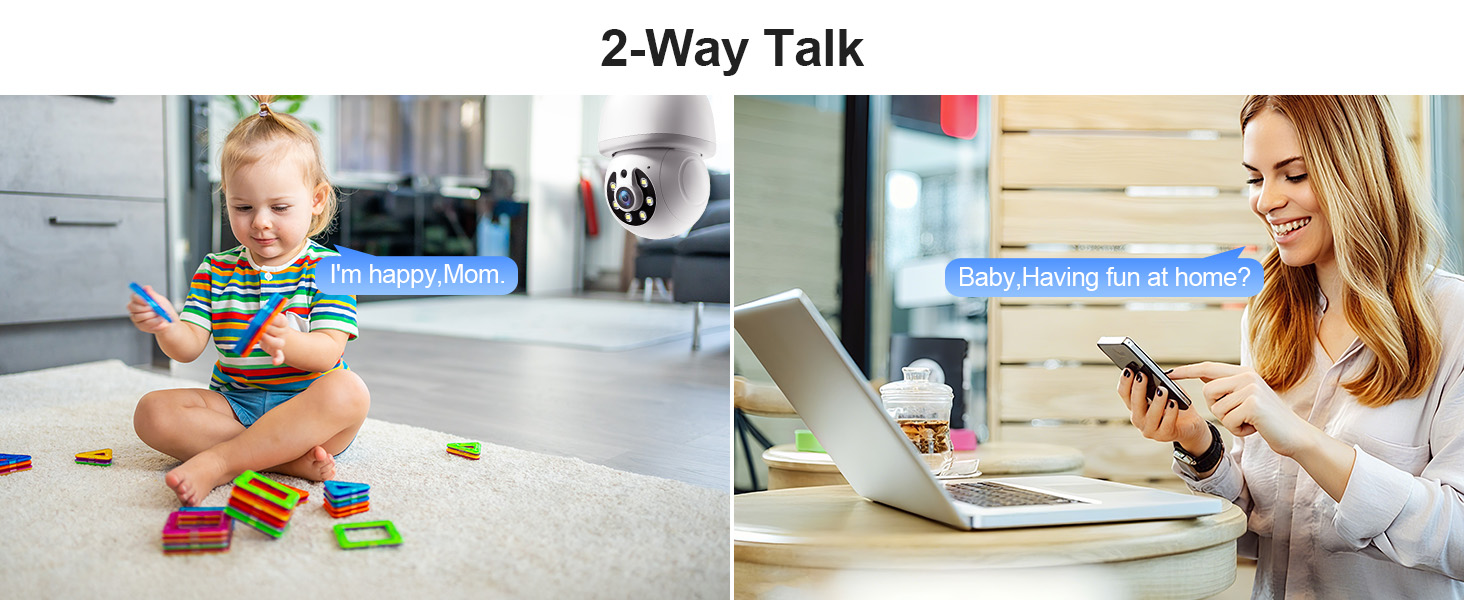
Image 6.4: Comparison of infrared and 2K full-color night vision.
6.6 Reġistrazzjoni u Ħażna
The camera supports continuous 24/7 recording. You have two storage options:
- Ħażna Cloud: Subscribe to the Eseecloud app's cloud storage service for remote access to your recordings.
- Ħażna tal-Kard TF: Insert a TF (microSD) card (up to 128GB, not included) into the camera's slot for local recording.

Image 6.5: 24/7 recording options with cloud and SD card storage.
6.7 Integrazzjoni ta' Alexa
The WESECUU camera is compatible with Amazon Alexa. To connect:
- Open the Alexa app on your smartphone.
- Go to 'Skills & Games' and search for 'Eseecloud'.
- Enable the Eseecloud skill and link your Eseecloud account.
- Discover devices. You can then use voice commands like "Alexa, show me the [camera name]" on compatible Alexa devices with screens.

Image 6.6: Camera integration with Amazon Alexa.
6.8 Patrol Guard Mode
The Patrol Guard mode allows you to set multiple distinct viewpoints (presets). The camera will automatically cycle through these preset positions at custom intervals, providing continuous monitoring of different areas.

Image 6.7: Visualization of the Patrol Guard mode with multiple presets.
7. Manutenzjoni
- Tindif: Imsaħ il-lenti u l-qafas tal-kamera bil-mod b'ċarruta ratba u niexfa. Tużax kimiċi ħarxa jew prodotti tat-tindif li joborxu.
- Aġġornamenti tal-Firmware: Regularly check the Eseecloud app for available firmware updates to ensure optimal performance and security.
- Ħażna: Jekk se taħżen il-kamera għal perjodu estiż, skonnettjaha mill-elettriku u aħżenha f'post frisk u niexef.
8 Issolvi l-problemi
| Problema | Kawża Possibbli | Soluzzjoni |
|---|---|---|
| Il-kamera mhux qed tikkonnettja mal-WiFi | Incorrect WiFi password; camera too far from router; incorrect WiFi band selected. | Verify WiFi password. Move camera closer to router. Ensure you are connecting to a 2.4GHz or 5GHz network as supported. Restart camera and router. |
| Kwalità ta 'immaġni fqira | Lenti maħmuġa; dawl insuffiċjenti; problemi bil-bandwidth tan-netwerk. | Clean the camera lens. Ensure adequate lighting for optimal color night vision. Check your internet speed. |
| Ebda twissijiet ta 'skoperta ta' moviment | Motion detection disabled; sensitivity too low; app notifications blocked. | Enable motion detection and human detection in the app. Adjust sensitivity settings. Check your phone's notification settings for the Eseecloud app. |
| Taħdit bidirezzjonali ma jaħdimx | Microphone/speaker permissions not granted; volume too low. | Check app permissions on your phone. Adjust volume settings in the app and on your phone. |
| TF card not recording | TF card full or corrupted; not inserted correctly. | Format the TF card in the app. Reinsert the TF card. Replace with a new TF card if corrupted. |
9. Speċifikazzjonijiet
| Karatteristika | Speċifikazzjoni |
|---|---|
| Isem tal-Mudell | 8050 |
| Użu fuq ġewwa/barra | Indoor, Outdoor (IP65 rated) |
| Riżoluzzjoni tal-Qbid tal-Vidjo | 2K (3 MP Maximum WebRiżoluzzjoni tal-Immaġni tal-kamera) |
| Teknoloġija tal-Konnettività | Wireless (Wi-Fi 2.4G/5G) |
| Sors tal-Enerġija | Corded Electric (E27 light socket, 100V~240V) |
| Tip ta' Kontrollur | Amazon Alexa |
| Tip ta 'Immuntar | Muntatura tal-Limitu |
| Karatteristiċi Speċjali | 2-Way Audio, Image Sensor, Color Night Vision, Human Detection, Motion Tracking |
| Għażliet ta' Ħażna | Cloud Storage, TF Card (up to 128GB, not included) |
| Dimensjonijiet tal-Prodott | 1 x 1 x 1 pulzieri |
| Piż tal-oġġett | 1.1 liri |
10. Appoġġ għall-Klijent
For technical assistance, troubleshooting not covered in this manual, or warranty inquiries, please contact WESECUU customer support through the contact information provided with your purchase or on the official WESECUU websit.


