Introduzzjoni
Thank you for choosing the Aroha Smart Connect & Link Interconnected WiFi Smoke Detector. This advanced safety system is designed to provide comprehensive fire protection for your home, offering real-time alerts and seamless integration with your smart home ecosystem. With its 10-year battery life and interconnected alarm capabilities, you can ensure the safety of your loved ones and property with peace of mind.
Informazzjoni Importanti dwar is-Sigurtà
Please read this manual carefully before installation and use. Keep it for future reference.
- The Aroha Smart Connect & Link smoke detector is certified to meet European safety standards, including CE u EN14604.
- L-apparat huwa mgħammar b'a Batterija tal-litju ta '10 snin. This battery is mhux sostitwibbli. Do not attempt to open the device or replace the battery.
- Photoelectric sensors are effective at detecting smoke from slow-burning fires, such as those caused by cigarettes or electrical wiring.
- Ensure proper placement as described in the installation section to maximize detection effectiveness.

Image: Aroha smoke detectors are rigorously tested and certified to meet European safety standards, including CE and EN14604, ensuring reliable and compliant fire safety for your home.
Prodott Overview u Komponenti
The Aroha Smart Connect & Link system includes one Smart Connect & Link detector and two Link detectors, forming a comprehensive safety network. The Smart Connect & Link detector acts as the central hub for app connectivity, while all detectors communicate wirelessly for synchronized alarms.
Komponenti Inklużi:
- Aroha Smart Connect & Link Smoke Detector (1 unit)
- Aroha Link Smoke Detector (2 units)
- Manwal għall-Utent
- Bracket tal-Immuntar
- Viti u Plakek tal-Ħitan
Karatteristiċi ewlenin:
- Batterija ta' 10 snin: Long-lasting power for a decade of uninterrupted safety.
- Photoelectric Sensor: Advanced detection for slow-burning fires.
- 85dB Alarm: Loud and clear alert in case of fire.
- Interconnected System: All detectors alarm simultaneously when one detects smoke.
- Konnettività WiFi: Connects to Tuya Smart or SmartLife app for remote monitoring and control (2.4 GHz WiFi required).
- Notifiki f'ħin reali: Receive alerts on your smartphone.
- Buttuna tat-Test/Mute: Easily test the alarm or silence false alarms.
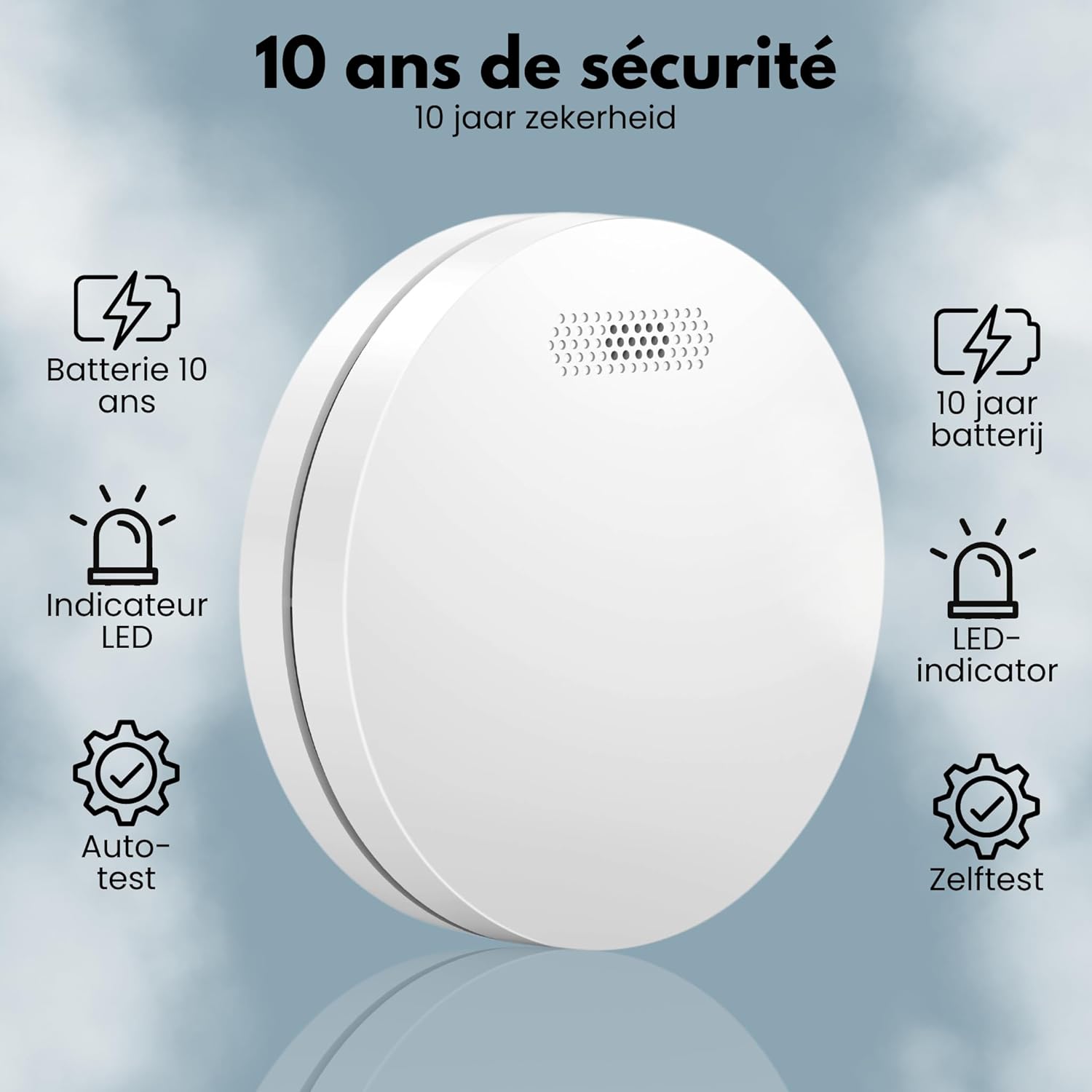
Image: The Aroha smoke detector is designed for long-term reliability, featuring a 10-year battery that requires no replacement. It includes an LED indicator for status updates and an auto-test function to ensure continuous operation.

Image: The Aroha smoke detector features an easily accessible test and mute button on its front face. This allows for convenient testing and silencing of the alarm, even from the ground using a broom or umbrella.
Image: The Aroha smoke detector boasts a sleek, thin design, measuring only 12 cm in diameter and 3 cm in height, allowing for discreet installation in any room.
Setup u Installazzjoni
The Aroha smoke detectors are designed for easy installation using screws. Follow these steps for optimal placement and setup.
Għażla tal-Post tal-Installazzjoni:
- Install smoke detectors on every level of your home, including basements and attics.
- Poġġi d-ditekters ġewwa u barra ż-żoni tal-irqad.
- Evita li tpoġġi ditekters ħdejn twieqi, bibien, jew ventijiet tal-arja fejn il-kurrenti tal-arja jistgħu jinterferixxu mad-detezzjoni tad-duħħan.
- Keep detectors away from kitchens and bathrooms to prevent false alarms from cooking fumes or steam.
- For interconnected systems, ensure the Smart Connect & Link detector is placed within range of your 2.4 GHz WiFi network.
Istruzzjonijiet għall-Immuntar:
- Agħżel post adattat fuq is-saqaf jew il-ħajt, 'il bogħod minn kantunieri u ostakli.
- Use the mounting bracket as a template to mark the drilling points.
- Agħmel toqob u daħħal it-tappijiet tal-ħajt provduti.
- Secure the mounting bracket to the ceiling/wall with the screws.
- Attach the smoke detector to the mounting bracket by twisting it clockwise until it clicks into place.
- Once mounted, the detector will automatically activate.

Image: This image illustrates the interconnected functionality of the Aroha Smart Connect & Link smoke detectors. One main detector connects to the smartphone app, while all detectors communicate wirelessly with each other, forming a comprehensive safety network.

Image: This diagram demonstrates how multiple Aroha interconnected smoke detectors work together within a home. If one detector senses smoke, all interconnected units will sound an alarm simultaneously, and a notification will be sent to the connected smartphone app, indicating the location of the alarm.
Istruzzjonijiet Operattivi
Interkonnessjoni:
The Aroha Smart Connect & Link system allows all connected detectors to communicate with each other. When one detector senses smoke, all interconnected units will sound an alarm simultaneously, providing early warning throughout your home. You can expand your network with up to 30 Aroha Link detectors (smoke, CO, or combined).
App Control (Tuya Smart / SmartLife):
The Aroha Smart Connect & Link detector connects to the Tuya Smart or SmartLife application, offering enhanced control and monitoring features:
- Notifiki f'ħin reali: Receive instant alerts on your smartphone when an alarm is triggered by any interconnected detector.
- Monitoraġġ mill-bogħod: Check the status of your smoke detectors from anywhere.
- App-based Testing: Test your detectors remotely through the app.
- Kontroll tal-Aqsam: Securely share access to your connected detector with family members or trusted users, allowing them to view status and receive notifications.
Note: App connection requires a 2.4 GHz WiFi network.

Image: The Aroha Smart Connect & Link system keeps you informed with real-time notifications directly on your smartphone. You can also share access with family and friends, and review a history of alerts, ensuring you are always aware of your home's safety status.
Ittestjar tal-allarm:
Regular testing ensures your smoke detector is functioning correctly. Test your detectors weekly.
- Test manwali: Press and hold the test/mute button on the front of the detector until the alarm sounds. Release the button. The alarm should stop.
- Test tal-App: Follow the instructions within the Tuya Smart or SmartLife app to initiate a remote test.
During a test, all interconnected detectors should sound their alarms.
Silencing a False Alarm:
If a non-emergency alarm occurs (e.g., from cooking fumes), you can silence it by pressing the test/mute button on the detector. The alarm will temporarily silence for a few minutes before resetting.
Manutenzjoni
Batterija:
The Aroha smoke detector is powered by a sealed 10-year lithium battery. This battery is designed to last the entire lifespan of the detector and is not replaceable. When the battery is low, the detector will emit a low-battery warning chirp. At this point, the entire unit should be replaced.
Tindif:
Dust and debris can affect the performance of your smoke detector. Clean your detector at least once a month:
- Gently vacuum the outside of the detector using a soft brush attachment.
- Do not paint the detector. Paint can clog the sensing chambers and prevent the alarm from operating properly.
Issolvi l-problemi
| Problema | Kawża Possibbli | Soluzzjoni |
|---|---|---|
| Detector chirps periodically. | Twissija ta 'batterija baxxa. | Il-batterija ta' 10 snin waslet biex tispiċċa. Ibdel l-unità kollha tad-ditekter tad-duħħan. |
| Alarm sounds without smoke. | Dust, steam, or cooking fumes. | Press the test/mute button to silence. Clean the detector. Relocate if false alarms persist due to environmental factors. |
| Problemi bil-konnessjoni tal-WiFi. | Incorrect WiFi password, 5 GHz network, or weak signal. | Ensure you are connecting to a 2.4 GHz WiFi network. Double-check the WiFi password. Move the detector closer to the router or consider a WiFi extender. Restart the detector and try pairing again. |
| Only one detector alarms in an interconnected system. | Interconnection not properly established or signal interference. | Ensure all detectors are within range of each other. Re-pair the detectors according to the initial setup instructions if necessary. Check for physical obstructions. |
Speċifikazzjonijiet
| Karatteristika | Speċifikazzjoni |
|---|---|
| Numru tal-Mudell | SM11HW |
| Manifattur | Aroha Electronics |
| Sors tal-Enerġija | Battery powered (2 Lithium metal batteries included) |
| Ħajja tal-batterija | 10 years (non-replaceable) |
| Allarm Loudness | 85 dB |
| Tip tas-Sensor | Fotoelettrika |
| Konnettività | WiFi (2.4 GHz) and Interconnected |
| Kulur | Abjad |
| Forma | Ċirkolari |
| Dimensjonijiet (Djametru x Għoli) | 12 ċm x 3 ċm |
| Piż | 144 Gramm |
| Metodu ta 'Installazzjoni | Viti |
| Ċertifikazzjonijiet | CE, EN14604 |
| Pajjiż ta' Oriġini | l-Olanda |
Garanzija u Appoġġ
Specific warranty information for this product is not provided in the available data. For details regarding warranty coverage and terms, please refer to the product packaging or contact Aroha Electronics customer service directly.
Appoġġ għall-Klijent:
For technical assistance, troubleshooting, or any questions regarding your Aroha Smart Connect & Link Smoke Detector, please visit the official Aroha website or contact their customer support team. Contact information can typically be found on the product packaging or on the manufacturer's websit.


