Introduzzjoni
Welcome to the user manual for your new Amazon Fire TV Stick HD. This guide provides detailed instructions on how to set up, operate, maintain, and troubleshoot your device, ensuring you get the most out of its streaming and smart home capabilities.

Image: The Amazon Fire TV Stick HD and its accompanying Alexa Voice Remote. The stick is compact and plugs directly into an HDMI port, while the remote features dedicated buttons for navigation, voice control, and popular streaming services.
X'hemm fil-Kaxxa
Upon unboxing your Fire TV Stick HD, you should find the following components:
- Fire TV Stick HD device
- Alexa Voice Remote
- Power cable and power adapter
- HDMI estensur
- 2 AAA batteries (for the remote)
- Gwida Quick Start

Image: The retail packaging for the Amazon Fire TV Stick HD, showing the device, remote, and box. This illustrates all the items included in the product package.
Gwida ta' Setup
Follow these steps to set up your Fire TV Stick HD:
- Connect the Fire TV Stick: Plug the Fire TV Stick HD directly into an available HDMI port on your high-definition television. If space is limited or for better Wi-Fi reception, use the included HDMI extender.
- Qawwa Mixgħul: Connect the power cable to the Fire TV Stick and then plug the power adapter into a wall outlet.
- Daħħal il-Batteriji fir-Remote: Open the battery compartment on the back of the Alexa Voice Remote and insert the two AAA batteries, ensuring correct polarity.
- Agħżel l-Input HDMI: Turn on your TV and select the correct HDMI input source where the Fire TV Stick is connected.
- Segwi l-Istruzzjonijiet fuq l-Iskrin: The Fire TV Stick will guide you through the initial setup process, including connecting to your Wi-Fi network and logging into your Amazon account.
- Pair Remote (if necessary): If your remote does not automatically pair, press and hold the Home button on the remote for 10 seconds until it pairs with your Fire TV Stick.
Operating Your Fire TV Stick HD
Kontroll tal-Vuċi b'Alexa
The Alexa Voice Remote allows you to control your Fire TV Stick using voice commands. Press and hold the microphone button on the remote, then speak your command. You can search for content, launch apps, control playback, and more.

Image: The Alexa Voice Remote, highlighting its voice control button and dedicated app buttons for services like Prime Video and Netflix. This remote simplifies content discovery and access.
Kontenut Streaming
Access a vast library of movies, TV shows, and live TV from various streaming services. The Fire TV Stick HD supports Full HD (1080p) resolution for a clear viewing esperjenza.
- Films u Shows tat-TV: Stream from popular services like Netflix, Prime Video, Disney+, Vix, and many more. Subscription fees may apply for certain services.
- Kontenut Ħieles: Enjoy over 50,000 free movies and TV episodes from ad-supported streaming apps such as Vix, Tubi, and Pluto TV.
- Mużika: Listen to millions of songs from Amazon Music, Spotify, Pandora, and other music streaming platforms.
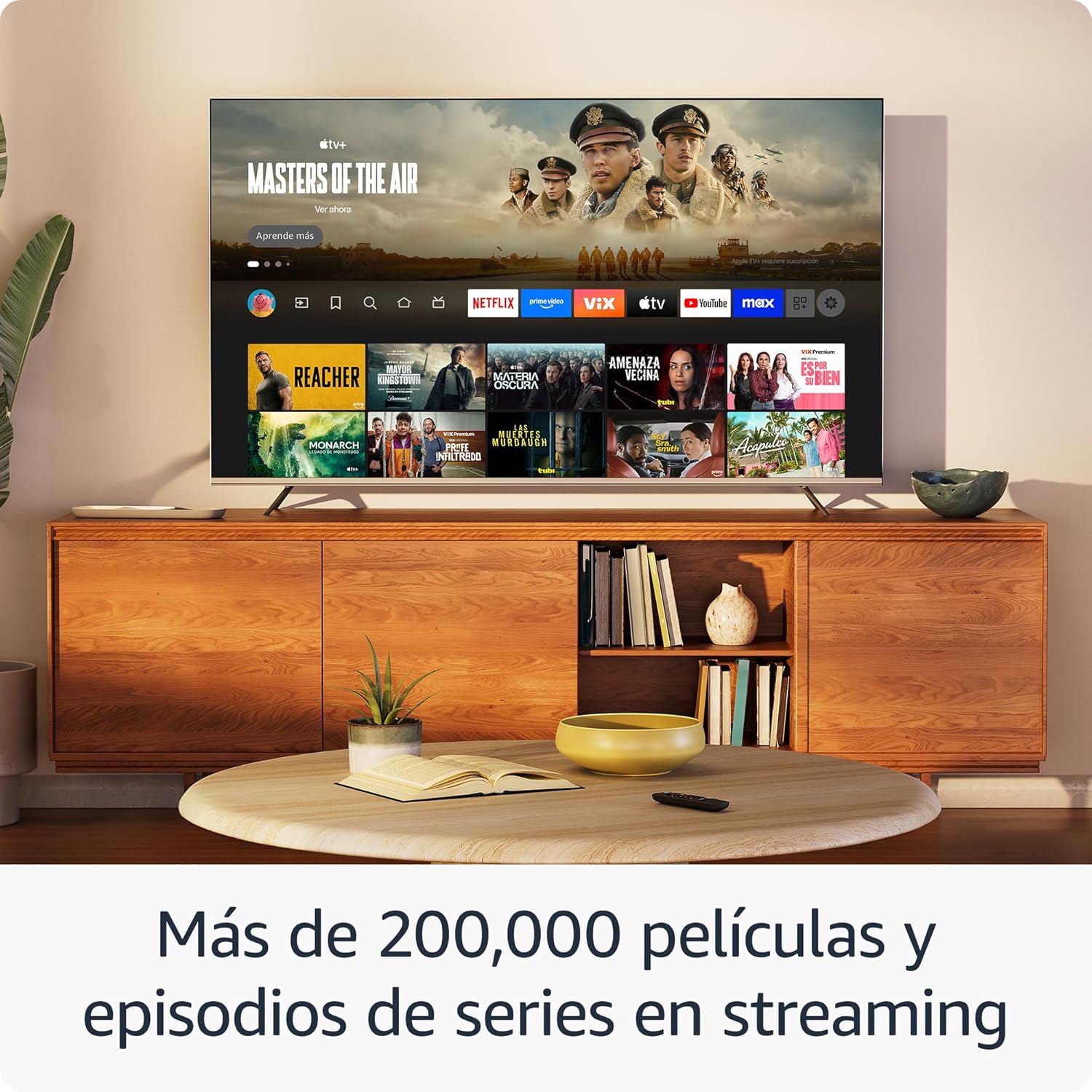
Immaġni: Wirja fuq skrin tat-televiżjoniasing the Fire TV interface with various streaming applications like Netflix, Prime Video, and Disney+. This demonstrates the wide range of entertainment options available.

Image: A visual comparison illustrating the difference in picture quality between Standard Definition (SD), High Definition (HD), and 4K resolution. The Fire TV Stick HD delivers content in crisp HD.
Kontroll tad-Dar Intelliġenti
Use your Fire TV Stick HD and Alexa Voice Remote to control compatible smart home devices. You can ask Alexa to check the weather, dim lights, view live camera feeds, and more.

Image: A television screen displaying the smart home control dashboard, showing icons for thermostat, smart camera, and light. This illustrates how the Fire TV Stick can integrate with and manage smart home devices.
Manutenzjoni
To ensure the longevity and optimal performance of your Fire TV Stick HD:
- Tindif: Gently wipe the device and remote with a soft, dry, lint-free cloth. Avoid using liquid cleaners or aerosols.
- Ambjent: Keep the device in a well-ventilated area, away from direct sunlight, heat sources, and moisture.
- Aġġornamenti tas-Software: The device automatically receives software security updates. Ensure your device is connected to the internet to receive these updates.
Issolvi l-problemi
If you encounter issues with your Fire TV Stick HD, try the following solutions:
- Ebda Qawwa/Ebda Wiri:
- Ensure the power cable is securely connected to both the Fire TV Stick and the power adapter, and the adapter is plugged into a working wall outlet.
- Verify your TV is on the correct HDMI input channel.
- Ipprova port HDMI differenti fuq it-TV tiegħek.
- Remote Mhux Jirrispondi:
- Ibdel il-batteriji AAA fir-remote.
- Re-pair the remote by pressing and holding the Home button for 10 seconds.
- Ensure there are no obstructions between the remote and the Fire TV Stick.
- Kwistjonijiet ta' Konnettività Wi-Fi:
- Erġa' ibda r-router u l-modem tal-Wi-Fi tiegħek.
- Go to Settings > Network on your Fire TV Stick and try reconnecting to your Wi-Fi network.
- Ensure your Fire TV Stick is within range of your Wi-Fi router.
- Partial Incompatibility with Roku TVs (as reported by some users):
- Some Roku TV models may not automatically switch to the Fire TV Stick's HDMI input upon power-on. You may need to manually select the HDMI input using your Roku TV's remote.
Speċifikazzjonijiet
| Karatteristika | Speċifikazzjoni |
|---|---|
| Dimensions (Stick) | 86 x 30 x 13 mm (3.4” x 1.2” x 0.5”) |
| Weight (Stick) | 32.0 g (1.1 oz) |
| Proċessur | Quad-Core 1.7 GHz |
| Ħażna Interna | 8 GB |
| Konnettività Wi-Fi | Dual-band, dual-antenna Wi-Fi (MIMO) compatible with 802.11a/b/g/n/ac |
| Bluetooth | Bluetooth 5.0 u Bluetooth b'Enerġija Baxxa |
| Voice Compatibility | Alexa Voice Remote (included) or free Fire TV app |
| Kontroll tal-Apparat IR | Controls TV, soundbar, AV receiver (power, volume) via included Alexa Voice Remote |
| Ħażna tas-Sħab | Free cloud storage for digital content purchased from Amazon |
| Portijiet | HDMI output; Micro USB for power only |
| Appoġġ Awdjo | Dolby encoded audio (AC-3, E-AC-3) HDMI pass-through |
| Formati tal-vidjo | HDR10, HDR10+, HLG, H.265, H.264, Vp9 |
| Riżoluzzjoni tal-Output | 1080p u 720p sa 60 fps |
| Rekwiżiti tas-Sistema | HD TV with HDMI input, Wi-Fi internet connection, power outlet |
| Compatible TVs | HD TVs with HDMI and 1080p or 720p at 60/50 Hz capability |
| Karatteristiċi ta' Aċċessibilità | LeħenView screen reader, Closed Captions (not for all content) |
| Dimensjonijiet mill-bogħod | 38.68 x 141.3 x 17.6 mm |
| Piż mill-bogħod | 45 g (mingħajr batteriji) |
| Batteriji mill-Bogħod | 2 batteriji AAA (inklużi) |
| Kompatibilità mill-bogħod | Fire TV Stick HD, Fire TV Stick 4K (1st Gen and later) |
Garanzija u Appoġġ
L-Amazon Fire TV Stick HD tiegħek jiġi ma' Garanzija limitata ta 'sena and included service. For detailed terms and conditions regarding the use of your Fire TV Stick, please refer to the official Amazon websit.
Aġġornamenti tas-Sigurtà tas-Softwer: This device is guaranteed to receive software security updates for at least four years after it is no longer available for purchase as a new unit on Amazon websites. For more information on your specific device's updates, you can check your Amazon account's "Manage Your Content and Devices" section.
For further assistance or support, please visit the official Amazon support pages or contact Amazon customer service.


