Introduzzjoni
This manual provides detailed instructions for the setup, operation, and maintenance of your Tacens NOVAX 2NOVAX Ultra-Compact Micro-ATX PC Case. Designed for efficiency and durability, this all-metal mini-tower case offers a compact footprint with ample internal capacity for your computing needs.
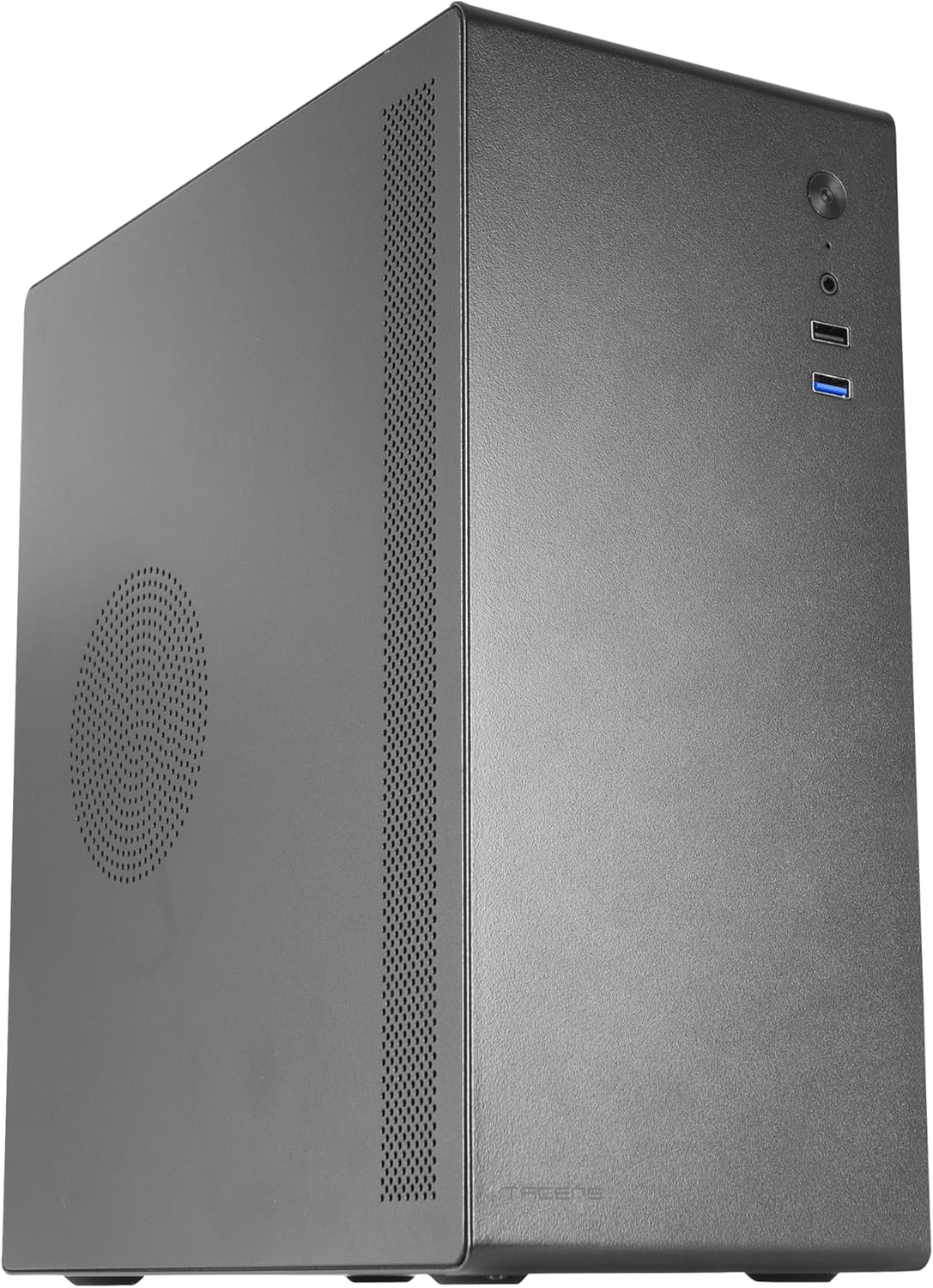
Figura 1: Quddiem-xellug view of the Tacens NOVAX 2NOVAX PC Case.
Karatteristiċi Ewlenin
- Full Metallic Structure: The NOVAX compact case features a solid metal construction, ensuring continuous protection and robust security for your system.
- Optimized Cooling Capacity: An integrated 80mm fan at the rear ensures additional air circulation to keep components cool.
- Wide Internal Capacity: Supports MicroATX and Mini-ITX motherboards, accommodates up to two 3.5" HDDs and two 2.5" SSDs, and graphics cards up to 250mm wide. Features 4 expansion slots.
- Maximum Connectivity: Includes one USB 3.0 port, one USB 2.0 port, and HD audio input combined with microphone on the front panel.
- Disinn kompatt: Sleek and minimalist mini-tower design, available in black.
Setup u Installazzjoni
Follow these steps to install your PC components into the NOVAX 2NOVAX case.
1. Tħejjija tal-Każ
Before installing components, ensure the case is placed on a stable, flat surface. Remove the side panels by unscrewing the thumb screws at the rear of the case and sliding the panels off.
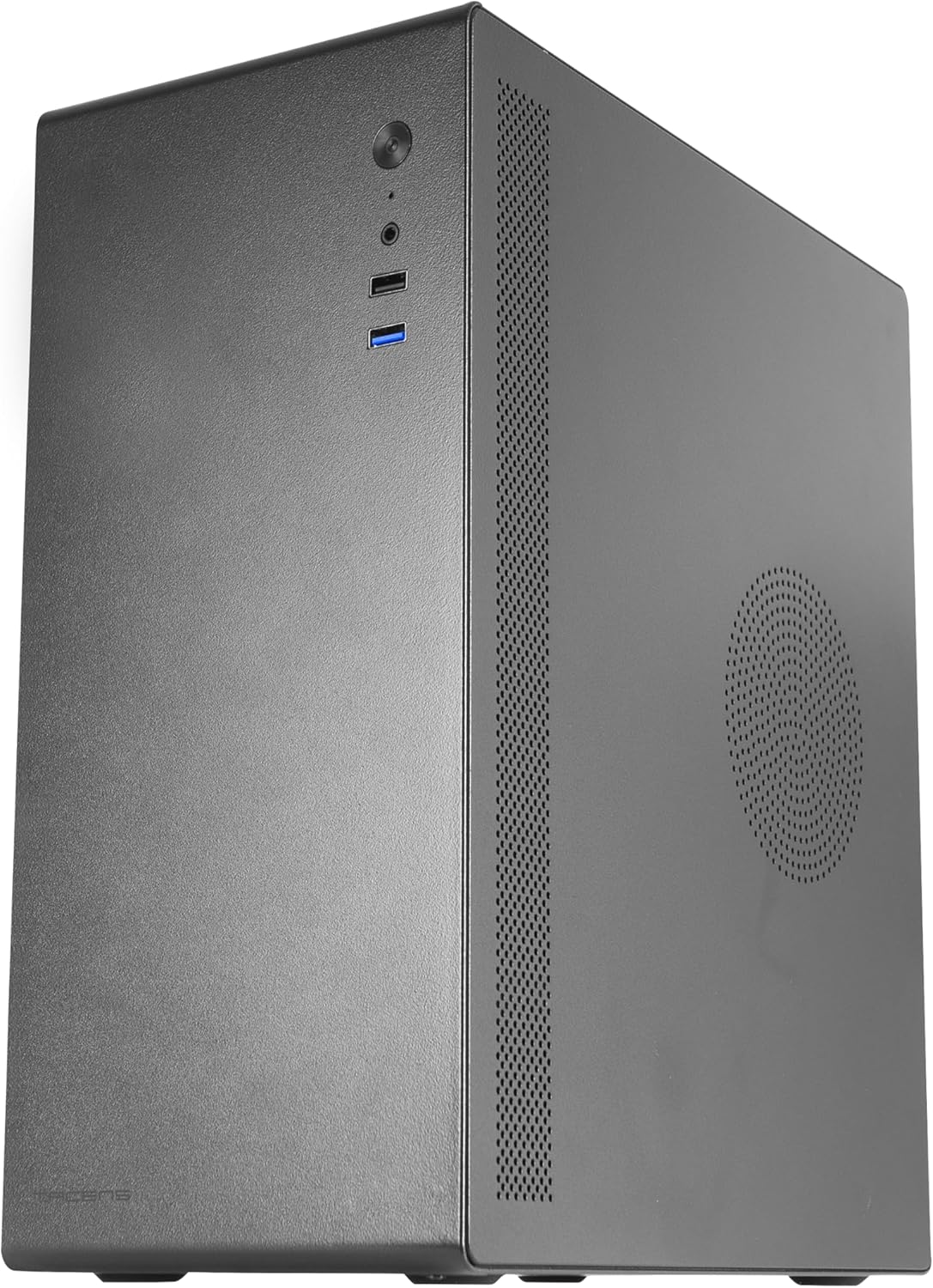
Figura 2: Wara view of the case with the side panel removed, showing internal layout.
2. Installazzjoni tal-Motherboard
The NOVAX case supports MicroATX and Mini-ITX motherboards. Align your motherboard with the pre-mounted standoffs inside the case. Secure the motherboard using the provided screws.
Video 1: This video demonstrates the installation process of a Micro-ATX motherboard and other components into a similar compact PC case. Note that specific component models may vary.
3. Installazzjoni tal-Karta tal-Grafika (GPU)
Install your graphics card into the appropriate PCIe slot on your motherboard. The case can accommodate graphics cards up to 250mm in length. Secure the GPU with the provided screws.
4. Installazzjoni tas-sewqan
The case provides mounting points for two 3.5" HDDs and two 2.5" SSDs. Secure your storage drives using the designated bays and screws.

Figura 3: Intern view highlighting the 80mm rear fan mount and potential drive installation areas.
5. Installazzjoni tal-Unità tal-Provvista tal-Enerġija (PSU)
The case supports standard ATX power supplies, which are mounted at the bottom. Ensure proper cable management to maintain optimal airflow.
Video 2: This video illustrates the assembly of a mini PC case, including the installation of a power supply and other components. It provides a visual guide for component placement.
6. Fan Configuration
The case includes one 80mm rear fan for exhaust. Additional fan mounts are available for enhanced cooling. Ensure fans are oriented correctly for optimal airflow (intake/exhaust).

Figure 4: Top-down internal view of the case, showing the layout for components and potential fan placements.
7. Konnettività tal-Panel ta' Quddiem
Connect the front panel cables (USB 3.0, USB 2.0, HD Audio, Power, Reset) to the corresponding headers on your motherboard. The front panel features:
- 1x USB 3.0 Port
- 1x USB 2.0 Port
- HD Audio (Headphone/Microphone combo jack)
- Buttuna tal-Qawwa
- Irrisettja Buttuna

Figure 5: Close-up of the front I/O panel, showing USB ports, audio jacks, and power/reset buttons.
Istruzzjonijiet Operattivi
Once all components are securely installed and connected, replace the side panels and connect your peripherals (monitor, keyboard, mouse) and power cable.
- Qabbad il-kejbil tal-enerġija mal-PSU u ma' sokit tal-ħajt.
- Press the power button on the front panel to turn on your PC.
- Use the front USB ports for convenient connection of external devices.
- The HD audio ports allow for easy connection of headphones and microphones.
Manutenzjoni
Manutenzjoni regolari tgħin biex tiżgura prestazzjoni ottimali u lonġevità tal-komponenti tal-PC tiegħek.
- Tindif tat-Trab: Periodically clean dust from the case's ventilation areas and internal components using compressed air or a soft brush.
- Ġestjoni tal-Kejbil: Ensure internal cables are neatly routed to prevent obstruction of airflow.
- Verifika tal-Fann: Inspect the 80mm rear fan and any additional fans for dust buildup or unusual noises.
Issolvi l-problemi
Jekk tiltaqa' ma' problemi, ikkunsidra l-passi komuni li ġejjin għas-soluzzjoni tal-problemi:
- Ebda Qawwa: Check all power connections, including the PSU cable, motherboard power, and CPU power. Ensure the PSU switch is in the 'ON' position.
- Ebda Display: Verify that your monitor is correctly connected to the graphics card (or integrated graphics) and that the monitor is powered on. Reseat the graphics card if necessary.
- Is-sħana żejda: Ensure all fans are spinning correctly and that there is no excessive dust buildup blocking airflow. Check CPU cooler installation.
- Portijiet USB ma Jaħdmux: Confirm that the front panel USB cables are securely connected to the motherboard headers.
Speċifikazzjonijiet
| Karatteristika | Dettall |
|---|---|
| Brand | Tacens |
| Isem tal-Mudell | 2NOVAX |
| Tip ta' Każ | Mini-Torri |
| Kompatibbiltà tal-motherboard | Mikro ATX, Mini ITX |
| Materjal | Metall |
| Kulur | Iswed |
| Piż tal-oġġett | 4.62 liri |
| Dimensjonijiet tal-Prodott (LxWxH) | 14.02 x 6.54 x 10.83 pulzieri |
| Numru ta 'USB 3.0 Ports | 1 |
| Numru ta 'USB 2.0 Ports | 1 |
| Rear Fan Included | 1x 80mm |
| Tip ta' Immuntar tal-Provvista tal-Enerġija | Mount tal-qiegħ |
| Metodu tat-tkessiħ | Arja |
| Max GPU Tul | 250mm |
| Drive Bays | 2x HDDs ta' 3.5", 2x SSDs ta' 2.5" |
| Slots ta 'Espansjoni | 4 |
Garanzija u Appoġġ
For warranty information and technical support, please refer to the official Tacens webis-sit jew ikkuntattja s-servizz tal-konsumatur tagħhom. Żomm il-prova tax-xiri tiegħek għal talbiet ta’ garanzija.


