1. Introduzzjoni
Thank you for choosing the SHIDU Voice Amplifier Model 2023-308. This portable PA system is designed to amplify your voice clearly, making it ideal for teachers, tour guides, trainers, and public speakers. It supports various audio playback options including Bluetooth, TF card, and U-Disk. Please read this manual carefully to ensure proper use and optimal performance of your device.
2. Kontenut tal-Pakkett
Jekk jogħġbok iċċekkja l-pakkett għall-oġġetti li ġejjin:
- Leħen SHIDU AmpUnità lifier
- Wired Mikrofonu bil-wajer
- Cable tal-Iċċarġjar tal-USB
- Adjustable Waist/Shoulder Strap
3. Prodott Aktarview
The SHIDU 2023-308 Voice Amplifier is a compact and lightweight device designed for clear voice amplification and versatile audio playback.
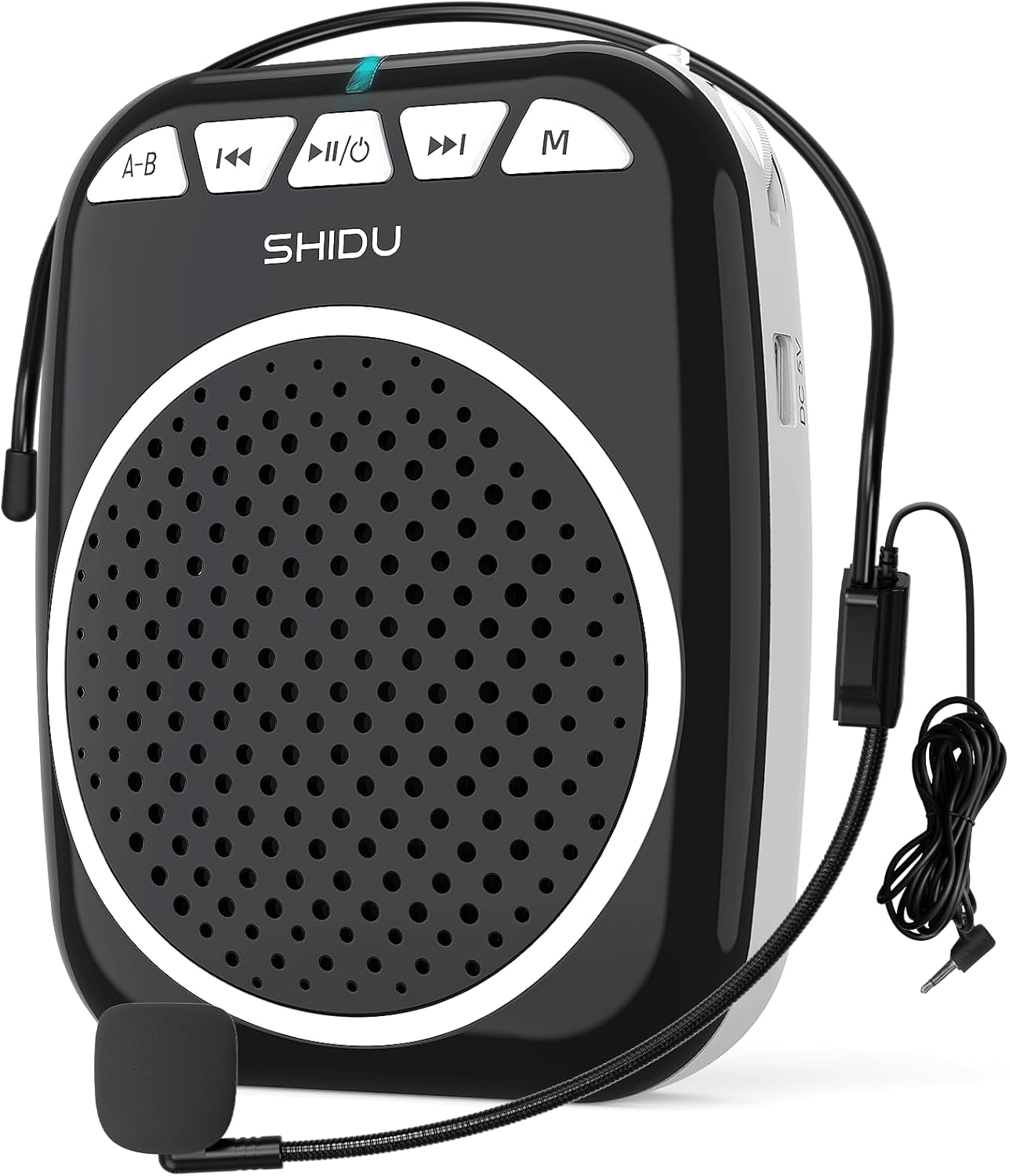
Figure 1: SHIDU Voice Amplifier Model 2023-308 with wired microphone headset.
Karatteristiċi ewlenin:
- Leħen ċara Amplifikazzjoni: Projects voice clearly to audiences of up to 120 people.
- Ħfief u portabbli: Weighs approximately 0.3 pounds (10.5 ounces) for easy transport.
- Multi-functional Playback: Supports Bluetooth, TF card, and U-Disk for music playback.
- Ħajja twila tal-batterija: Built-in rechargeable battery provides up to 7.5 hours of amplifikazzjoni.
- Kostruzzjoni Durabbli: Made from Acrylonitrile Butadiene Styrene (ABS).

Figure 2: Illustration of the voice amplifier's coverage area and audience capacity.
4. Identifikazzjoni tal-Komponent

Figura 3: Quddiem u ġenb views tal- amplifier with labeled ports and buttons.
- A-B / Repeat Key: Used for repeating sections in audio playback.
- Buttuna tat-Trekk ta 'Qabel: Navigates to the previous audio track.
- Power On/Off & Play/Pause Button: Controls power and audio playback.
- Buttuna tat-Trekk li jmiss: Navigates to the next audio track.
- Buttuna tal-Modalità (M): Switches between Bluetooth, TF Card, U-Disk, and AUX modes.
- Dawl Indikatur: Displays device status (e.g., charging, power on, Bluetooth pairing).
- Slott tal-Karta TF: Insert a TF (Micro SD) card for audio playback.
- Slot USB: Insert a U-Disk (USB flash drive) for audio playback.
- Mic Slot: Connect the wired microphone headset.
- Port tal-Iċċarġjar DC 5V: Qabbad il-kejbil tal-iċċarġjar tal-USB.
- Kontroll tal-Volum: Rotary knob for adjusting ampvolum ta 'lifikazzjoni.
- Clip ta' wara: For attaching the amplifier to a belt or pocket.
5. Istruzzjonijiet ta' Setup
5.1. Iċċarġjar tal-Apparat
- Connect the small end of the USB charging cable to the DC 5V Charging Port on the ampaktar ħaj.
- Qabbad it-tarf l-ieħor tal-kejbil USB ma' adapter tal-enerġija USB standard (mhux inkluż) jew mal-port USB tal-kompjuter.
- The indicator light will illuminate during charging. It typically takes 2-4 hours for a full charge.
- A full charge provides approximately 7.5 hours of amplification time.
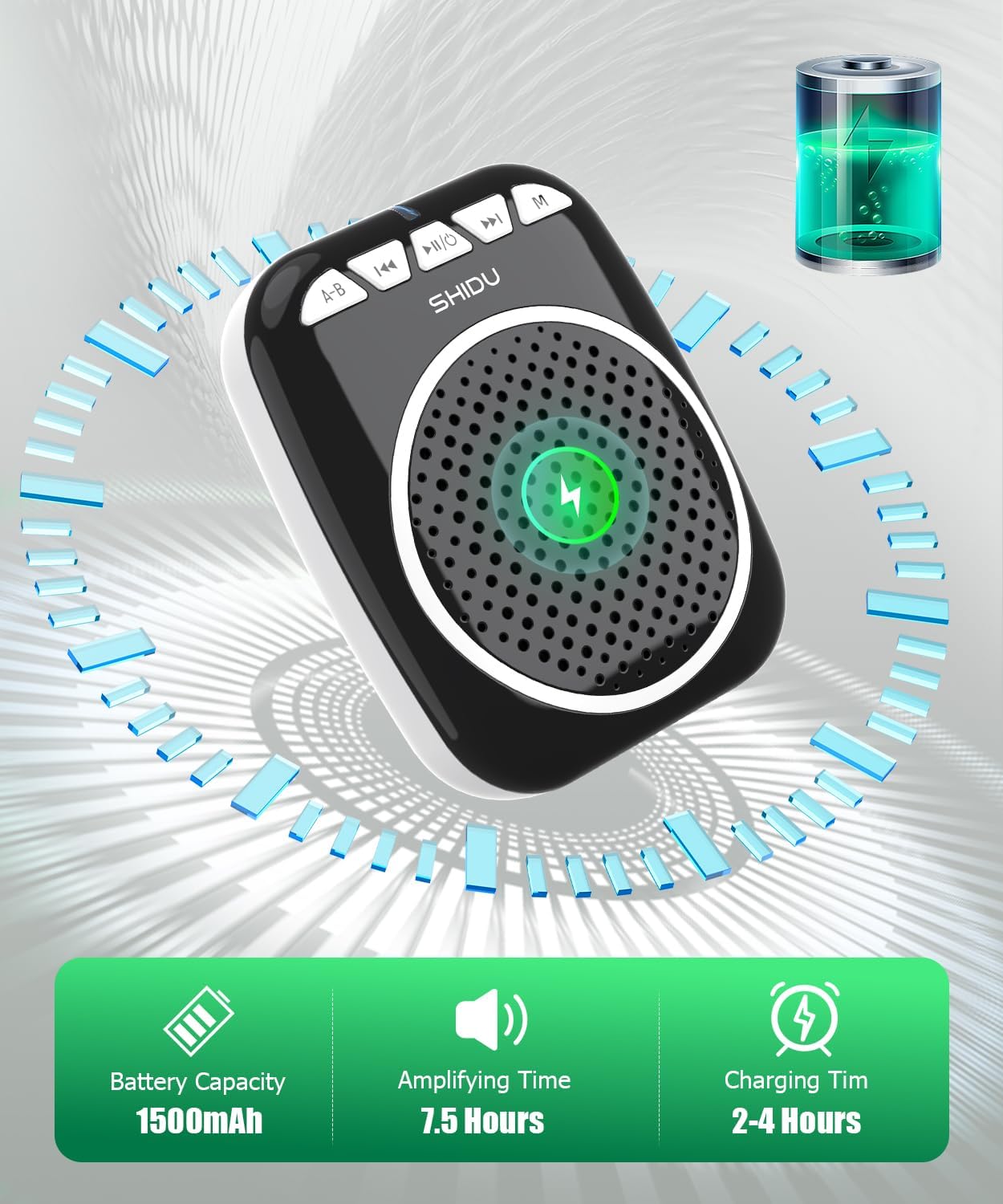
Figure 4: Battery capacity, amplifying time, and charging time information.
5.2. Konnessjoni tal-Mikrofonu
- Insert the 3.5mm jack of the wired microphone headset into the Mic Slot on the ampaktar ħaj.
- Position the microphone headset comfortably on your head, ensuring the microphone is close to your mouth for optimal voice pickup.
5.3. Wearing the Ampaktar ħaj
Il- amplifier can be carried in multiple ways:
- Clip ta' wara: Waħħal il- amplifier to your belt or pocket using the integrated back clip.
- Ċinga tal-Qadd: Use the adjustable strap to wear the amplifier around your waist.
- Shoulder/Neck Strap: Use the adjustable strap to hang the amplifier over your shoulder or neck.

Figure 5: Demonstrates various carrying options for the voice ampaktar ħaj.
6. Istruzzjonijiet Operattivi
6.1. Power On/Off
- Biex Tixgħel: Agħfas u żomm il- Power On/Off & Play/Pause button for a few seconds until the indicator light illuminates.
- Biex Tifi: Agħfas u żomm il- Power On/Off & Play/Pause button again for a few seconds until the indicator light turns off.
6.2. Vuċi Amplifikazzjoni
- Ensure the microphone headset is securely connected to the Mic Slot.
- Qawwa fuq il- ampaktar ħaj.
- Dawwar bil-mod il- Kontroll tal-Volum knob to increase the volume to your desired level.
- Kellem ċar fil-mikrofonu.
- Nota: To avoid feedback, keep the microphone away from the speaker and avoid pointing the microphone directly at the speaker.
6.3. Modalità Bluetooth
- Qawwa fuq il- ampaktar ħaj.
- Agħfas il- Modalità (M) button until you hear a voice prompt indicating "Bluetooth Mode" or see the indicator light flashing blue.
- On your device (smartphone, tablet, computer), enable Bluetooth and search for "SHIDU" or "2023-308".
- Agħżel il- amplifier from the list to pair. Once paired, you will hear a confirmation sound, and the indicator light will turn solid blue.
- Issa tista' ddoqq l-awdjo mit-tagħmir tiegħek permezz tal- ampaktar ħaj. Uża l- Track Preċedenti, Play/Pawsa, u Track li jmiss buttuni biex jikkontrollaw daqq.

Figure 6: Seamless Bluetooth connectivity with various devices.
6.4. TF Card / U-Disk Playback
- Qawwa fuq il- ampaktar ħaj.
- Insert a TF (Micro SD) card into the Slott tal-Karta TF or a U-Disk into the Slott USB.
- Il- amplifier will automatically detect the storage device and begin playing audio files. Jekk le, agħfas il-buttuna Modalità (M) buttuna biex taqleb għall-modalità korretta.
- Uża l- Track Preċedenti, Play/Pawsa, u Track li jmiss buttuni biex jikkontrollaw daqq.
- Agħfas il- A-B / Repeat Key to repeat the current track or a specific section.
7. Manutenzjoni
- Tindif: Imsaħ l-apparat b'ċarruta ratba u niexfa. Tużax prodotti tat-tindif jew solventi li joborxu.
- Ħażna: Aħżen il- amplifier f'post frisk u niexef 'il bogħod mix-xemx diretta u minn temperaturi estremi.
- Kura tal-batterija: Biex ittawwal il-ħajja tal-batterija, iċċarġja l-apparat regolarment, anke jekk ma tużahx ta' spiss. Evita li tiċċarġja l-batterija kompletament għal perjodi twal.
- Kura tal-Mikrofonu: Handle the wired microphone headset gently. Avoid bending the cable sharply or exposing it to excessive moisture.
8 Issolvi l-problemi
| Problema | Kawża Possibbli | Soluzzjoni |
|---|---|---|
| Ebda ħoss minn ampaktar ħaj. | Device is off; volume is too low; microphone not connected properly; battery is low. | Ensure device is powered on. Increase volume. Check microphone connection. Charge the battery. |
| Feedback (squealing sound). | Mikrofonu qrib wisq tal-ispiker; volum għoli wisq; mikrofonu ppuntat lejn l-ispiker. | Move microphone further from speaker. Reduce volume. Adjust microphone position. |
| Kwistjonijiet ta 'konnessjoni Bluetooth. | Amplifier not in Bluetooth mode; device not discoverable; interference. | Press 'M' button to enter Bluetooth mode. Ensure Bluetooth is enabled on your device. Move closer to the amplifier. Try re-pairing. |
| TF card/U-Disk not playing. | Skorretta file format; card/disk not inserted correctly; amplifier in wrong mode. | Żgura l-awdjo files are in a compatible format (e.g., MP3). Reinsert card/disk. Press 'M' button to switch to TF/USB mode. |
| Ħajja qasira tal-batterija. | Mhux iċċarġjata għalkollox; batterija li qed tixjieħ. | Ensure full charge (2-4 hours). If battery life significantly degrades over time, contact support. |
9. Speċifikazzjonijiet
| Karatteristika | Dettall |
|---|---|
| Numru tal-Mudell | 2023-308 |
| Brand | SHIDU |
| Tip ta 'Immuntar | Portabbli |
| Sors tal-Enerġija | Mħaddma bil-batterija |
| Tip ta' Konnettur | Aux, USB |
| Materjal | Acrylonitrile Butadiene Styrene (ABS) |
| Piż tal-oġġett | 0.3 Kilogrammi (10.5 uqija) |
| Numru ta 'Kanali | 1 |
| Input Awdjo | Mikrofonu |
| Dimensjonijiet tal-Prodott (L x W x H) | 1 x 12 x 4.3 pulzieri |
| Teknoloġija tal-Konnettività | AUX, Bluetooth, USB |
| Kulur | Iswed |
| Apparati Kompatibbli | Headset, Smartphone |
| Kapaċità tal-batterija | 1500mAh |
| Amplifying Time | Sa 7.5-il Siegħa |
| Ħin tal-Iċċarġjar | 2-4 Sigħat |
10. Garanzija u Appoġġ
SHIDU is committed to providing high-quality products. For any questions or issues regarding your SHIDU Voice Amplifier Model 2023-308, please contact SHIDU customer support. Refer to your purchase documentation for specific warranty details.
You can often find support information on the official SHIDU webis-sit jew permezz tal-bejjiegħ bl-imnut minn fejn xtrajt il-prodott.


